M20_Ope_E.pdf - 第154页
Chapter 5 Libraries 5-4 Te rmin a t. F our -t er min ati on S earch ( X) F our-t er mi n ati on S earc h ( Y) Chip CPL Electr ol ytic C apac it or Edg e- mi dp oi nt S earc h O ver al l C h ip P r oc es s C orner S earc …
Chapter 5 Libraries
5-3
5-1-1-3 Targets Application
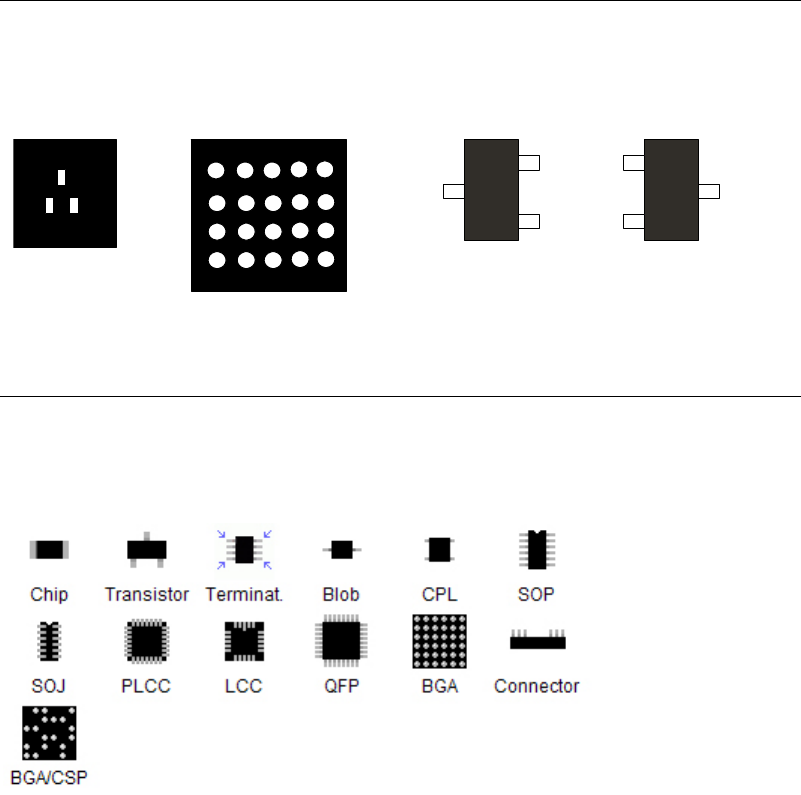
Video Images of Components
Due to the use of front-light illumination, video images of metallic parts (leads, etc.) appear
white and mold parts appear black. Also the right and left direction of the component is
reversed from the packaging state when the component is monitored on the vision monitor.
Transistor BGA
Packaging direction Monitored direction
5-1-1-4 Vision Processing Algorithms
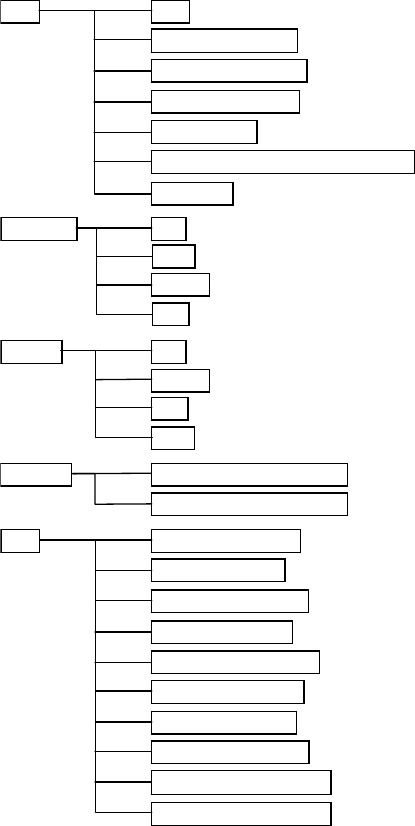
Vision Processing Modes
You are to choose a vision processing mode from the below ones according to the component
type.
In addition, in most cases you are to choose an advanced mode under the vision processing
mode.
Chapter 5 Libraries
5-4
Terminat. Four-termination Search (X)
Four-termination Search (Y)
Chip CPL
Electrolytic Capacitor
Edge-midpoint Search
Overall Chip Process
Corner Search
Edge-midpoint Search (Non Recovery)
Pow. Tr. Top
Right
Bottom
Left
Blob One Blob (horizontal)
One Blob (vertical)
Two Blobs (vertical)
Two Blobs (horizontal)
Three Blobs (vertical)
Three Blobs (horizontal)
Four Blobs (corners)
Four Blobs (midpoints)
Multiple Blobs (vertical)
Multiple Blobs (horizontal)
Glass Melf
Transistor Top
Right
Bottom
Left
Chapter 5 Libraries
5-5
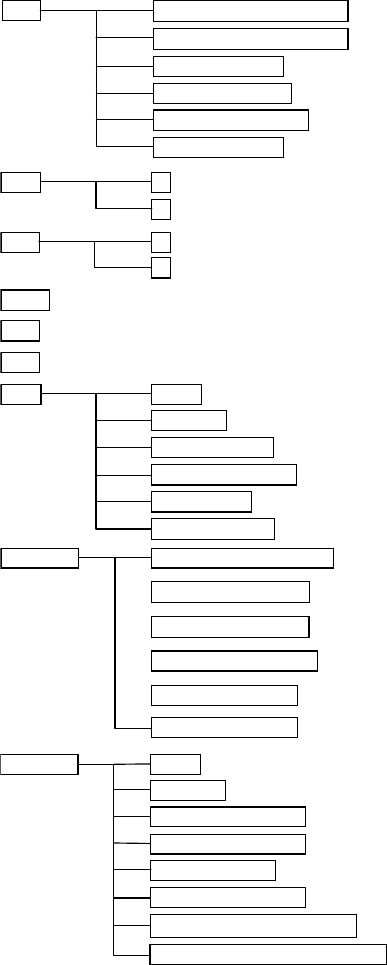
SOP
X
Y
SOJ X
Y
Connector One-side Leaded (bottom)
One-side Leaded (left)
One-side Leaded (top)
One-side Leaded (right)
Two-side Leaded (X)
Two-side Leaded (Y)
LCC
PLCC
QFP
BGA Matrix
Staggered
Perimeter-matrix
Perimeter-staggered
Partial-matrix
Partial-staggered
BGA/CSP Matrix
Staggered
XY Dif Pitch Matrix
XY Dif Pitch Staggered
White BGA Matrix
White BGA Staggered
White BGA XY Dif Pitch Matrix
White BGA XY Dif Pitch Staggered
CPL
CPL process (top & bottom)
CPL process (right & left)
CPL process (top)
CPL process (right)
CPL process (bottom)
CPL process (left)
Image Processing Area
The image processing area forms a square with a side of double length of a component. If the
area exceeds the FOV of the camera, the FOV is taken as the area.
Camera types to recognize the components
・ Multi-Scan Camera