M20_Ope_E.pdf - 第209页
Chapter 5 Libraries 5-59 z Skip Lead Count Some connectors have mold stick-outs at the outer sides of the lead row, which may be mis-identified by the vision system as leads. To prevent this, specify how many wrong-pitch…
Chapter 5 Libraries
5-58
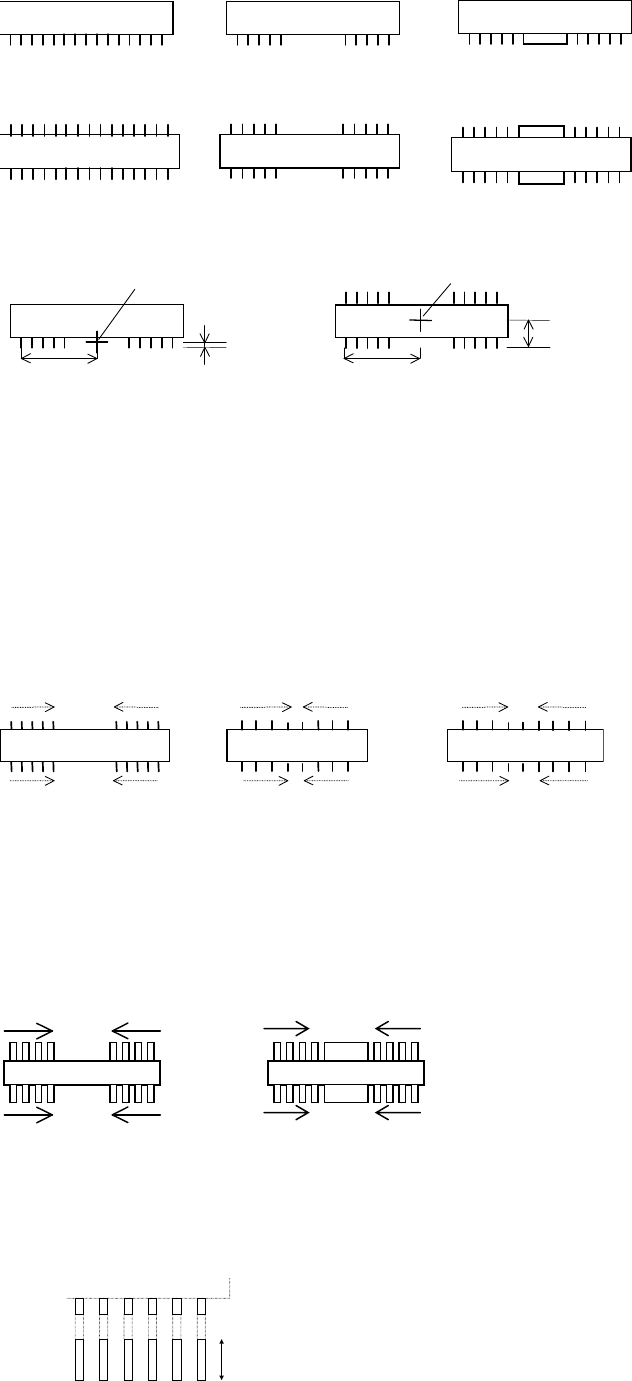
(Center-molded lead row)One-side leaded (Center-leadless lead row)
(Center-molded lead rows)
(Cener-leadless lead rows)
Two-side leaded
Placement Point (the center of the inspected lead rows)
Placement point
Lead Row / 2
Placement point
Lead Foot / 2
Lead Row / 2
Overall Y / 2
Settings
Only settings that require notice are described in this section.
z Handle Lead
Lead count from either end to the center to inspect for lead bending. This does not mean the
present lead count.
5 leads 5 leads
5 leads5 leads
4 leads 4 leads 4 leads 4 leads
4 leads4 leads4 leads4 leads
Handle Lead = 4Handle Lead = 4Handle Lead = 5
Normally, specify zero at "Handle Lead". At this setting, the number of leads is not counted,
but, "Lead Pitch" and "Lead Row" are checked, which is equivalent to counting leads. When
some center leads are lacking, or there is a large electrode in the middle, all the leads are not
equally spaced, and specify the number of handled leads, counting from the end, at "Handle
Lead". Never set the number of all the leads at "Handle Leads".
Example: In the below figure, type 4 at "Handle Lead".
4 leads 4 leads
z Lead Foot
If the video image of the leads looks like the below figure, enter the length indicated by the
arrow:
Chapter 5 Libraries
5-59
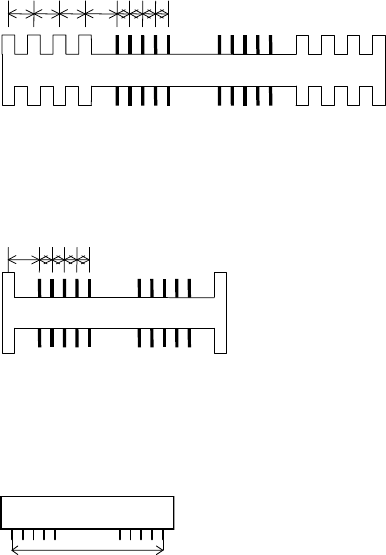
z Skip Lead Count
Some connectors have mold stick-outs at the outer sides of the lead row, which may be
mis-identified by the vision system as leads. To prevent this, specify how many wrong-pitched
stick-outs to be skipped. If the interval between such stick-outs equals the lead pitch, they are
not skipped.
Example: Skip Lead Count = 4
Four wrong-pitched stick-outs are skipped.
Example: Skip Lead Count = 4
When there is only one wrong-pitched stick-out, only this one is ignored.
z End Lead Pitch
The distance between the outermost leads.
How to calculate the Lead Row setting:
(Lead count/side - 1) x LeadPitch = End Lead Pitch
For a missing-leaded component, assume the leads are not missing in this calculation.
When the difference between this setting and the actual measurement is;
± {LeadBendPerm + (LeadPitch/3)} or less, the component will be accepted.
Chapter 5 Libraries
5-60
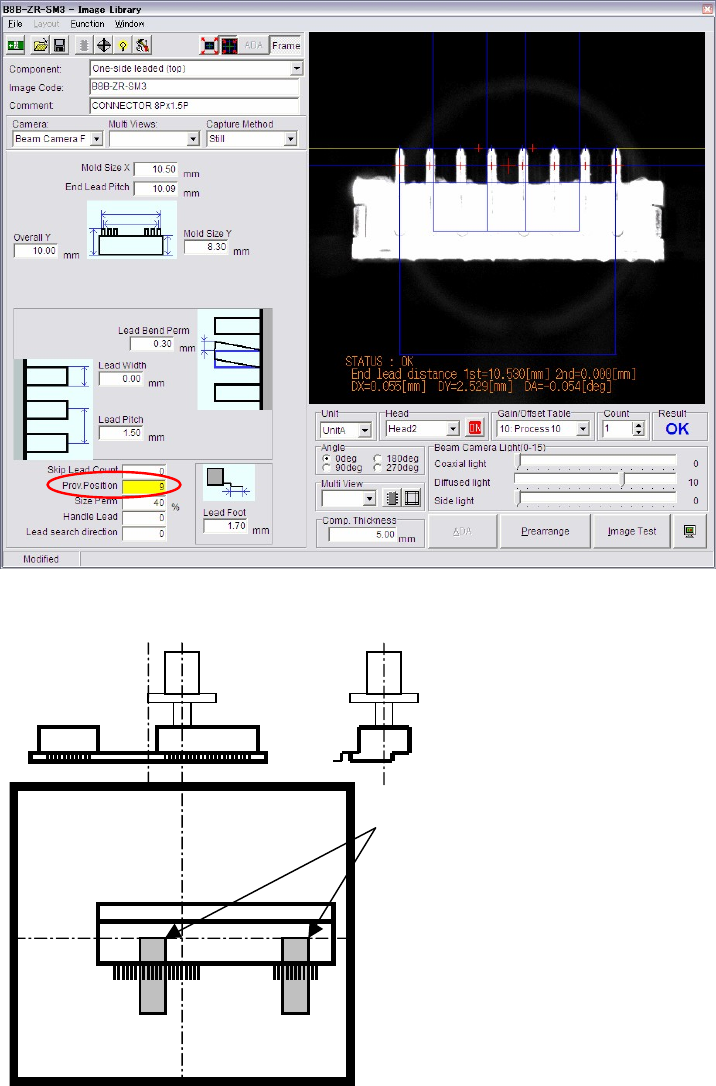
z Prov. Position
When the component is picked up at its off-centered position, the component position when
presented to the camera for image acquisition is off-centered accordingly. When the amount of
the off-centering exceeds an acceptable range, provisional positioning error will result. For the
component to be vision-processed at a desired position, [Prov. Position] setting needs to be
modified.
Example: To pick up a component at an off-centered point as shown below, set [Prov. Position] to “15”.
Provisional positioning windows
The right and left position of the
component video image shot by
the upward-looking camera is
reversed.