M20_Ope_E.pdf - 第210页
Chapter 5 Libraries 5-60 z Prov. Position When the component is picked up at its off-c entered position, the component position when presented to the camera for image acquisition is off-centered accordingly. When the amo…
Chapter 5 Libraries
5-59
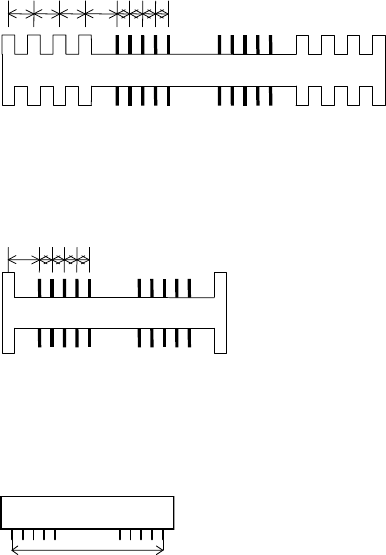
z Skip Lead Count
Some connectors have mold stick-outs at the outer sides of the lead row, which may be
mis-identified by the vision system as leads. To prevent this, specify how many wrong-pitched
stick-outs to be skipped. If the interval between such stick-outs equals the lead pitch, they are
not skipped.
Example: Skip Lead Count = 4
Four wrong-pitched stick-outs are skipped.
Example: Skip Lead Count = 4
When there is only one wrong-pitched stick-out, only this one is ignored.
z End Lead Pitch
The distance between the outermost leads.
How to calculate the Lead Row setting:
(Lead count/side - 1) x LeadPitch = End Lead Pitch
For a missing-leaded component, assume the leads are not missing in this calculation.
When the difference between this setting and the actual measurement is;
± {LeadBendPerm + (LeadPitch/3)} or less, the component will be accepted.
Chapter 5 Libraries
5-60
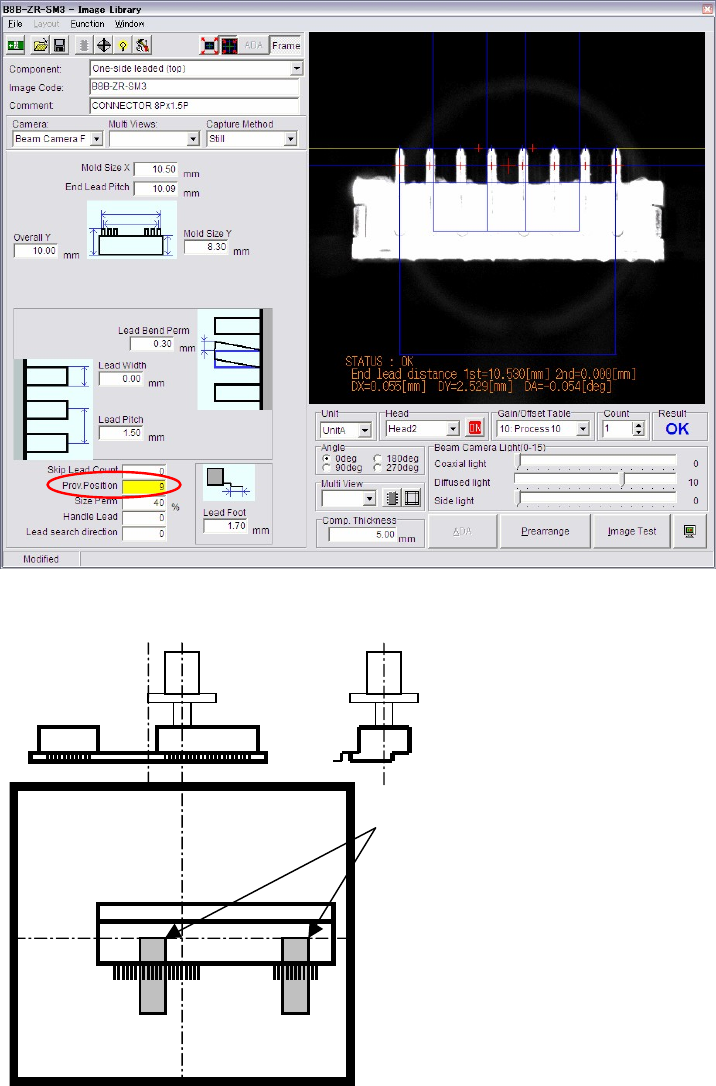
z Prov. Position
When the component is picked up at its off-centered position, the component position when
presented to the camera for image acquisition is off-centered accordingly. When the amount of
the off-centering exceeds an acceptable range, provisional positioning error will result. For the
component to be vision-processed at a desired position, [Prov. Position] setting needs to be
modified.
Example: To pick up a component at an off-centered point as shown below, set [Prov. Position] to “15”.
Provisional positioning windows
The right and left position of the
component video image shot by
the upward-looking camera is
reversed.
Chapter 5 Libraries
5-61
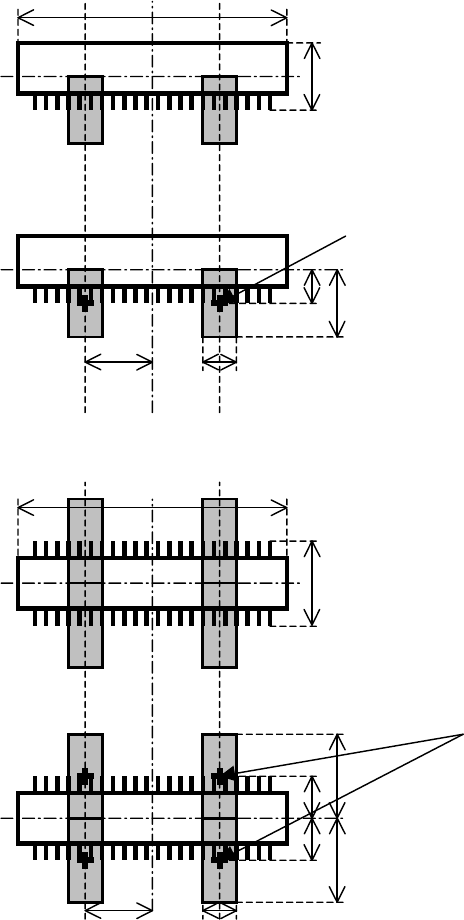
* When [Prov. Position]=0
The following shows how the size and position of the provisional positioning windows are
determined by the component dimensions. This algorithm applies to all the connector modes
(one-side leaded mode and two-side leaded mode).
Overall X
Overall Y
Prov. Position = 0
Center of the window
Overall Y
Overall Y / 2
Overall X / 4 Lead Pitch
3
Overall X
Overall Y
Prov. Position = 0
Center of the window
Overall Y
Overall Y / 2
Overall X / 4 Lead Pitch
3
Overall Y / 2
Overall Y