M20_Ope_E.pdf - 第212页
Chapter 5 Libraries 5-62 * Moving the provisional positioning windows By modifying the first digit of [Prov. Position], you can ch ange the position of the provisional positioning windows. Followings are available for [C…
Chapter 5 Libraries
5-61
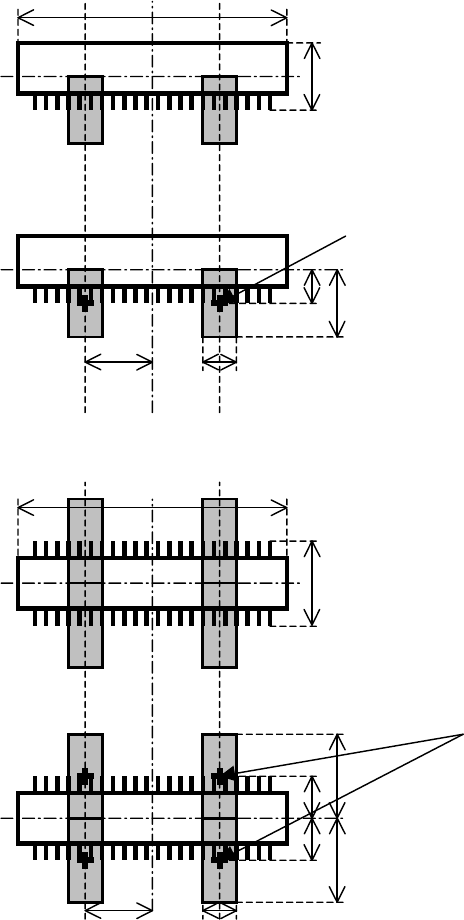
* When [Prov. Position]=0
The following shows how the size and position of the provisional positioning windows are
determined by the component dimensions. This algorithm applies to all the connector modes
(one-side leaded mode and two-side leaded mode).
Overall X
Overall Y
Prov. Position = 0
Center of the window
Overall Y
Overall Y / 2
Overall X / 4 Lead Pitch
3
Overall X
Overall Y
Prov. Position = 0
Center of the window
Overall Y
Overall Y / 2
Overall X / 4 Lead Pitch
3
Overall Y / 2
Overall Y
Chapter 5 Libraries
5-62
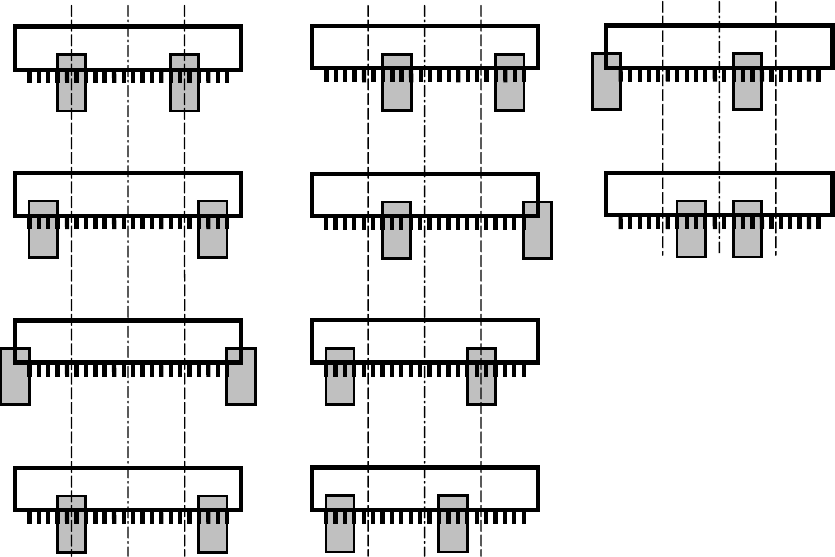
* Moving the provisional positioning windows
By modifying the first digit of [Prov. Position], you can change the position of the provisional
positioning windows.
Followings are available for [CPL] or [Connector] processings:
Prov. Position = ?0
Prov. Position = ?5
Prov. Position = ?1
Prov. Position = ?6
Prov. Position = ?2
Prov. Position = ?7
Prov. Position = ?3
Prov. Position = ?4
Prov. Position = ?8
Prov. Position = ?9
Chapter 5 Libraries
5-63
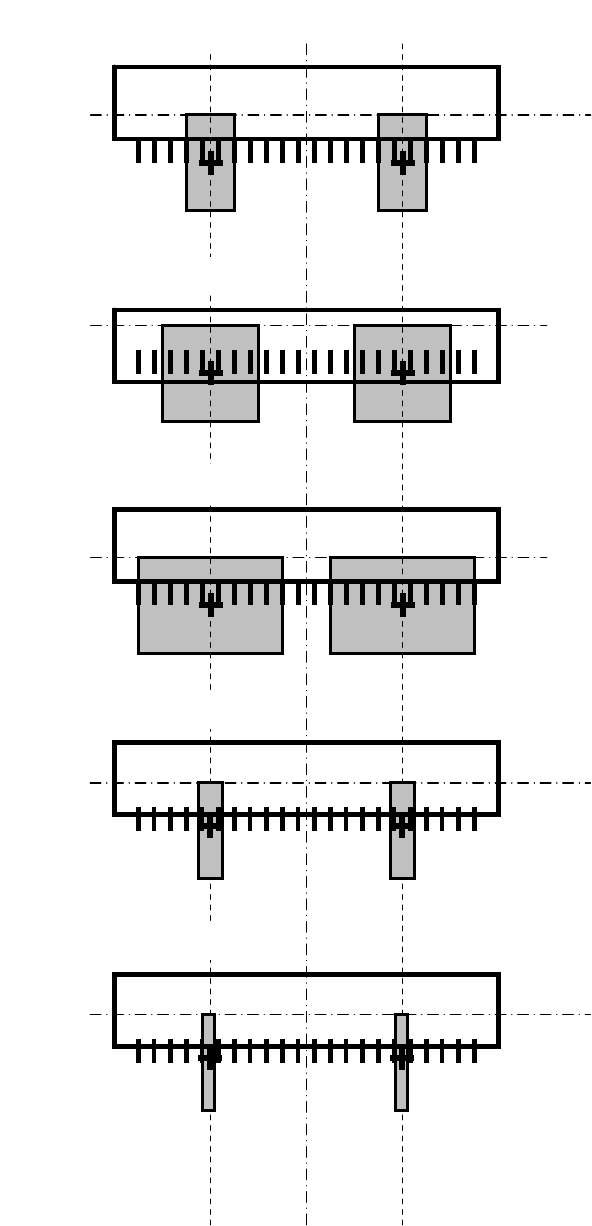
* Resizing the provisional positioning windows
By modifying the second digit of [Prov. Position], you can resize the provisional positioning
windows.
[When "Prov. Position" =10~19]
[When "Prov. Position" =20~29]
[When "Prov. Position" =30~39]
[When "Prov. Position" =40~49]
[When "Prov. Position" =0~9]