M20_Ope_E.pdf - 第213页
Chapter 5 Libraries 5-63 * Resizing the provisional positioning windows By modifying the second digit of [Prov. Position], you ca n resize the provisional positioning windows. [When "Prov. Position" =10~19] [Wh…
Chapter 5 Libraries
5-62
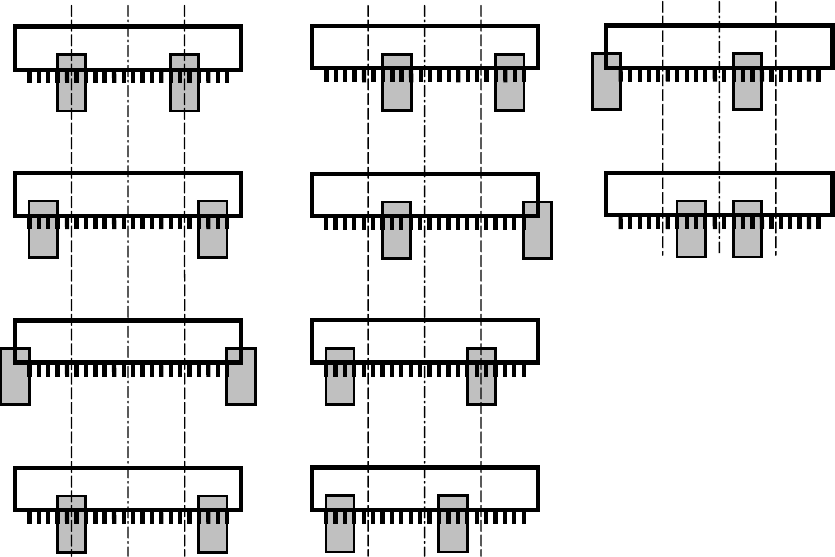
* Moving the provisional positioning windows
By modifying the first digit of [Prov. Position], you can change the position of the provisional
positioning windows.
Followings are available for [CPL] or [Connector] processings:
Prov. Position = ?0
Prov. Position = ?5
Prov. Position = ?1
Prov. Position = ?6
Prov. Position = ?2
Prov. Position = ?7
Prov. Position = ?3
Prov. Position = ?4
Prov. Position = ?8
Prov. Position = ?9
Chapter 5 Libraries
5-63
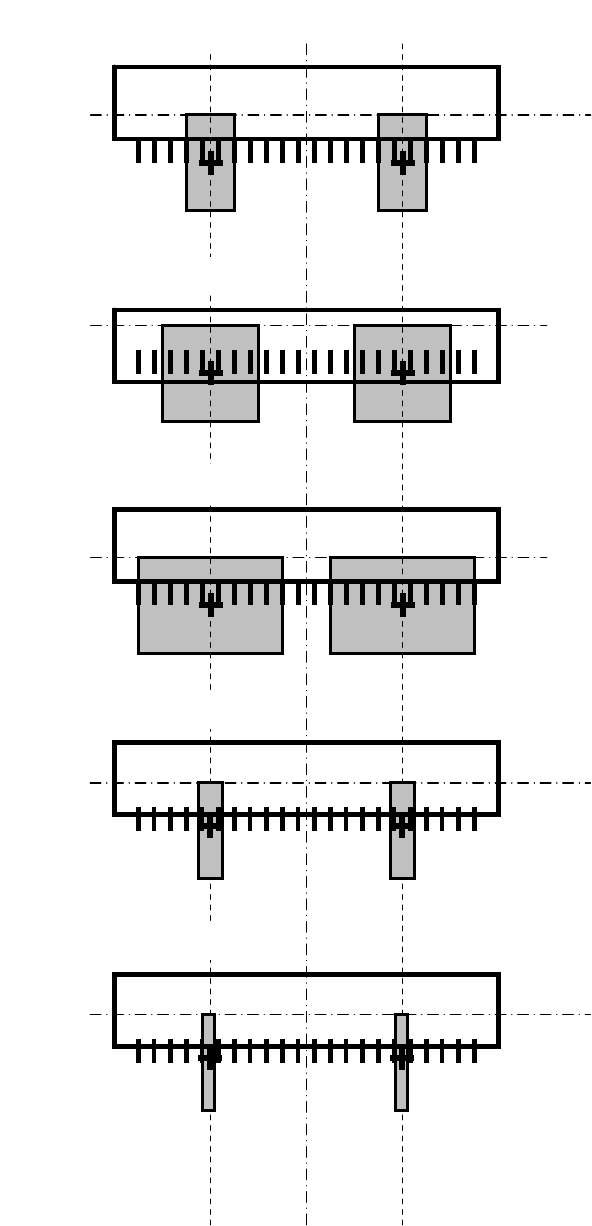
* Resizing the provisional positioning windows
By modifying the second digit of [Prov. Position], you can resize the provisional positioning
windows.
[When "Prov. Position" =10~19]
[When "Prov. Position" =20~29]
[When "Prov. Position" =30~39]
[When "Prov. Position" =40~49]
[When "Prov. Position" =0~9]
Chapter 5 Libraries
5-64
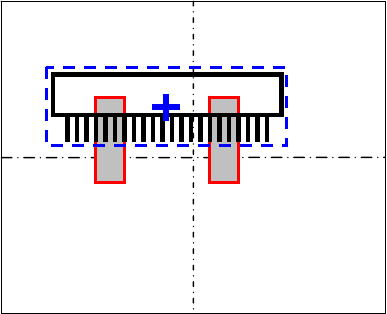
* Provisional positioning windows referenced from Component center
So far, the provisional positioning windows were always referenced from the nozzle center.
Thus, sometimes that caused recognition errors because the windows were put far from the
component for the pickup offset from the component center.
Now, by inputting “1” in the digit of hundreds, the provisional positioning windows are put
referenced from the component center, not the nozzle center, no matter of the pickup offset.
Action: [Prov.Position] = 1**
Example: When [Prov.Position] is “100”, the Provisional positioning windows are put as below: