M20_Ope_E.pdf - 第215页
Chapter 5 Libraries 5-65 * Prov. Position values quick refere nce Note: The “Prov.Position=40~49” is not below, but see the “Prov.Position=30~39” as reference. The former shows almost half si ze of window than the latter…
Chapter 5 Libraries
5-64
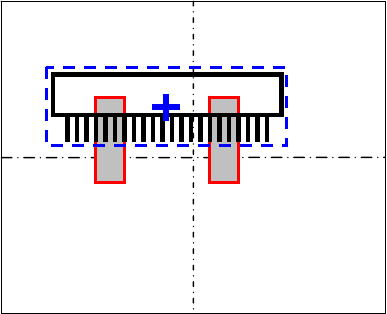
* Provisional positioning windows referenced from Component center
So far, the provisional positioning windows were always referenced from the nozzle center.
Thus, sometimes that caused recognition errors because the windows were put far from the
component for the pickup offset from the component center.
Now, by inputting “1” in the digit of hundreds, the provisional positioning windows are put
referenced from the component center, not the nozzle center, no matter of the pickup offset.
Action: [Prov.Position] = 1**
Example: When [Prov.Position] is “100”, the Provisional positioning windows are put as below:
Chapter 5 Libraries
5-65
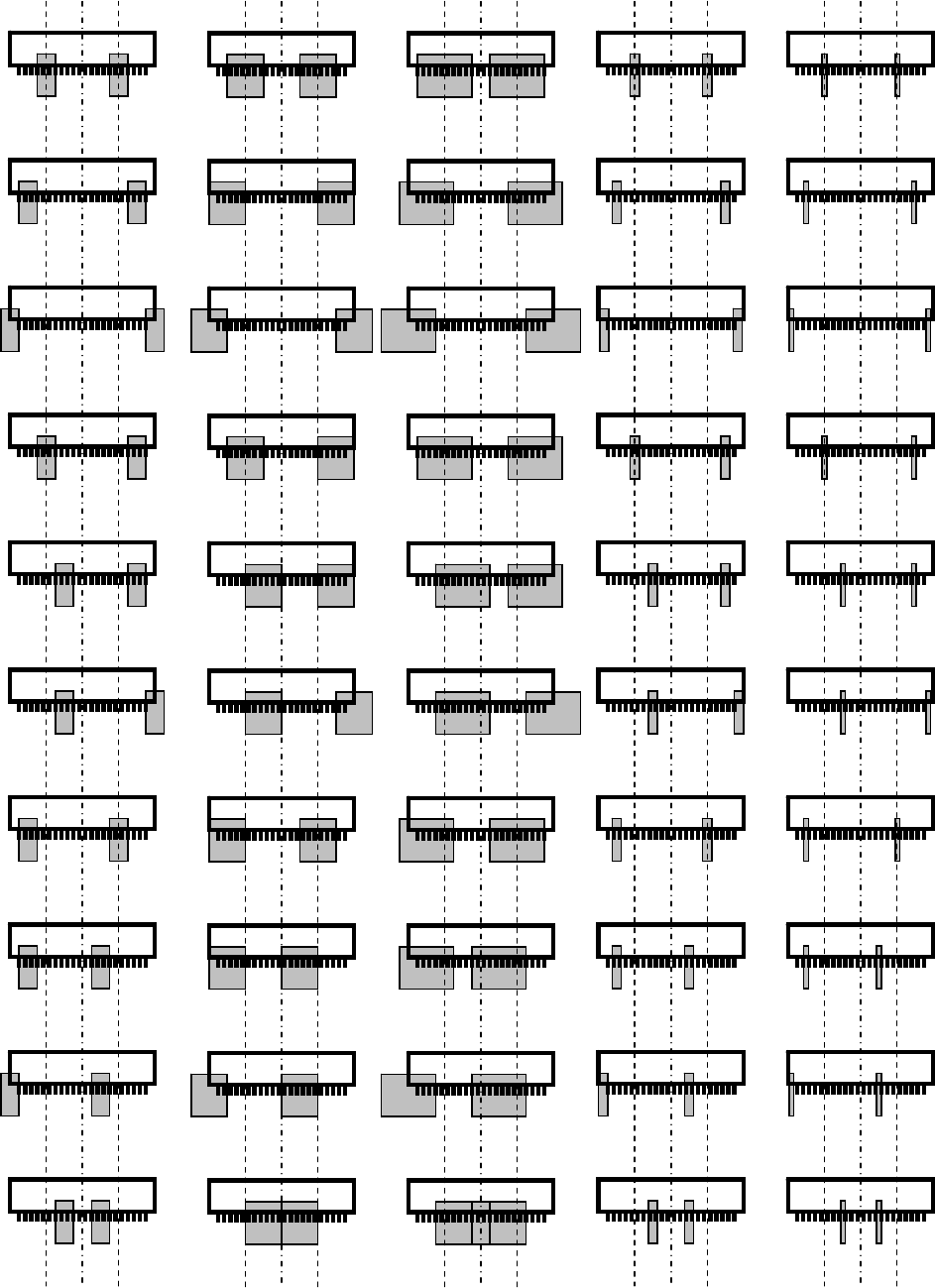
* Prov. Position values quick reference
Note: The “Prov.Position=40~49” is not below, but see the “Prov.Position=30~39” as reference.
The former shows almost half size of window than the latter.
0 10 20 30 40
1 11 21 31 41
2 12 22 32 42
3 13 23 33 43
4 14 24 34 44
5 15 25 35 45
6 16 26 36 46
7 17 27 37 47
8 18 28 38 48
9 19 29 39 49
Chapter 5 Libraries
5-66
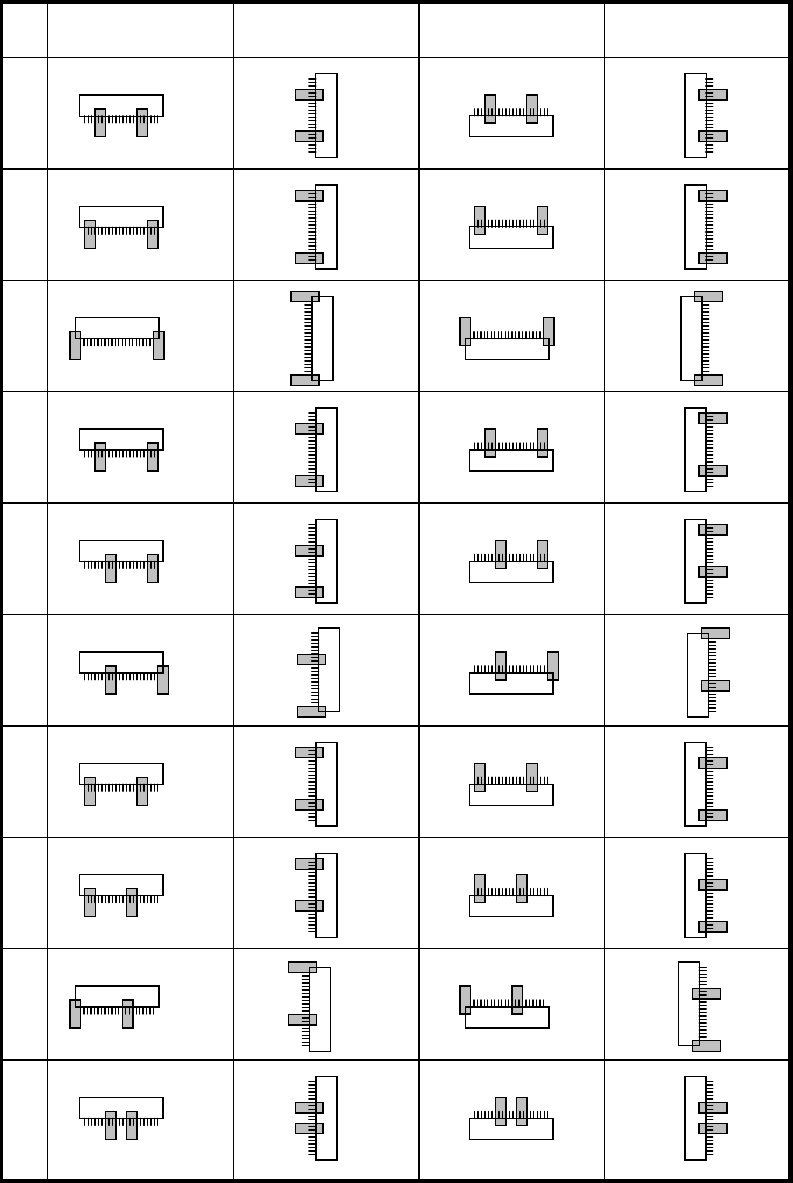
* Prov. Position values quick reference (continued)
0
1
2
3
4
5
6
7
8
9
Bottom-side leaded Left-side leaded Top-side leaded Right-side leaded