M20_Ope_E.pdf - 第22页
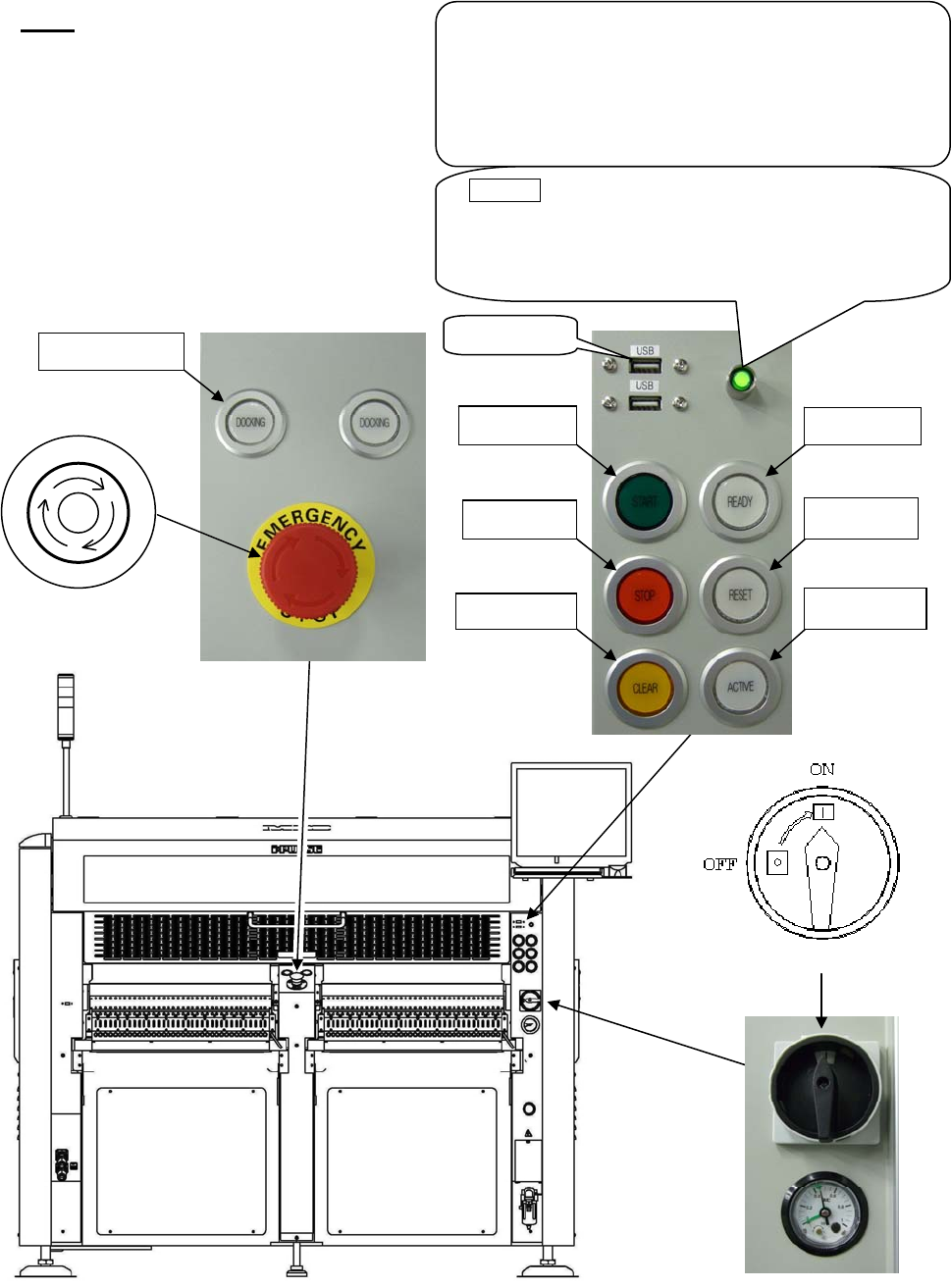
Chapter 1 General 1-4 M20 Front View Note: Configuration of the control switches varies depending on each machine configuration. 3. READY 5. START 4. RESET 6. STOP 8. ACTIVE 7. CLEAR USB p ort POWER ( Green lamp ) This l…

Chapter 1 General
1-3
Rear View
Note: Configuration of the control switches varies depending on each machine configuration.
3. READY
5. START
4. RESET
6. STOP
8. ACTIVE
7. CLEAR
2. Emergency Stop switch
P
O
T
S
E
Y
C
N
E
G
R
E
M
9. DOCKING
Chapter 1 General
1-4
M20
Front View
Note: Configuration of the control switches varies depending on each machine configuration.
3. READY
5. START
4. RESET
6. STOP
8. ACTIVE
7. CLEAR
USB
p
ort
POWER (Green lamp)
This lamp lights up green when the machine computer
is turned on. Normally this button is not used. Use it
only when the machine computer does not start up
even if the main switch button is pressed.
UPS option
The UPS backs up the power supply of the machine
computer, LCD, and servo motors for controller when
electric failure occurs but does not backs up the power
supply of servo motors for driving.
To shut down the UPS, hold down this button over five
seconds.
9. DOCKING
2. Emergency Stop switch
P
O
T
S
E
Y
C
N
E
G
R
E
M
1. Main Switch
Chapter 1 General
1-5
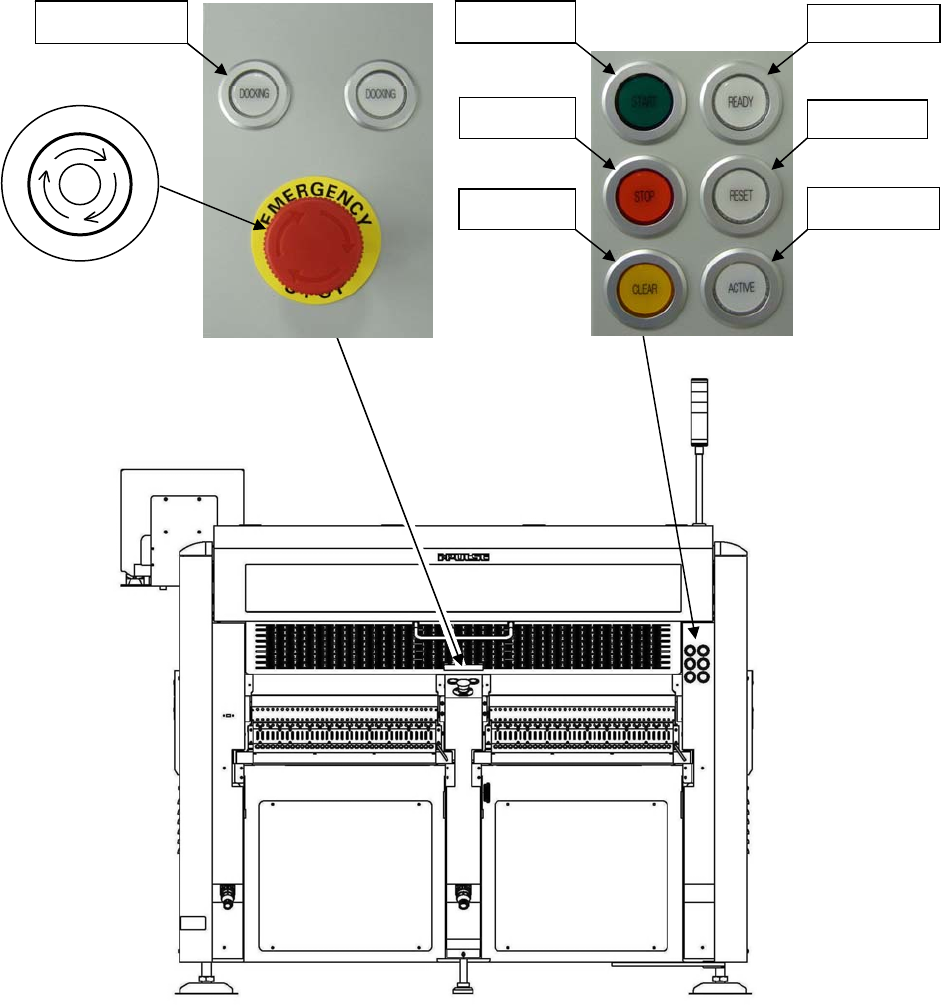
Rear View
Note: Configuration of the control switches varies depending on each machine configuration.
3. READY
5. START
4. RESET
6. STOP
8. ACTIVE
7. CLEAR
9. DOCKING
2. Emergency Stop switch
P
O
T
S
E
Y
C
N
E
G
R
E
M