M20_Ope_E.pdf - 第241页
Chapter 5 Libraries 5-91 5-2-2 Pallet Library (Pallet Data) Menu: Program>PalletData Program>PickupData>Feeder/Pallet>PalletData Maximum 500 records can be registered here. Window: File>Save: Saves the edi…
Chapter 5 Libraries
5-90
5-2 Feeder-related Libraries
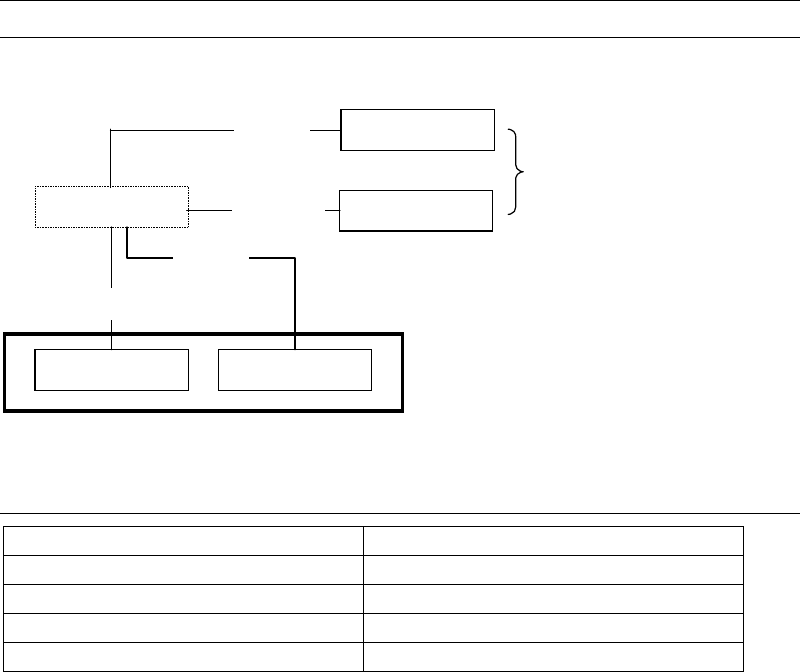
Feeder-related libraries link to the pickup data editor.
Tray feeder
Tape feeder
Stick feeder
Bulk feeder
Packaging library
Tray libraryPallet library
Pickup data editor
Tray
Pallet
Feeder library
Feeder
Packaging
5-2-1 Contents of Feeder-related Libraries
Contents
Pallet library (Pallet data) Link data and pickup order for tray feeders
Tray library (Tray data) Component layout on a tray and others
Packaging library (Package data) Component packaging information
Feeder library (Feeder Data) Feeder machine information
Chapter 5 Libraries
5-91
5-2-2 Pallet Library (Pallet Data)
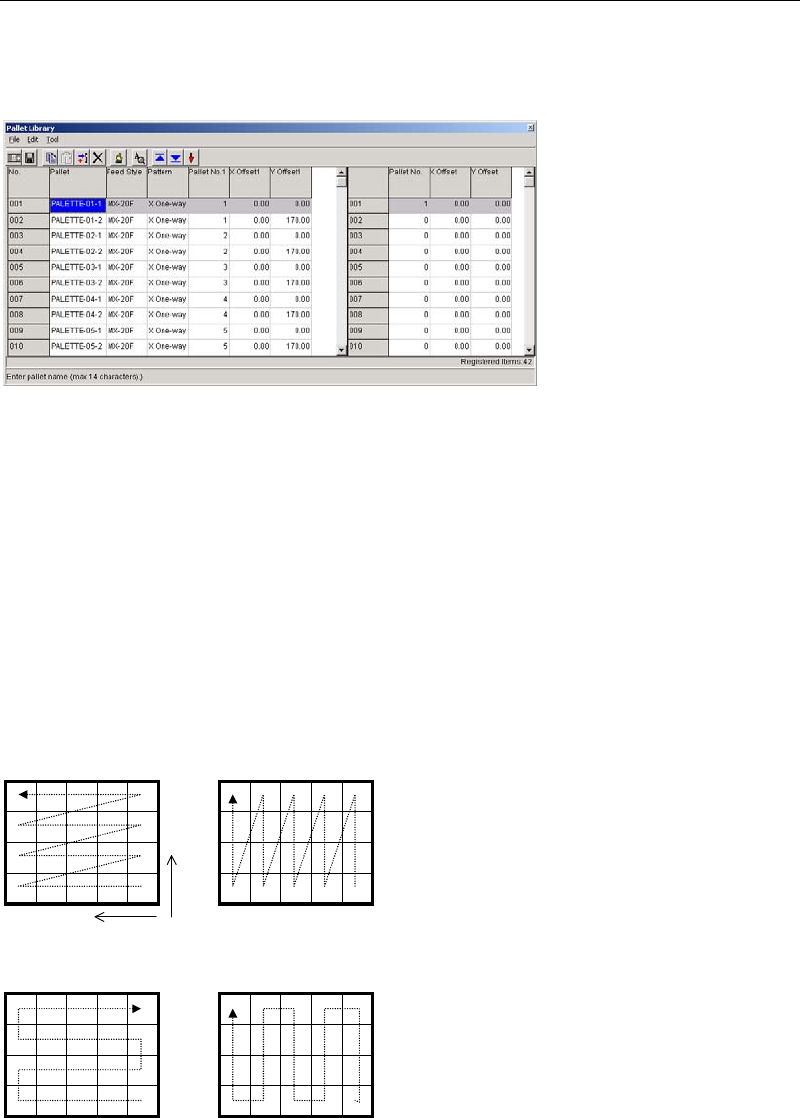
Menu: Program>PalletData
Program>PickupData>Feeder/Pallet>PalletData
Maximum 500 records can be registered here.
Window:
File>Save: Saves the edited data.
Tool>Teach: Accesses the Teach dialog box.
Pallet: Any pallet name is acceptable. This name represents a group of
linked pallets
1
. It serves to relate the pallet library and the pickup
data editor (program editor).
* Up to 14 characters can be entered.
Feed Style: Select from MX-RT1/MX-ST2/MX-20 / MXR(L)/MXR(R).
Pattern: Pickup pattern (see below).
Y Two-way X Two-way
Y One-way X One-way
Y
X
1
Pallet library data must be created even for a pallet with no link. In this case, use only the Pallet No.1, X Offset 1,
and Y Offset 1 fields.
A
link assignment for a pallet name is entered from
001 to 100 maximum in the right pane.
When clicking a pallet name in the left pane of
the window, the right pane changes accordingly.
Chapter 5 Libraries
5-92
Speed:: Set the Hook axis speed to pull out/return the pallet. The maximum
value is “1000” as 100% speed, and set your desired speed by the
unit of 0.1%.
If “0” is set, the value in the Manual>MX-20/MXR-20>Transfer
Speed is referred.
Pallet No.: Enter the pallet number in the order of linking.
When there is no link: “0” for the Pallet number2 or later fields
When [Feed Style] = MX-20/MXR(L)/MXR(R): “1-20”
When [Feed Style] = MX-RT1/MX-ST2: “1”
When double-click on the pallet number field in the right-window,
the pallet will be pulled out. When the number is 0, the pallet on the
shuttle will be returned in the stocker.
X/Y Offset: X/Y offsets from the reference coordinates. See the following
description:
Registering Reference Coordinates
z MX-RT1
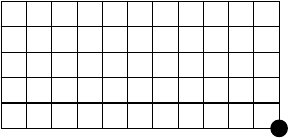
The reference coordinates on MX-RT1 are pre-registered. Their X,Y correspond to the front
right corner of the tray when the tray is installed to the mounter. Their Z corresponds to the
pallet upper surface.
Reference coordinate (XY)
To re-define the reference coordinates, follow the below steps:
Action:
① Click Tool>Teach to open the Teach dialog box.
② In [Tray Teach] tab, under [Unit], select “MX-RT1”.
③ Teach the reference coordinates (XY).
④ Click <User Origin> button.
⑤ Make sure [X][Y] fields display “0”.
⑥ Attach a nozzle to a head. Under [Axis], select “Z axis”. Teach the upper surface of the
pallet.
⑦ Click <User Origin> button.
⑧ Make sure [Z] field displays “0”.