M20_Ope_E.pdf - 第274页
Chapter 9 Running a Job 9-2 9-1 Registering the Operator Menu: Management>RegisterOperator Before executing job run, register the operat or(s) here. The registered operator(s) will be selectable for the Operator fi el…
Chapter 9 Running a Job
9-1
Chapter 9
Running a Job
Registering the Operator
Pre-operation Check and Initial Settings
Running a Job
Coplanarity Checker (optional)
Intelligent Feeder (optional)
Edit & Teach Mode during a Job Run
Chapter 9 Running a Job
9-2
9-1 Registering the Operator
Menu: Management>RegisterOperator
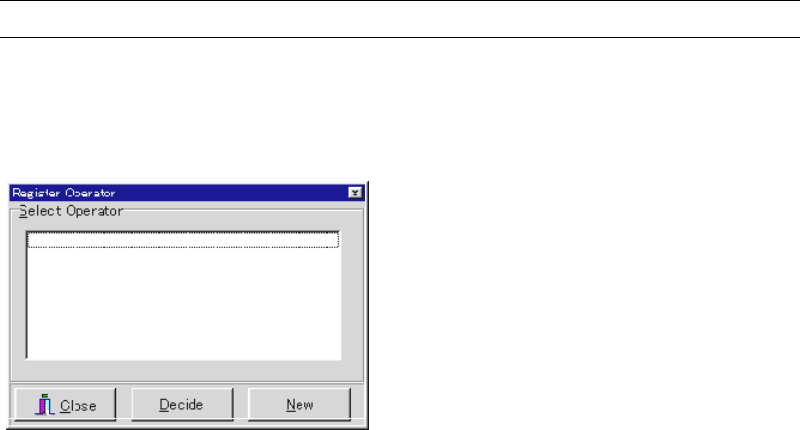
Before executing job run, register the operator(s) here. The registered operator(s) will be
selectable for the Operator field in the Run dialog box.
Action:
① Click <New> button.
② The Operator Entry/Deletion dialog box appears. Under [Operator Entry] field, type an
operator name and click <Register> button. To register more than one operator, repeat
this step as necessary.
③ Click <X> button to close the dialog box.
④ Confirm that the registered operators are displayed in the Register Operator dialog box.
When you click an operator name and then click <Decide> button, it is displayed for the
Operator field in the Run dialog box by default. At the same time, it is entered to the
Operator field of Management>OperatorRecord as the next operator.
⑤ Click <Close> button to close the dialog box.
Chapter 9 Running a Job
9-3
9-2 Pre-operation Check and Initial Setting
9-2-1 Summary
The following lists what to check before a program can be run. If you fail to check them, an
error may result.
Necessary data are entered to Program> Board Data.
Required nozzles for the program have been set to the heads/ANC.
When using CTF-40, all the pallets are correctly stored in the stockers.
The feeder location conforms to the program.
9-2-2 Checking Board Data
Menu: Program> Board Data
Check mainly the following points:
Registration method (Edge/Pin) is correctly selected (Conveyor Speed, Registration).
The maximum component height to place and the maximum pre-processed component
height must be correctly entered (Max Pre-processed Component Height).
9-2-3 ANC Initial Setting
We recommend you to set all the required nozzles on ANC and remove unnecessary nozzles
from ANC and the heads beforehand.
Do not manually attach a nozzle to a head. Incomplete nozzle setting can result. In this case, the
head can hit other part of the mounter to cause machine damage.
However, you can remove a nozzle from a head manually.
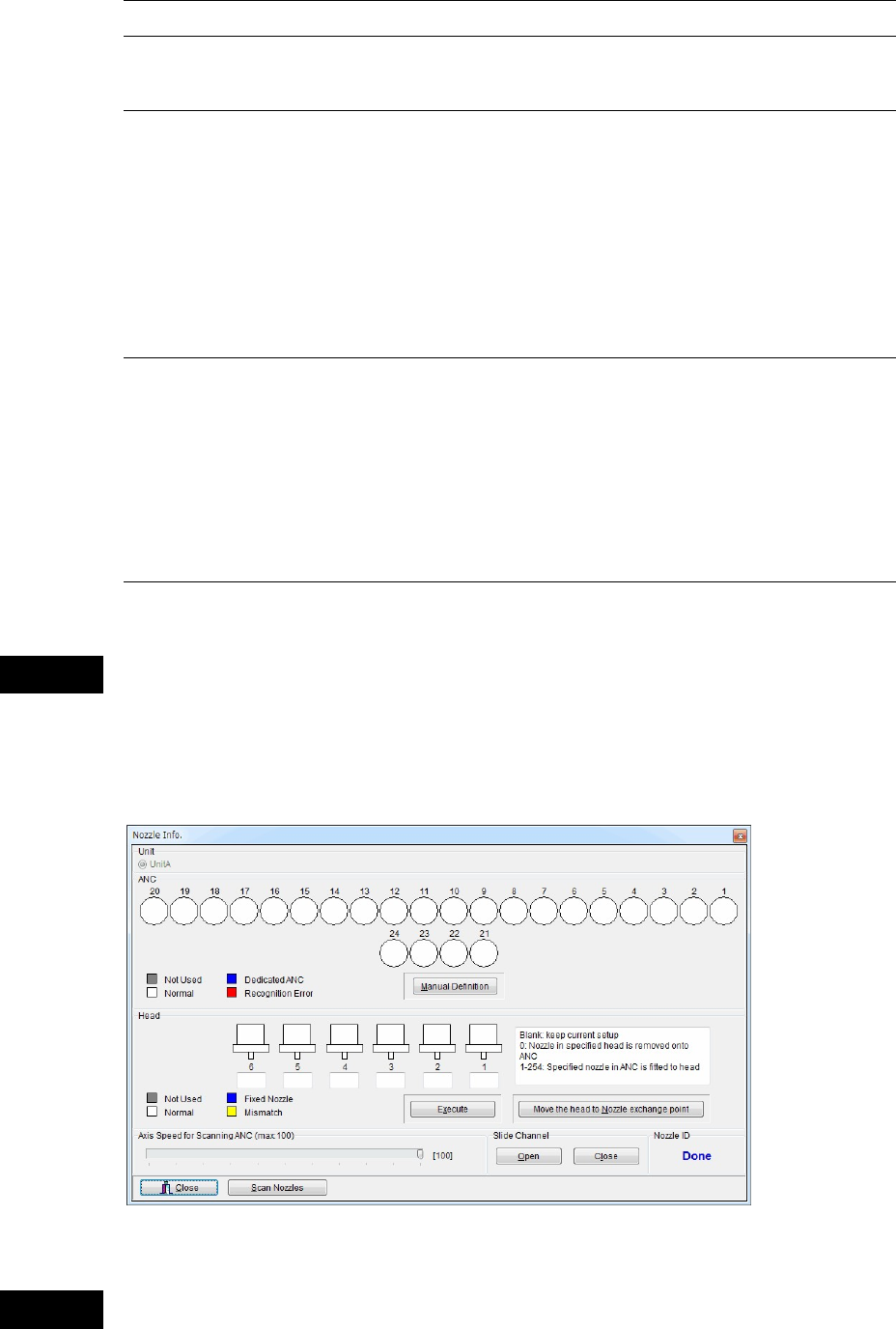
Menu: Manual>Nozzle Info.
Check the nozzle location in ANC and the heads. Relocate the nozzles if necessary.
ANC operation allows the head assembly to move. When executing this menu, do not
stick head, hands, or other parts of the body inside the mounter. Serious injury can
result. Also make sure non-operators are at a safe distance from the machine.
Caution
Warning
* The number of heads may vary
depending on the model.