M20_Ope_E.pdf - 第28页
Chapter 1 General 1-10 1-1-2 Connector Panel M10 Front view CN1 (Signal connector for post-process) CN2 (Signal connector for pre-process) Air regulator 1. Main Switch Vacuum gauge LAN port
Chapter 1 General
1-9
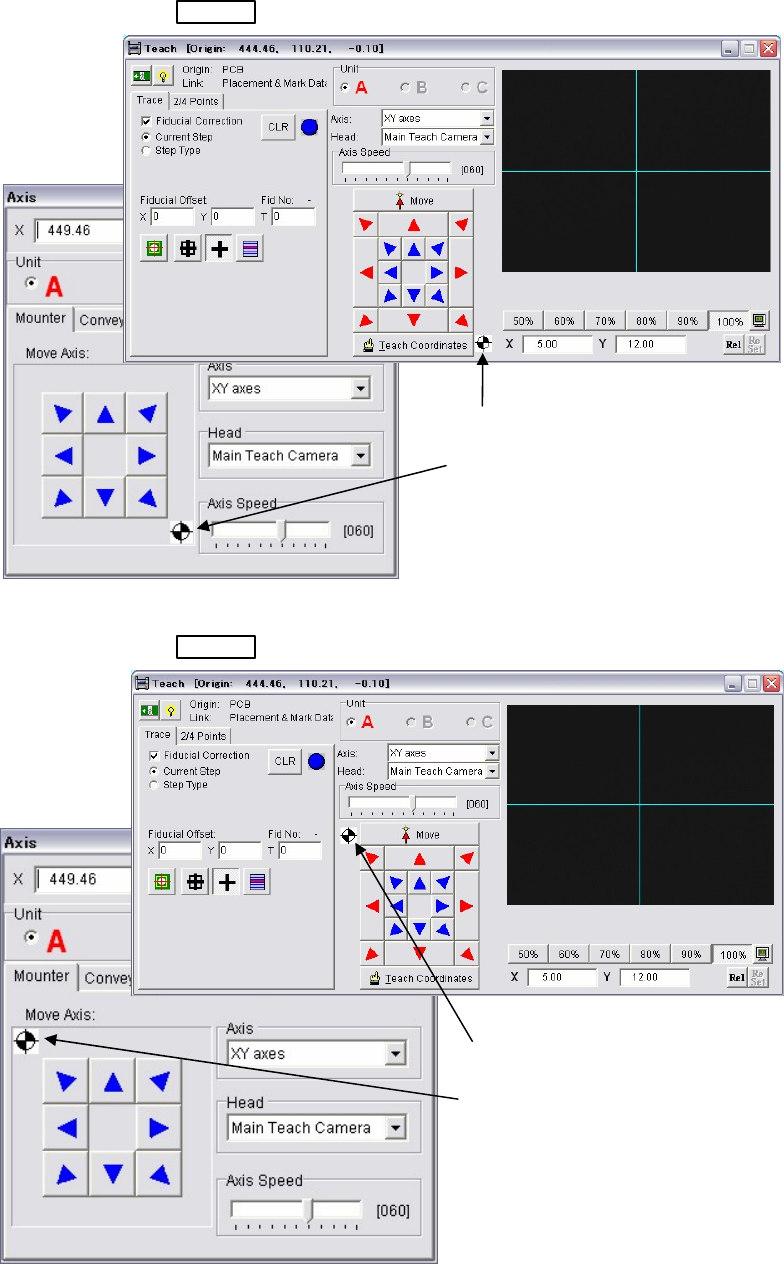
Note: Moving directions of the arrow keys reverse in the [Axis], [Teach], [Load Board], and [Conveyor Width]
windows. The displayed image in the Teach window is also reversed from top to down and right to left.
Note: Please note that the ANC station numbers and their order in the [Nozzle Info.] does not change even if
the reverse function is selected.
Teach and Axis windows of Front-side operation
ACTIVE
switch on the front side is pressed.
Teach and Axis windows of Rear-side operation
ACTIVE
switch on the rear side is pressed.
Note: The origin mark appears in the windows only when this reverse function is selected in the user
parameter.
The origin mark appears in the
lower right in the Teach and Axis
windows. It means the machine
origin is at the lower right as viewed
from the front.
The origin mark appears in the
upper left in the Teach and Axis
windows. It means the machine
origin is at the upper left as viewed
from the rear.
Chapter 1 General
1-10
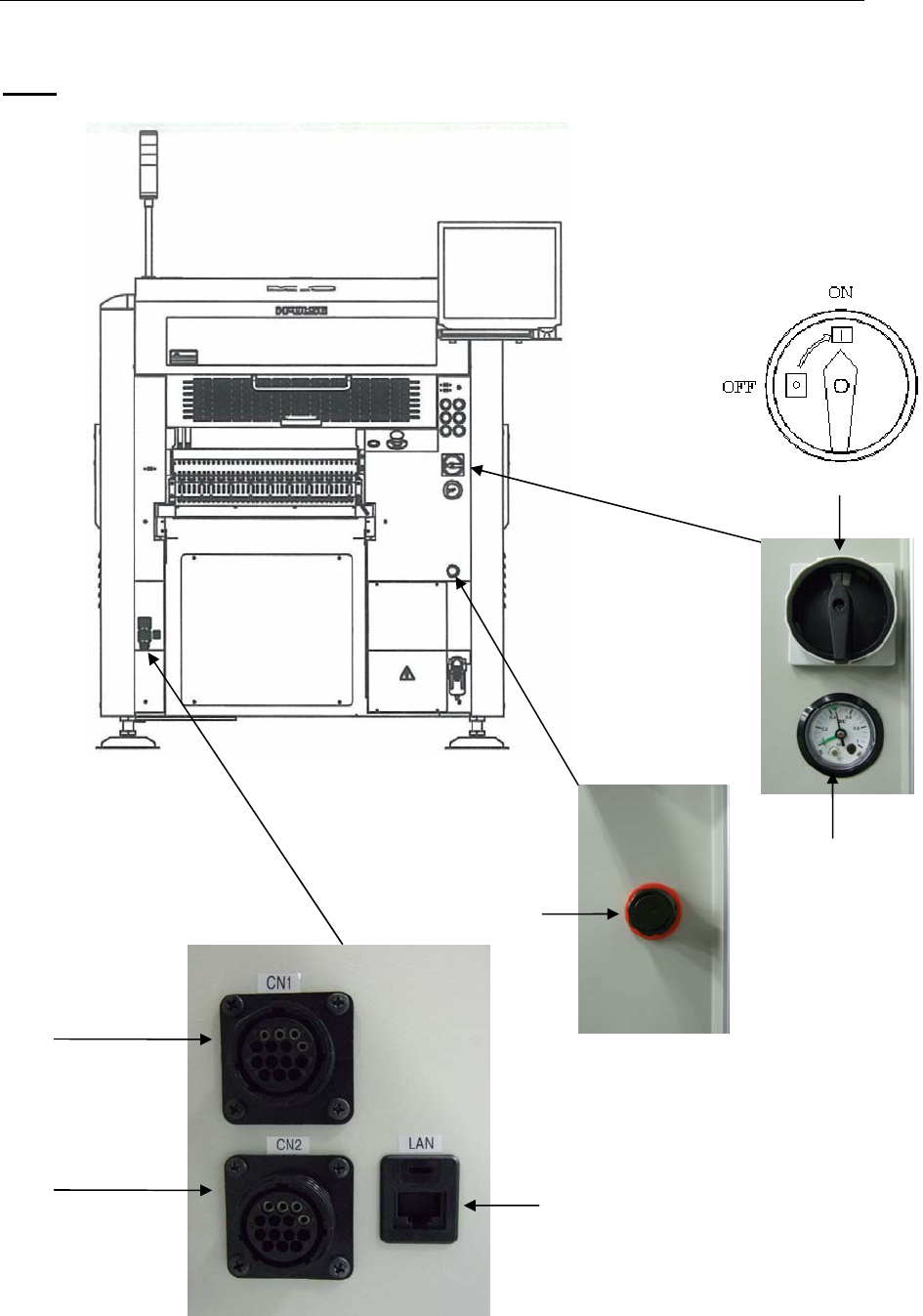
1-1-2 Connector Panel
M10
Front view
CN1
(Signal connector
for post-process)
CN2
(Signal connector
for pre-process)
Air regulator
1. Main Switch
Vacuum gauge
LAN port
Chapter 1 General
1-11
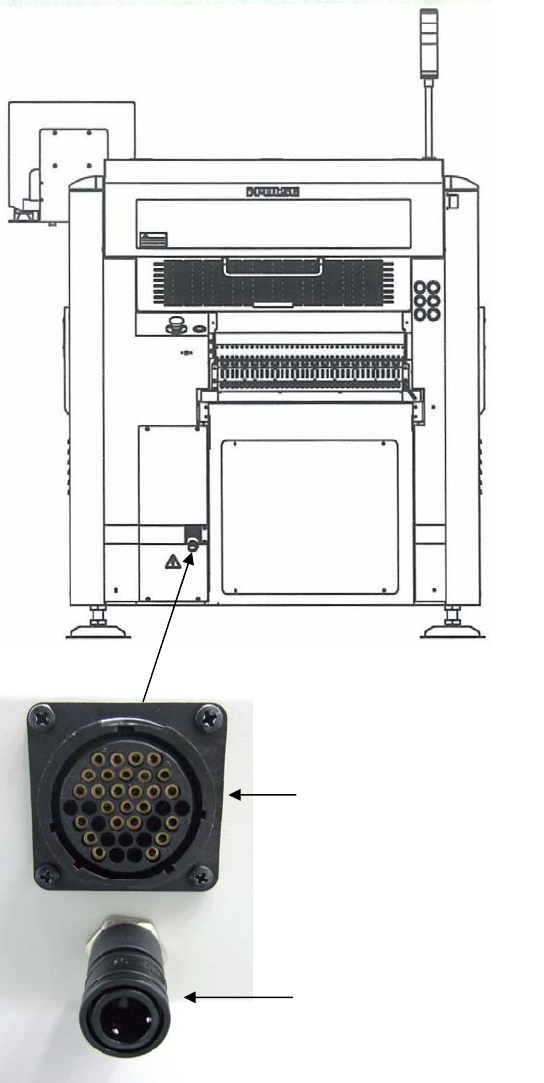
Rear view
Note: When CTF-40 is not used, but CFB-36 is used on the rear of the mounter, insert the short-circuit connector
into the connector for CTF-40 Signal & Power.
Connector for CTF-40
Signal & Power
Air socket for CTF-40