M20_Ope_E.pdf - 第327页
Chapter 10 Replenishing Com ponents and Using Maintenance Menus 10-23 10-4-11 Feeder Info. Menu: Manual>Maintenance>Feeder Info. When manually operating a feeder on the feeder bank using Signal I/O or Actuator menu…
Chapter 10 Replenishing Components and Using Maintenance Menus
10-22
Return to Origin: Click <Origin> button to make the conveyor axis return to its origin.
For safety consideration, the conveyor once widens itself for about
20mm and then moves to the origin. After the origin acquisition,
<AWC> button on the Status Display will be enclosed by square
brackets (AWC turns to [AWC].).
Move: Click <Move> after entering a width. The conveyor is first widened
40mm more than the width you entered and then adjusted to the
width you entered.
Note: The Set Conveyor (Auto) dialog box is also accessible via Program>File>BoardData. See
Chapter 2, Annotating and Editing Board Data for information.
Before changing the conveyor width, make sure all push-up pins are removed.
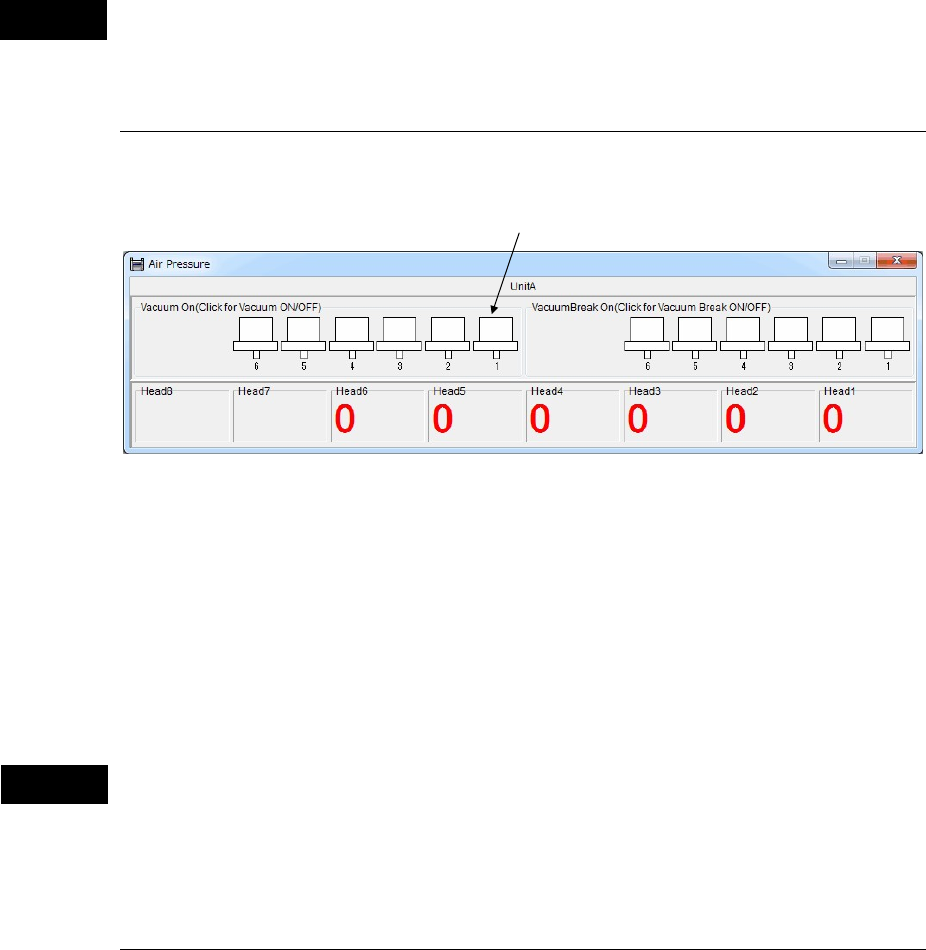
10-4-9 Air Pressure
Menu: Manual>Air Pressure
* The number of heads differs depending on the mounter model.
Window:
z Vacuum On
Click (check) a desired head and the head starts vacuuming. Click the head again (uncheck) and
the head stops vacuuming.
z VacuumBreak On
Click (check) a desired head and the head starts vacuum-breaking. Click the head again
(uncheck) and the head stops vacuum-breaking.
Before performing vacuum-breaking, make sure that the nozzle is removed from the head.
Performing vacuum-breaking with the nozzle attached may cause the nozzle to pop out from
the head. (This especially happens with small-bore nozzles.)
10-4-10 Nozzle Info.
Menu: Manual>Nozzle Info.
See ANC Initial Setting in Chapter 9.
Caution
Caution
Head mark
Chapter 10 Replenishing Components and Using Maintenance Menus
10-23
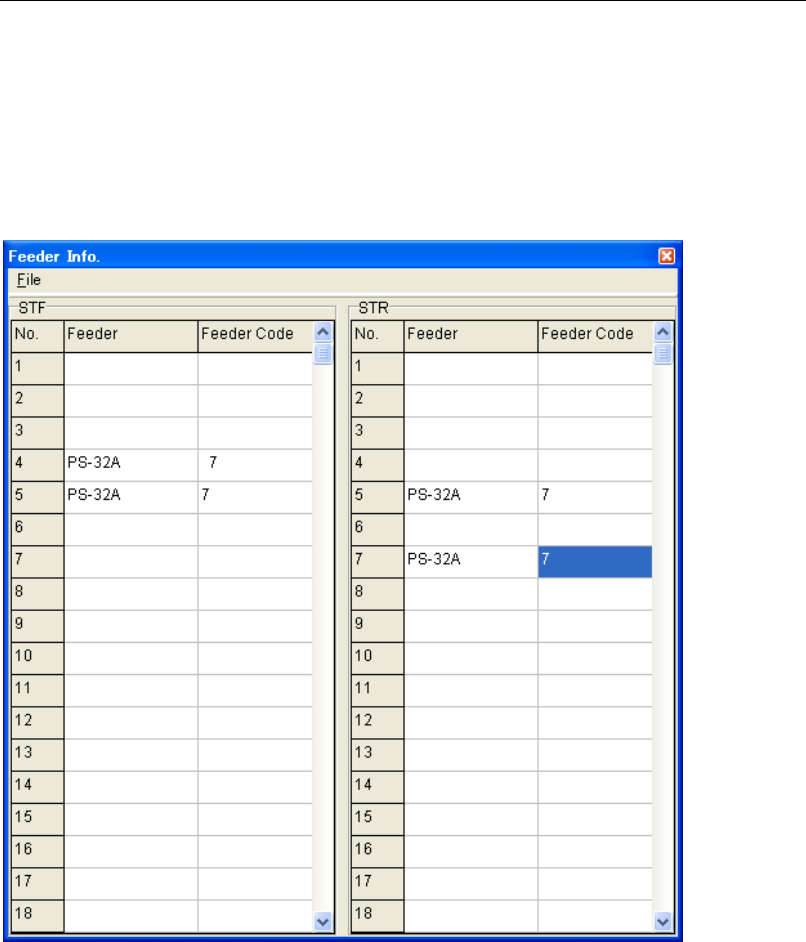
10-4-11 Feeder Info.
Menu: Manual>Maintenance>Feeder Info.
When manually operating a feeder on the feeder bank using Signal I/O or Actuator menu, use
this menu to specify which feeder to use. Since operation sequence of feeders may vary
depending on the feeder type, Feeder Info. setting is referred to by the system for identifying
the feeder in use and selecting appropriate operation sequence. At present, only PS-32A
requires this setting. Other feeders can operate properly without this setting. When operating
feeders in job run, the system identifies the feeders in use based on the feeder library, therefore
Feeder Setting menu need not be used.
Action:
① Place the cursor in the line that corresponds to the feeder lane with a PS-32A installed.
② Click the right mouse button to present the list of feeders. Select “PS-32A”. “PS-32A” is
entered to the Feeder field and “7” to the Feeder Code field.
Note: Do not change the feeder code “7” entered to the PS-32A line.
Chapter 10 Replenishing Components and Using Maintenance Menus
10-24
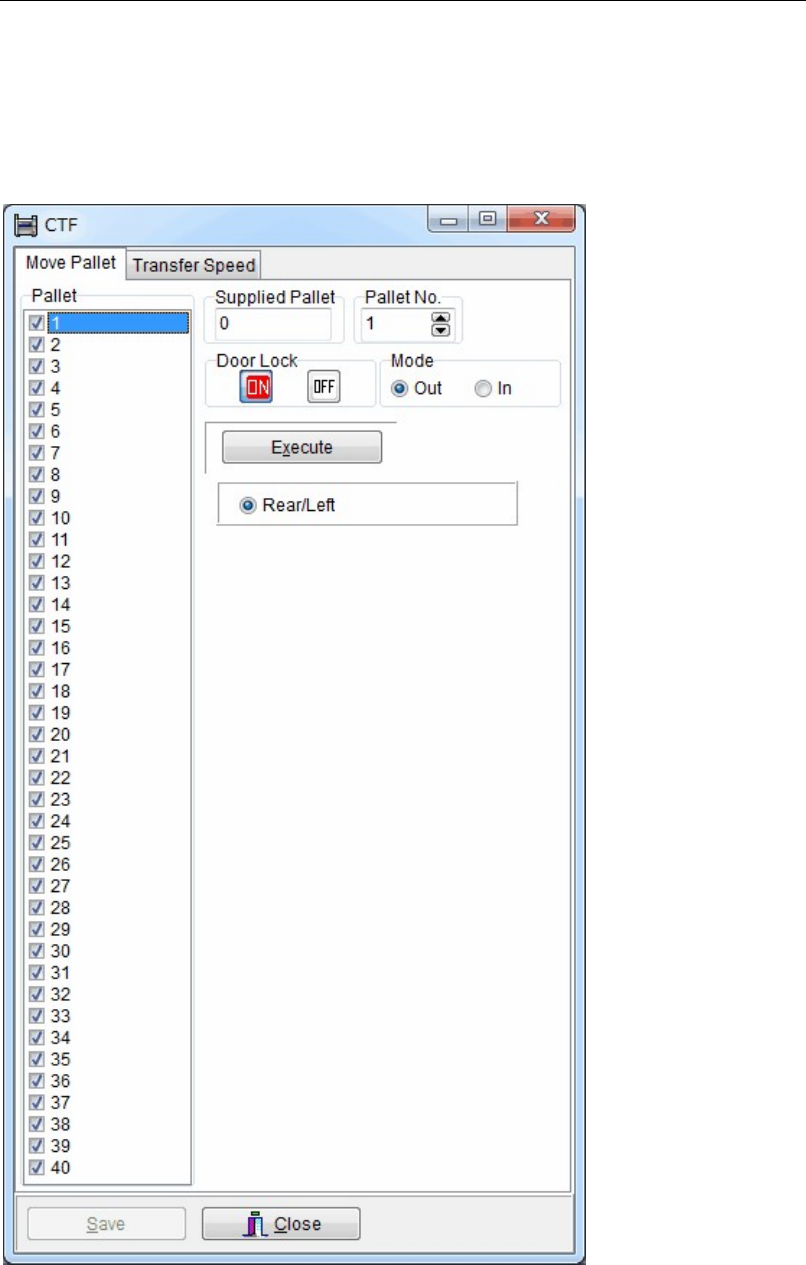
10-4-12 CTF
Menu: Manual>CTF
Allows you to check the pallet location in CTF and to manually move the pallets. Also allows
you to perform initial setting of CTF, especially in case of an error occurrence.
Note: To open this menu, the operator log-in level should be authorized to edit System Parameter.
Moving any Pallets or setting Transfer Speed can be also done in Pallet Library screen.
For details, see Chapter 5, Libraries > Pallet Library.