M20_Ope_E.pdf - 第333页
Chapter 10 Replenishing Com ponents and Using Maintenance Menus 10-29 10-5-2 ANC Test Menu: Manual>Maintenance>ANC Test This menu allows for testing open/close operation of ANC. It also allows for open/close operat…
Chapter 10 Replenishing Components and Using Maintenance Menus
10-28
10-5-1 Servo Off
Menu: Manual>Maintenance>ServoOff
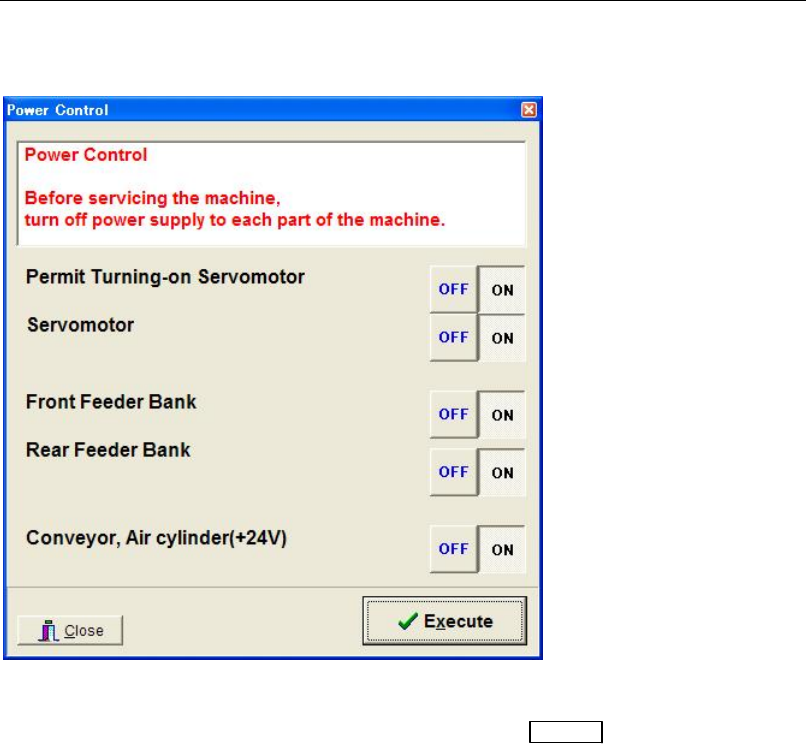
This menu allows you to turn on/off power supply to each part of the machine.
Window:
Permit Turning-on...: Enables (ON) or disables (OFF) the
READY switch on the front
panel.
Servomotor: Turns on/off power to the servomotors.
Front Feeder Bank: Turns on/off power to the front feeder bank.
Rear Feeder Bank: Turns on/off power to the rear feeder bank.
Conveyor, Air cylinder...: Turns on/off power to the conveyor dc motors and the
pneumatically driven actuators. These do not include the actuators
of the heads (for pickup operation).
Action:
① Click <On> or <Off> button for each power supply.
② Click <Execute> button.
③ Click <Close> button to close the window.
Chapter 10 Replenishing Components and Using Maintenance Menus
10-29
10-5-2 ANC Test
Menu: Manual>Maintenance>ANC Test
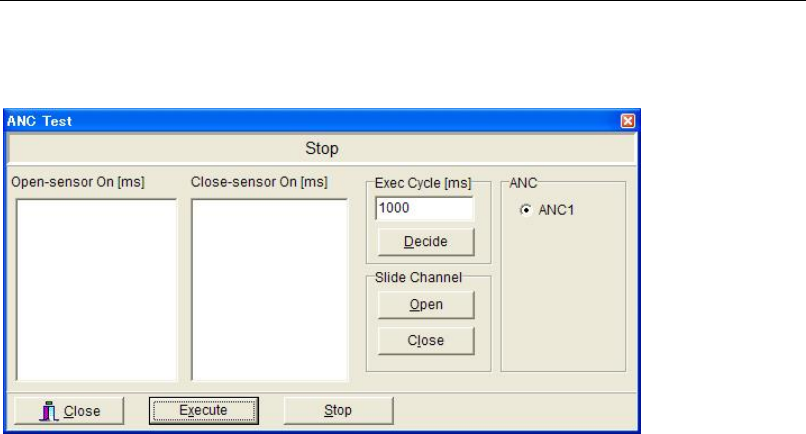
This menu allows for testing open/close operation of ANC. It also allows for open/close
operation manually.
Testing Open/Close Operation
Action:
① Click <Execute> button. ANC starts open/close operation. The sensor response time is
measured and displayed.
② Click <Stop> button to end the check.
Note: ANC repeats open/close operation unless <Stop> button is clicked.
Window:
Open-sensor On [ms]: Operation time from when the open command is issued to when the
open sensor is turned on
Close-sensor On [ms]: Operation time from when the close command is issued to when the
close sensor is turned on
Note: The execution cycle can be specified (Min. 100ms).
Manual Open/Close Operation
Action:
① To open the slide channel, under [Slide Channel], click <Open> button.
② To close, click <Close> button.
Chapter 10 Replenishing Components and Using Maintenance Menus
10-30
10-5-3 Illumi. Test
Menu: Manual>Maintenance>Illumi.Test
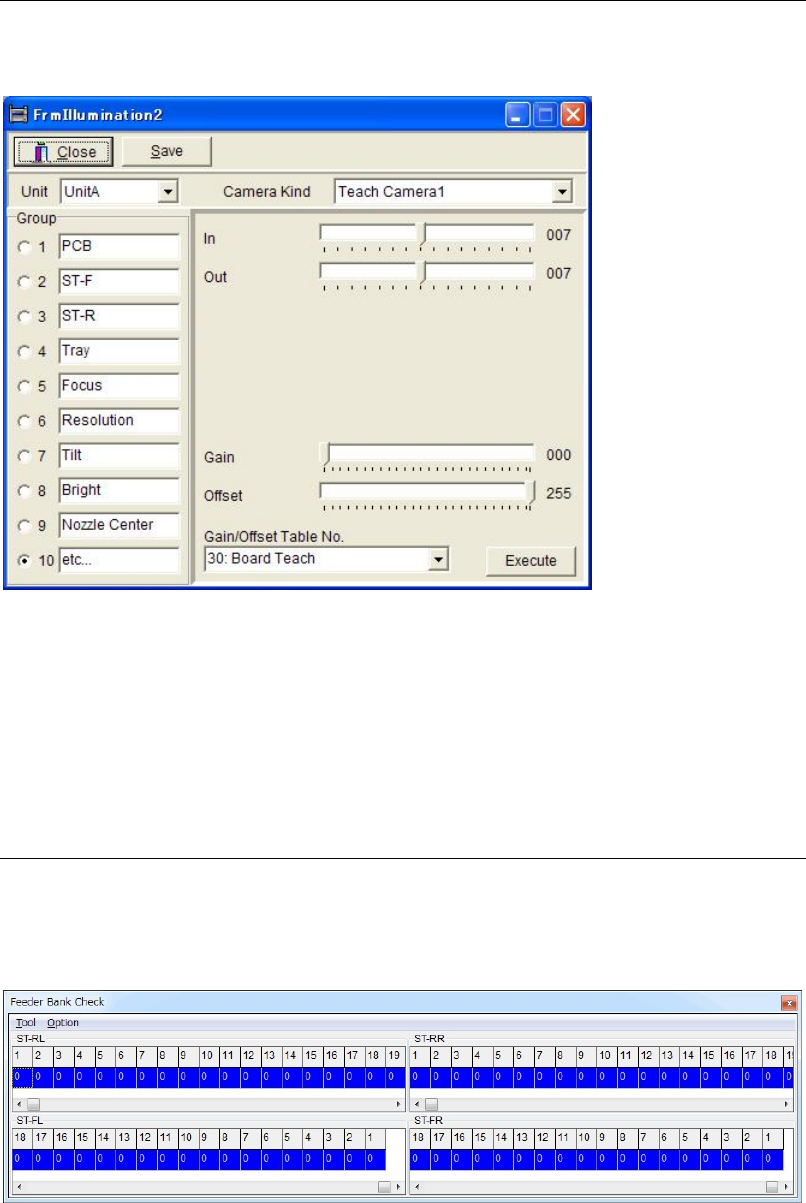
This menu allows you to test the illumination of the main teach camera.
Action:
① Click <Start Illm.Test> button. The illumination test starts. <Start Illm.Test> button turns
to <End Illm.Test> button.
② Click <End Illm.Test> button to end the test.
Note: The test will continue until you click <End Illm.Test> button.
10-5-4 Feeder Bank Check
Menu: Manual>Maintenance>FeederBankCheck
Here is to check feeder operation, which set on the feeder bank.
This menu is not used usually.