M20_Ope_E.pdf - 第334页
Chapter 10 Replenishing Com ponents and Using Maintenance Menus 10-30 10-5-3 Illumi. Test Menu: Manual>Maintenance>Illumi.Test This menu allows you to test the illumination of the main teach camera. Action: ① Click…
Chapter 10 Replenishing Components and Using Maintenance Menus
10-29
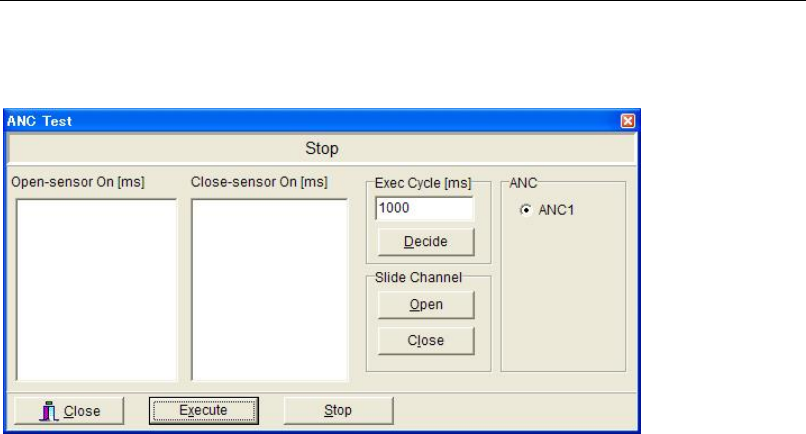
10-5-2 ANC Test
Menu: Manual>Maintenance>ANC Test
This menu allows for testing open/close operation of ANC. It also allows for open/close
operation manually.
Testing Open/Close Operation
Action:
① Click <Execute> button. ANC starts open/close operation. The sensor response time is
measured and displayed.
② Click <Stop> button to end the check.
Note: ANC repeats open/close operation unless <Stop> button is clicked.
Window:
Open-sensor On [ms]: Operation time from when the open command is issued to when the
open sensor is turned on
Close-sensor On [ms]: Operation time from when the close command is issued to when the
close sensor is turned on
Note: The execution cycle can be specified (Min. 100ms).
Manual Open/Close Operation
Action:
① To open the slide channel, under [Slide Channel], click <Open> button.
② To close, click <Close> button.
Chapter 10 Replenishing Components and Using Maintenance Menus
10-30
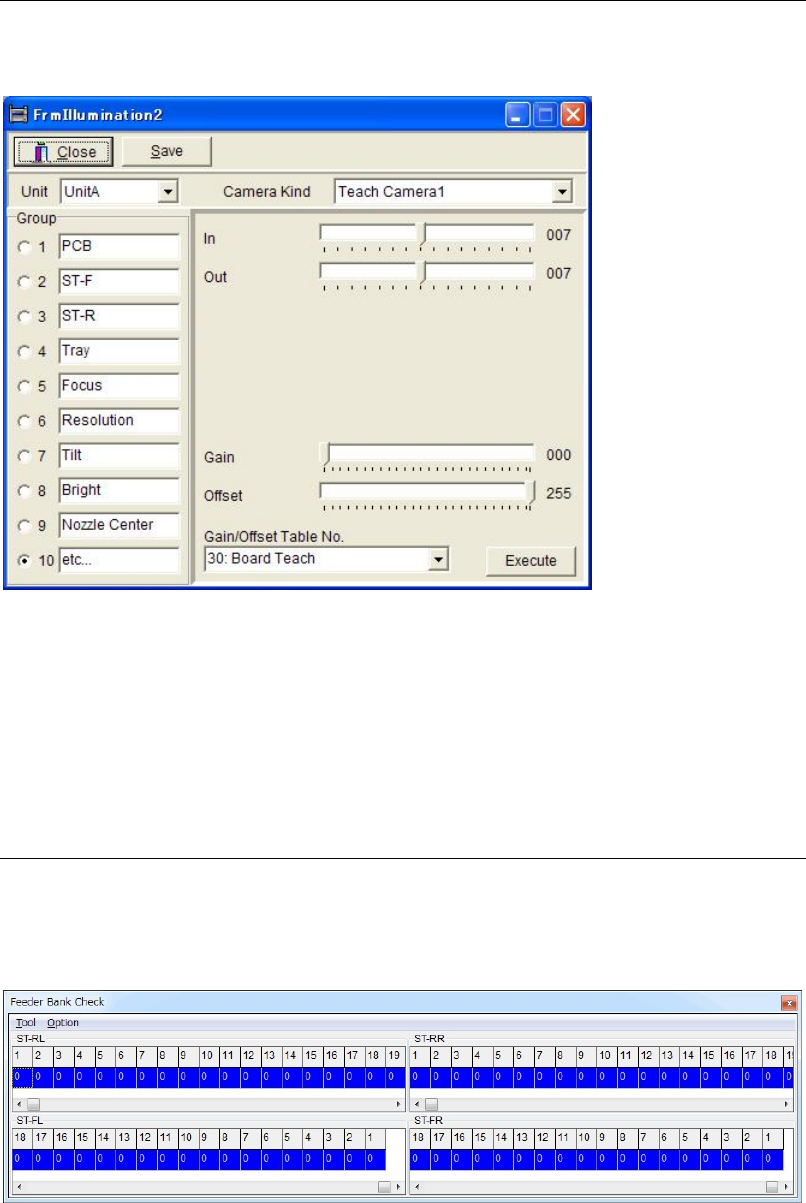
10-5-3 Illumi. Test
Menu: Manual>Maintenance>Illumi.Test
This menu allows you to test the illumination of the main teach camera.
Action:
① Click <Start Illm.Test> button. The illumination test starts. <Start Illm.Test> button turns
to <End Illm.Test> button.
② Click <End Illm.Test> button to end the test.
Note: The test will continue until you click <End Illm.Test> button.
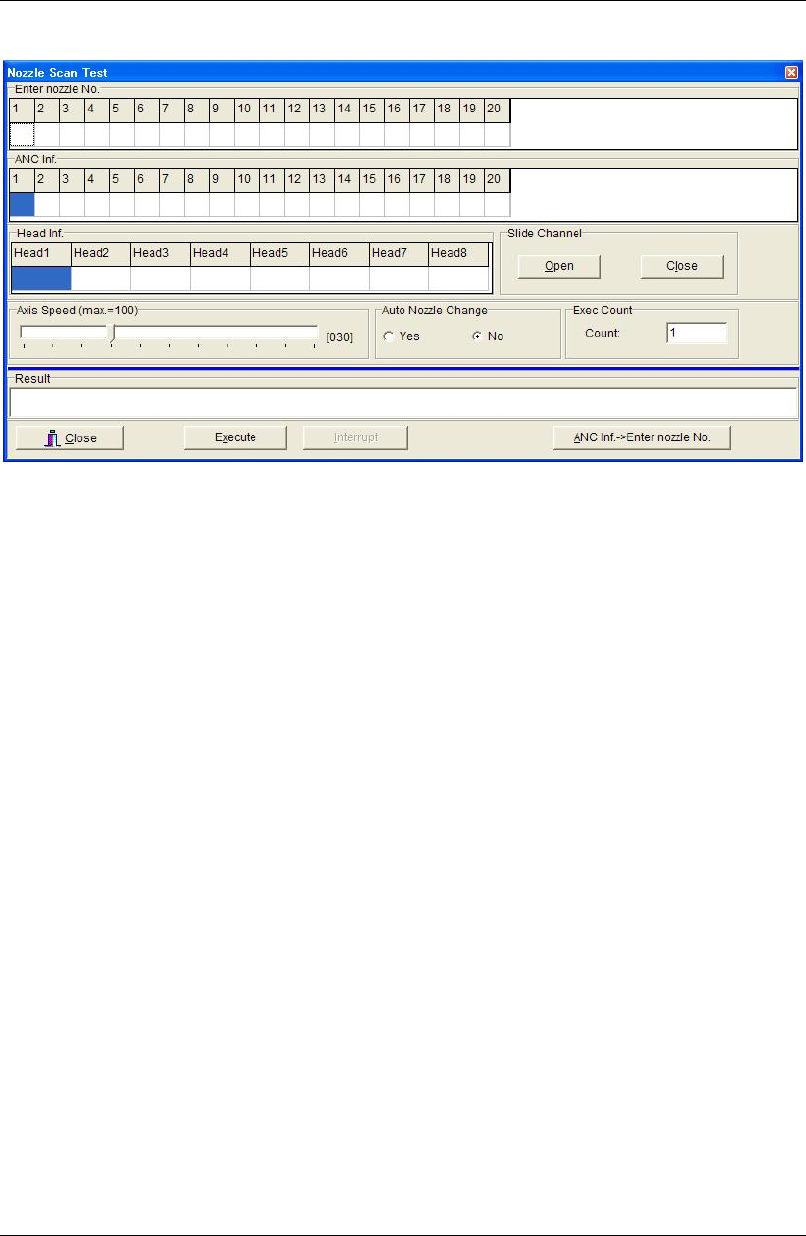
10-5-4 Feeder Bank Check
Menu: Manual>Maintenance>FeederBankCheck
Here is to check feeder operation, which set on the feeder bank.
This menu is not used usually.
Chapter 10 Replenishing Components and Using Maintenance Menus
10-31
10-5-5 Nozzle Scan Test
Menu: Manual>Maintenance>NozzleScanTest
* The number of heads differs depending on the mounter model.
Action:
① Set a nozzle/nozzles on ANC.
② Under [Enter nozzle No.], enter the nozzle number according to the setting of the previous
step.
③ Under [Exec Count], enter how many times to perform test.
④ Click <Execute> button and the main teach camera scans the nozzle/nozzles in ANC.
When the test finished, [ANC Inf.] field displays the identified nozzle number Also
[Result] field displays the result (OK/NG).
⑤ Click <Close> button.
Note: If the test ended in failure (NG), make sure the nozzle ID labels are clear of dust or stains.
Auto Nozzle Change
Tests automatic nozzle exchange process.
Action:
① Remove all the nozzles in the head assembly.
② Set eight nozzles on ANC nozzle stations 1 through 6.
③ Under [Auto Nozzle Change], click <Yes> button.
④ Click <Execute> button. The nozzles placed at 1 to 6 on ANC are respectively set in heads
1 to 6 and then returned to ANC.
10-5-6 Checking the Feeder's Pickup Point
Menu: Manual>Maintenance>CheckFeeder
For information on how to use this menu, see SET MASTER in the Feeder User's Manual.