M20_Ope_E.pdf - 第336页
Chapter 10 Replenishing Com ponents and Using Maintenance Menus 10-32 10-5-7 Conveyor Test Menu: Manual>Maintenance>ConveyorTest Here is to check conveyor operation. This menu is not used usually.
Chapter 10 Replenishing Components and Using Maintenance Menus
10-31
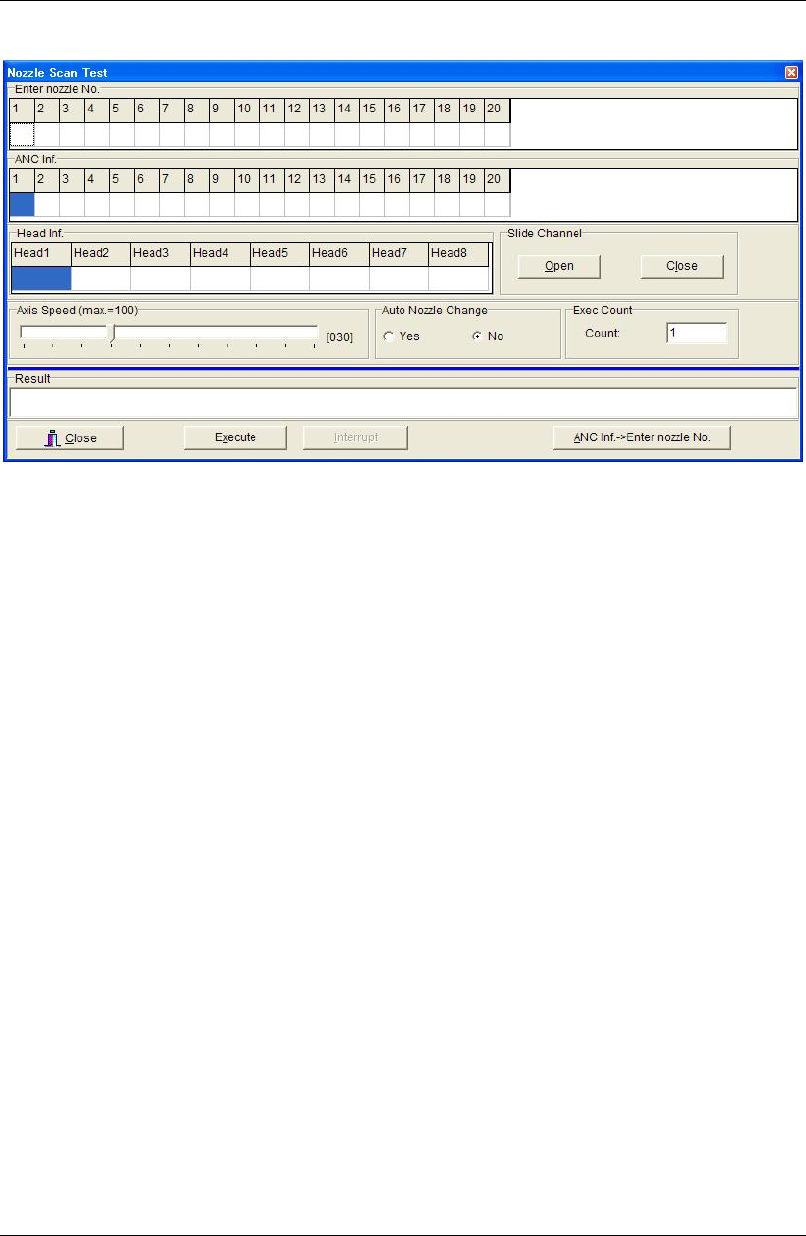
10-5-5 Nozzle Scan Test
Menu: Manual>Maintenance>NozzleScanTest
* The number of heads differs depending on the mounter model.
Action:
① Set a nozzle/nozzles on ANC.
② Under [Enter nozzle No.], enter the nozzle number according to the setting of the previous
step.
③ Under [Exec Count], enter how many times to perform test.
④ Click <Execute> button and the main teach camera scans the nozzle/nozzles in ANC.
When the test finished, [ANC Inf.] field displays the identified nozzle number Also
[Result] field displays the result (OK/NG).
⑤ Click <Close> button.
Note: If the test ended in failure (NG), make sure the nozzle ID labels are clear of dust or stains.
Auto Nozzle Change
Tests automatic nozzle exchange process.
Action:
① Remove all the nozzles in the head assembly.
② Set eight nozzles on ANC nozzle stations 1 through 6.
③ Under [Auto Nozzle Change], click <Yes> button.
④ Click <Execute> button. The nozzles placed at 1 to 6 on ANC are respectively set in heads
1 to 6 and then returned to ANC.
10-5-6 Checking the Feeder's Pickup Point
Menu: Manual>Maintenance>CheckFeeder
For information on how to use this menu, see SET MASTER in the Feeder User's Manual.
Chapter 10 Replenishing Components and Using Maintenance Menus
10-32
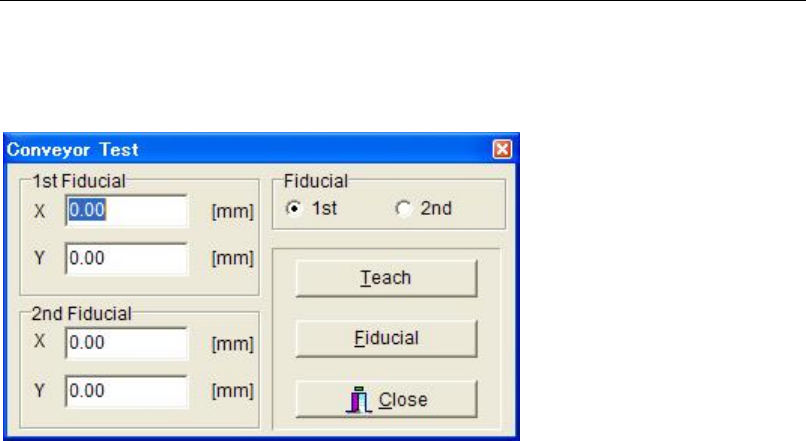
10-5-7 Conveyor Test
Menu: Manual>Maintenance>ConveyorTest
Here is to check conveyor operation.
This menu is not used usually.
Chapter 10 Replenishing Components and Using Maintenance Menus
10-33
10-6 Maintenance Notice
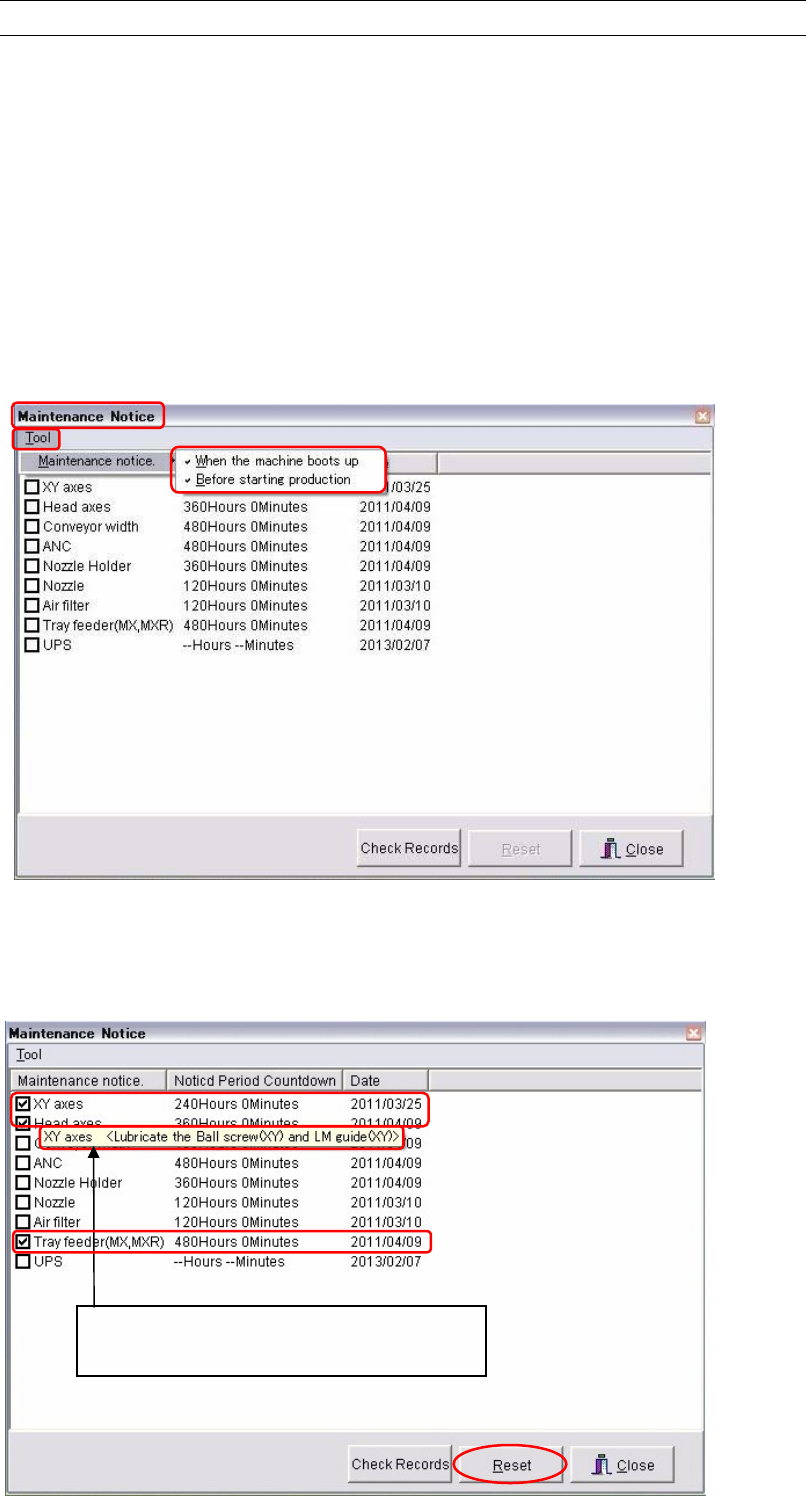
The Maintenance Notice reminds you to do necessary maintenance at fixed time intervals. The
parts which need lubrication, cleaning, etc., are notified by the Maintenance Notice window.
If your mounter has a UPS (uninterruptable power system) option, the replacement time of the
battery is also notified.
Setting
Menu: Manual>Maintenance>Maintenance Notice
Action:
① You can select when the maintenance notice is given. Select in order of Tool and
Maintenance notice. Check the [When the machine boots up] and/or the [Before starting
production] box. The both timings can be selected at the same time.
② Optimal maintenance period of each part is registered in the mounter in two ways of
timings, by time as the [Noticed Period Countdown] and by days as the [Date].
To reset maintenance periods to the optimal intervals, check the parts you want to reset
and click the <Reset> button. Then the [Noticed Period Countdown] and the [Date] of
checked parts are reset to the registered optimal intervals.
Pointing an item spears a popup hint that
explains how the part to be maintained.