M20_Ope_E.pdf - 第34页
Chapter 1 General 1-16 1-2-2 System Shutdown Action: ① Click <Exit> bu tton in the main menu. ② Next, click the <Power Off> button. ③ When the entire screen turns black, turn the MAIN switch 90 degrees counte…
Chapter 1 General
1-15
1-2 System Startup and Shutdown
1-2-1 System Startup
Note: Before turning ON the power, check that no USB memory is inserted into the USB port. If a USB memory
is inserted, be sure to remove it and then turn ON the power.
Action:
① Turn the MAIN
switch 90 degrees clockwise to turn ON the power
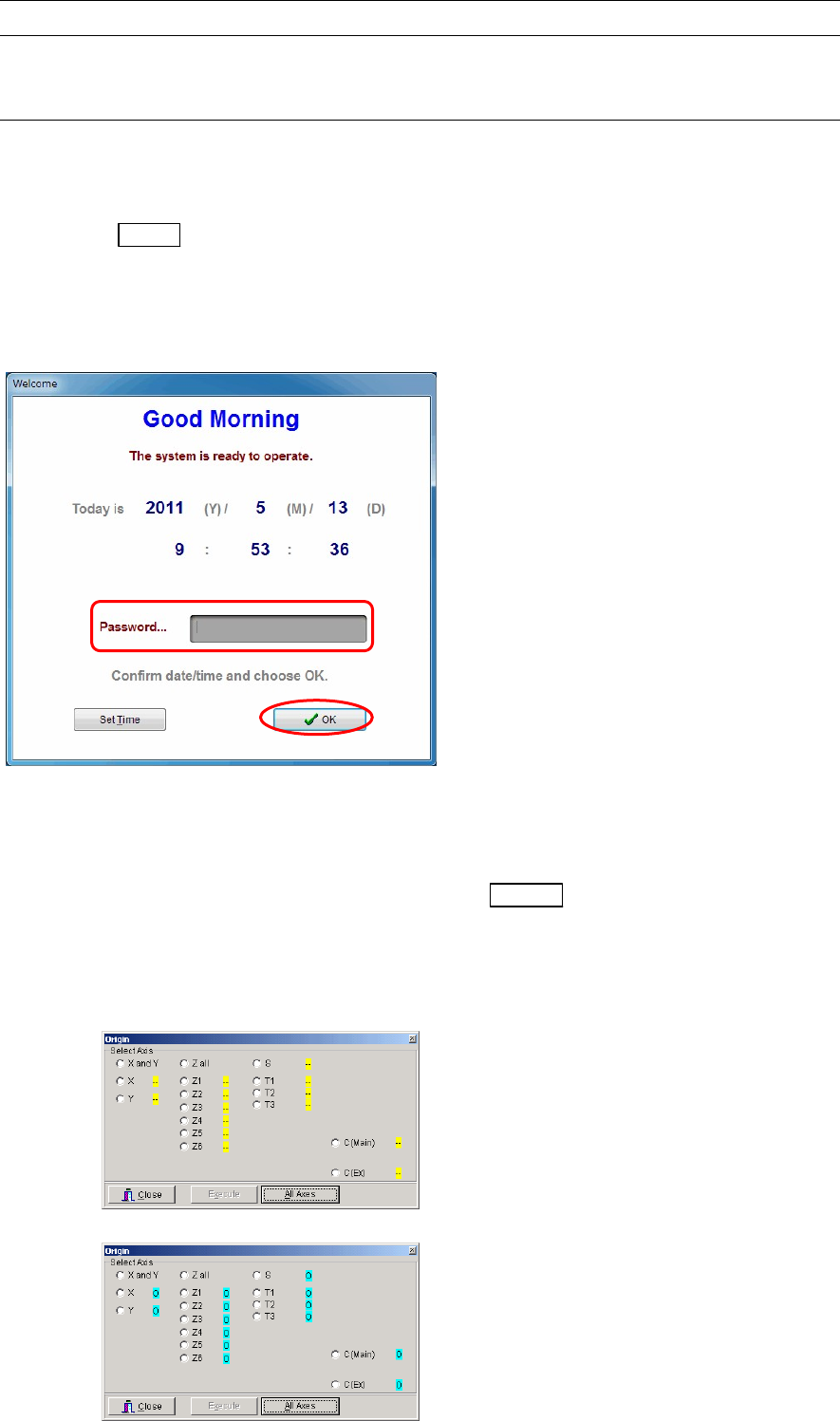
② After a short time, the following window appears, check the date and time. If they are correct, type
the password (given by the administrator) and click <OK> button. Even if no password is typed,
you can still proceed by clicking <OK> button. (The next step will automatically start if no entry is
made for about 30 seconds after the window appears.)
③ Windows and the MMI system start automatically, and a window indicating that the system is
starting up appears. Wait for a while.
④ The main menu appears in the screen.
⑤ Wait for approximately five seconds and then press the READY
switch to turn on the servo
motors.
⑥ Take the machine origin. Select Manual>Origin and click the <All Axes> button.
When the symbols next to the axis names change from yellow “-“ to blue “O”, origins of all the axes
are taken.
Before the axes origins are initialized
After the axes origins are initialized

Chapter 1 General
1-16
1-2-2 System Shutdown
Action:
① Click <Exit> button in the main menu.
② Next, click the <Power Off> button.
③ When the entire screen turns black, turn the MAIN
switch 90 degrees counterclockwise to turn
OFF the power.
Chapter 1 General
1-17
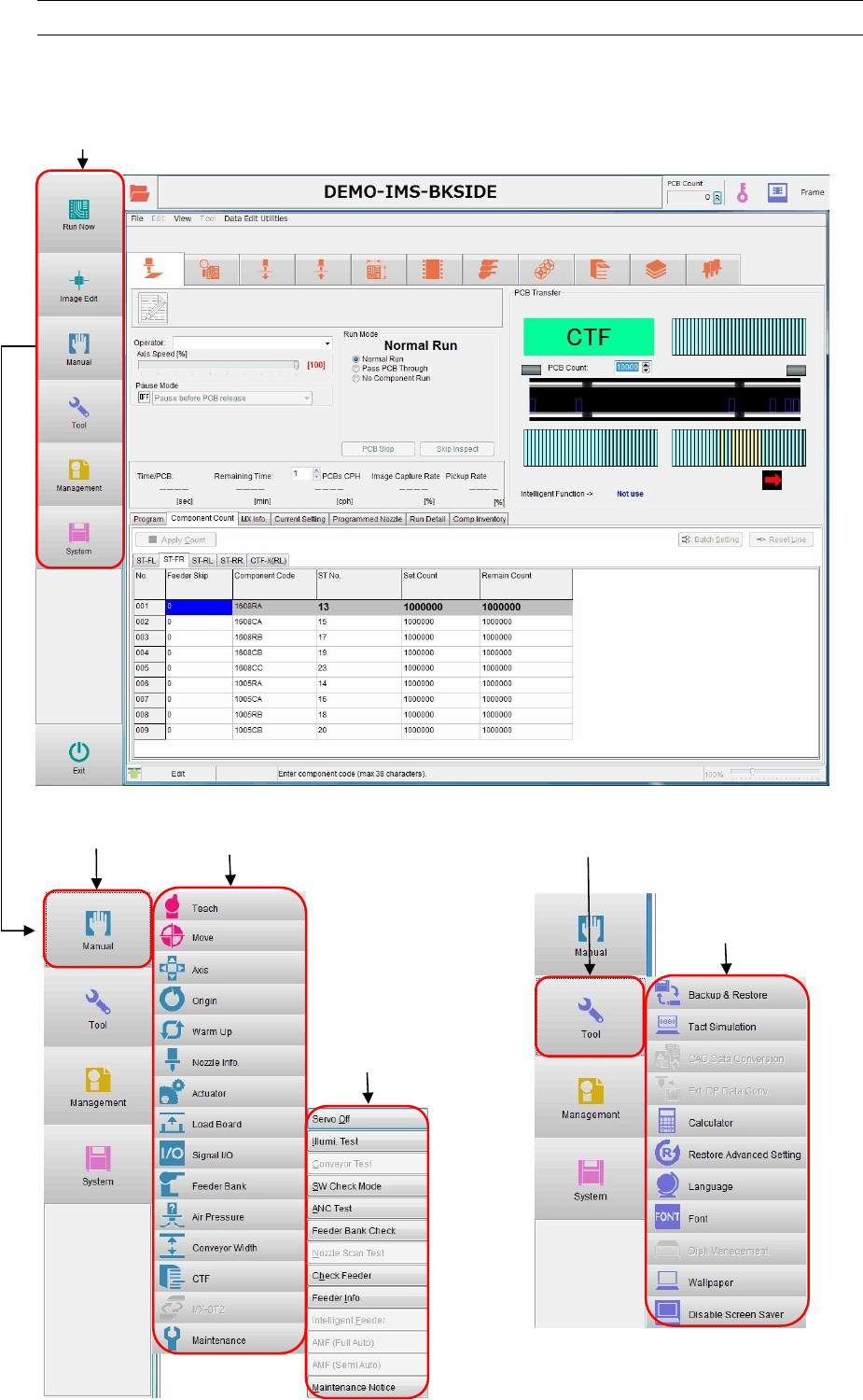
1-3 Menu Views
Note: When you move the pointer over the Main menu, corresponding sub-menu will appear on the relevant
button, and it will disappear when you move the pointer away. By clicking the button on Main menu bar,
the sub-menu display is fixed.
Main menu
Main menu
[Manual]
Sub menu
Sub menu
Sub menu
Main menu
[Tool]