M20_Ope_E.pdf - 第349页
Chapter 11 Parameter Setting 11-3 11-1-2 Reject Conveyor Offset Menu: System>UserParameter>RejectConveyorOffset Set coordinate offsets for the component reject lo cation on the reject conveyor. When using the speci…
Chapter 11 Parameter Setting
11-2
11-1 User Parameter
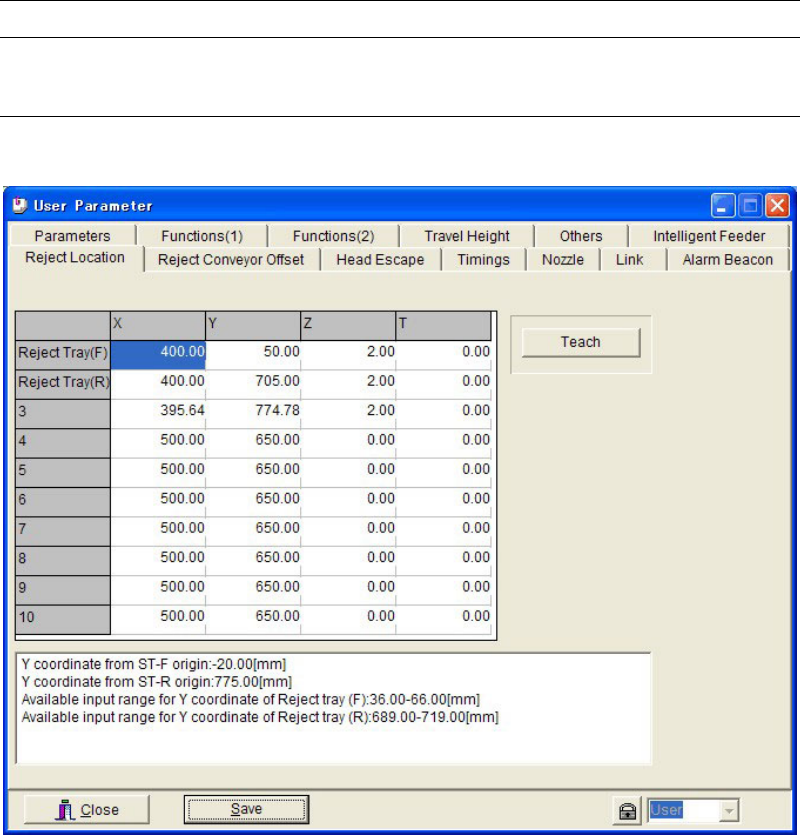
11-1-1 Reject Location
Menu: System>UserParameter>RejectLocation
Set coordinates to reject defective components. Up to 8 sets of coordinates can be registered.
[Reject Location] setting in the packaging library and tray library is associated to the data
number (No. 3–10) in this tab.
The data lines, Reject Tray (F)/(R), are used when [Reject/Reuse] setting in pickup data is set
to “Standard” in case of ST-F or ST-R Feed Style data.
Action:
① Click <Teach> button to open the Teach dialog box.
② Bring the main teach camera to the desired position, and enter the coordinates.
③ Return to the User Parameter dialog box. Click <Save> button.
④ Click <Close> button to close the dialog box.
Chapter 11 Parameter Setting
11-3
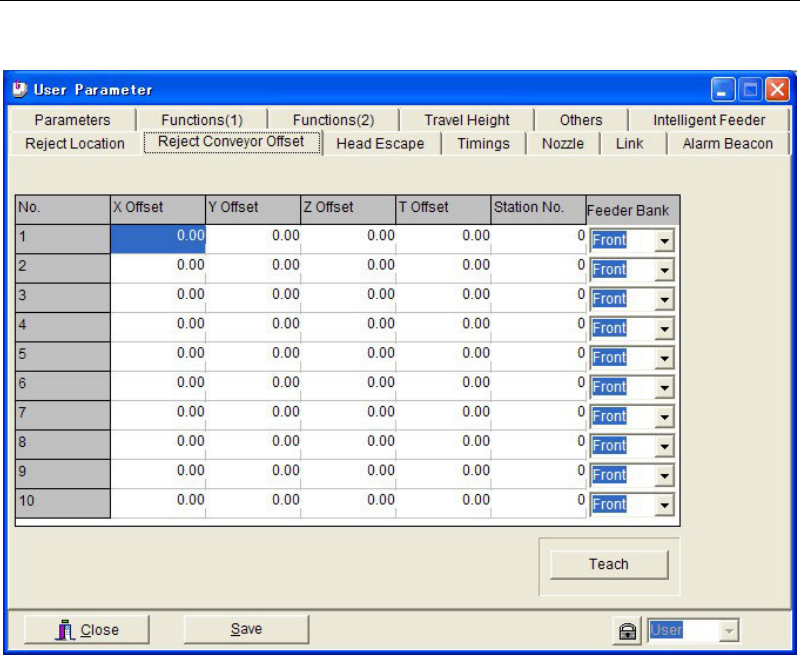
11-1-2 Reject Conveyor Offset
Menu: System>UserParameter>RejectConveyorOffset
Set coordinate offsets for the component reject location on the reject conveyor. When using the
specified reject location (pickup coordinates of the station where the reject conveyor is
connected), the offset setting here is not necessary.
Up to 10 coordinate offsets can be registered. [Reject Location] setting in the pickup data is
associated to the data number (No. 1–10) in this tab when [Reject/Reuse] is set to “Reject
Location”.
Note: For information on how to use the reject conveyor, see the instruction manual for the reject
conveyor.
Chapter 11 Parameter Setting
11-4
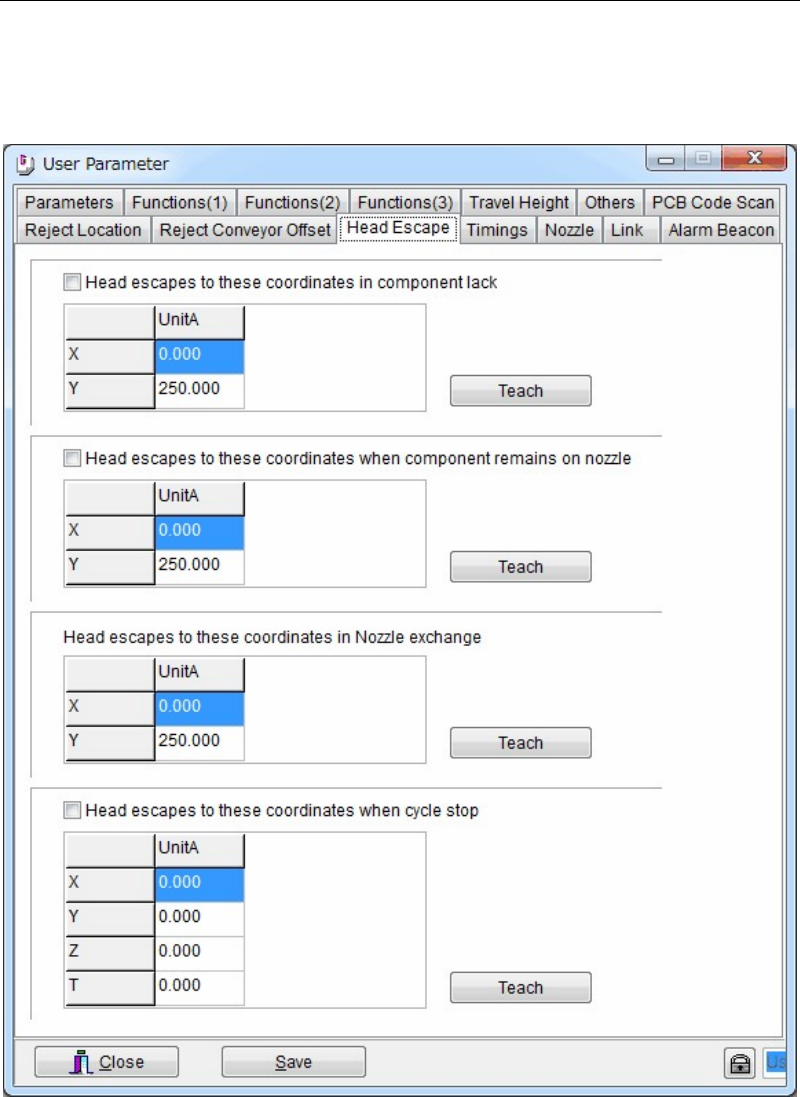
11-1-3 Head Escape
Menu: System>UserParameter>HeadEscape
When necessary, set the head parking coordinates for the following conditions; component
shortage, component remaining error, during nozzle exchange, and during cycle stop. Usually
use the initial parking coordinates.
Action:
① Click a <Teach> button to open the teach window. Teach and enter the desired escape
coordinates.
② When the check boxes of [Head escapes to these coordinates in component lack], [Head
escapes these coordinates when component remains on nozzle], and [Head escapes to
these coordinates when cycle stop] are clicked, the entered escape coordinates in this
window are used.
When these boxes are not checked, the escape coordinates of [Head Parking] in Program >
Board Data are used for unchecked items.