M20_Ope_E.pdf - 第35页
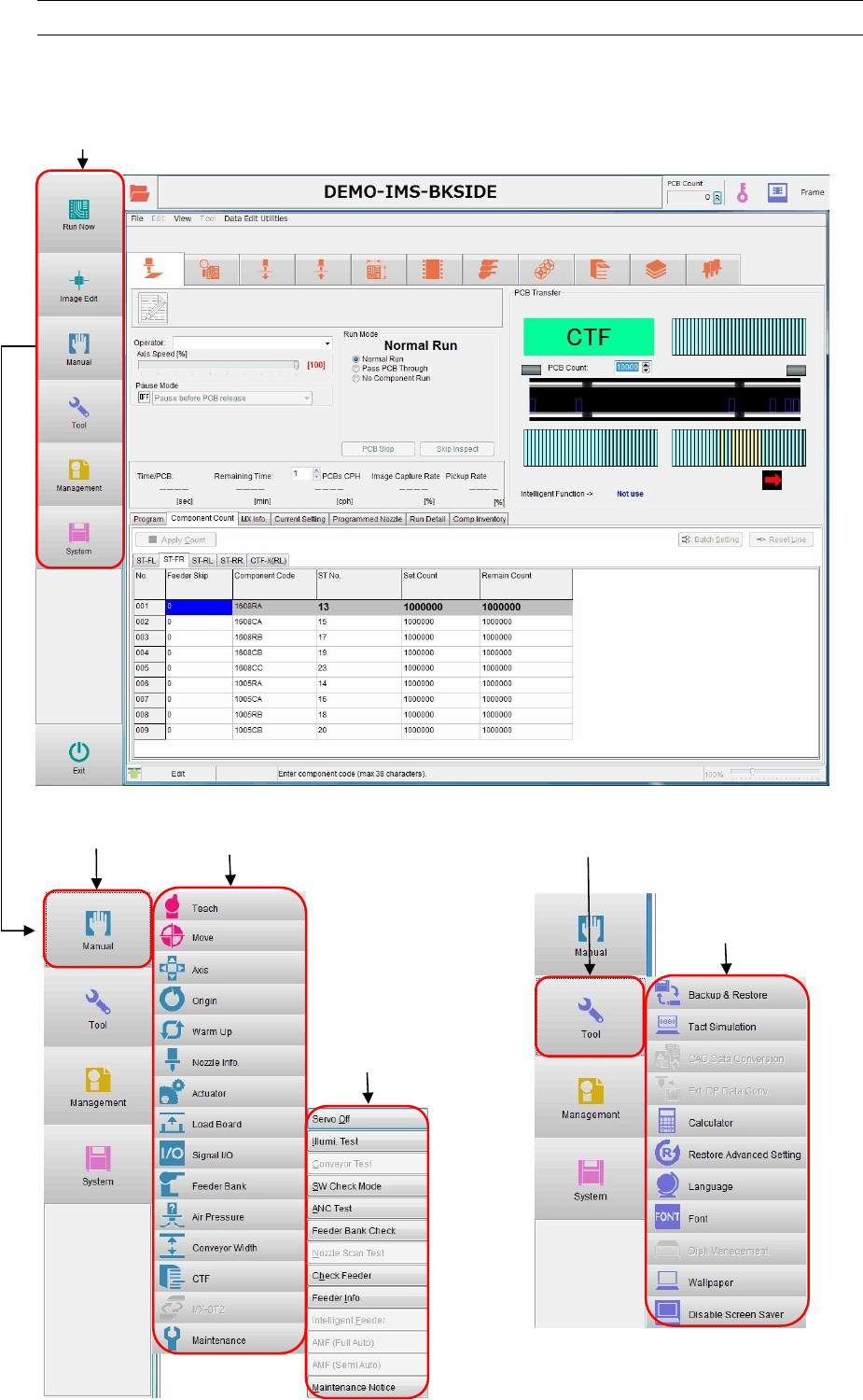
Chapter 1 General 1-17 1-3 Menu Views Note: When you move the pointer over the Main menu, corresponding sub-menu will appear on the relevant button, and it will disappear when you move the pointe r away. By clicking the …

Chapter 1 General
1-16
1-2-2 System Shutdown
Action:
① Click <Exit> button in the main menu.
② Next, click the <Power Off> button.
③ When the entire screen turns black, turn the MAIN
switch 90 degrees counterclockwise to turn
OFF the power.
Chapter 1 General
1-17
1-3 Menu Views
Note: When you move the pointer over the Main menu, corresponding sub-menu will appear on the relevant
button, and it will disappear when you move the pointer away. By clicking the button on Main menu bar,
the sub-menu display is fixed.
Main menu
Main menu
[Manual]
Sub menu
Sub menu
Sub menu
Main menu
[Tool]
Chapter 1 General
1-18
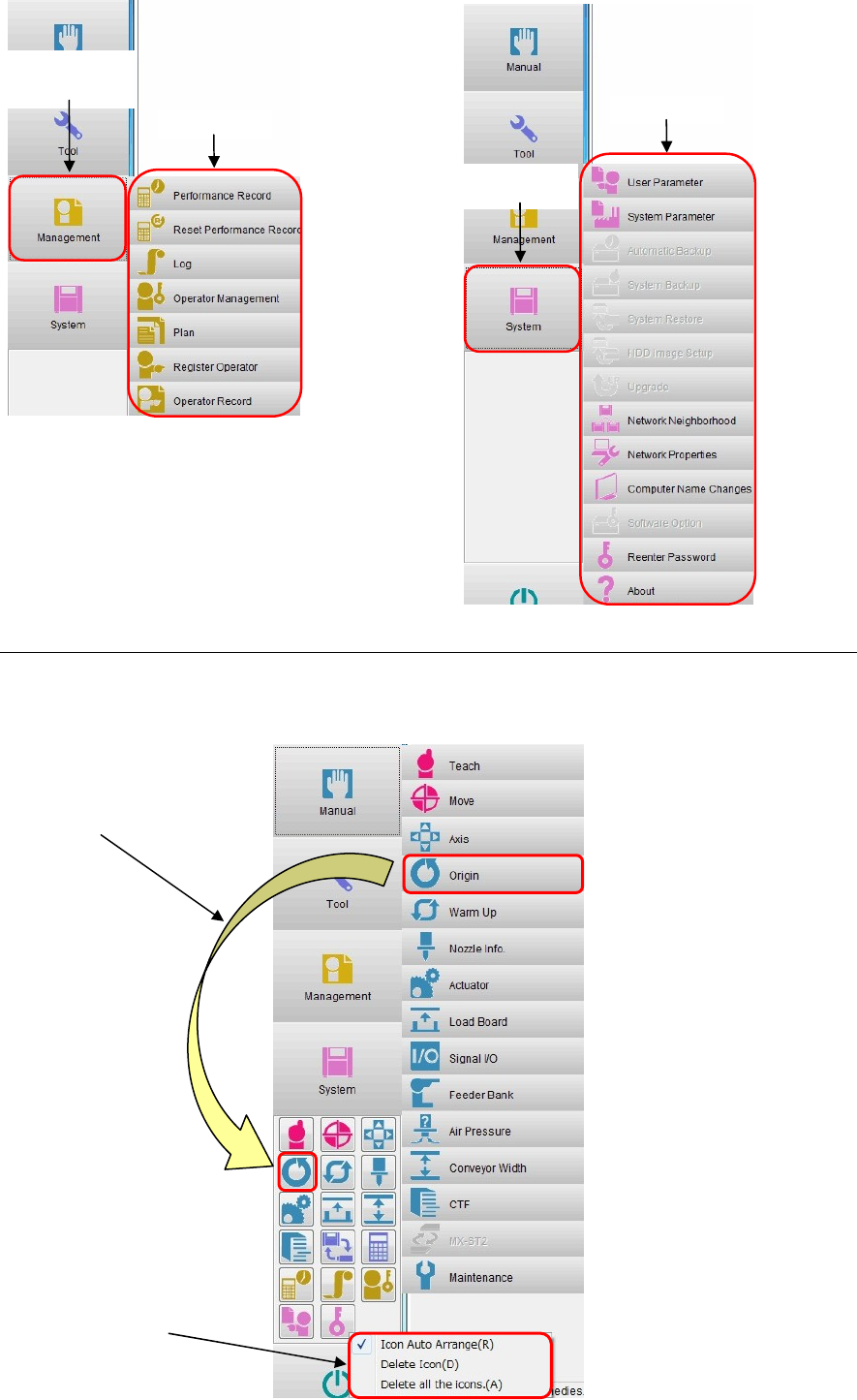
1-3-1 Sub-menu icon creation
You can create a sub-menu icon. Creating an icon for frequently used sub-menu will ensure the
convenient operation.
Main menu
[Management]
Sub menu
Sub menu
Main menu
[System]
Drag and drop a desired sub
menu to create an icon.
You can also change the icon
layout.
Right-click to delete a
desired icon.