M20_Ope_E.pdf - 第382页
Chapter 12 Management Data 12-6 ■ Compensation (Per Job); X Max, X Min, X Average, Y Max, Y Min, Y Averag e, T Max, T Min, T Average, Negative Press. Avg., Stretch Max, Stretch Min, Stretch Average ■ Error (Per Job); EMG…
Chapter 12 Management Data
12-5
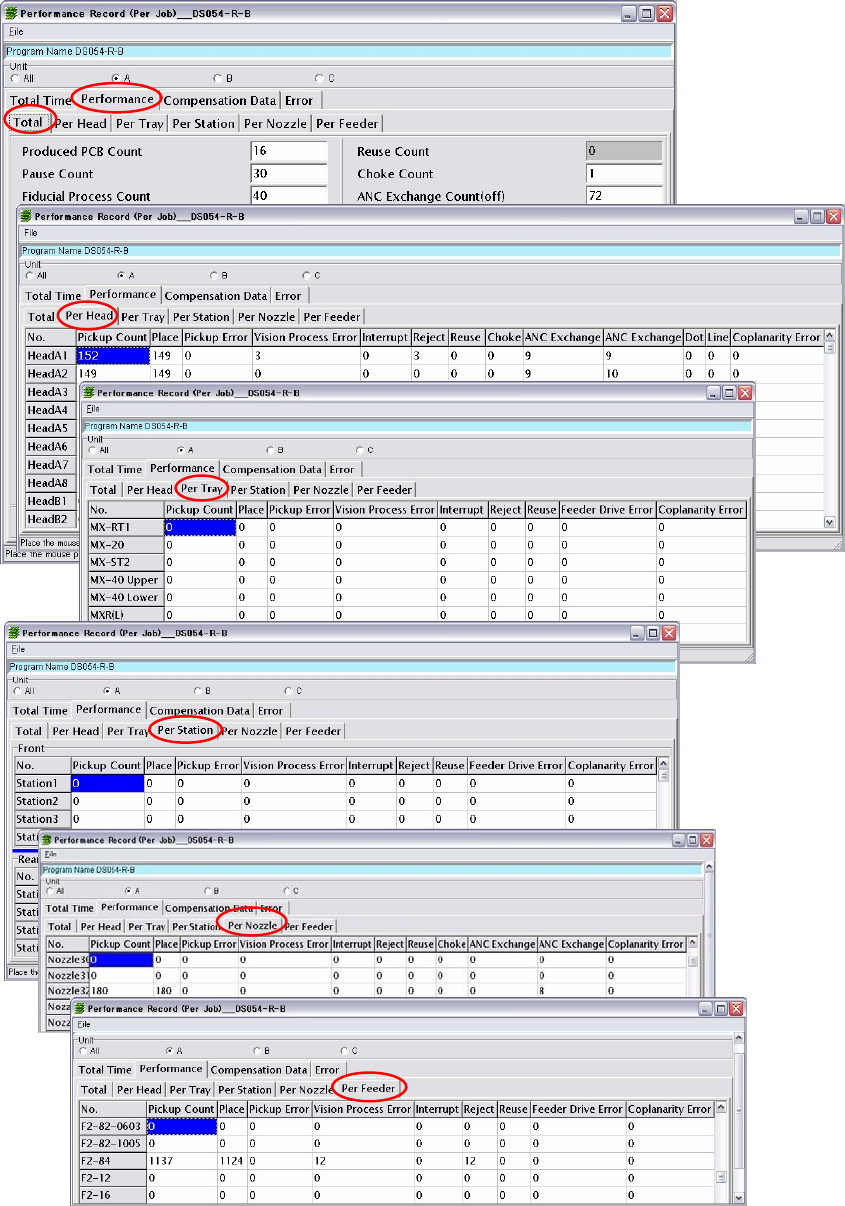
■Performance (Per Job);
Produced PCB Count, Pause Count, Fiducial Process Count, Fiducial Mis-recognition Count,
Fiducial Coordinates Adjust Count, Bad Mark Process Count, Bad Mark Mis-Recognition
Count, Bad Mark Process Skip Count, Bad Mark Process Un-skip Count, Pickup Count, Place
Count, Pickup Error Count, Vision Process Error Count, Coplanarity Error Count, Interrupt
Count, Reject Count, Reuse Count, Choke Count, ANC Exchange Count (off), ANC Exchange
Count (on), Pickup Error Count in Comp Exhaustion, Feeder Link Count, PCB Skip Count,
Switching Program Count , QR Code Process Count, QR Code Mis-recognition Count, Nozzle
Scan Count, Nozzle Arrangement Count, 2 Points Fiducial Count, 2 Points Fiducial Count
(Elastic), Pickup Error/Pickup Count (%), Vision Error/Pickup Count (%), Feeder Drive Error
Chapter 12 Management Data
12-6
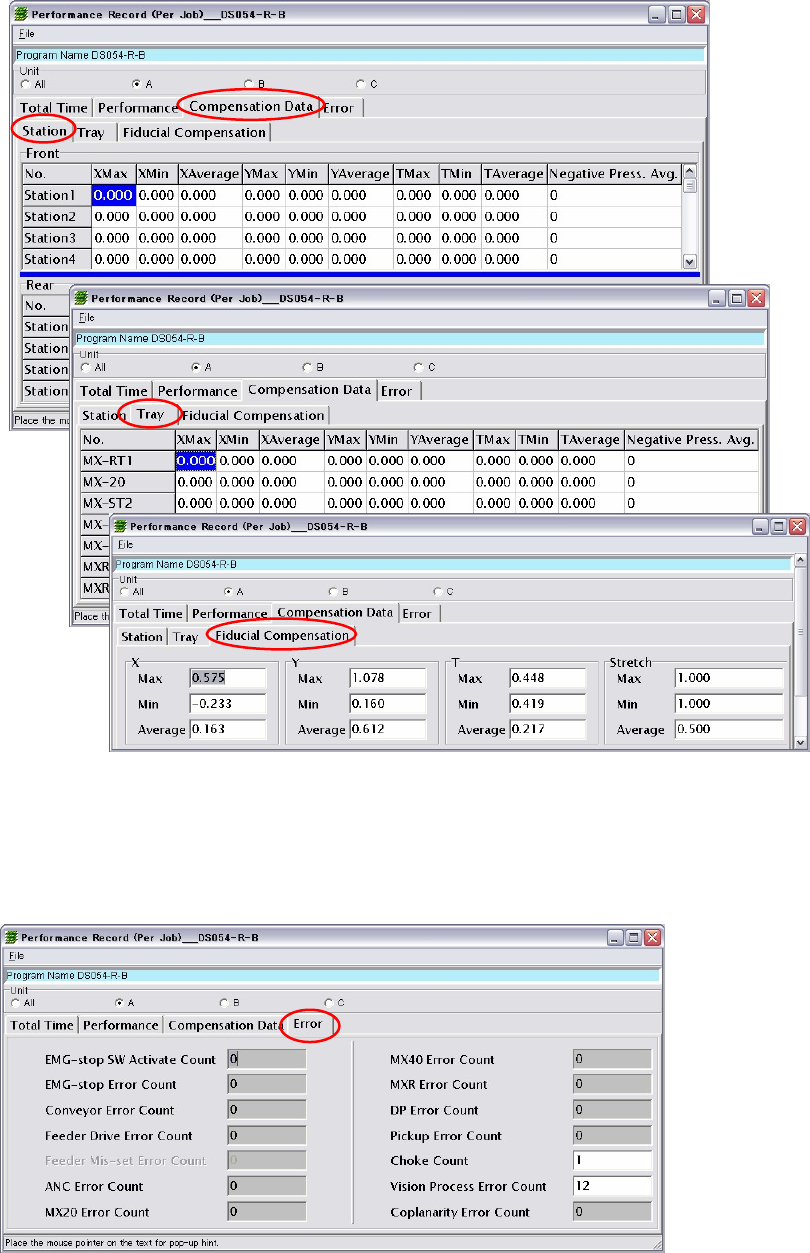
■Compensation (Per Job);
X Max, X Min, X Average, Y Max, Y Min, Y Average, T Max, T Min, T Average, Negative Press.
Avg., Stretch Max, Stretch Min, Stretch Average
■Error (Per Job);
EMG-stop SW Activate Count, EMG-stop Error Count, Conveyor Error Count, Feeder Drive
Error Count, Feeder Mis-set Error Count, ANC Error Count, Pickup Error Count, Vision
Process Error Count, Coplanarity Error Count
Chapter 12 Management Data
12-7
■Arbitrary
Unlike “Per Job”, “Arbitrary” accumulates performance records at arbitrary timings.
(The same items as “Per Job” are accumulated.)
Use of this function enables easy accumulation of performance records for unit period or for
one week etc.
The following two methods of accumulating performance records at the arbitrary timings are
available.
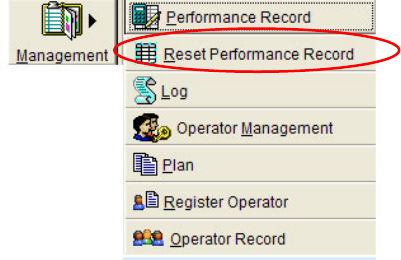
●Resetting performance record
Management > Reset Performance Record
Performance records will be accumulated, starting from when “Reset Performance Record” is
executed until it is executed again.
●Resetting PCB count
System > User Parameter > Others
Performance records will be accumulated, starting from when the PCB count is reset until it is
reset again. To use this function, “Reset performance record simultaneously with the resetting
of PCB count” (User Parameter > Others) must be enabled.
For details, refer to “Chapter 11, Parameter Setting>Performance Record”.