M20_Ope_E.pdf - 第390页
Chapter 12 Management Data 12-14 12-5 Operator Record 12-5-1 Registering the Operator Menu: Management>Register Operator This menu allows you to register or delete an operator. Registering a New Operator Action: ① C…
Chapter 12 Management Data
12-13
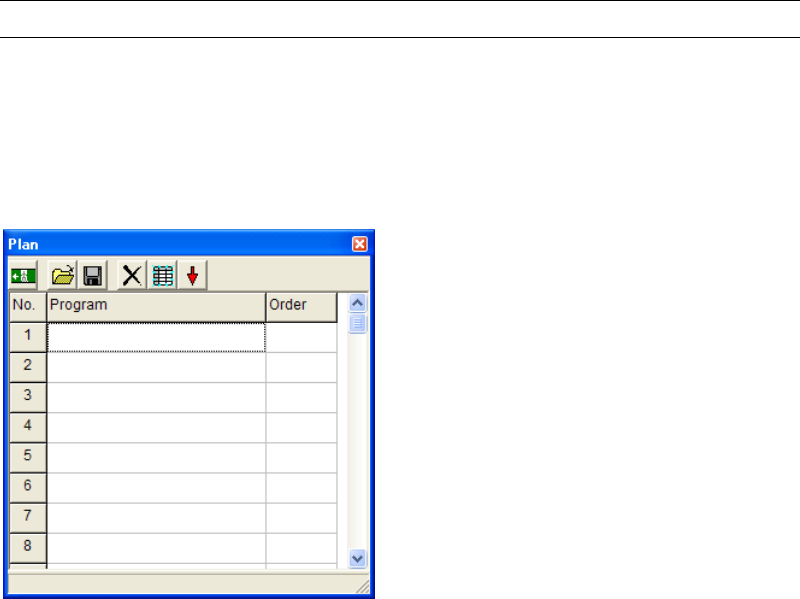
12-4 Plan
Menu: Management>Plan
Specify a program to be selected for production. The specified program is automatically loaded
when [Run] window opens.
Note: You can execute a job run without registering programs here. In this case, when opening the
Run dialog box, the Select Program dialog box appears prompting you to select a program.
Action:
① Click [Program] field of the first line.
② Right-click the mouse or click <Open> button (the second button from the left).
③ The Select Program dialog box appears. Select a program and click <Select> button.
④ The selected program appears in the first line.
⑤ Click a [Order] column to turn it into “1”.
Note: You can list up several programs on the Plan window, but it is only one program which can has
“1” in the [Order] column. This function is used if you produce the same program every time.
Chapter 12 Management Data
12-14
12-5 Operator Record
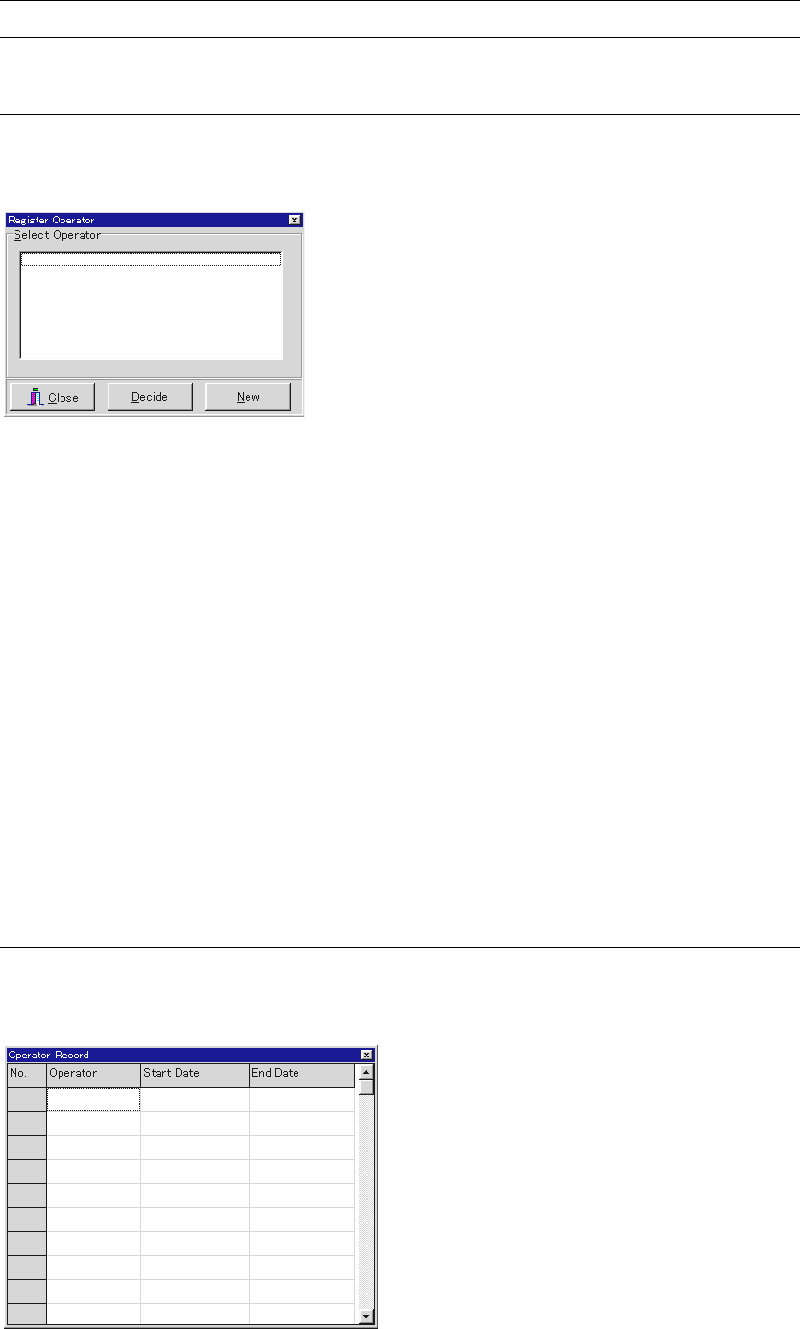
12-5-1 Registering the Operator
Menu: Management>Register Operator
This menu allows you to register or delete an operator.
Registering a New Operator
Action:
① Click <New> button to open the Operator Entry/Deletion dialog box.
② Under [Operator Entry], type in the operator name (up to 20 characters).
③ Click <Register> button.
④ Click <X> button to return to the previous screen.
Deleting an Operator
Action:
① Click <New> button to open the Operator Entry/Deletion dialog box.
② Under [Operator Deletion], select an operator name to delete.
③ Click <Delete> button.
④ Click <X> button to return to the previous screen.
12-5-2 Operator Record
This menu allows you to refer to the operator in charge for a certain manufacturing session.
Menu: Management>OperatorRecord
Window:
Operator: Name of the operator
Start Date: Date and time to start the manufacturing session
End Date: Date and time to end the manufacturing session
Chapter 13 Utility Menus
13-1
Chapter 13
Utility Menus
Backing up and restoring various data
Converting machine data to text data
Troubleshooting (at Mounter-Start)