M20_Ope_E.pdf - 第402页
Chapter 14 Intelligent Feeder 14-2 14-1 Set Up 14-1-1 Softw are Structure The intelligent feeder system consists of the following software programs. Software Storage Location 1 Server communication software (CompSvr.exe)…
Chapter 14 Intelligent Feeder
14-1
Chapter 14
Intelligent Feeder
■ Set Up
■ Creating a Database
■ Running the Server Software
■ Data
Chapter 14 Intelligent Feeder
14-2
14-1 Set Up
14-1-1 Software Structure
The intelligent feeder system consists of the following software programs.
Software Storage Location
1 Server communication software (CompSvr.exe) Mounter or PC
2 Client communication software (CompClient.exe) Mounter
3 Barcode input software (InputBar.exe) Mounter or PC
4 Barcode print software (BarcodePrint.exe) PC
■Server Communication Software (hereafter called server software)
This software controls the ID database. Feeder-correlated component barcodes, initial
component count, component count, and feeder status information are registered to this ID
database. It can be run on only one mounter or PC via network.
■Client Communication Software (hereafter called client software)
The client software sends requests from the mounter software to the server software.
Normally, the operator does not need to be aware of this. If the intelligent feeder function is
enabled on the mounter, this software starts up automatically when MMI starts up. This
software communicates with the server software by TCP/IP.
■Barcode Input Software
This software sends barcodes that are scanned by the operator using a barcode reader to the
server software. Barcode types that can be scanned are feeder ID barcodes, component
barcodes and command barcodes. This software communicates with the server software by
TCP/IP.
■Barcode Print Software
This software prints component barcodes and affixes them to component reels. Feeder ID and
command barcodes can also be printed. Data files created by the server software are read and
output in barcode format.
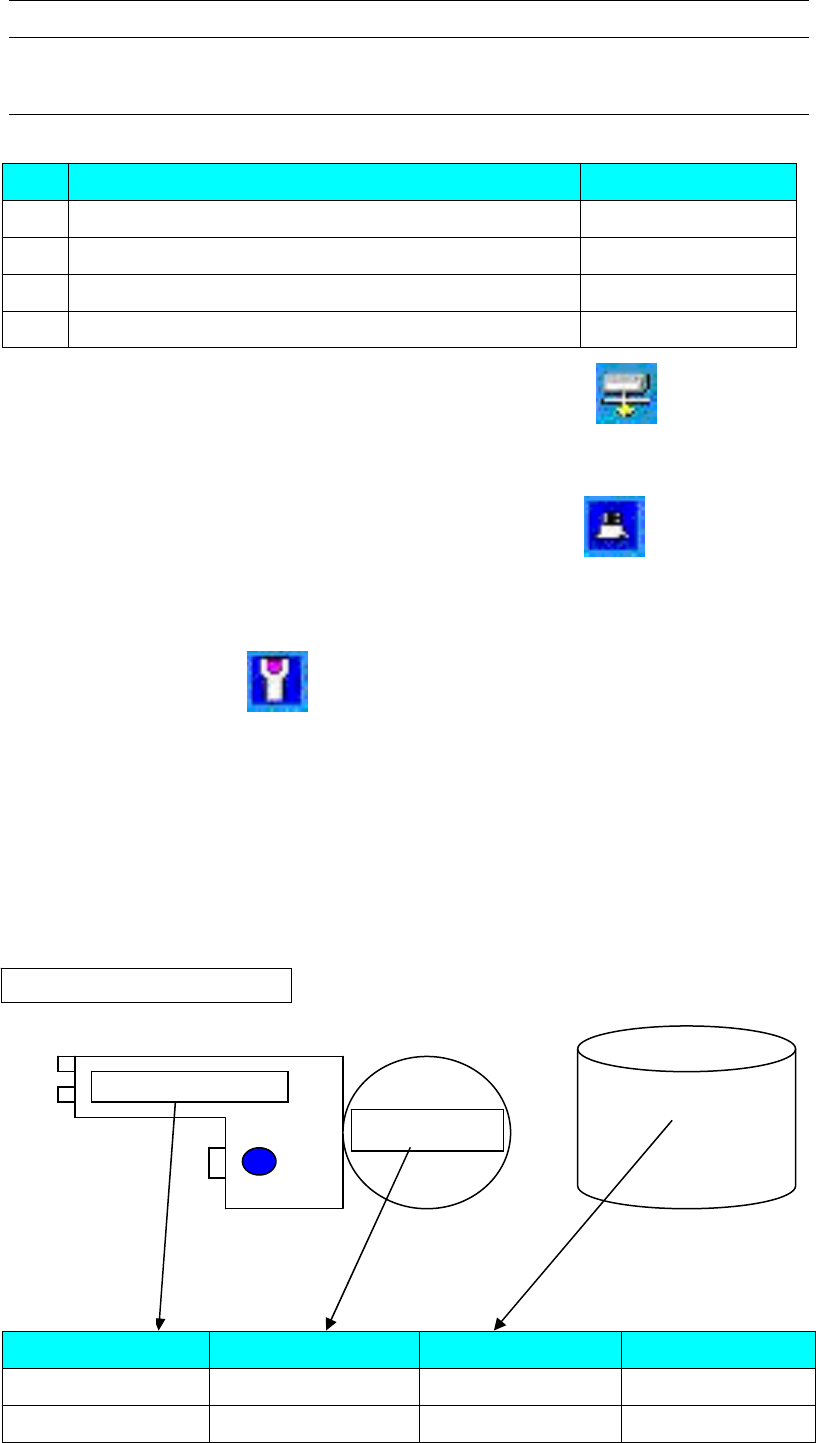
Feeder barcode Component barcode Component code Other
F2-825-000045A 3N1CR1/8-100JV 1005C ...
F2-84-0000001A 341B5K0863 1005R ...
Component barcode
Feeder ID
Feeder ID barcode
Component library
ID database
ID database conce
p
tual dia
g
ram
Chapter 14 Intelligent Feeder
14-3
14-1-2 Operation Environment
The intelligent feeder function can be used in the following three kinds of environment, and
the features of each environment are given below.
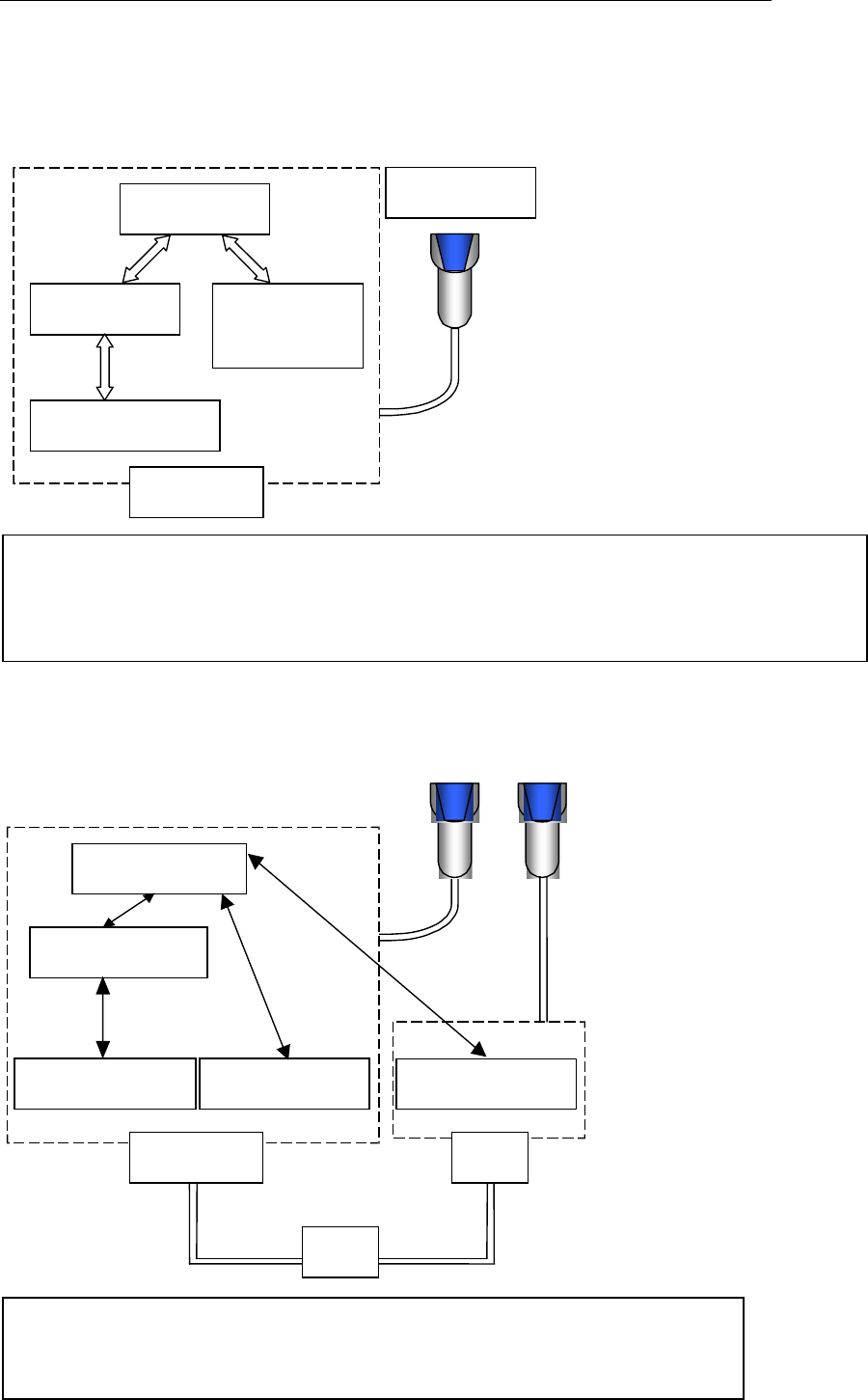
■Using the Intelligent Function by One Mounter Only
Server software
Barcode input
software
Client software
Mounter software
Mounter
Barcode reader
2、
■Using the Intelligent Function by One Mounter and One PC
Features
・It is not necessary to build a local area network (LAN).
・The intelligent feeder function can be used right away without making network settings.
・Databases can be created on the mounter only.
Features
・Databases can be created in any location (mounter, PC) since registration can be
performed on the PC.
Server software
Barcode input software
Client software
Mounter software
Mounter
Barcode input software
PC
LAN