M20_Ope_E.pdf - 第429页
Chapter 14 Intelligent Feeder 14-29 14-4-3 Command Barcodes Command barcodes necessary for operation of th e intelligent feeder function are shown below. They can be printed by starting the barcode prin t software (BarCo…
Chapter 14 Intelligent Feeder
14-28
■Setting the Pickup Offset
Even if a pickup coordinate offset is set for the pickup data of a component, it will be cleared if
that component (feeder) is relocated to another position by the relocatable function. (The offset
will remain effective if the component is relocated in the same position as that in the pickup
data.) So when setting components (feeder) in a position that differs from the pickup data,
attention must be paid to the pickup coordinate misalignment.
→To set a pickup coordinate offset for the components (feeder) that are set in a position that
differs from the pickup data, execute the following steps.
①Halt production and activate the "Edit & Teach" mode.
②Select Program > Pickup Data window.
③Since components set in a position that differs from the pickup data have been
added to the pickup data (one line is added), check the pickup point No. and set the
pickup coordinate offset.
④Select Save > Apply > START. This will perform pickup operation with the offset
reflected.
Note: If the relocatable function is used, only the data of the currently executed program can be
edited in halt edit mode during production. The changes (updates) to the program data are
reflected continuously during production. However, they will not be reflected if production is
canceled, since they are also canceled at that time.
■Restrictions on Use of Side Pickup Function and Angle Settable Nozzle
Components for which the side pickup function has been set should not be set in any positions
other than those set in the program data (pickup data). This also applies to the components that
are to be picked up by an angle settable nozzle (i.e. Nozzle Library > "Directionality" setting is
other than “Free” is set).
Chapter 14 Intelligent Feeder
14-29
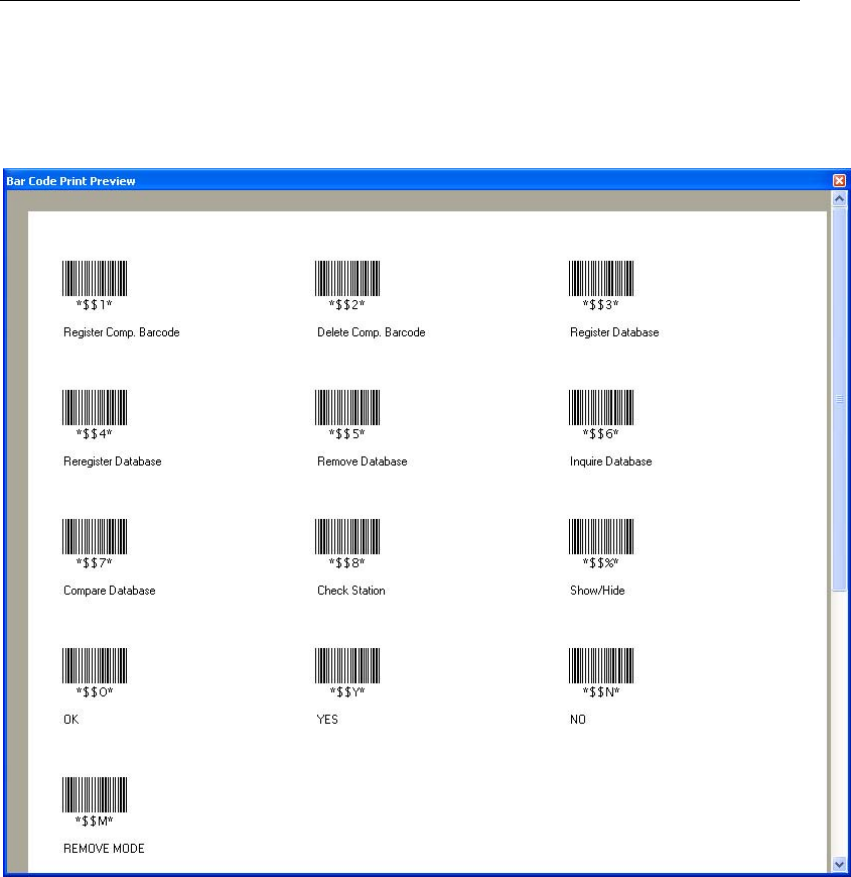
14-4-3 Command Barcodes
Command barcodes necessary for operation of the intelligent feeder function are shown below.
They can be printed by starting the barcode print software (BarCodePrint.exe) and selecting the
file named “command.prb”.
For details, refer to “Chapter 14 Running the Server Software”.
Chapter 14 Intelligent Feeder
14-30
- - - Blank page - - -