M20_Ope_E.pdf - 第67页
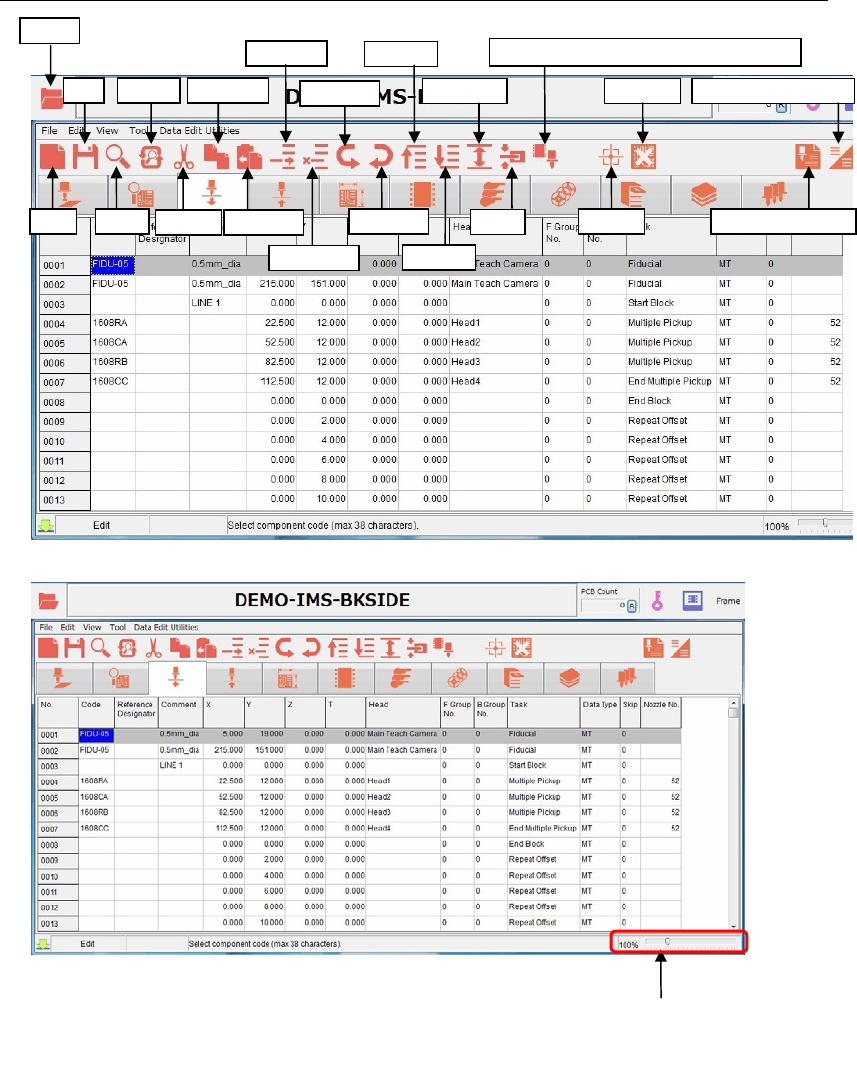
Chapter 2 Creating and Editing a Program 2-23 2-5-2 List of program data icons Replace Save Ope n New Search Cut Copy Line Paste Line Insert Line Delete Line Bad Mark Undo Edit Redo Edit Area Select Clamp Fiducial Data A…

Chapter 2 Creating and Editing a Program
2-22
2-5 Program Data
2-5-1 Program Data Window
The program data window below shows each data contained in a program.
Action:
① Click the View menu at upper part of the window.
② To show the data in the window, click the data check box you want to show
. Close the menu.
③ The selected data tabs appear.
All the necessary data, from “Program” to “Nozzle Data” are
included in one program.
z Program (=Placement & Mark Data)
z Comp Data (=Component Library)
z Feeder Data (=Feeder Library)
z Package Data (=Package Library)
z Pallet Data (=Pallet Data)
z Tray Data (=Tray Library)
z Nozzle Data (= Nozzle Library)
Image Data (= Image Library) is not included in a program.
Pro
g
ram
Nozzle Data
Pallet Data
Feeder Data
PCB Data
Comp Data
Ru
n
Pickup Data
Package Data
Tray Data
Program Check
Program Data Window
Chapter 2 Creating and Editing a Program
2-23
2-5-2 List of program data icons
Replace
Save
Ope
n
New Search
Cut
Copy Line
Paste Line
Insert Line
Delete Line
Bad Mark
Undo Edit
Redo Edit
Area Select
Clamp
Fiducial Data Auto Creatio
n
View (Simple/Detail)
First Line
Last Line
The window size
is zoomable with
the scroll bar.
Programmed Components & Nozzles
Chapter 2 Creating and Editing a Program
2-24
2-6 Entering Header and Editing Board Data
2-6-1 Header
Menu: File>Header
Type comment and editor name of the program for identification.
Window:
Comment: * Up to 40 characters can be entered.
Editor: * Up to 14 characters can be entered.
Note: Series Name, Version, and Unit are displayed for your information.
2-6-2 Entering board data
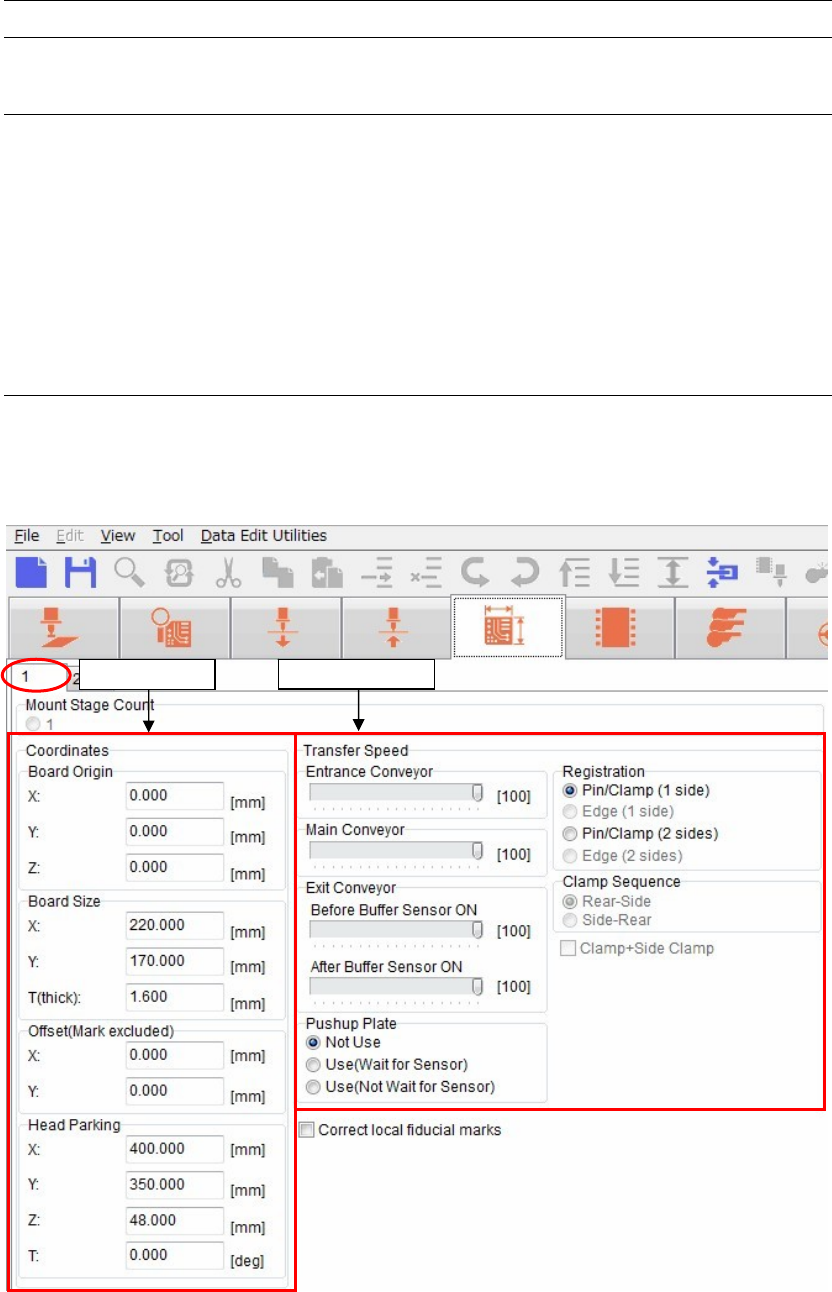
Menu: Board Data> Page 1
It is necessary to set the board data for each program.
Some settings must be set before setting a board.
Transfer S
p
eed
Coordinates