ELA Installation.pdf - 第51页
POWER UP SEQUENCE MACHI NE POWE R UP SEQ UENC E Chapter Issu e 3 Jun 01 Installati on Manua l 6.3 b . Using the mouse, click on the St art button on the taskbar . The Start Menu is displayed. NO TE W indows NT is embedde…
POWER UP SEQUENCE
MACHINE POWER UP SEQUENCE
6.2 Installation Manual Chapter Issue 3 Jun 01
MACHINE POWER UP SEQUENCE
Hard Disk Check
1. Connect the mains supply to the machine.
2. Turn the Mains Isolation Switch ON.
3.
NOTE
If the machine hard disk is corrupt, carry out the NT recovery procedure
detailed in the Housekeeping chapter of the Programming and Maintenance
Manual.
NOTE
If the keyboard/mouse interface with the monitor is not activated on power
up, ensure that the infra red keyboard/mouse unit has been interrogated by
the infra red receiver. This is achieved by aiming the keyboard at the IR
receiver and pressing the ID_ACK button on the underneath of the IR
receiver. Refer to the Man machine Interface chapter of the Technical
Reference manual for further information.
Checking Hard Disk
Partition C
4. Carry out the following:
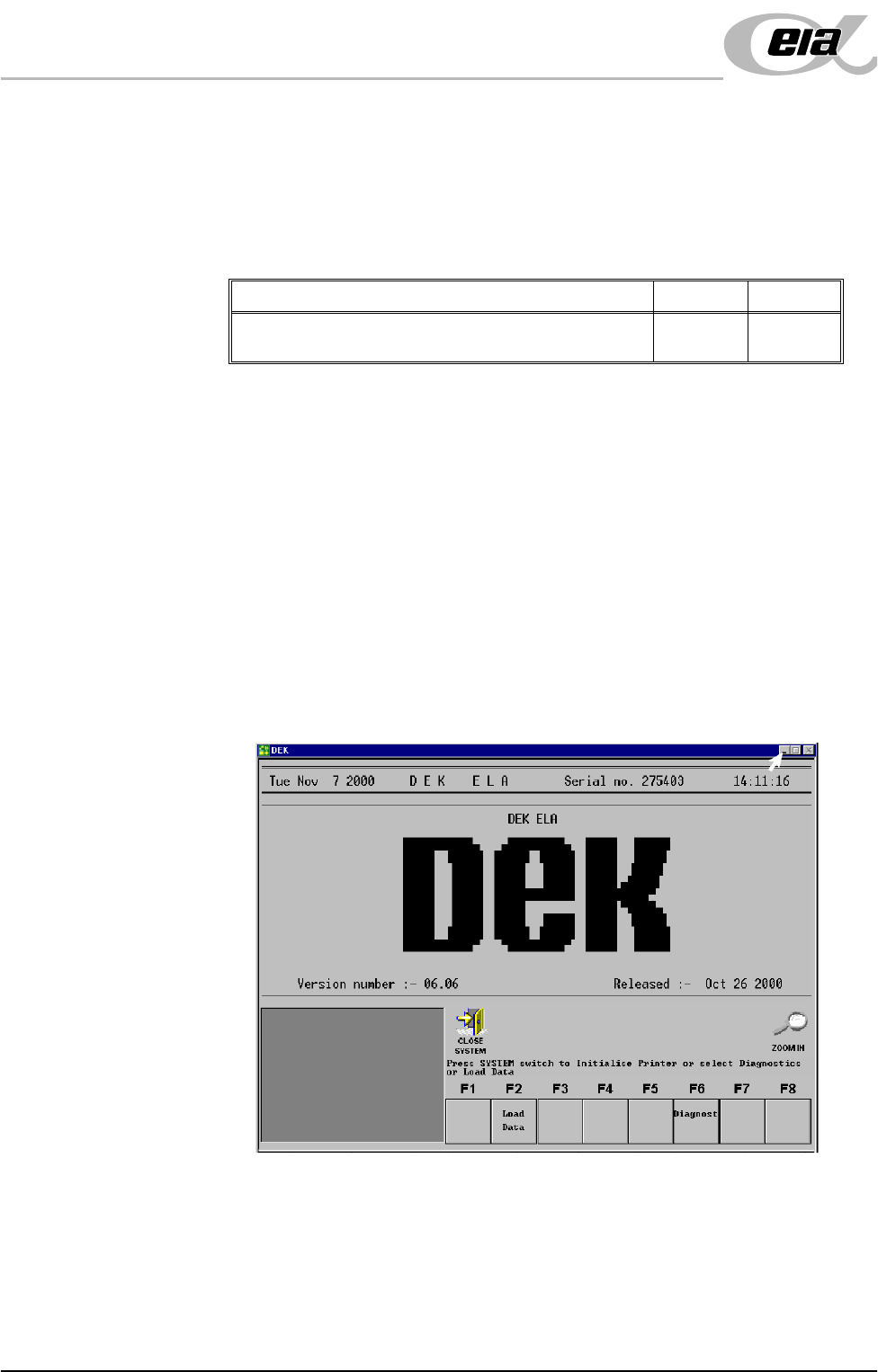
a. On completion of ‘auto login’, minimise the DEK program.
Detail Voltage Accept
Check the machine hard disk for any defects caused in
transit using Chkdsk.
POWER UP SEQUENCE
MACHINE POWER UP SEQUENCE
Chapter Issue 3 Jun 01 Installation Manual 6.3
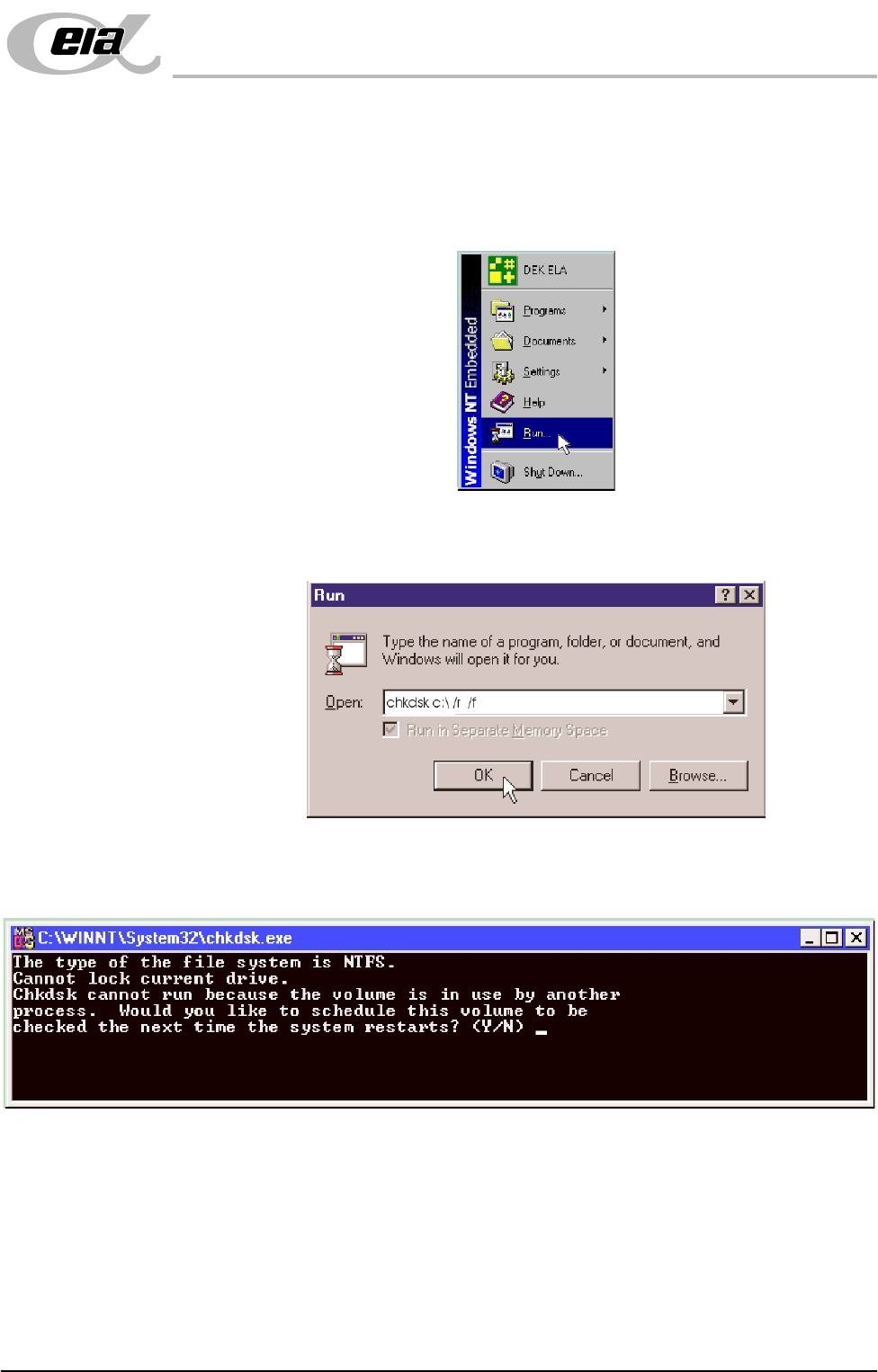
b. Using the mouse, click on the Start button on the taskbar. The Start Menu
is displayed.
NOTE
Windows NT is embedded on all software version 6.0 machines onwards.
c. Click on the Run icon.
d. Click in the open box, and type chkdsk c:\ /r /f
e. Select the OK button.
f. The Chkdsk program displays the following DOS prompt:
g. Select Y, Enter.
POWER UP SEQUENCE
MACHINE POWER UP SEQUENCE
6.4 Installation Manual Chapter Issue 3 Jun 01
Checking Hard Disk
Partition D
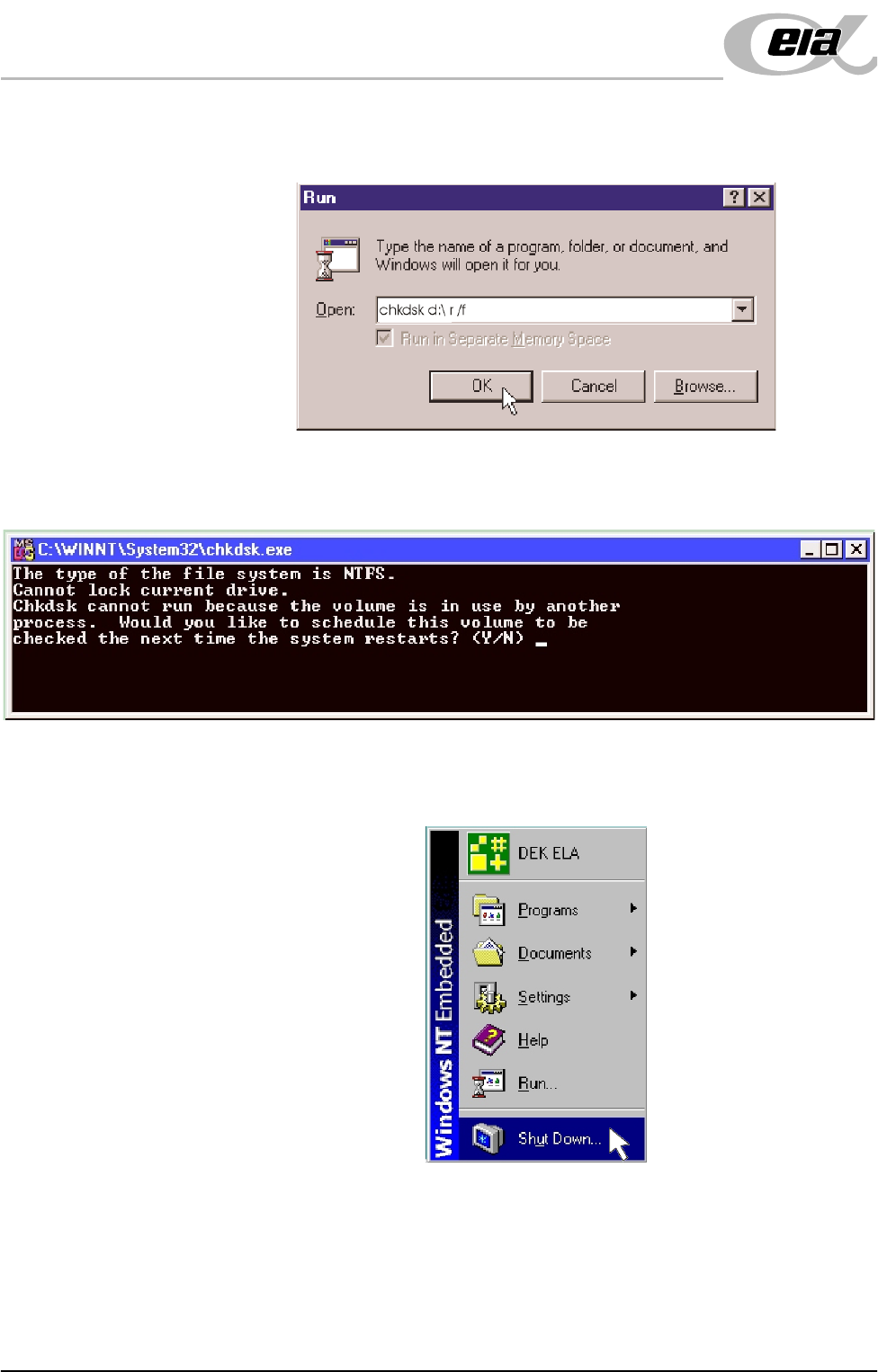
h. When the DOS window closes, select Start on the taskbar, select Run...
i. Click in the Open box and type chkdsk d:\ /r /f
j. Select the OK button.
k. The Chkdsk program displays a DOS prompt.
l. Select Y, Enter.
m.When the DOS window closes, select Start on the taskbar, from the start
menu select Shutdown...