ELA Installation.pdf - 第54页
POWER UP SEQUENCE MACHINE POW ER UP S EQUENCE 6.6 I nstallation M anual Chapter Issue 3 J un 01 7. Select the OK b utton. The Event V iewer log is opened. 8. Examine the Ev ent Log, looking for errors. Errors are indicat…
POWER UP SEQUENCE
MACHINE POWER UP SEQUENCE
Chapter Issue 3 Jun 01 Installation Manual 6.5
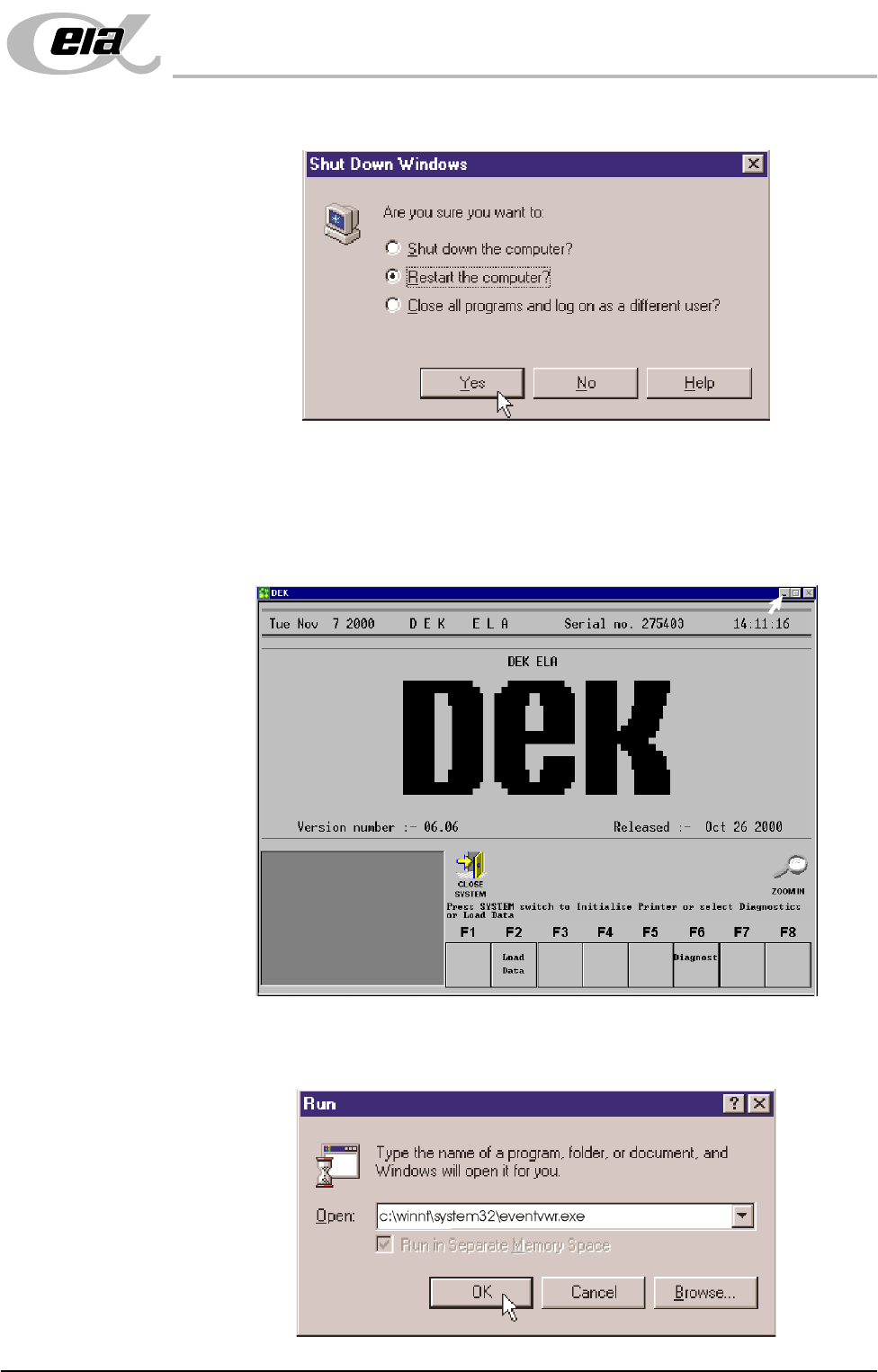
n. Click the radio button alongside ‘Restart the computer?’. Select Yes.
The system closes down and restarts. The Chkdsk program executes and
checks the hard disk for errors. On completion of Chkdsk, Windows NT
starts in the standard way.
5. On completion of ‘auto login’, minimise the DEK program.
6. Select Start on the taskbar, click on Run in the Run Open box and type in
the following: c:\winnt\system32\eventvwr.exe
POWER UP SEQUENCE
MACHINE POWER UP SEQUENCE
6.6 Installation Manual Chapter Issue 3 Jun 01
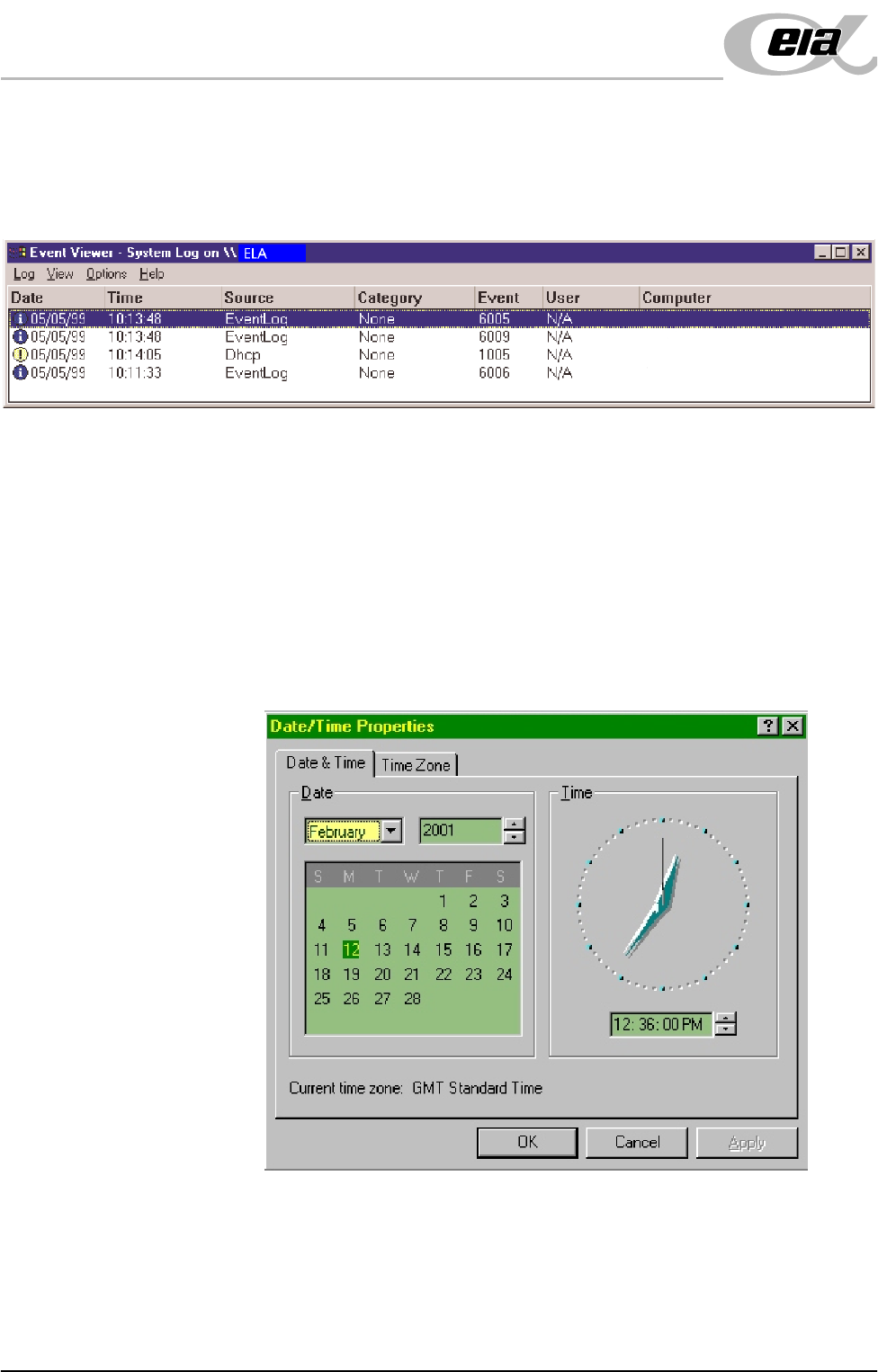
7. Select the OK button. The Event Viewer log is opened.
8. Examine the Event Log, looking for errors. Errors are indicated by a red icon
in the leftmost column. Any errors reported that display 'Disk' in the Source
column, indicate a problem has been found on the system hard disk.
When errors are found, the Event Log is to be forwarded to DEK CSG
Helpdesk, by e-mail - helpdesk@dek.com, hardcopy or fax - +44 1305
208382.
9. If no errors are found in the Event Viewer, close down Event Viewer.
Set Time and Time
Zone
10.In order for the machine PC to log events correctly, the system time, date and
time zone must be set.
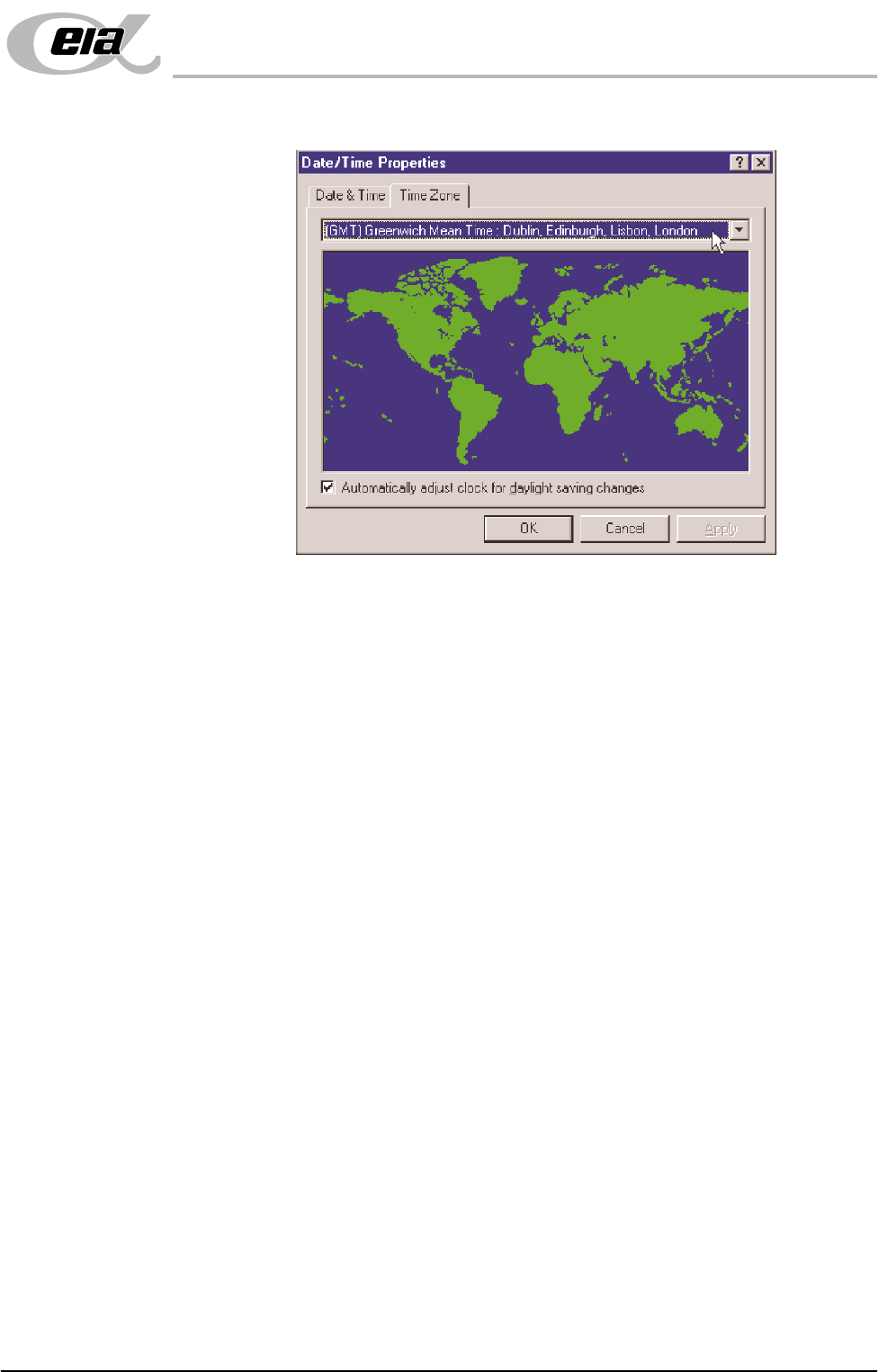
a. Using the mouse, double click on the time, displayed at the right hand side
of the Windows NT taskbar. The Date/Time Properties window is dis-
played.
POWER UP SEQUENCE
MACHINE POWER UP SEQUENCE
Chapter Issue 3 Jun 01 Installation Manual 6.7
b. Click on the Time Zone tab.
c. Select the appropriate locale/time zone from the drop down menu box.
d. Click on Apply.
e. Click on the Date & Time tab. Adjust the local time and date.
f. Select OK.
g. Maximize the DEK monitor control display by clicking the DEK Soft-
ware icon on the task bar.
h. Press the System button.
NOTE
In some instances the DEK machine software may interpret any change in
date/time settings as an error, if so the following message, ‘Date and Time
Incorrect’, is displayed in the warning message window of the monitor
control display.
11.In the event of a date/time error message, carry out the following procedures:
a. Power down the machine.
b. Power up the machine. Allow the system to start without any user inter-
vention. DEK machine software executes. When the message - ‘Press
System Switch To Initialize Printer or select Diagnostics’ is displayed
in the Message Prompt Bar, the Diagnost function becomes available in
the menu bar.
c. Select Diagnost (F6).
d. The Module Diagnostics Page is displayed with the System Error message,
‘System Power Down’ superimposed on top of it.
e. Press the System button to enable system power.