3OM-1064-001.pdf - 第161页
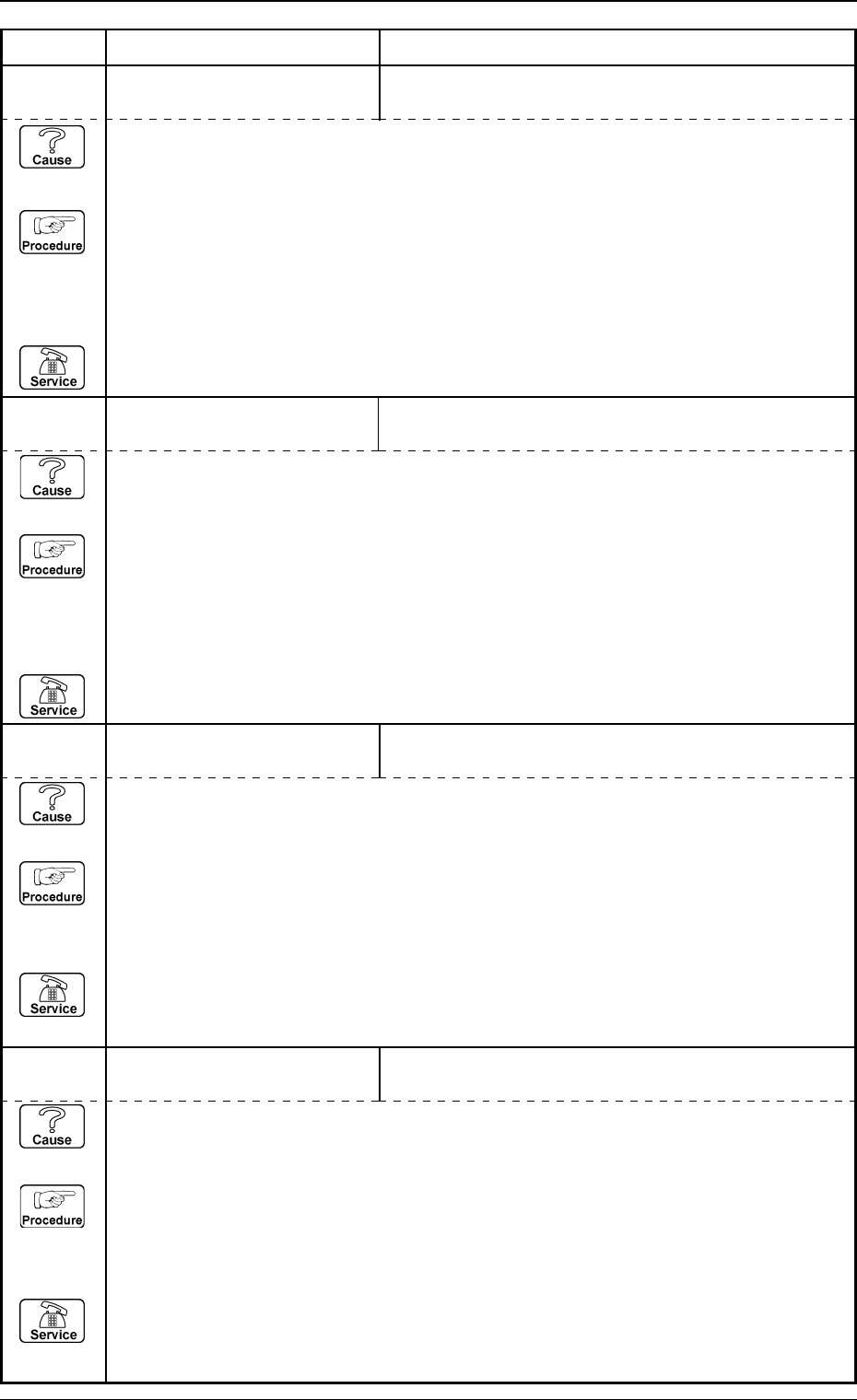
3. T rouble Shooting after Error Display 0009-001 2-104-2 Tg0248-PM-ER (Cause 1) This is the device’ s self-diagnostic message. (Reset Procedure in the case of Cause 1) Reset Procedure (1) Press the [CLEAR ALARM] key and…
3. Trouble Shooting after Error Display
(Cause 1) This is the device’s self-diagnostic message.
(Reset Procedure in the case of Cause 1)
Reset Procedure
(1) Press the [CLEAR ALARM] key and the buzzer stops sounding.
(2) Press the [ZERO] button to return all the axes to their original positions.
(3) Re-start.
(4) If the device can’t be re-started, contact our service personnel.
Note: Refer to “Section 4 Recognition Error Code”.
65 01 02 LIGHTING CONTROL BOARD
COMM. XXXXXXXX
MOTOR CONTROLLER STATUS: ALARM DETECTED.
(Cause 1) This is the device’s self-diagnostic message.
(Reset Procedure in the case of Cause 1)
Reset Procedure
(1) Press the [CLEAR ALARM] key and the buzzer stops sounding.
(2) Press the [ZERO] button to return all the axes to their original positions.
(3) Re-start.
(4) If the device can’t be re-started, contact our service personnel.
Note: Refer to “Section 4 Recognition Error Code”.
Error Code Display A Display B
0009-001 2-104-1 Tg0248-PM-ER
63 02 02 MOTOR CONTROL BOARD JUMPER SETTING FOR THE MOTOR CONTROL
BOARD (VPG-46#2) IS WRONG.
(Cause 1) This is the device’s self-diagnostic message.
(Reset Procedure in the case of Cause 1)
Reset Procedure
(1) Press the [CLEAR ALARM] key and the buzzer stops sounding.
(2) Check the jumper setting for the motor control board (VPG-46#2).
(3) Press the [ZERO] button to return all the axes to their original positions.
(4) Re-start.
(5) If the device can’t be re-started, contact our service personnel.
65 01 01 RECOG. COMMUNICATION
XXXXXXXX
OVERLOAD WAS DETECTED.
63 02 01 MOTOR CONTROL BOARD JUMPER SETTING FOR THE MOTOR CONTROL
BOARD (VPG-46#1) IS WRONG.
(Cause 1) This is the device’s self-diagnostic message.
(Reset Procedure in the case of Cause 1)
Reset Procedure
(1) Press the [CLEAR ALARM] key and the buzzer stops sounding.
(2) Check the jumper setting for the motor control board (VPG-46#1).
(3) Press the [ZERO] button to return all the axes to their original positions.
(4) Re-start.
(5) If the device can’t be re-started, contact our service personnel.
3. Trouble Shooting after Error Display
0009-001 2-104-2 Tg0248-PM-ER
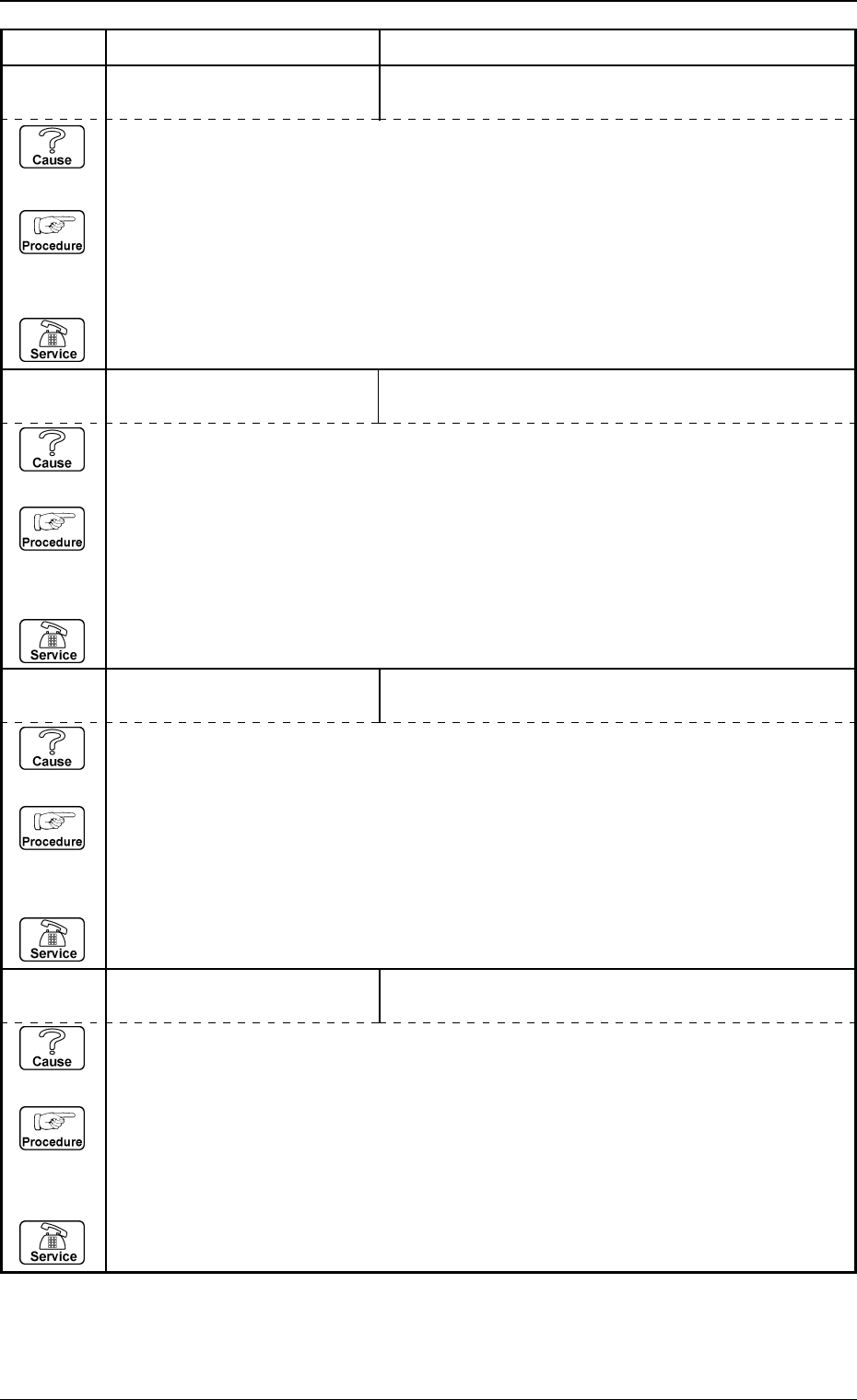
(Cause 1) This is the device’s self-diagnostic message.
(Reset Procedure in the case of Cause 1)
Reset Procedure
(1) Press the [CLEAR ALARM] key and the buzzer stops sounding.
(2) Press the [ZERO] button to return all the axes to their original positions.
(3) Re-start.
(4) If the device can’t be re-started, contact our service personnel.
66 04 XX P.E.C. MARK #1 (IMAGE)
XXXXXXXX
(Cause 1) This is the device’s self-diagnostic message.
(Reset Procedure in the case of Cause 1)
Reset Procedure
(1) Press the [CLEAR ALARM] key and the buzzer stops sounding.
(2) Press the [ZERO] button to return all the axes to their original positions.
(3) Re-start.
(4) If the device can’t be re-started, contact our service personnel.
Error Code Display A Display B
66 02 XX P.E.C. MARK #2 (GLOBAL)
XXXXXXXX
(Cause 1) This is the device’s self-diagnostic message.
(Reset Procedure in the case of Cause 1)
Reset Procedure
(1) Press the [CLEAR ALARM] key and the buzzer stops sounding.
(2) Press the [ZERO] button to return all the axes to their original positions.
(3) Re-start.
(4) If the device can’t be re-started, contact our service personnel.
66 03 XX P.E.C. MARK #3 (GLOBAL)
XXXXXXXX
66 01 XX P.E.C. MARK #1 (GLOBAL)
XXXXXXXX
(Cause 1) This is the device’s self-diagnostic message.
(Reset Procedure in the case of Cause 1)
Reset Procedure
(1) Press the [CLEAR ALARM] key and the buzzer stops sounding.
(2) Press the [ZERO] button to return all the axes to their original positions.
(3) Re-start.
(4) If the device can’t be re-started, contact our service personnel.
Note: Refer to “Section 4 Recognition Error Code”.
3. Trouble Shooting after Error Display
0009-001 2-104-3 Tg0248-PM-ER
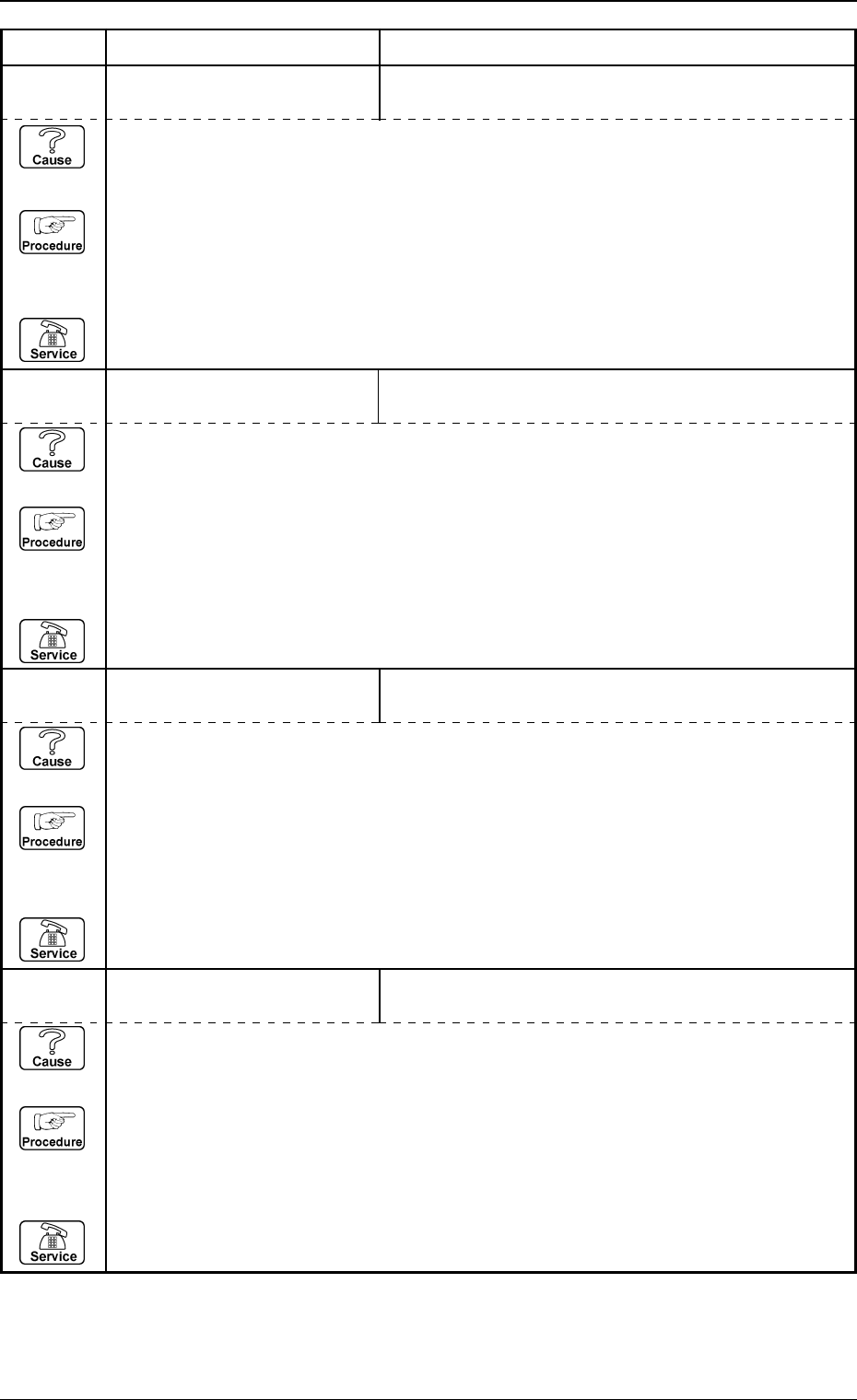
(Cause 1) This is the device’s self-diagnostic message.
(Reset Procedure in the case of Cause 1)
Reset Procedure
(1) Press the [CLEAR ALARM] key and the buzzer stops sounding.
(2) Press the [ZERO] button to return all the axes to their original positions.
(3) Re-start.
(4) If the device can’t be re-started, contact our service personnel.
66 08 XX P.E.C. MARK #2 (LOCAL)
XXXXXXXX
(Cause 1) This is the device’s self-diagnostic message.
(Reset Procedure in the case of Cause 1)
Reset Procedure
(1) Press the [CLEAR ALARM] key and the buzzer stops sounding.
(2) Press the [ZERO] button to return all the axes to their original positions.
(3) Re-start.
(4) If the device can’t be re-started, contact our service personnel.
Error Code Display A Display B
66 06 XX P.E.C. MARK #3 (IMAGE)
XXXXXXXX
(Cause 1) This is the device’s self-diagnostic message.
(Reset Procedure in the case of Cause 1)
Reset Procedure
(1) Press the [CLEAR ALARM] key and the buzzer stops sounding.
(2) Press the [ZERO] button to return all the axes to their original positions.
(3) Re-start.
(4) If the device can’t be re-started, contact our service personnel.
66 07 XX P.E.C. MARK #1 (LOCAL)
XXXXXXXX
66 05 XX P.E.C. MARK #2 (IMAGE)
XXXXXXXX
(Cause 1) This is the device’s self-diagnostic message.
(Reset Procedure in the case of Cause 1)
Reset Procedure
(1) Press the [CLEAR ALARM] key and the buzzer stops sounding.
(2) Press the [ZERO] button to return all the axes to their original positions.
(3) Re-start.
(4) If the device can’t be re-started, contact our service personnel.
Note: Refer to “Section 4 Recognition Error Code”.
Note: Refer to “Section 4 Recognition Error Code”.