3OM-1064-001.pdf - 第174页
0103-003 2-114 Tg0248-PM-ER Error Code Display A Display B 3. T rouble Shooting after Error Display 6C 02 02 FEEDER NOT READY FEEDER CARRIAGE [B] IS IN NOT READY MODE. (Cause 1) This is the device's self-diagnostic …
0009-001 2-113-1 Tg0248-PM-ER
Error Code Display A Display B
6C 01 0D ILLEGAL OPERATION
(Cause 1) This is the device’s self-diagnostic message.
(Reset Procedure in the case of Cause 1)
Reset Procedure
(1) Press the [CLEAR ALARM] key and the buzzer stops sounding.
(2) Press the [ZERO] button to return all the axes to their original positions.
(3) Re-start.
(4) If the device can’t be re-started, contact our service personnel.
6C 01 0C ILLEGAL OPERATION
(Cause 1) This is the device’s self-diagnostic message.
(Reset Procedure in the case of Cause 1)
Reset Procedure
(1) Press the [CLEAR ALARM] key and the buzzer stops sounding.
(2) Press the [ZERO] button to return all the axes to their original positions.
(3) Re-start.
(4) If the device can’t be re-started, contact our service personnel.
6C 01 0B ILLEGAL OPERATION
INTERLOCK BYPASS SW WAS SWITCHED DURING MA-
CHINE OPERATION IN LOAD POWER SHUT-OFF STATE.
(Cause 1) This is the device’s self-diagnostic message.
(Reset Procedure in the case of Cause 1)
Reset Procedure
(1) Press the [CLEAR ALARM] key and the buzzer stops sounding.
(2) Switch interlock bypass to off position.
(3) Press the [ZERO] button to return all the axes to their original positions.
(4) Re-start.
(5) If the device can’t be re-started, contact our service personnel.
3. Trouble Shooting after Error Display
0103-003 2-114 Tg0248-PM-ER
Error Code Display A Display B
3. Trouble Shooting after Error Display
6C 02 02 FEEDER NOT READY FEEDER CARRIAGE [B] IS IN NOT READY MODE.
(Cause 1) This is the device's self-diagnostic message.
(Reset Procedure in the case of Cause 1)
Reset Procedure
(1) Press the [CLEAR ALARM] key and the buzzer stops sounding.
(2) Press the [READY [B]] button to set feeder carriage [B] in ready mode.
(3) Press the [ZERO] button to return all the axes to their original positions.
(4) Re-start.
(5) If the device can't be re-started, contact our service personnel.
6C 02 01 FEEDER NOT READY FEEDER CARRIAGE [A] IS IN NOT READY MODE.
(Cause 1) This is the device's self-diagnostic message.
(Reset Procedure in the case of Cause 1)
Reset Procedure
(1) Press the [CLEAR ALARM] key and the buzzer stops sounding.
(2) Press the [READY [A]] button to set feeder carriage [A] in ready mode.
(3) Press the [ZERO] button to return all the axes to their original positions.
(4) Re-start.
(5) If the device can't be re-started, contact our service personnel.
0103-001 2-114-1 Tg0248-PM-ER
Error Code Display A Display B
3. Trouble Shooting after Error Display
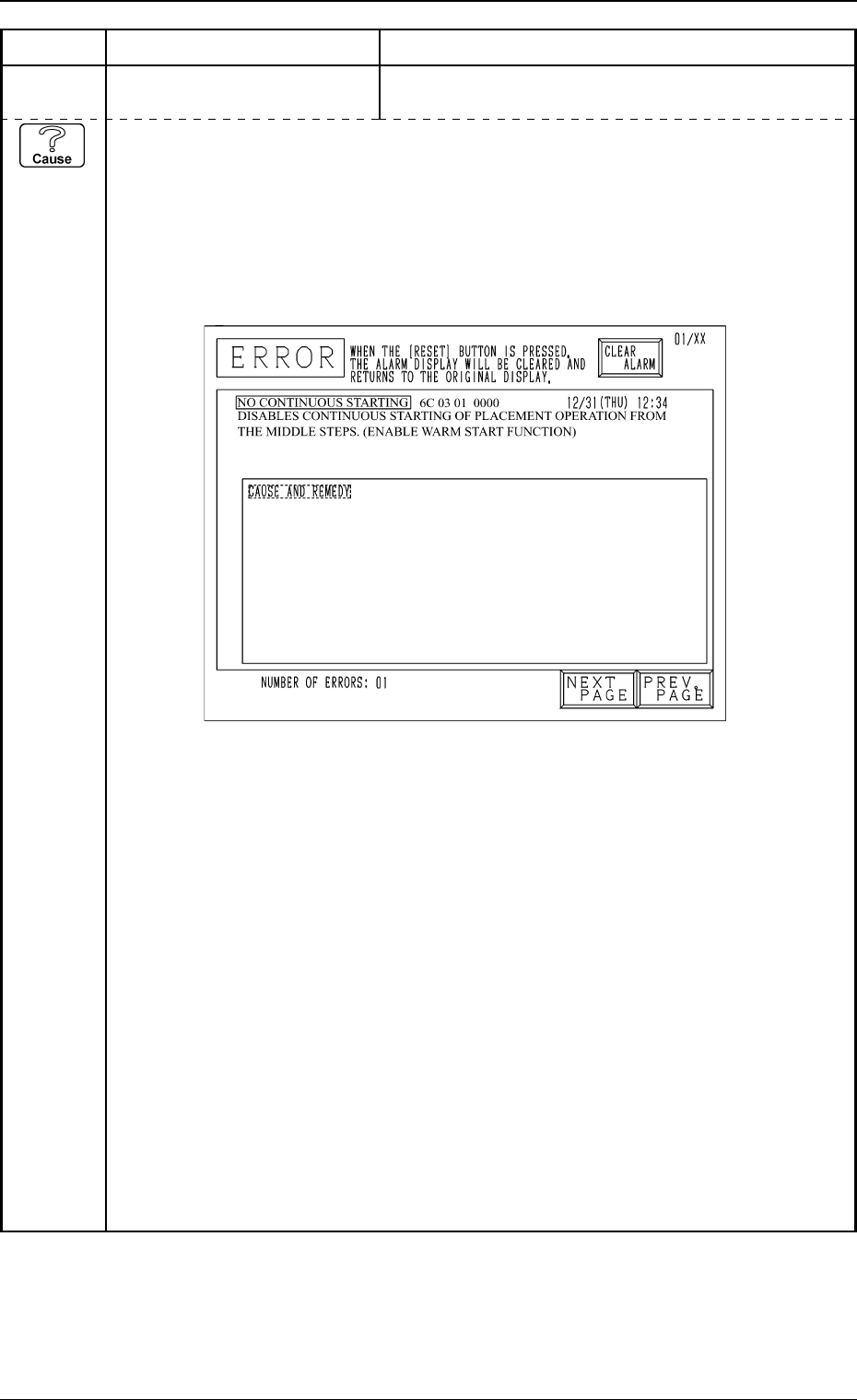
6C 03 01 NO CONTINUOUS STARTING
DISABLES CONTINUOUS STARTING OF PLACEMENT OPERATION
FROM THE MIDDLE STEPS.(ENABLE WARM START FUNCTION)
(Cause 1) Self-Diagnostics Error Message
When the normal procedure is followed to re-start the machine, the P.C.B. in the middle
of process is discharged to the output machine, producing a defective P.C.B. Follow the
remedial procedure (described later) to set the machine to the normal condition and re-
start the machine.
Example of “ERROR” Display (NO CONTINUOUS STARTING)
(NEXT PAGE)