3OM-1064-001.pdf - 第187页
Section 3 Starting Guidance 0005-002 3-1 Tg0248-PM-ER
(Cause 1) This is the device’s self-diagnostic message.
(Reset Procedure in the case of Cause 1)
Reset Procedure
(1) Press the [CLEAR ALARM] key and the buzzer stops sounding.
(2) Remove component from component reject cup [B].
(3) Press the [ZERO] button to return all the axes to their original positions.
(4) Re-start.
(5) If the device can’t be re-started, contact our service personnel.
0005-002 2-124 Tg0248-PM-ER
Error Code Display A Display B
3. Trouble Shooting after Error Display
6E 02 01 COMPONENT REJECT
CUP [B]
COMPONENT REJECT CUP [B] BECAME FULL.
;CC(B)-BPH044
6E 01 01 COMPONENT REJECT
CUP [A]
COMPONENT REJECT CUP [A] BECAME FULL.
;CC(A)-BPH044
(Cause 1) This is the device’s self-diagnostic message.
(Reset Procedure in the case of Cause 1)
Reset Procedure
(1) Press the [CLEAR ALARM] key and the buzzer stops sounding.
(2) Remove component from component reject cup [A].
(3) Press the [ZERO] button to return all the axes to their original positions.
(4) Re-start.
(5) If the device can’t be re-started, contact our service personnel.

Section 3
Starting Guidance
0005-002 3-1 Tg0248-PM-ER
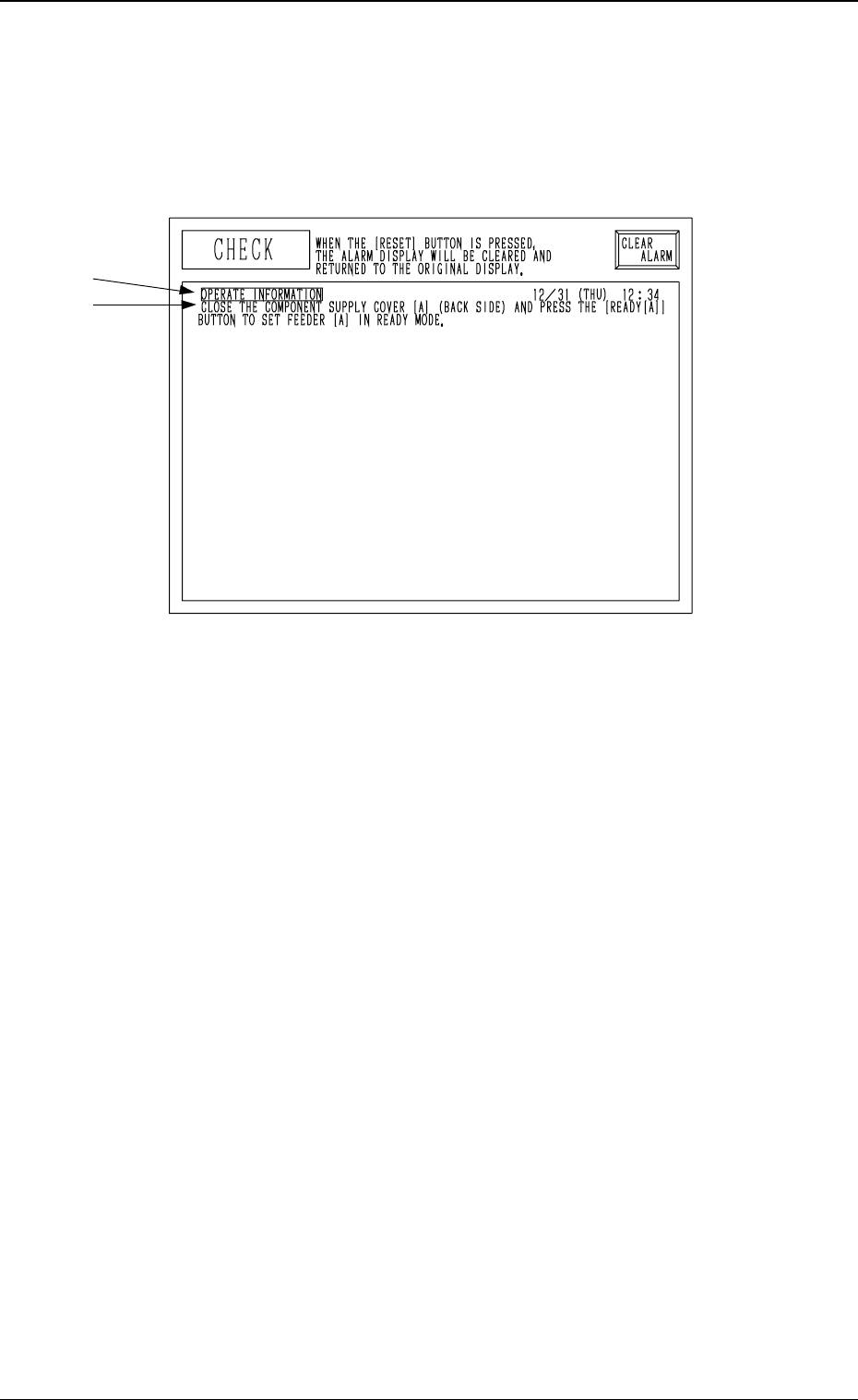
1. CHECK Display
Compared with an “ERROR” display which appears when an error occurs
while a device is activated, an “CHECK” display appears when a pushbutton
on the operation panel is pressed under the condition that requirements for a
device to be activated are not fulfilled with the machine in the “STOP” or
“PAUSE” mode.
Fig. 3.1
A: Check Item
B: Check Messages
Refer to “3. List of Check Messages” for the detailed information on the check
messages and remedial information.
Reset Procedure after Check Message
(1) Refer to the “CHECK” display and operate and activate the devices in-
stalled on the machine.
(2) Press the [RTN] key or the [RESET] button on the operation panel to
resume the original display.
0005-002 3-2 Tg0248-PM-ER
1. CHECK Display
A
B