3OM-1064-001.pdf - 第205页
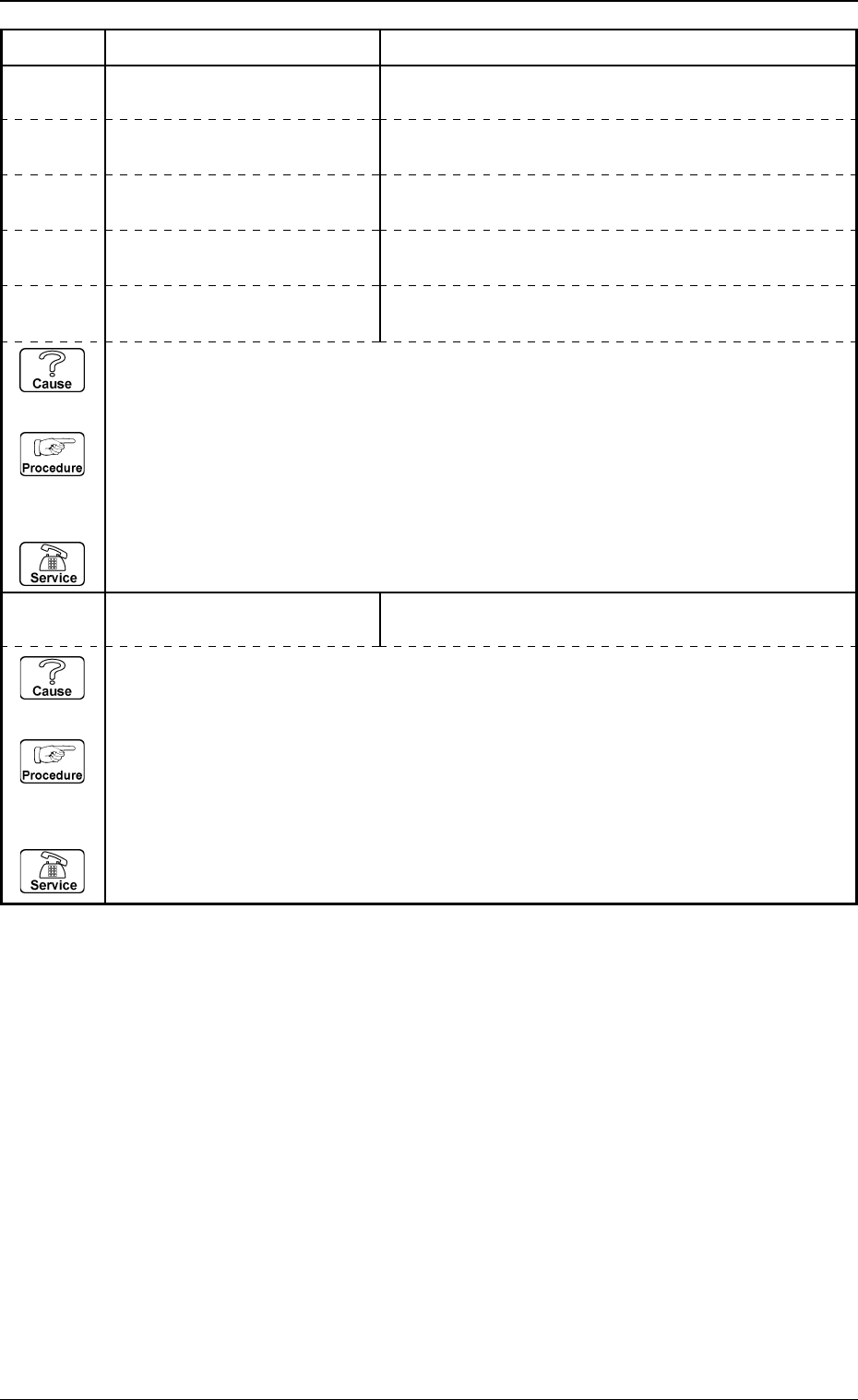
3. Control-to-Control Communication Error Code and List of Error Messages 0005-002 4-9 Tg0248-PM-ER Error Code Display A Display B 10120000 DISP AL Y AN OUTLINE VIEW “NOZZLE ID” EXCEEDS THE RANGE OF SETTING. 10120001 DIS…
0005-002 4-8 Tg0248-PM-ER
3. Control-to-Control Communication Error Code and List of Error Messages
Error Code Display A Display B
10110000 DISPLAY A PSEUDO-TONE
VIEW
(Cause 1) This is the device’s self-diagnostic message.
(Reset Procedure in the case of Cause 1)
Reset Procedure
(1) Press the [CLEAR ALARM] key and the buzzer stops sounding.
(2) Press the [ZERO] button to return all the axes to their original positions.
(3) Re-start.
(4) If the device can’t be re-started, contact our service personnel.
“CONTROL FLAG” EXCEEDS THE RANGE OF SETTING.
10100000 DISPLAY A THROUGH IMAGE “CAMERA NO.” EXCEEDS THE RANGE OF SETTING.
10100001 DISPLAY A THROUGH IMAGE “HEAD NO.” EXCEEDS THE RANGE OF SETTING.
10100002 DISPLAY A THROUGH IMAGE “LIGHTING UNIT NO.” EXCEEDS THE RANGE OF
SETTING.
10100003 DISPLAY A THROUGH IMAGE
“GAIN FLAG” EXCEEDS THE RANGE OF SETTING.
10100004 DISPLAY A THROUGH IMAGE “GAIN” OR “LEVEL” EXCEEDS THE RANGE OF
SETTING.
(Cause 1) This is the device’s self-diagnostic message.
(Reset Procedure in the case of Cause 1)
Reset Procedure
(1) Press the [CLEAR ALARM] key and the buzzer stops sounding.
(2) Press the [ZERO] button to return all the axes to their original positions.
(3) Re-start.
(4) If the device can’t be re-started, contact our service personnel.
3. Control-to-Control Communication Error Code and List of Error Messages
0005-002 4-9 Tg0248-PM-ER
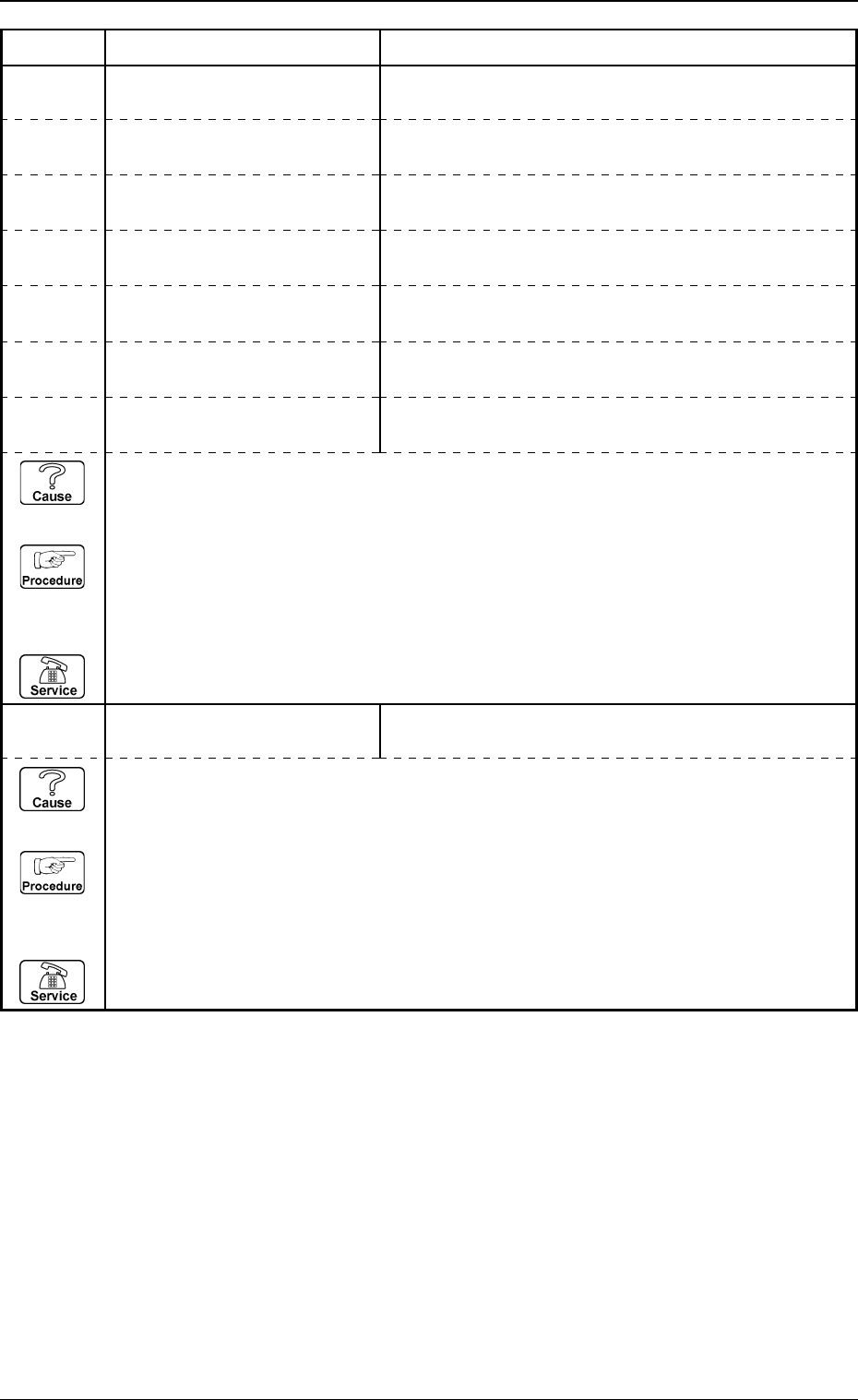
Error Code Display A Display B
10120000 DISPALY AN OUTLINE VIEW “NOZZLE ID” EXCEEDS THE RANGE OF SETTING.
10120001 DISPALY AN OUTLINE VIEW “P.E.C. MARK NO.” EXCEEDS THE RANGE OF
SETTING.
10120002 DISPALY AN OUTLINE VIEW “COMPONENT NO.” EXCEEDS THE RANGE OF
SETTING.
10120003 DISPALY AN OUTLINE VIEW
“CAMERA NO.” EXCEEDS THE RANGE OF SETTING.
10120004 DISPALY AN OUTLINE VIEW “DISPLAY POSITION” EXCEEDS THE RANGE OF
SETTING.
10120005 DISPALY AN OUTLINE VIEW “DISPLAY ANGLE” EXCEEDS THE RANGE OF
SETTING.
10120006 DISPALY AN OUTLINE VIEW “DESTINATED TRACKBALL” EXCEEDS THE RANGE
OF SETTING.
10130000 INITIALIZING THE DISPLAY
MODE
(Cause 1) This is the device’s self-diagnostic message.
(Reset Procedure in the case of Cause 1)
Reset Procedure
(1) Press the [CLEAR ALARM] key and the buzzer stops sounding.
(2) Press the [ZERO] button to return all the axes to their original positions.
(3) Re-start.
(4) If the device can’t be re-started, contact our service personnel.
“CAMERA NO.” EXCEEDS THE RANGE OF SETTING.
(Cause 1) This is the device’s self-diagnostic message.
(Reset Procedure in the case of Cause 1)
Reset Procedure
(1) Press the [CLEAR ALARM] key and the buzzer stops sounding.
(2) Press the [ZERO] button to return all the axes to their original positions.
(3) Re-start.
(4) If the device can’t be re-started, contact our service personnel.
3. Control-to-Control Communication Error Code and List of Error Messages
0005-002 4-10 Tg0248-PM-ER
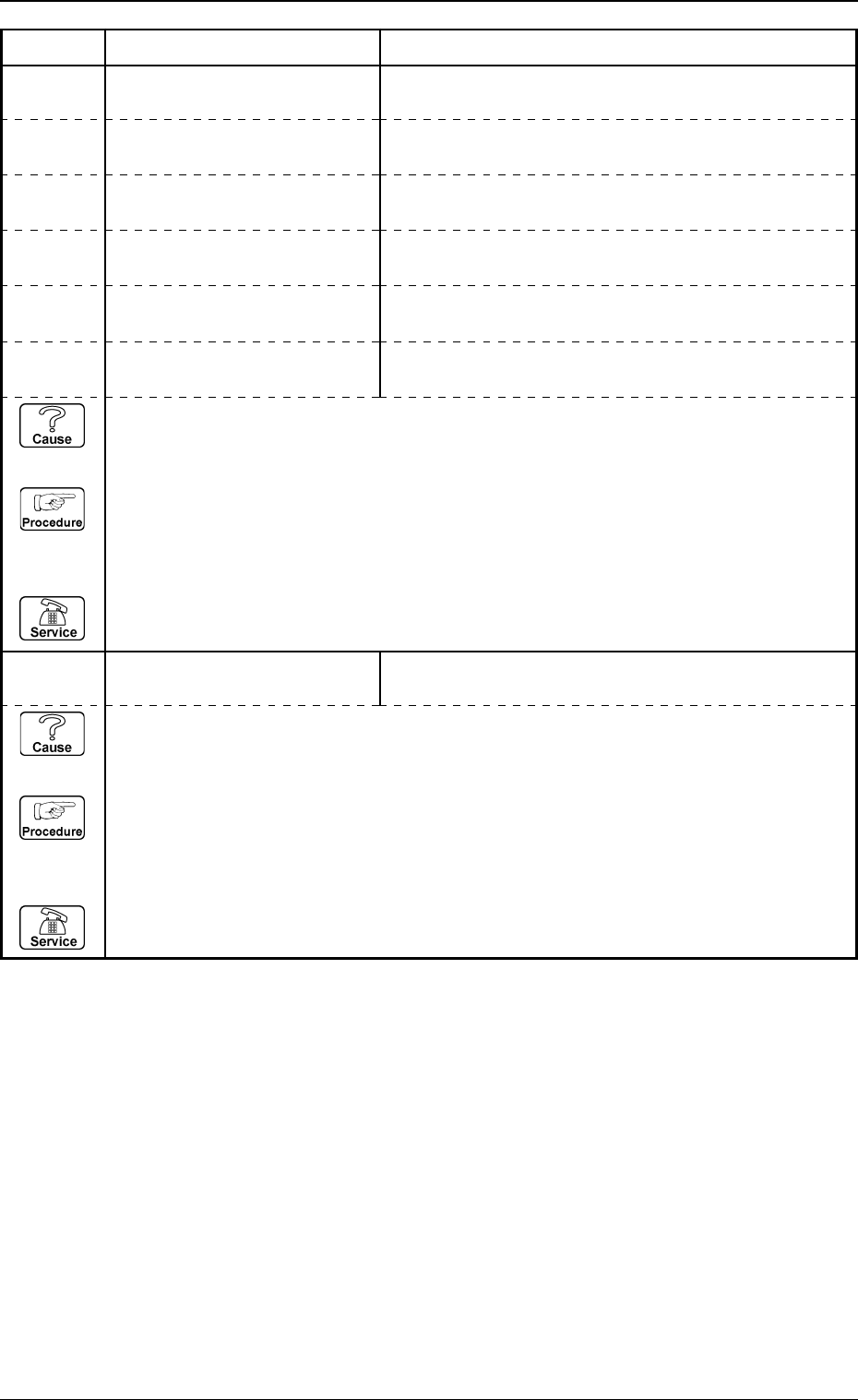
Error Code Display A Display B
10150000 INTERRUPTING THE IMAGE
SCANNING
“CAMERA NO.” EXCEEDS THE RANGE OF SETTING.
(Cause 1) This is the device’s self-diagnostic message.
(Reset Procedure in the case of Cause 1)
Reset Procedure
(1) Press the [CLEAR ALARM] key and the buzzer stops sounding.
(2) Press the [ZERO] button to return all the axes to their original positions.
(3) Re-start.
(4) If the device can’t be re-started, contact our service personnel.
10140000 SCANNING IMAGE
“CAMERA NO.” EXCEEDS THE RANGE OF SETTING.
10140001 SCANNING IMAGE “TRIGGER CONTROL FLAG” EXCEEDS THE RANGE
OF SETTING.
10140002 SCANNING IMAGE “LIGHTING CONTROL FLAG” EXCEEDS THE RANGE
OF SETTING.
10140003 SCANNING IMAGE
“GAIN FLAG” EXCEEDS THE RANGE OF SETTING.
10140004 SCANNING IMAGE “MARK POSITION” EXCEEDS THE RANGE OF
SETTING.
10140005 SCANNING IMAGE “HEAD NO.” EXCEEDS THE RANGE OF SETTING.
(Cause 1) This is the device’s self-diagnostic message.
(Reset Procedure in the case of Cause 1)
Reset Procedure
(1) Press the [CLEAR ALARM] key and the buzzer stops sounding.
(2) Press the [ZERO] button to return all the axes to their original positions.
(3) Re-start.
(4) If the device can’t be re-started, contact our service personnel.