3OM-1064-001.pdf - 第225页
3. Control-to-Control Communication Error Code and List of Error Messages 0009-003 4-29 Tg0248-PM-ER Error Code Display A Display B 1 1XXXXXX COMMUNICA TION DA T A except the ERROR above- described codes ETC. 12000000 A …
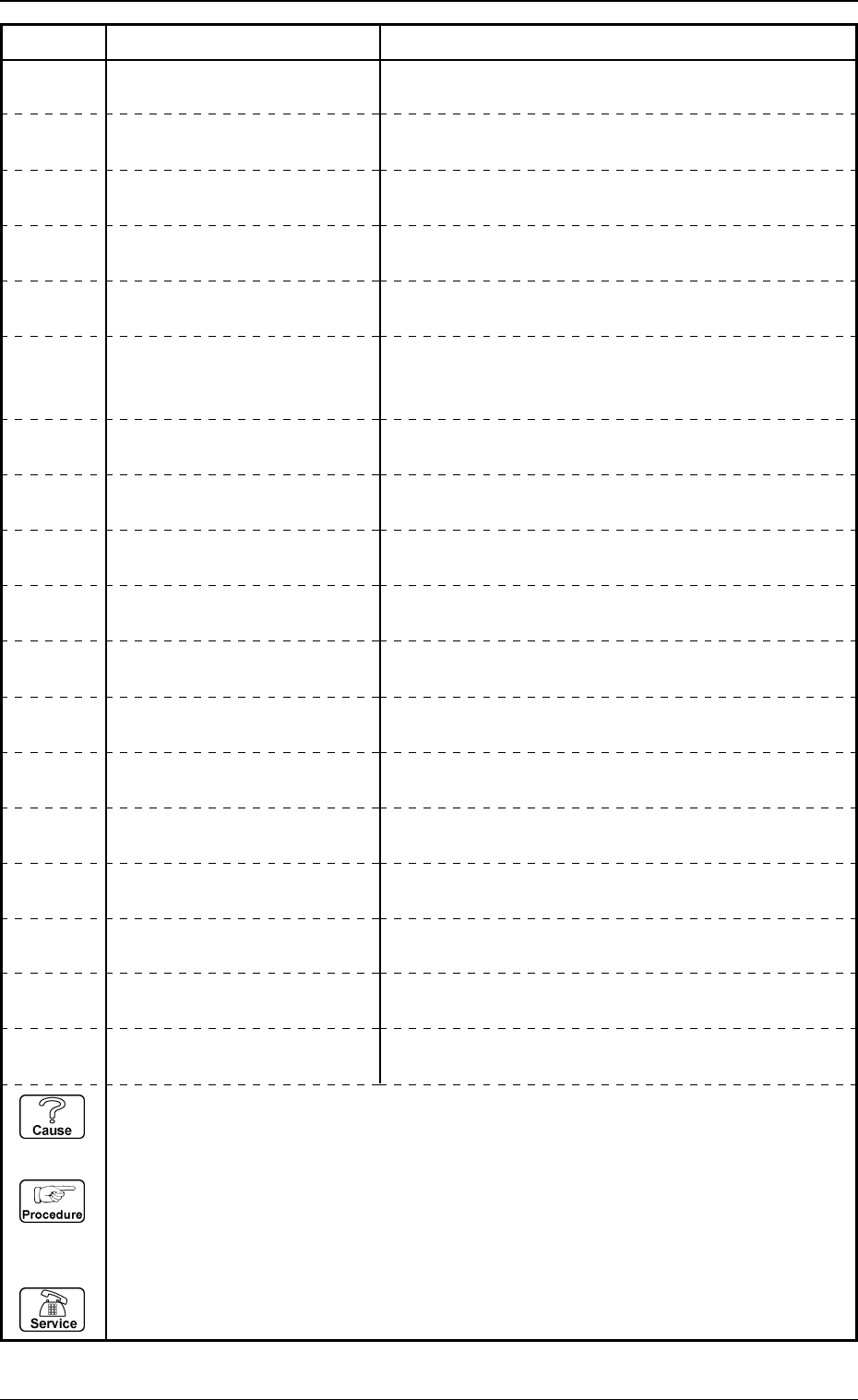
A PARAMETER OTHER THAN “90°INCR” IS SET AS “LIN-
EAR EDGE DIRECTION”.
3. Control-to-Control Communication Error Code and List of Error Messages
0009-003 4-28 Tg0248-PM-ER
Error Code Display A Display B
11364000 TRANSFERRING THE COM-
PONENT RECOGNITION DATA
“DISABLE” IS SET FOR ALL CORNER FORMS 1 TO 4.
11364001 TRANSFERRING THE COM-
PONENT RECOGNITION DATA
A PARAMETER OTHER THAN “STRAIGHT” IS SET FOR
ALL EDGE FORMS 1 TO 4.
11365000 TRANSFERRING THE COM-
PONENT RECOGNITION DATA
“LEAD WIDTH” IS LARGER THAN “LEAD PITCH”.
11365001 TRANSFERRING THE COM-
PONENT RECOGNITION DATA
“MISSING LEAD START” IS LARGER THAN “# OF LEADS
+1”.
11365002 TRANSFERRING THE COM-
PONENT RECOGNITION DATA
11365003 TRANSFERRING THE COM-
PONENT RECOGNITION DATA
THE PARAMETER SELECTED FOR “RECOGNITION
LIGHTING MODE” DOES NOT CONFORM TO THE PA-
RAMETER SET FOR “LEAD FORM”.
11365004 TRANSFERRING THE COM-
PONENT RECOGNITION DATA
11365005 TRANSFERRING THE COM-
PONENT RECOGNITION DATA
“LEAD FULL LENGTH” IS NOT SET.
11367000 TRANSFERRING THE COM-
PONENT RECOGNITION DATA
“BALL DIAMETER” IS LARGER THAN “BALL PITCH”.
11367001 TRANSFERRING THE COM-
PONENT RECOGNITION DATA
“MISSING BALL START” IS LARGER THAN “# OF BALL”.
11368000 TRANSFERRING THE COM-
PONENT RECOGNITION DATA
AN UNREGISTERED LEAD TYPE NO. IS SELECTED.
11368001 TRANSFERRING THE COM-
PONENT RECOGNITION DATA
A PARAMETER OTHER THAN “90°INCR” IS SET AS
“LEAD GROUP DIRECTION”.
11369000 TRANSFERRING THE COM-
PONENT RECOGNITION DATA
“LEAD LENGTH” IS LARGER THAN “LEAD FULL
LENGTH”.
“LEAD LENGTH” IS NOT SET.
(Cause 1) This is the device’s self-diagnostic message.
(Reset Procedure in the case of Cause 1)
Reset Procedure
(1) Press the [CLEAR ALARM] key and the buzzer stops sounding.
(2) Press the [ZERO] button to return all the axes to their original positions.
(3) Re-start.
(4) If the device can’t be re-started, contact our service personnel.
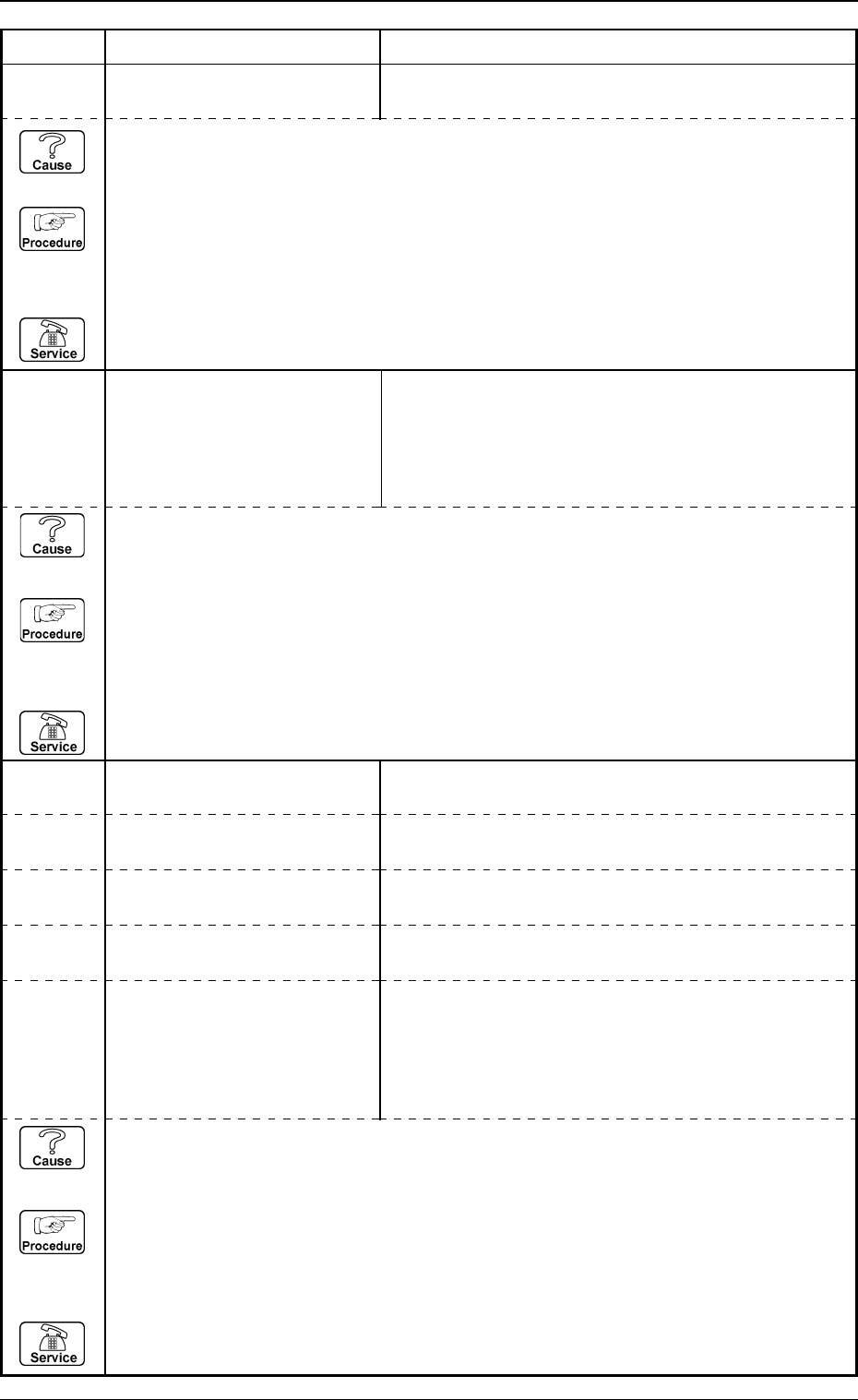
11367002 TRANSFERRING THE COM-
PONENT RECOGNITION DATA
“INSPECTION RANGE” IS OUT OF COMPONENT SIZE.
11367003 TRANSFERRING THE COM-
PONENT RECOGNITION DATA
“# OF BALLS” IS TOO SMALL.
11367004 TRANSFERRING THE COM-
PONENT RECOGNITION DATA
THOSE BALLS OVERLAPPED.
11367006 TRANSFERRING THE COM-
PONENT RECOGNITION DATA
“# OF LEADS” IS TOO SMALL.
11367007 TRANSFERRING THE COM-
PONENT RECOGNITION DATA
“# OF LEADS” IS TOO MANY.
3. Control-to-Control Communication Error Code and List of Error Messages
0009-003 4-29 Tg0248-PM-ER
Error Code Display A Display B
11XXXXXX COMMUNICATION DATA
except the ERROR
above-
described
codes
ETC.
12000000 A COMMUNICATION PROCE-
DURE ERROR OCCURRED
AN IMAGE TAKEN BY THE SPECIFIED CAMERA IS NOT
YET RECEIVED.
12000001 A COMMUNICATION PROCE-
DURE ERROR OCCURRED
THE DATA OF THE SPECIFIED NOZZLE IS NOT YET
TRANSFERRED.
12000002 A COMMUNICATION PROCE-
DURE ERROR OCCURRED
THE DATA OF THE SPECIFIED MARK IS NOT YET
TRANSFERRED.
12000003 A COMMUNICATION PROCE-
DURE ERROR OCCURRED
THE DATA OF THE SPECIFIED COMPONENT IS NOT
YET TRANSFERRED.
12XXXXXX A COMMUNICATION PROCE-
except the DURE ERROR OCCURRED
above-
described
codes
ETC.
(Cause 1) This is the device’s self-diagnostic message.
(Reset Procedure in the case of Cause 1)
Reset Procedure
(1) Press the [CLEAR ALARM] key and the buzzer stops sounding.
(2) Press the [ZERO] button to return all the axes to their original positions.
(3) Re-start.
(4) If the device can’t be re-started, contact our service personnel.
(Cause 1) This is the device’s self-diagnostic message.
(Reset Procedure in the case of Cause 1)
Reset Procedure
(1) Press the [CLEAR ALARM] key and the buzzer stops sounding.
(2) Press the [ZERO] button to return all the axes to their original positions.
(3) Re-start.
(4) If the device can’t be re-started, contact our service personnel.
11530000 RECOGNITION ERROR
IMAGE OUTPUT
NOZZLE PROTRUSION PRESENTS ON SOME LEADS.
(Cause 1) This is the device’s self-diagnostic message.
(Reset Procedure in the case of Cause 1)
Reset Procedure
(1) Press the [CLEAR ALARM] key and the buzzer stops sounding.
(2) Press the [ZERO] button to return all the axes to their original positions.
(3) Re-start.
(4) If the device can’t be re-started, contact our service personnel.
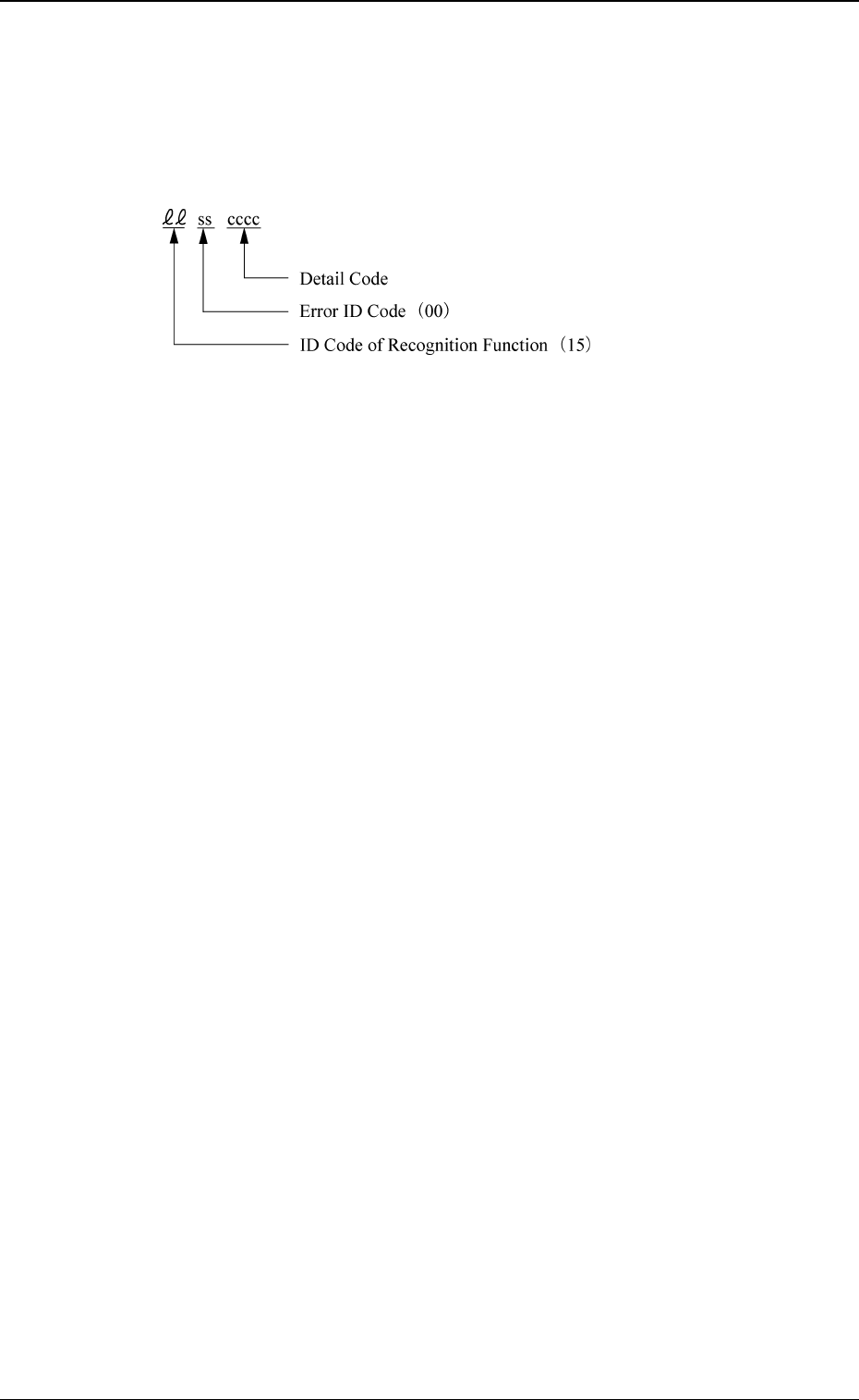
4. Communication Error Code between Lighting
Control Boards and List of Error Messages
Shown are the contents of the error codes which might be issued in the com-
munication processing between the lighting control boards.
0005-002 4-30 Tg0248-PM-ER
4. Communication Error Code between Lighting Control Boards and List of Error Messages