3OM-1064-001.pdf - 第40页
0005-002 1-32 Tg0248-PM-ER
6. Troubleshooting (Component Pick-Up Errors)
Ref. : (a) : Refer to “1.5 Opening and Closing of Supply Cover of Section 2
in Volume 1” for the detailed information on how to open or close
the supply cover.
(b)
: Component Shortage Error
Supply components.
Refer to the instruction manual of each feeder for details.
Pick-Up Error
Remove the component which caused a pick-up error.
(b)
(a)
(a)
(b)
(a)
(a)
(a)
(b)
0009-003 1-31 Tg0248-PM-ER
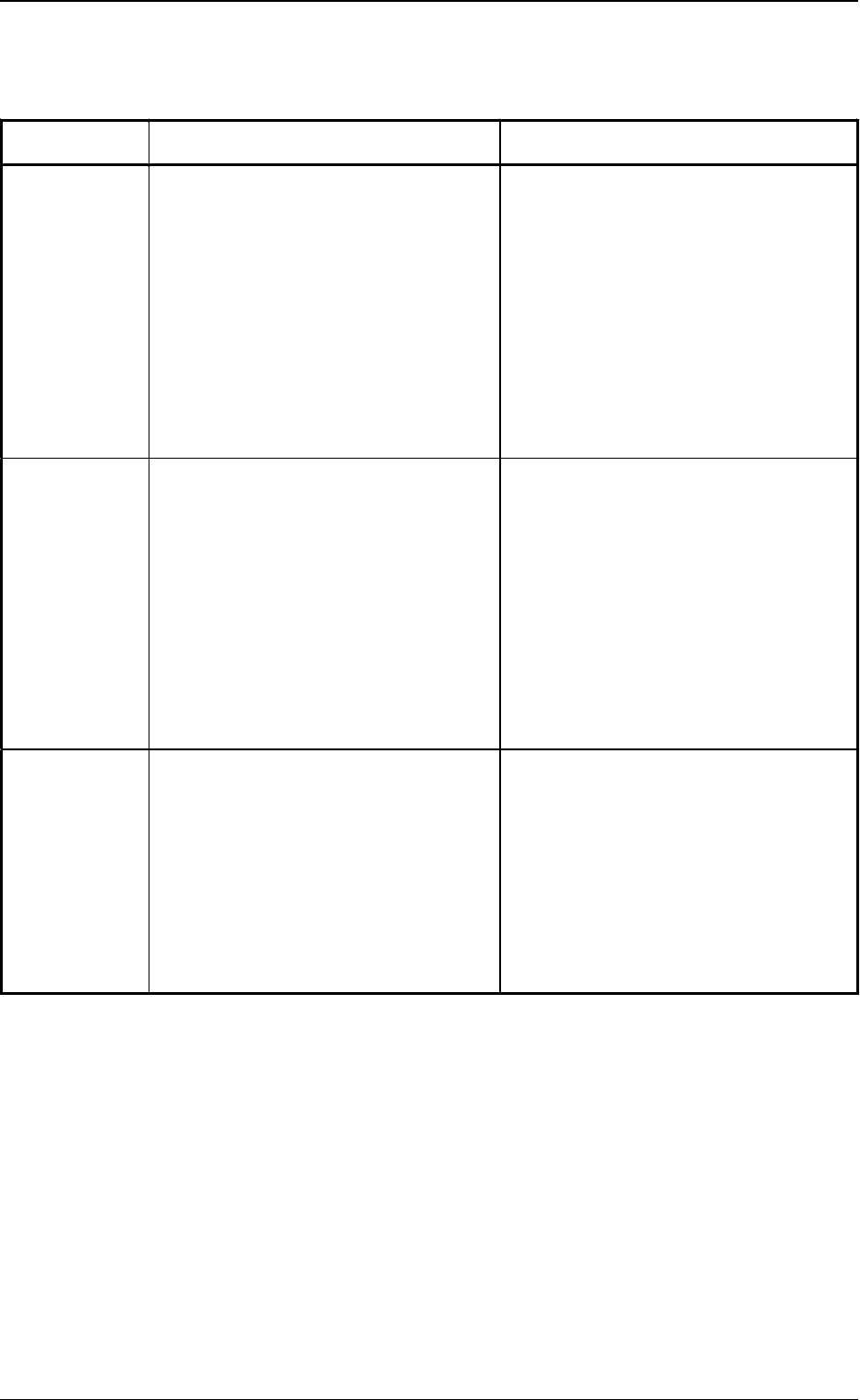
6.Troubleshooting (Component Pick-Up Errors)
Table. 1.2
(a)
Error
Messages
Cause Remedy
Component
Missing
(Sensor)
• The head vacuum sensor (-SVS121)
did not detect any component.
• A pick-up error has occurred
continuously at the same feeder
(FDR. NO.) as many times as
specified in the “ERROR PROCESS
DATA 1” data box at the
“COMPONENT LIBRARY” display.
• The sensor cannot detect microchips
and such components that has rough
surfaces, causing vacuum leaks when
they are picked up.
(1) Press the [RESET] button.
(2) Open the supply cover.
(3) Check and remove the cause of the
pick-up error.
(4) Close the supply cover.
(5) Press the [READY] button.
(6) Press the [START] button to re-start
the operation.
Component
Detection
Sensor Error
• The result of the component
recognition (the recognition
performed using the component
recognition camera) was OK but the
head vacuum sensor (-SVS121) could
not detect any component.
• A pick-up error has occurred
continuously at the same feeder
(FDR. NO.) as many times as
specified in the “ERROR PROCESS
DATA 1” data box at the
“COMPONENT LIBRARY” display.
(1) Press the [RESET] button.
(2) Open the supply cover.
(3) Check and remove the cause of the
pick-up error.
(4) Close the supply cover.
(5) Press the [READY] button.
(6) Press the [START] button to re-start
the operation.
Component
Recognition
Error
(Recognition
Processing)
• A recognition error occurred as a
result of the recognition (the
recognition performed using the
component recognition camera).
• A pick-up error has occurred
continuously at the same feeder
(FDR. NO.) as many times as
specified in the “ERROR PROCESS
DATA 2” data box at the
“COMPONENT LIBRARY” display.
(1) Press the [RESET] button.
(2) Open the supply cover.
(3) Check and remove the cause of the
pick-up error.
(4) Close the supply cover.
(5) Press the [READY] button.
(6) Press the [START] button to re-start
the operation.

0005-002 1-32 Tg0248-PM-ER

Section 2
Error Messages
0005-002 2-1 Tg0248-PM-ER