3OM-1064-001.pdf - 第42页
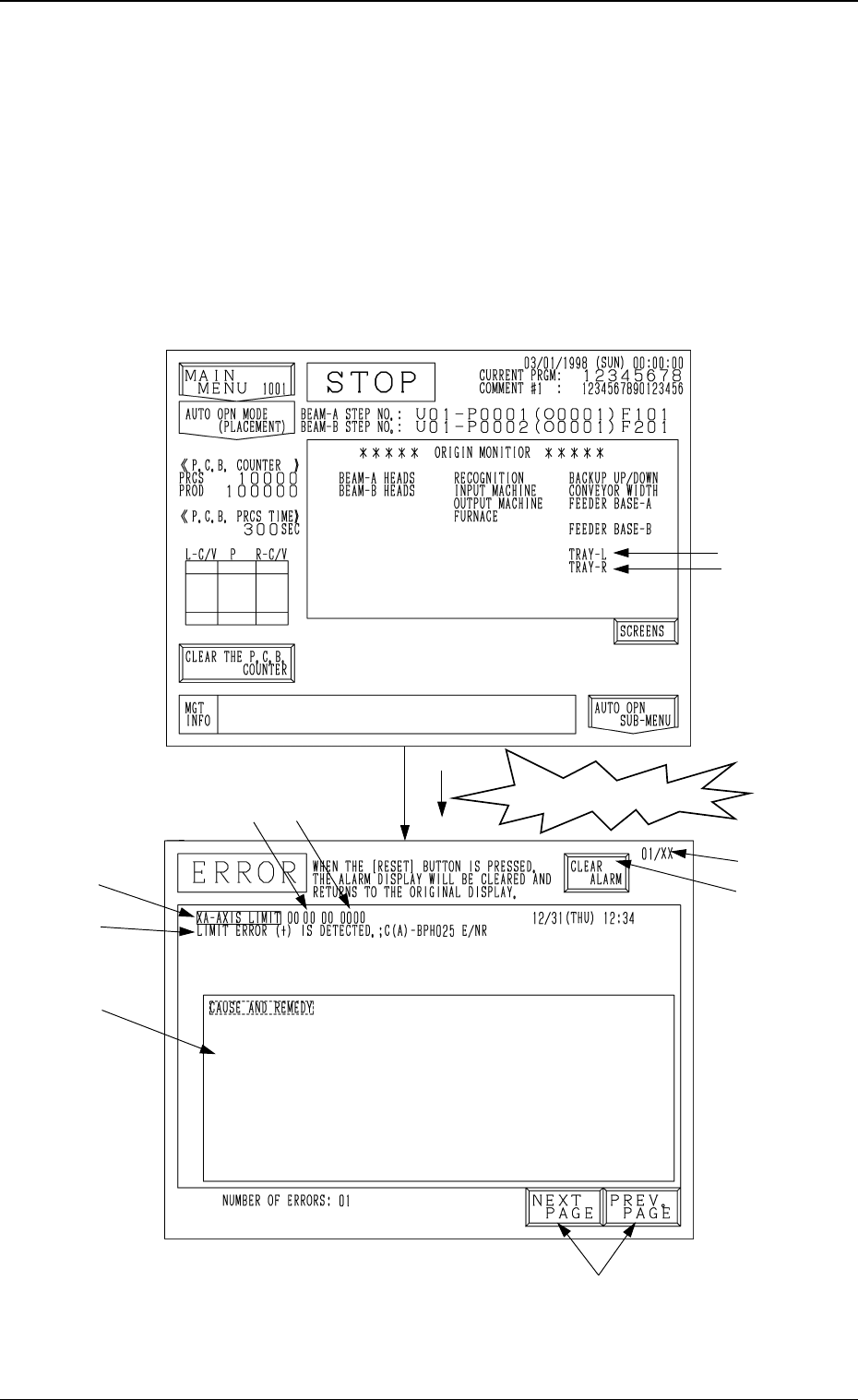
1. ERROR Display When a device in operation is interrupted or stopped in an error condition (error condition detected as impossible to continue the operation), the “ER- ROR” display (Fig. 2.2) appears on the screen. • Wh…

Section 2
Error Messages
0005-002 2-1 Tg0248-PM-ER
1. ERROR Display
When a device in operation is interrupted or stopped in an error condition
(error condition detected as impossible to continue the operation), the “ER-
ROR” display (Fig. 2.2) appears on the screen.
• When an error occurs during automatic operation, the tower light illumi-
nates (standard setting) and the “ERROR” display appears on the screen.
The “ERROR” display also appears when an error occurs while a device is
running (while the LED of the [START], [MOVE], [ZERO], or [READY]
button is ON).
Note: The ♦-marked functions are optional.
Fig. 2.1
♦
♦
An error has occurred!
Fig. 2.2
0005-002 2-2 Tg0248-PM-ER
1. ERROR Display
A
B
C
E
F
G
H
D

A : Shows an ERROR message.
B : Shows the ERROR description.
C : Indicates the Cause and Remedy of Error
(There are some errors for which the indication may not be displayed).
D : Shows an error code consisting of 6 digits
E : Press the [NEXT PAGE] key to open the next page. Pressing the [PREV.
PAGE] key opens the previous page.
F : When several errors are displayed, the displayed page No. and the number
of errors appear at the upper right corner of the display.
G : This key is used to stop buzzer sound.
Ref.: When the [RESET] button on the operation panel is pressed, buzzer
sound stops and the display before an error has occurred resumes.
H : The displayed 4 digits represents a code which clarifies the error spot in
the software and is used only by a service personnel. Or, 8 digits will
appear, representing a recognition error code.
Refer to “3. Trouble Shooting after Error Display of Section 2” for details.
Remedial Procedure after Error Display
(1) Press the [CLEAR ALARM] key. (Fig. 2.2)
The buzzer stops sounding.
(2) Check the contents of the error message and the remedial procedure dis-
played on the operation monitor.
(3) Remove the cause of error.
(4) Press the [RESET] key to resume the original display.
0005-002 2-3 Tg0248-PM-ER
1. “ERROR” Display