3OM-1064-001.pdf - 第5页
Tg0248-PM-ER This instruction manual consists of six books (V olumes 1 to 5 and COMPONENT LIBRAR Y). Before operating the machine, please read these books carefully to ensure correct operation. • The contents of V olumes…
Tg0248-PM-ER
0304-003 2
Before Use
4. Inquiry
x For detailed information about any transfer, resale, modification of the
machine or the instruction manual, contact our marketing department or
agency.
5. Training
x For training for this machine, contact our marketing department or agency.
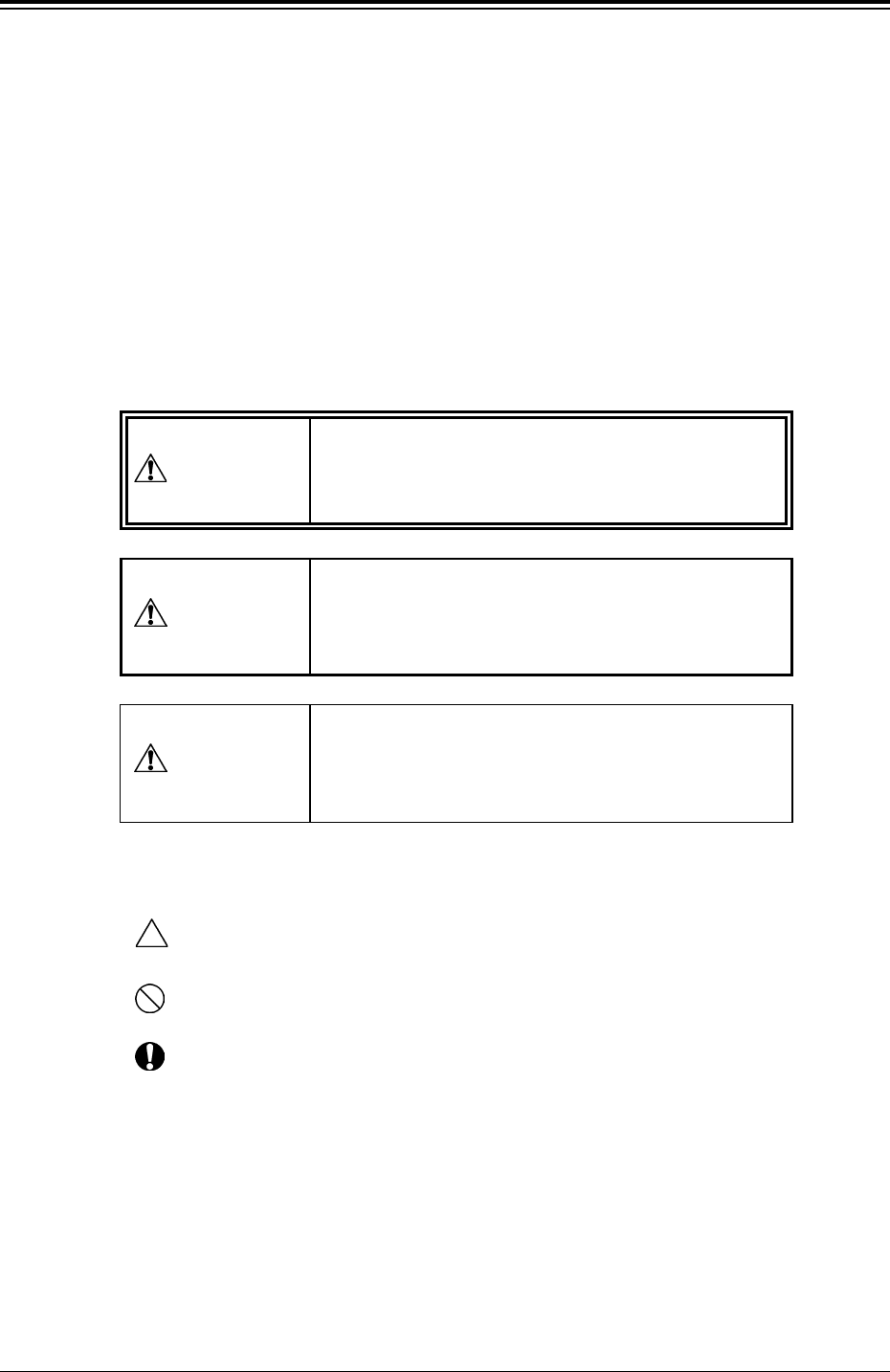
6. About Safety Precaution Labels
x The warning indications are classified into the following three types, accord-
ing to the degree of danger. Please be sure of the precautions in the warning
instructions and take due care for safety.
x Identifying Alert Icons
: This symbol mark represents danger or prompts warning.
: This symbol mark represents prohibited operations.
: This symbol mark represents forced operations or instructions.
7. The contents of this manual are subject to change without prior
notice.
This indicates a potentially hazardous situation
which, if not avoided, may result in injury or physi-
cal damage.
CAUTION
DANGER
This indicates an imminently hazardous situation
which, if not avoided, will result in death or seri-
ous injury.
This indicates a potentially hazardous situation
which, if not avoided, could result in death or seri-
ous injury.
WARNING

Tg0248-PM-ER
This instruction manual consists of six books (Volumes 1 to 5 and COMPONENT
LIBRARY).
Before operating the machine, please read these books carefully to ensure correct
operation.
• The contents of Volumes 1 to 5 are as follows.
Volume 1 : Operation
This volume covers the scope of the machine, the preparatory and
ending procedures of automatic operation.
Volume 2 : Programming
This volume discusses steps in creating, entering and editing various
kinds of data (pattern program data, etc.) required to activate the
machine.
Volume 3 : Troubleshooting
This volume describes the causes of various troubles and recovery
methods.
Volume 4 : Maintenance
This volume covers the steps required for daily maintenance.
Volume 5 : Material
This volume covers the air piping and electrical circuit diagrams, etc.
• The contents of COMPONENT LIBRARY are as follows.
COMPONENT LIBRARY
Creation of Component Library Data, etc.
0005-002 3
How This Manual is Organized

Contents
Page
0005-002 4 Tg0248-PM-ER
Before Use ................................................................................................... 1
How This Manual is Organized .................................................................... 3
Contents ....................................................................................................... 4
Check Items in Operation ............................................................................ 6
Section 1 Troubleshooting .............................................................. 1- 1
1. Cause and Remedy of Simple Trouble ........................................... 1- 2
1.1 Confirmation and Countermeasures
against Low Component Pick-Up Rate ..................................... 1- 3
1.1.1 Confirmation of Low Component Pick-Up Rate
(Handling Errors) ................................................................. 1- 3
1.1.2 Countermeasures against Frequent Pick-Up Errors ........... 1- 3
1.1.3 Frequently-Caused Pick-Up Errors on Specific
Components ........................................................................ 1- 7
1.1.4 Frequently-Caused Pick-Up Errors on Specific Feeder ...... 1- 8
1.1.5 Frequently-Caused Pick-Up Errors on Specific Vacuum
Nozzle ................................................................................. 1- 9
1.1.6 Normal Component Picks but Occurrence of Pick-Up
Errors .................................................................................. 1-10
1.2 Countermeasures against Deterioration of
Placement Accuracy ................................................................. 1-12
1.2.1 Deterioration of Accuracy in Vacuum System and
Placement Section .............................................................. 1-12
1.2.2 Deterioration of Accuracy in P.C.B. Postioning Section,
User Production P.C.B.’s, and Transfer Section ................. 1-15
1.2.3 Deterioration of Accuracy at Component Recognition
Camera Section .................................................................. 1-16
1.2.4 Deterioration of Accuracy in P.E.C. Recognition
Camera Section .................................................................. 1-17
1.3 Power Supply............................................................................. 1-19
1.3.1 Power Supply Check 1........................................................ 1-19
1.3.2 Power Supply Check 2........................................................ 1-20
1.3.3 Power Supply for Main Loads ............................................. 1-21
1.3.4 Servo Power Supply ........................................................... 1-22
2. Cause and Remedy of Tape Feeder Installation Error
(Lifted Feeder) ............................................................. 1-23
3. Cause and Remedy of Nozzle Excessive Pushing Error ................ 1-24
4. Cause and Remedy of Beam Abnormal Approach Detection ......... 1-25
5. Cancellation of P.E.C. Recognition Error ........................................ 1-27
6. Troubleshooting (Component Pick-Up Errors) ................................ 1-31
Section 2 Error Messages ............................................................... 2- 1
1. “ERROR” Display ............................................................................ 2- 2
2. Error Messages ............................................................................... 2- 4
3. Trouble Shooting after Error Display ............................................... 2- 6