00193687-04.pdf - 第130页
5 D eins talla tion I nsta llati ons- und K on figur ati onsa nlei tung SIP LACE Expl ore r 5. 1 Mo dify -Dialo g sta rten Au sga be 12 /200 5 DE 130 5. 1 Mod ify-D ialo g st ar ten → Ö f fnen Sie den SIPLA CE Ex plorer …

Installations- und Konfigurationsanleitung SIPLACE Explorer 5 Deinstallation
Ausgabe 12/2005 DE
129
5 Deinstallation
In SIPLACE Explorer V2.0 SP1 gibt es zur Deinstallation einen sog. Modify-Dialog. Diesen
können Sie aus dem Windows-Menü starten. Anschließend stehen Ihnen drei
Deinstallationsvorgänge zur Verfügung:
5
– Modify
Verwenden Sie diese Funktion, wenn Sie einzelne Komponenten zu der aktuellen
SIPLACE Explorer V2.0 SP1 hinzufügen wollen, oder wenn Sie installierte Komponenten
aus der aktuellen SIPLACE Explorer V2.0 SP1 deinstallieren wollen.
(siehe Seite 131)
–Repair
Verwenden Sie diese Funktion, falls die aktuell installierte SIPLACE Explorer V2.0 SP1
nicht mehr fehlerfrei funktioniert, bzw. wenn einzelne Komponenten versehentlich entfernt
wurden. Dabei wird die Installation des vorhergegangenen Setups wiederhergestellt.
(siehe Seite 133)
–Remove
Verwenden Sie diese Funktion, wenn Sie SIPLACE Explorer V2.0 SP1 komplett
deinstallieren wollen.
(siehe Seite 135)
5 Deinstallation Installations- und Konfigurationsanleitung SIPLACE Explorer
5.1 Modify-Dialog starten Ausgabe 12/2005 DE
130
5.1 Modify-Dialog starten
→ Öffnen Sie den SIPLACE Explorer 2.0 - Installshield-Assistent über das Windows-Menü
Start → Programme → SIPLACE Explorer 2.0 → Modify-Uninstall.
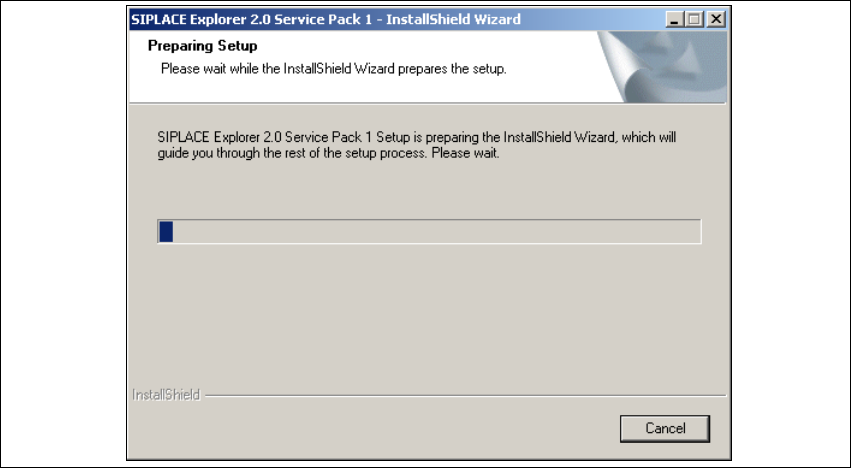
→ Der Installshield-Assistent für SIPLACE Explorer 2.0 SP1 wird vorbereitet.
5
Abb. 5 - 1 SIPLACE Explorer 2.0 SP1 - Installshield-Assistent
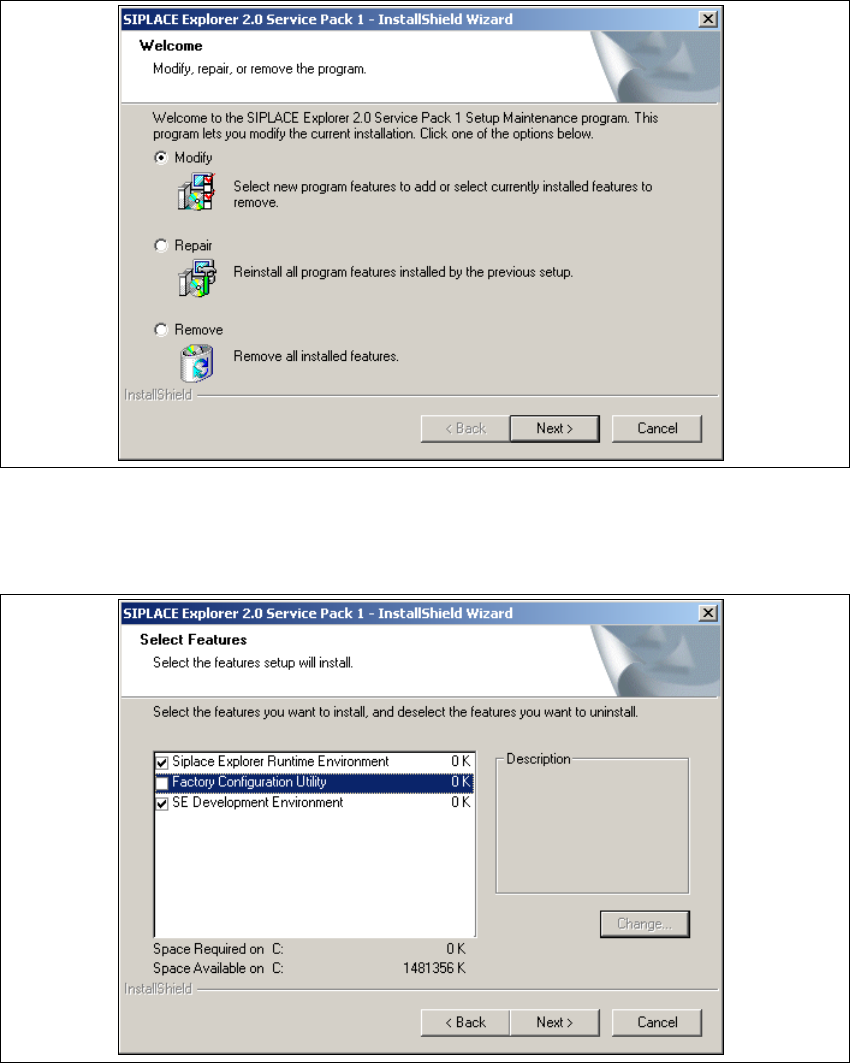
→ Der Willkommen Bildschirm öffnet sich. Wählen Sie aus, welchen Vorgang Sie durchführen
wollen.
Installations- und Konfigurationsanleitung SIPLACE Explorer 5 Deinstallation
Ausgabe 12/2005 DE 5.2 Modify
131
5.2 Modify
5
Abb. 5 - 2 SIPLACE Explorer 2.0 SP1 - Installshield-Assistent
→ Klicken Sie Modify (Verändern) an und klicken Sie auf Next (Weiter).
→ Das Dialogfenster Select Features (Installationsoptionen auswählen) wird angezeigt.
5
Abb. 5 - 3 SIPLACE Explorer 2.0 SP1 - Installshield-Assistent
→ Wählen Sie die Komponenten aus, welche Sie deinstallieren wollen. Dazu deaktivieren Sie das
entsprechende Ankreuzfeld neben der Komponente. Zur Installation der entsprechenden
Komponente muss das Ankreuzfeld aktiviert sein.