00193687-04.pdf - 第29页
In stal latio ns- u nd K onf igura tio nsa nleit ung SIPL ACE Explo rer 3 I ns tall ation des SIP LACE Expl orer Au sgab e 12 /200 5 D E 3. 1 Erst ins tall ation von SI PLA CE Ex plor er 2 .0 SP 1 29 3 Abb. 3 - 3 Inst al…

3 Installation des SIPLACE Explorer Installations- und Konfigurationsanleitung SIPLACE Explorer
3.1 Erstinstallation von SIPLACE Explorer 2.0 SP1 Ausgabe 12/2005 DE
28
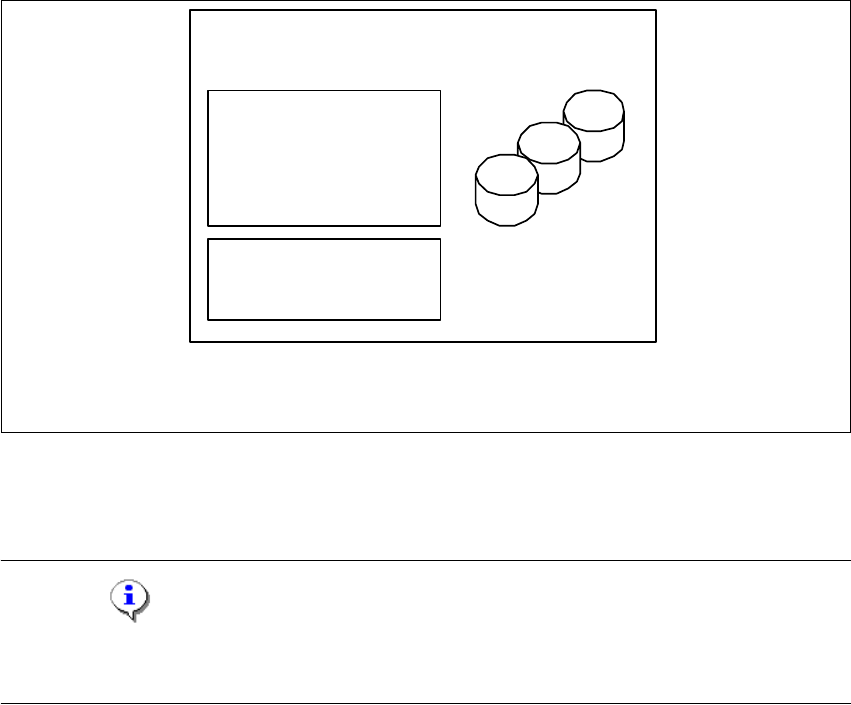
3.1.1.4 Insellösung
Bei dieser Installations-Variante kann SIPLACE Explorer komplett mit allen Systemkomponenten
auf dem vorhandenenden SIPLACE Line Server installiert werden.
3
Software-Voraussetzungen SIPLACE Line-Server:
– Systemumgebung, eine der nachfolgenden Versionen:
– Windows 2000 Workstation mit SP3 oder SP4
– Windows XP Professional mit SP2
– MSDE 2000
– Explorer-Installation:
– Runtime Environment
– Tomcat Webserver
–JAVA 2 JRE
– Werks-Konfiguration
Hardware-Voraussetzungen SIPLACE Line-Server:
– alle Voraussetzungen des schon vorhandenen SIPLACE Line-Servers
– Rechner mit 2.4 GHZ CPU-Takt
– 2 GB Hauptspeicher
– 10 GB freie Festplattenkapazität
3
HINWEIS
Achten Sie darauf, dass Sie bei dieser Installations-Variante nur eine Applikation pro Linie
überwachen können. 3
Installations- und Konfigurationsanleitung SIPLACE Explorer 3 Installation des SIPLACE Explorer
Ausgabe 12/2005 DE 3.1 Erstinstallation von SIPLACE Explorer 2.0 SP1
29
3
Abb. 3 - 3 Installations-Variante: Insellösung
3.1.2 Installationsvorgang Java 2 JRE 1.5
HINWEIS
Sie müssen über Windows 2000 Administrator-Rechte verfügen, um die Installation ausführen zu
können. 3
→ Legen Sie die SIPLACE Explorer CD in Ihr CD-Rom-Laufwerk ein.
nur für 1 Applikation pro
Linie
- MSDE 2000
- Tomcat
- Werks-Konfiguration
- Java 2 JRE
- RTE pro Linie
Berichts-Generierung:
- MSXM
- Excel
alle Datenbanken, alle
Linien-Datenbanken
SIPLACE Line Server
(sc hon vorhanden)
3 Installation des SIPLACE Explorer Installations- und Konfigurationsanleitung SIPLACE Explorer
3.1 Erstinstallation von SIPLACE Explorer 2.0 SP1 Ausgabe 12/2005 DE
30
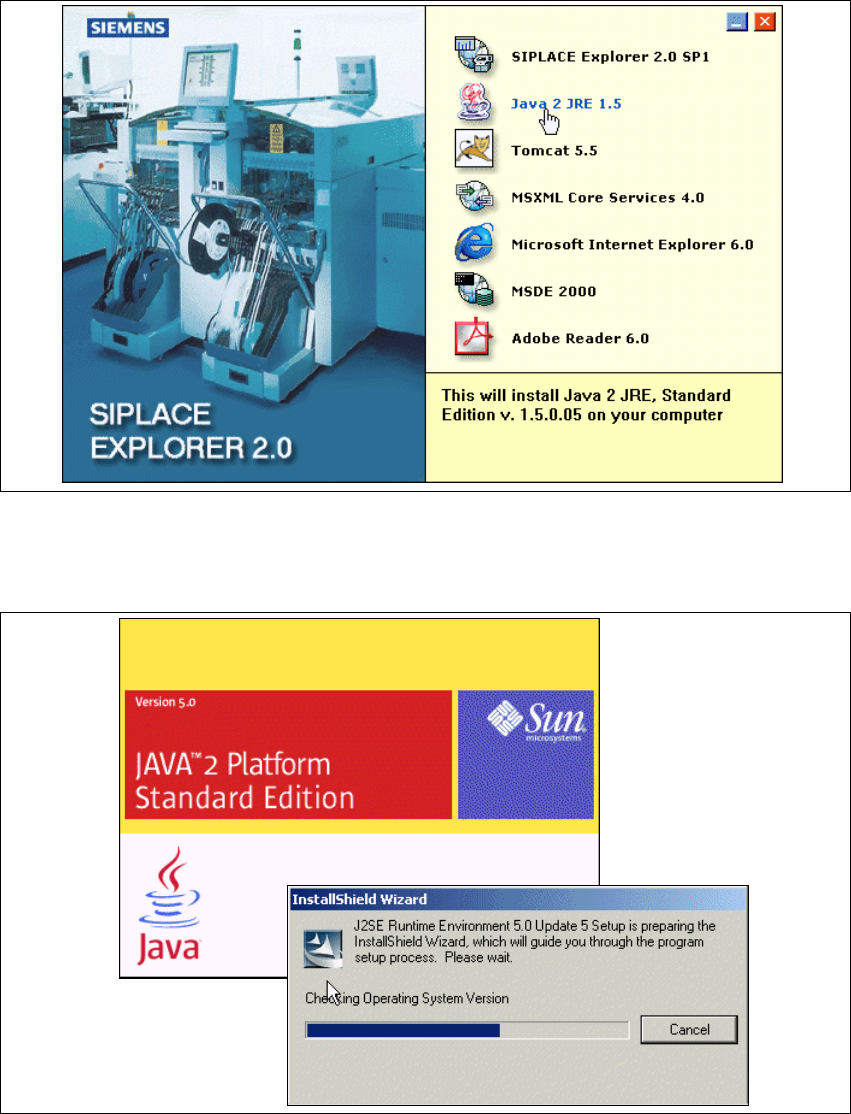
→ Es erscheint der Start Screen.
3
Abb. 3 - 4 SIPLACE Explorer setup - Start Screen
→ Wählen Sie Java 2 JRE 1.5 aus. Die benutzergeführte Installation von Java 2 JRE wird
gestartet.
3
Abb. 3 - 5 Installshield Wizard - Vorbereitung der Installation