00193687-04.pdf - 第44页
3 In stal la tio n des S IPLAC E Expl ore r Inst all atio ns - und Konfi gu rat ions anle itun g SI PLA CE Exp lor er 3. 1 E rst inst allat ion v on S IPL ACE Exp lorer 2.0 SP 1 Au sga be 12 /2 005 DE 44 → Di e benutzerg…
Installations- und Konfigurationsanleitung SIPLACE Explorer 3 Installation des SIPLACE Explorer
Ausgabe 12/2005 DE 3.1 Erstinstallation von SIPLACE Explorer 2.0 SP1
43
3.1.4 Installationsvorgang Tomcat 5.5
HINWEIS
Sie müssen über Windows 2000 Administrator-Rechte verfügen, um die Installation ausführen zu
können. 3
HINWEIS
Bevor Sie Tomcat 5.5 installieren können, müssen Sie alle Versionen < 5.5 von Tomcat unbedingt
deinstallieren. 3
→ Legen Sie die SIPLACE Explorer CD in Ihr CD-Rom-Laufwerk ein. Es erscheint der Start
Screen.
3
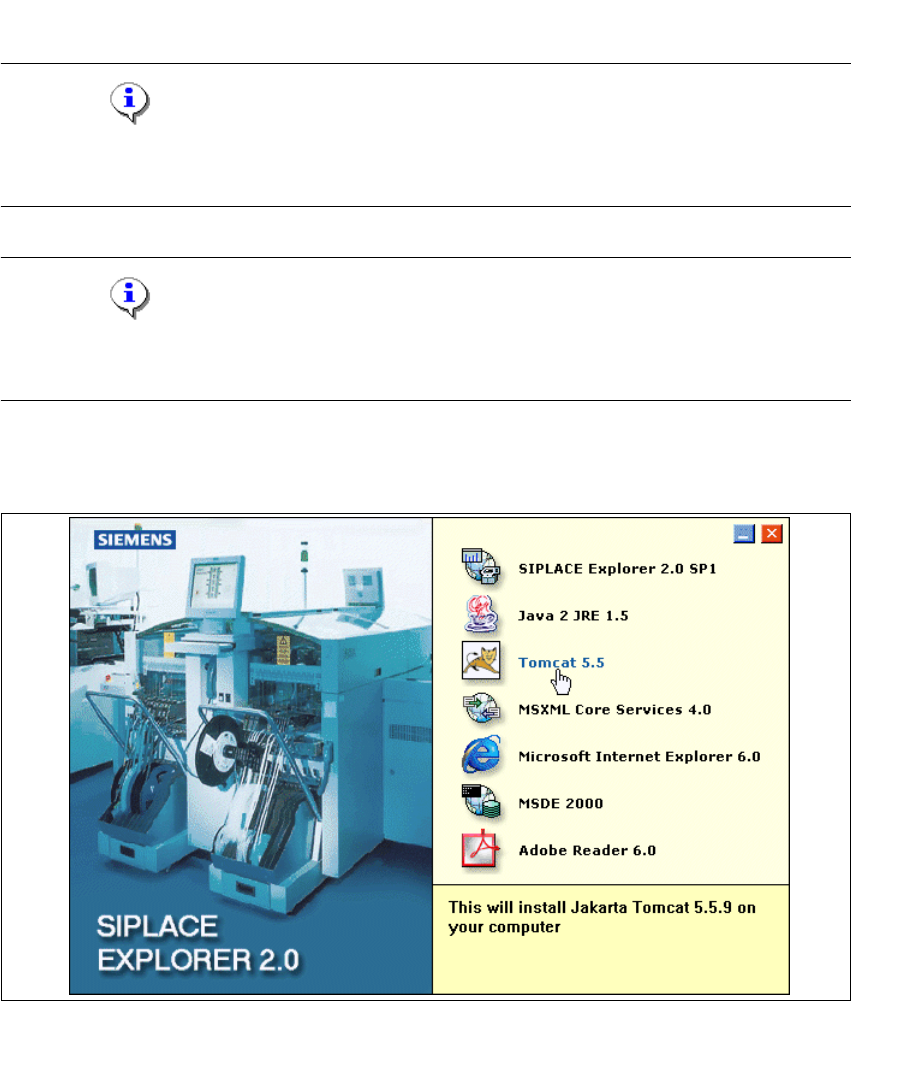
Abb. 3 - 25 SIPLACE Explorer setup - Start Screen
→ Wählen Sie Tomcat 5.5 aus.
3 Installation des SIPLACE Explorer Installations- und Konfigurationsanleitung SIPLACE Explorer
3.1 Erstinstallation von SIPLACE Explorer 2.0 SP1 Ausgabe 12/2005 DE
44
→ Die benutzergeführte Installation von Tomcat wird gestartet.
3
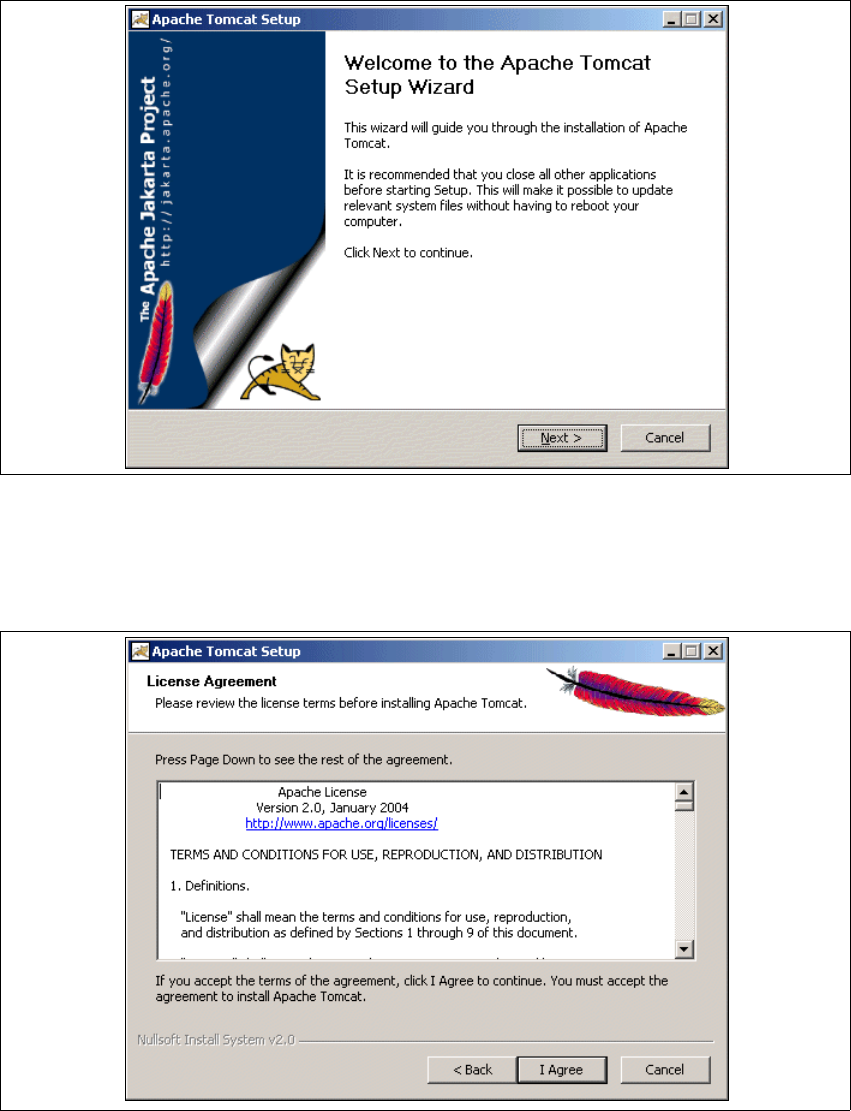
Abb. 3 - 26 Apache Tomcat Setup - Welcome Screen
→ Beenden Sie alle anderen Programme und klicken Sie dann auf Next (Weiter).
→ Lesen Sie die Lizenzbestimmungen. Wenn Sie zustimmen, I Agree anklicken, ansonsten
Cancel. Wenn Sie Cancel anklicken, wird die Installation beendet.
3
Abb. 3 - 27 Apache Tomcat Setup - Lizenzvereinbarungen
Installations- und Konfigurationsanleitung SIPLACE Explorer 3 Installation des SIPLACE Explorer
Ausgabe 12/2005 DE 3.1 Erstinstallation von SIPLACE Explorer 2.0 SP1
45
→ Wählen Sie jetzt die Komponenten aus, die Sie installieren möchten.
3
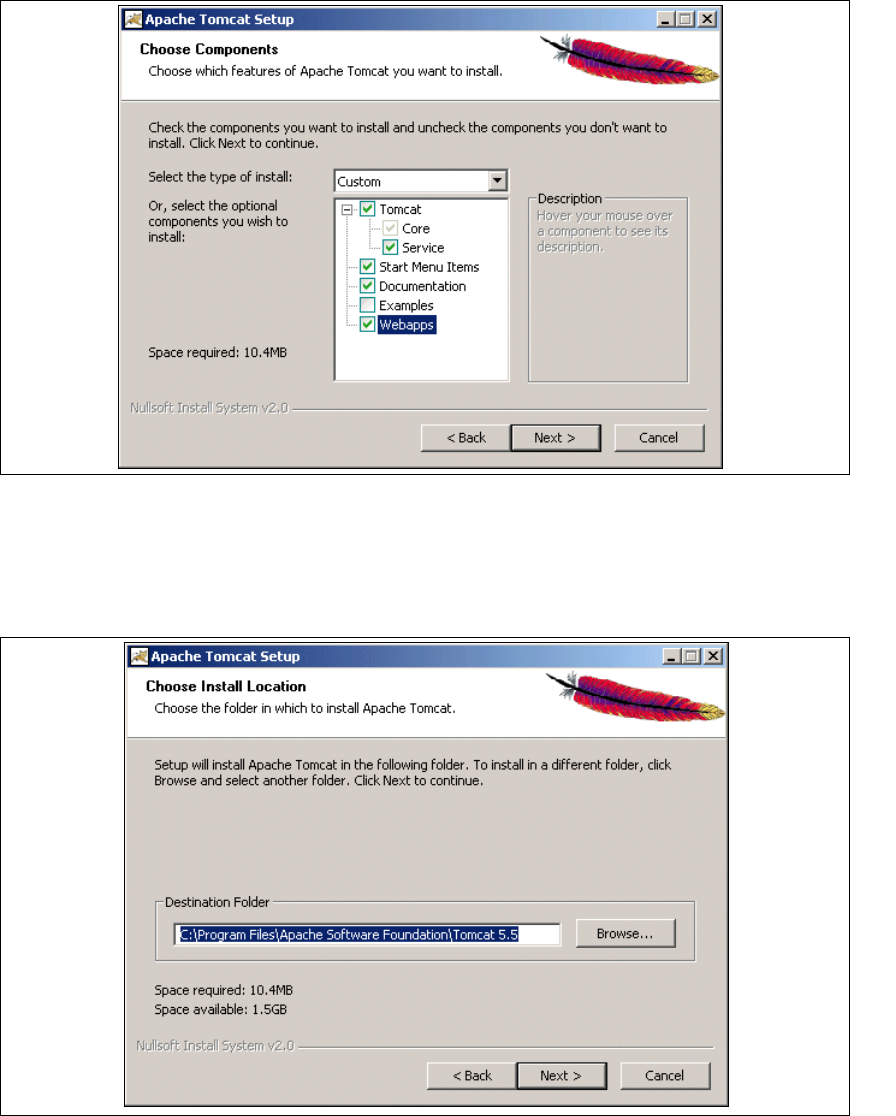
Abb. 3 - 28 Apache Tomcat Setup - Auswahl der Komponenten
→ Wählen Sie als Installationstyp Custom aus.
→ Klicken Sie unter Tomcat die Option Service an. Klicken Sie dann auf Next (Weiter).
→ Geben Sie jetzt den Ordner an, in dem Sie die Anwendung installieren möchten.
3
Abb. 3 - 29 Apache Tomcat Setup - Zielordner wählen
→ Sie können die Standardeinstellung durch Betätigung der Schaltfläche Browse (Durchsuchen)
verändern.