00193687-04.pdf - 第60页
3 In stal la tio n des S IPLAC E Expl ore r Inst all atio ns - und Konfi gu rat ions anle itun g SI PLA CE Exp lor er 3. 3 S IPL ACE E xplo rer star ten Au sga be 12 /200 5 DE 60 → SI PLACE Explorer V . 2.0 F actory Conf…
Installations- und Konfigurationsanleitung SIPLACE Explorer 3 Installation des SIPLACE Explorer
Ausgabe 12/2005 DE 3.3 SIPLACE Explorer starten
59
– SE Manager
– SE Security Manager
– Modify-Uninstall
– Documentation
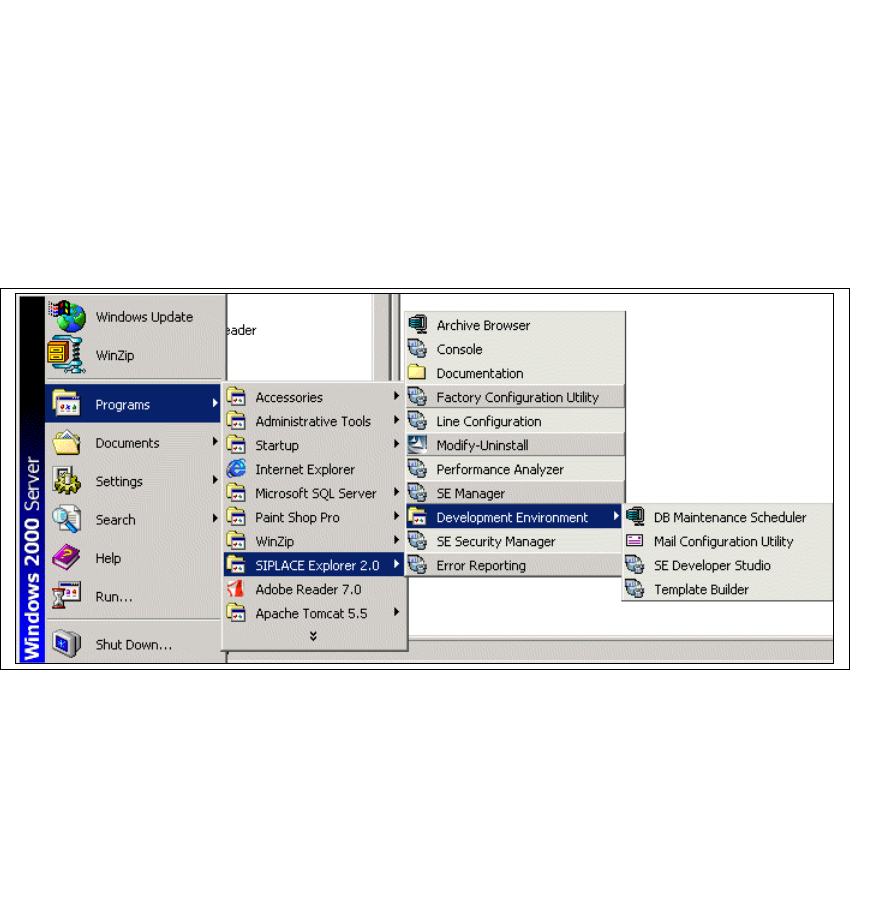
→ SIPLACE Explorer V.2.0 Development Environment
Starten Sie Development Environment über das Windows-Menü
Programme → SIPLACE
Explorer 2.0 → Developer Tools
. 3
3
Abb. 3 - 44 DE Windows Start Menü
Sie haben folgende weitere Applikationen und Tools zur Auswahl: 3
– DB Maintenance Scheduler
– Mail Configuration Utility
– SE Developer Studio
– Template Builder
3 Installation des SIPLACE Explorer Installations- und Konfigurationsanleitung SIPLACE Explorer
3.3 SIPLACE Explorer starten Ausgabe 12/2005 DE
60
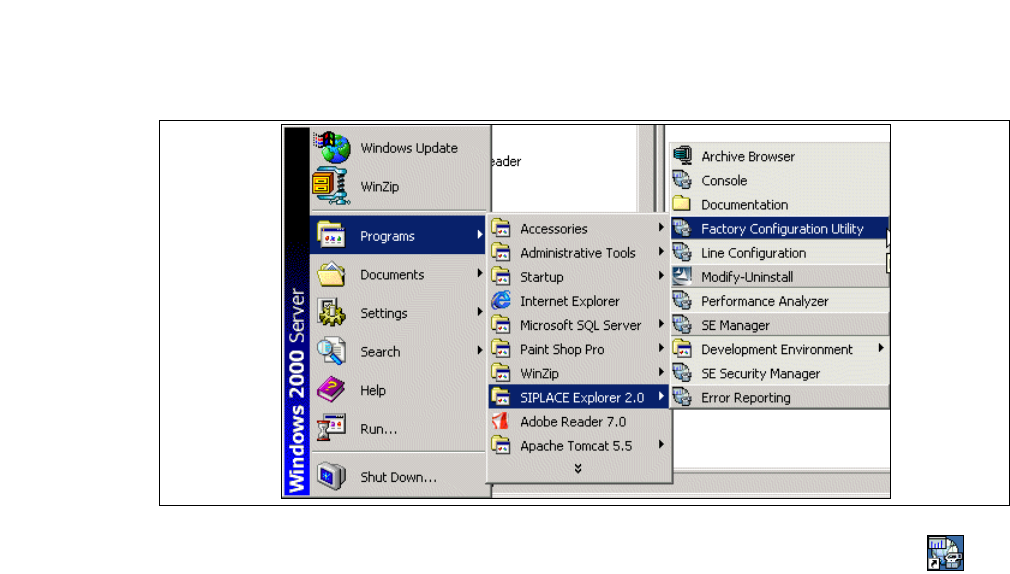
→ SIPLACE Explorer V.2.0 Factory Configuration Utility
Starten Sie Factory Configuration Utility über das Windows-Menü
Programme → SIPLACE
Explorer 2.0 → Factory Configuration Utility
. 3
3
Abb. 3 - 45 Factory Configuration Utility Windows Start Menü
→ Oder klicken Sie auf Ihrem Desktop auf das Symbol Factory Configuration Utility .
Installations- und Konfigurationsanleitung SIPLACE Explorer 3 Installation des SIPLACE Explorer
Ausgabe 12/2005 DE 3.4 Konfiguration von Tomcat
61
3.4 Konfiguration von Tomcat
3.4.1 Verwendung von Windows XP Professional mit SP2
Haben Sie als Betriebssystem Windows XP Professional mit SP2 installiert, müssen Sie für die
Verwendung von SIPLACE Explorer V2.0 SP1 die XP-Firewalls nachkonfigurieren. Sie müssen
die Ports für Tomcat 5.5 und für SIPLACE Explorer V2.0 SP1 freigeben.
3
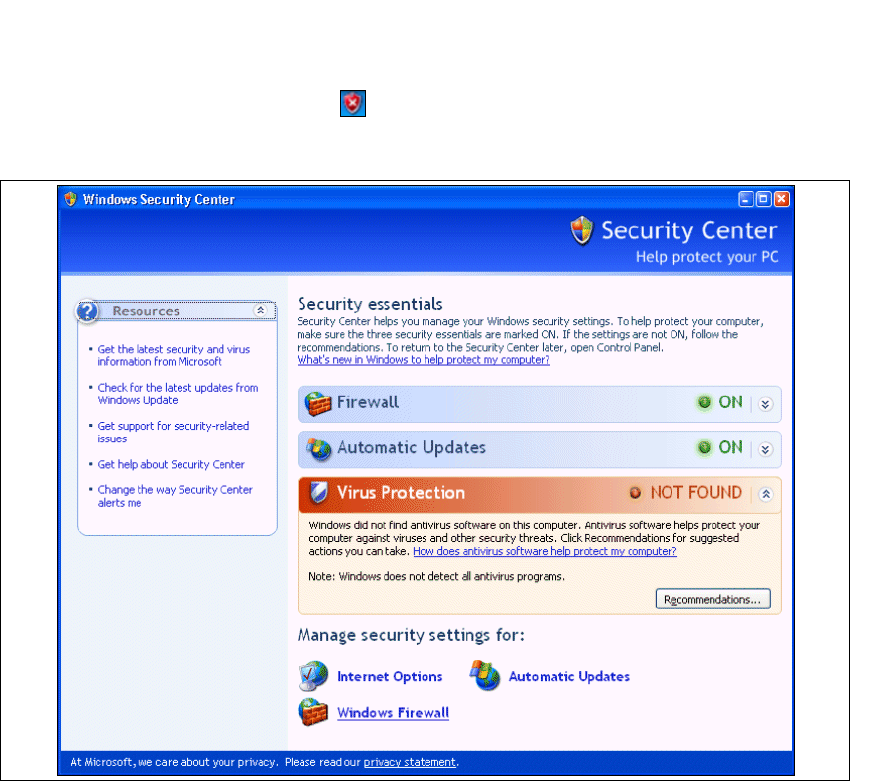
→ Starten Sie den Windows Security Center. Dazu klicken Sie mit einem Doppelklick auf das
Symbol
Windows Security Alerts in der Konsole.
→ Das Dialogfenster öffnet Windows Security Center sich:
3
Abb. 3 - 46 Windows Security Center
→ Wählen Sie unter Manage security settings for die Option Windows Firewall aus.