00193687-04.pdf - 第64页
3 In stal la tio n des S IPLAC E Expl ore r Inst all atio ns - und Konfi gu rat ions anle itun g SI PLA CE Exp lor er 3. 4 Kon figur ati on v on To mca t Aus gabe 12/2 005 DE 64 → Das Dial ogfenster Add a Program öff net…
Installations- und Konfigurationsanleitung SIPLACE Explorer 3 Installation des SIPLACE Explorer
Ausgabe 12/2005 DE 3.4 Konfiguration von Tomcat
63
3
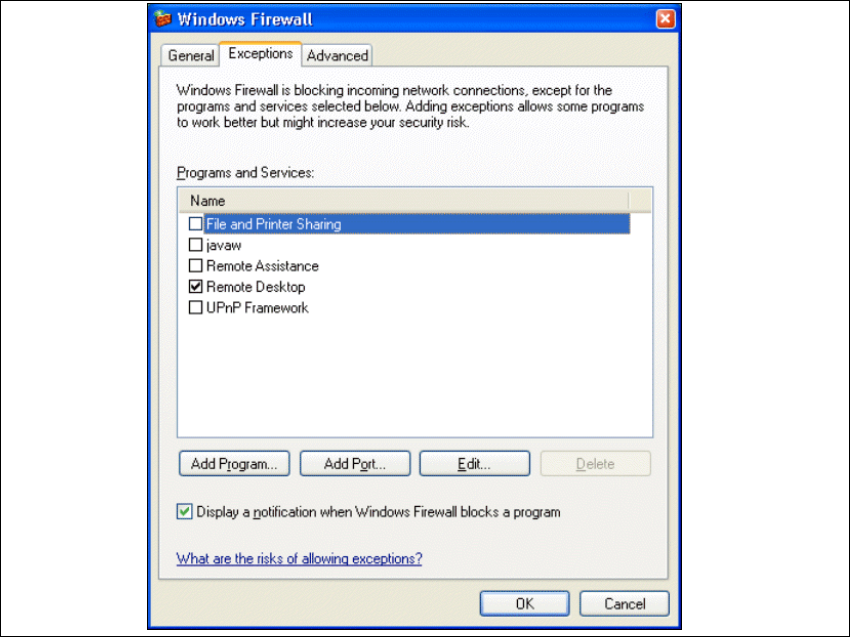
Abb. 3 - 48 Windows Firewall - Exeptions
→ Betätigen Sie die Schaltfläche Add Program.
3 Installation des SIPLACE Explorer Installations- und Konfigurationsanleitung SIPLACE Explorer
3.4 Konfiguration von Tomcat Ausgabe 12/2005 DE
64
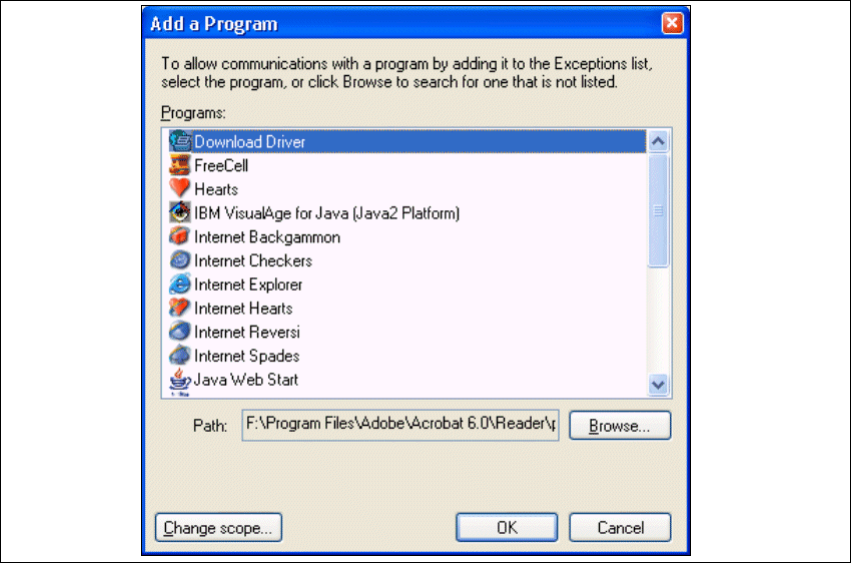
→ Das Dialogfenster Add a Program öffnet sich:
3
Abb. 3 - 49 Add a Programm
→ Geben Sie hier den Pfad an, in welchem sich die Tomcat.exe-Datei befindet. Dazu betätigen
Sie die Schaltfläche
Browse.
Installations- und Konfigurationsanleitung SIPLACE Explorer 3 Installation des SIPLACE Explorer
Ausgabe 12/2005 DE 3.4 Konfiguration von Tomcat
65
3
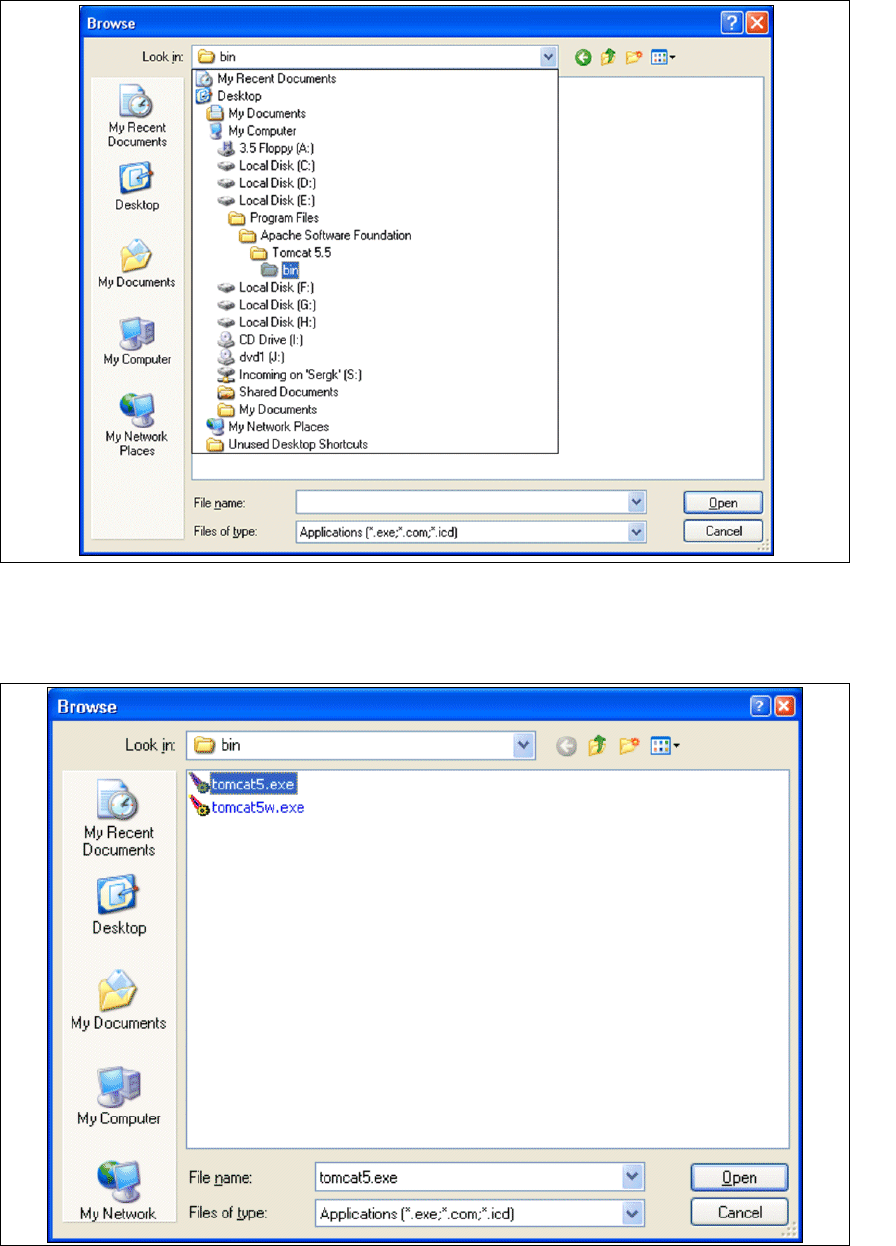
Abb. 3 - 50 Windows Firewall - Exeptions
→ Klicken Sie im Tomcat-Installationspfad den Pfad ..\Tomcat 5.5\bin an und betätigen Sie die
Schaltfläche
Open.
3
Abb. 3 - 51 Windows Firewall - Exeptions