YSi-X_Ope_E.pdf - 第41页
Chapter 1 Par t names and functions Contents 1. Machine main unit 1-1 2. Conveyor unit 1-5 3. Laser height sensor 1-6 4. Axis configuration 1-7
iv
Before using the machine
4. Page layout
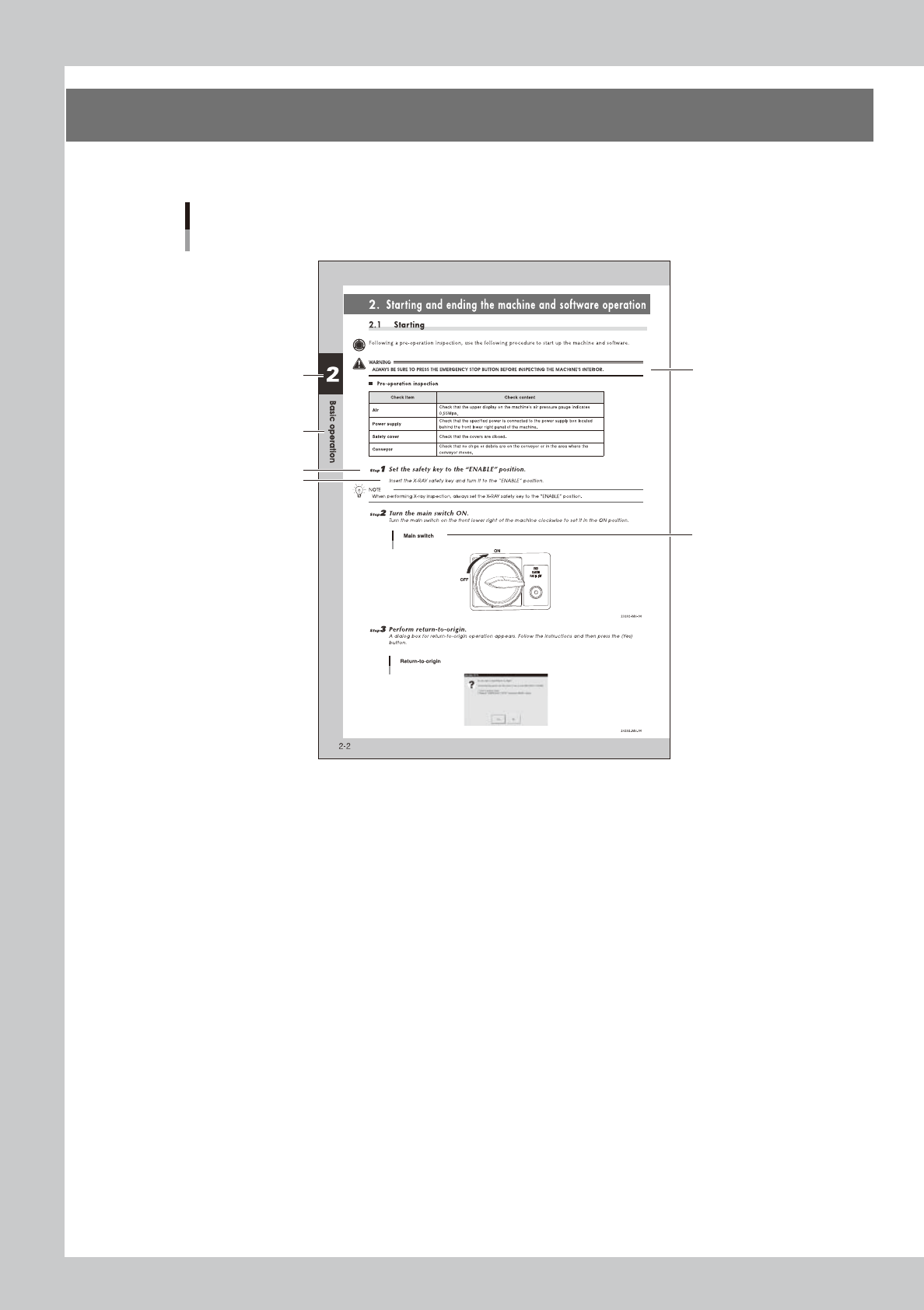
The description below shows a typical page layout used in this manual.
Step
Sub step or
description of step
Typical page layout
Chapter number
Chapter title
Figure, picture
or table caption
Note, Caution
or Warning
23001-M6-10
n
Step
This describes the procedure for each operation.
n
Substep or description of step
This provides detailed information on the steps in each procedure.
n
Figure, picture or table caption
This is the title of the figure, picture or table and appears at the upper left.
n
Note, Caution or Warning
These are explained in detail in "Safety" instructions.

1-1
1
Part names and functions
1. Machine main unit
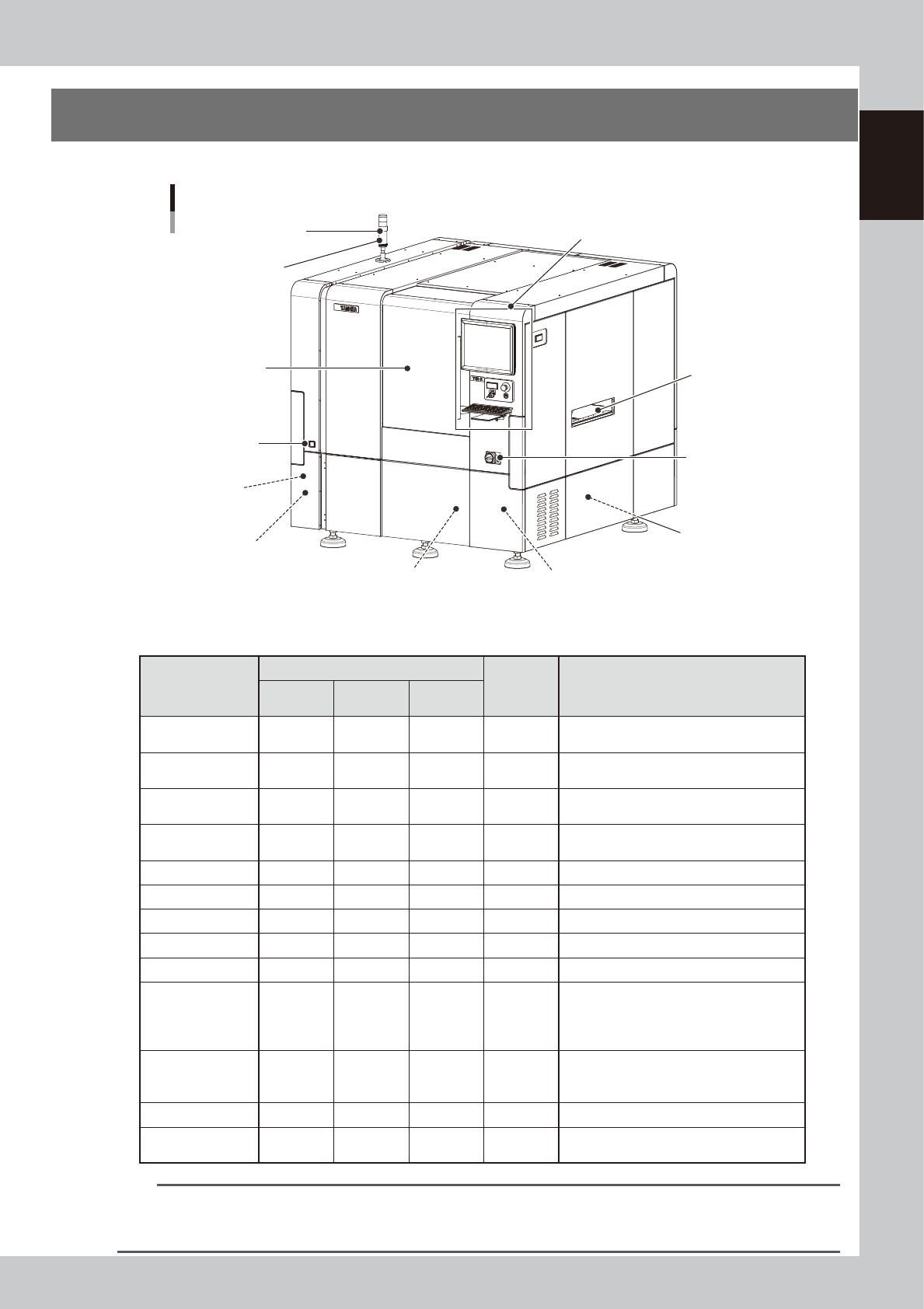
This section describes names and functions of major parts of the YSi-X main unit.
Signal light
(signal tower)
Operation display and data input unit
Main switch
Pressure gauge
Board conveyor
entrance/exit
USB connector
(behind panel)
Air supply/shutoff switch
(behind panel)
Alarm buzzer
Safety door
Power connection terminals
(behind panel)
YSi-X main unit
UPS (behind panel)
UPS (Type HD/Type HB)
(behind lower rear of panel)
23101-M6-00
n
Signal light (signal tower)
Indicates current operating conditions of the machine with a signal light tower and a buzzer.
Operation status
Default lighting pattern
Buzzer Description
Top (red)
Middle
(yellow)
Bottom
(green)
Standby OFF OFF ON OFF
Waiting for board to be supplied from the
previous stage
Auto inspection OFF OFF ON OFF
Board has been loaded and is being
inspected
Waiting for
judgement
OFF ON OFF ON Waiting the final pass/fail decision input.
Other than AUTO OFF OFF OFF OFF
Machine is in a mode other than "auto
inspection"
Machine error OFF ON OFF ON A machine error has occurred.
Emergency stop ON OFF OFF OFF Machine is in emergency stop.
Returning to origin OFF OFF Flashing OFF Machine is returning to the origin.
Aging in progress OFF OFF ON OFF Machine warm-up is in progress.
CycleStop No control No control No control No control State after cycle stop
Manual Operation OFF Flashing OFF ON
The Unit screen is displayed.
The Warm-up screen is displayed but no
warm-up is performed.
Board is being exchanged.
Pause OFF OFF OFF OFF
Machine is in pause mode. (The [Pause]
button was pressed and the dialog box
displayed.)
Warning OFF ON OFF ON During machine warning
Waiting for External
Judgment
OFF ON OFF ON
Waiting for judgment from Remote
Judgment Station (option)
n
NOTE
To change the color or lighting pattern of the signal light or to set the buzzer, press the [Machine] button, select
“Machine Information” – “Signal Tower Edit”, and make the changes or settings on the Signal Tower Edit screen that
appears. If set to “No control”, the current status is maintained regardless of the operating status of other units.