YSi-X_Ope_E.pdf - 第52页
2-3 2 Basic operation 4 Perform an X -r ay gener ator warm-up. When return-to-origin is complete, the X-ray generator automatically starts warm-up. The message “X-RA Y W ARM-UP” appears on the right end of the status bar…
2-2
2
Basic operation
2.
Starting and ending the machine and software operation
2.1 Starting
e
Following a pre-operation inspection, use the following procedure to start up the machine and software.
w
WARNING
ALWAYS BE SURE TO PRESS THE EMERGENCY STOP BUTTON BEFORE INSPECTING THE MACHINE'S INTERIOR.
n
Pre-operation inspection
Check item Check content
Air
Check that the upper display on the machine's air pressure gauge indicates
0.55Mpa.
Power supply
Check that the specified power is connected to the power supply box located
behind the front lower right panel of the machine.
Safety cover Check that the covers are closed.
Conveyor
Check that no chips or debris are on the conveyor or in the area where the
conveyor moves.
1
Set the safety key to the “ENABLE” position.
Insert the X-RAY safety key and turn it to the “ENABLE” position.
n
NOTE
When performing X-ray inspection, always set the X-RAY safety key to the “ENABLE” position.
2
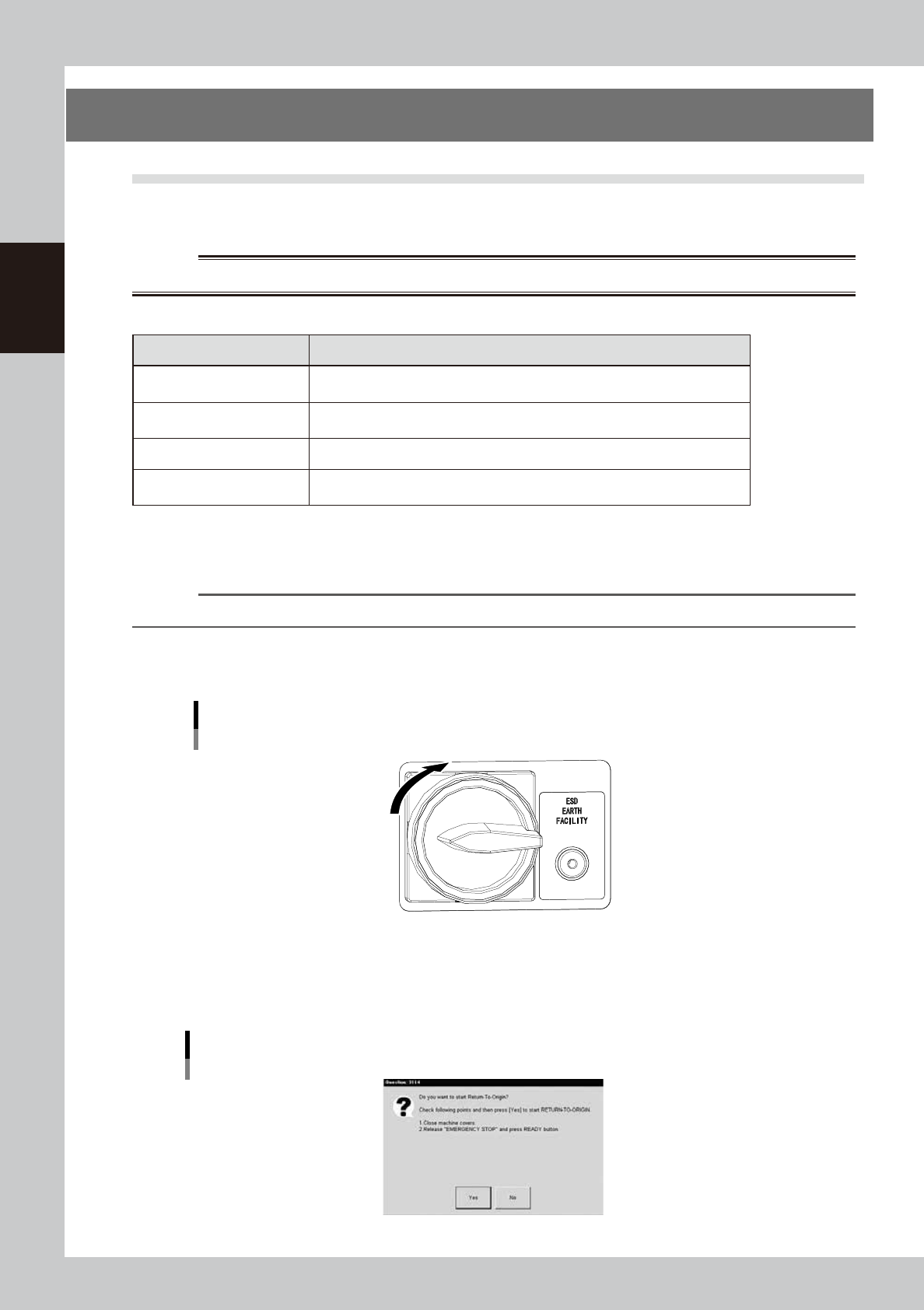
Turn the main switch ON.
Turn the main switch on the front lower right of the machine clockwise to set it in the ON position.
Main switch
OFF
ON
23202-M6-00
3
Perform return-to-origin.
A dialog box for return-to-origin operation appears. Follow the instructions and then press the [Yes]
button.
Return-to-origin
24202-M6-00
2-3
2
Basic operation
4
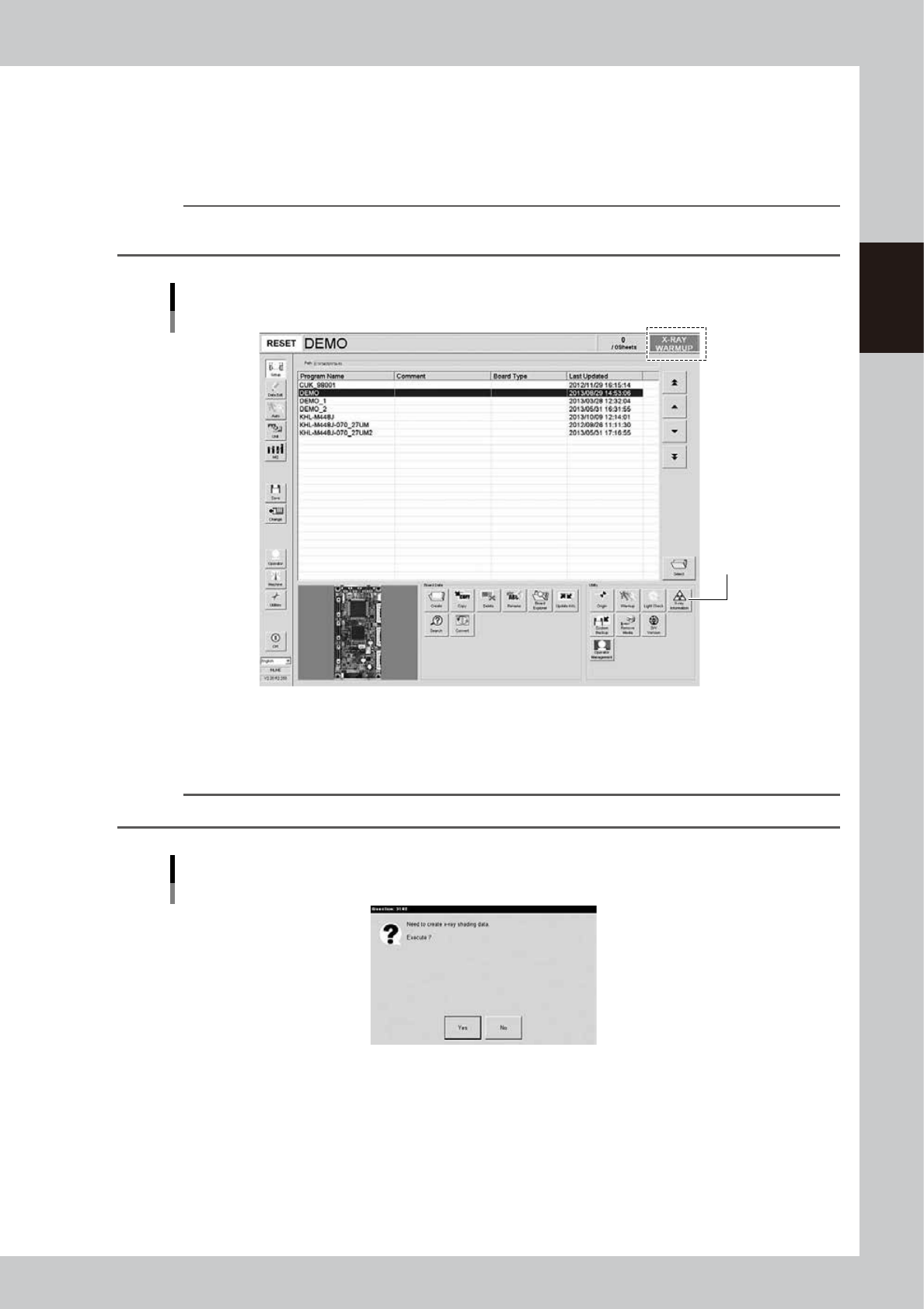
Perform an X-ray generator warm-up.
When return-to-origin is complete, the X-ray generator automatically starts warm-up. The message
“X-RAY WARM-UP” appears on the right end of the status bar.
To check the remaining warm-up time, press the [X-ray Information] button to open the X-ray
information screen and check the “Remaining warm-up time (sec.)” parameter.
n
NOTE
The X-ray generator does not start warm-up when the machine is restarted within 8 hours after turning off the main
power switch.
Screen showing X-ray warm-up in progress
[X-ray Information]
button
24203-M6-10
5
Create X-ray shading data.
When the X-ray generator warm-up is complete, a dialog box for creating X-ray shading data appears.
Press the [Yes] button to create the data.
TIP
X-ray shading data is created based on the machine setting cycle after X-ray generator warm-up.
Dialog box for creating X-ray shading data
24204-M6-00
2-4
2
Basic operation
6
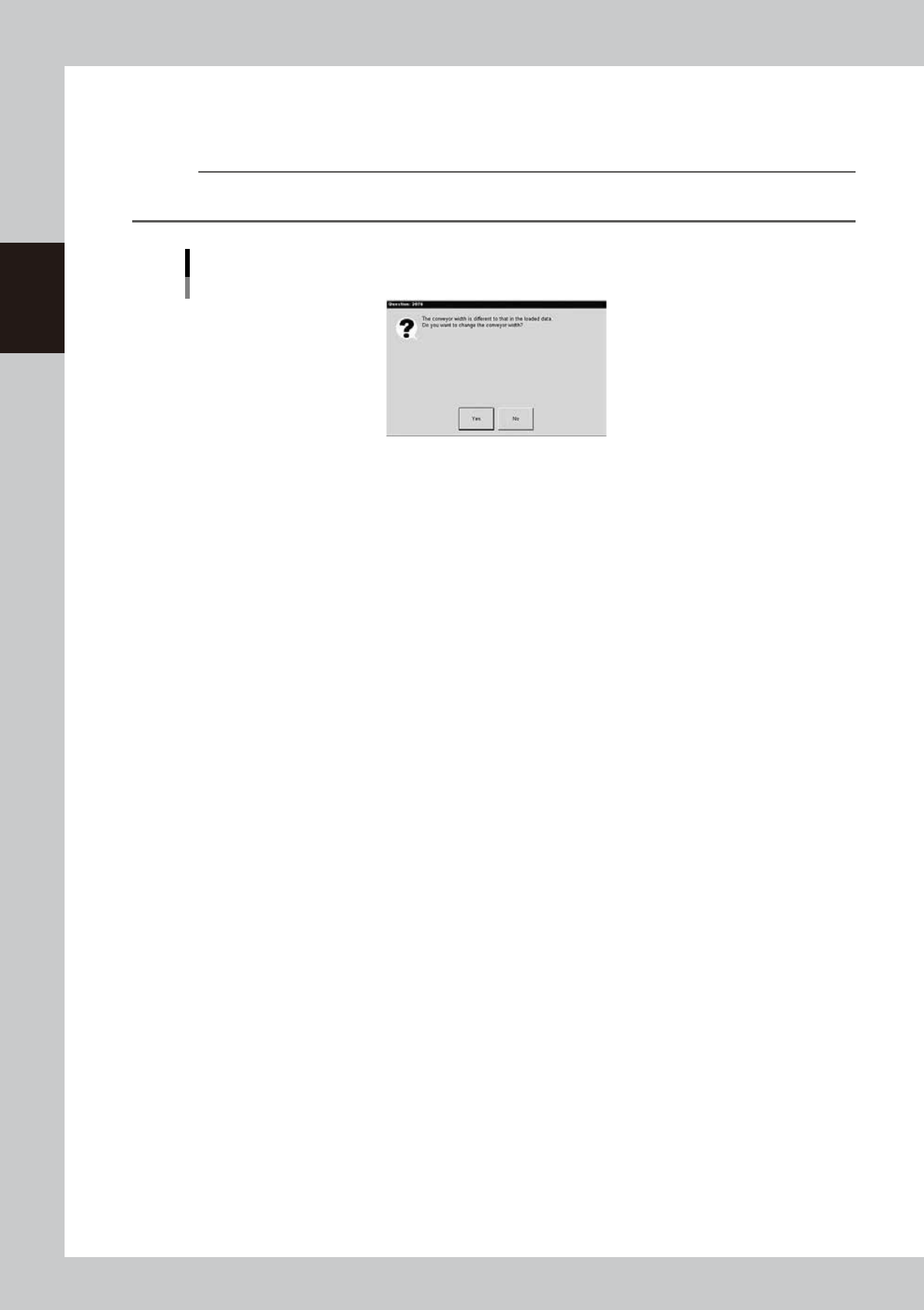
Change the conveyor width.
A dialog box for changing the conveyor width appears. Press the [Yes] button to change the conveyor
width to match the board width.
n
NOTE
A dialog box for changing the conveyor width appears. Press the [Yes] button to change the conveyor width to
match the board width.
Dialog box for changing the conveyor width
24206-M6-00