YSi-X_Ope_E.pdf - 第55页
Chapter 3 Daily operation Contents 1. Overview 3-1 2. W arm-up operation 3-2 3. Selecting the program 3-3
2-5
2
Basic operation
2.2 Ending
To end the machine operation, follow these steps.
1
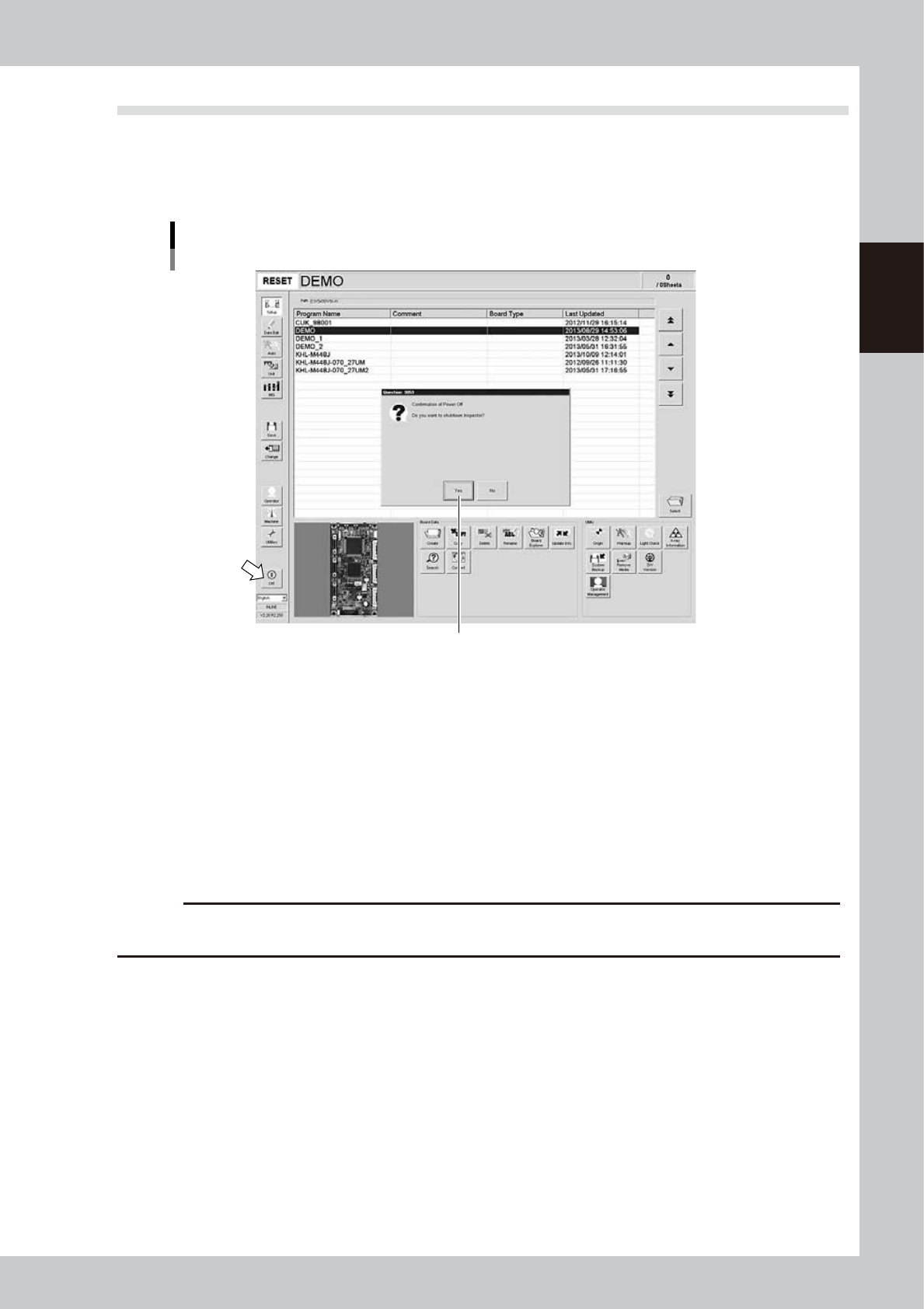
On the main screen, press the [Off] button.
A power-off confirmation dialog box appears. Press the [Yes] button.
Power-off confirmation dialog
Press the [Yes] button.
24205-M6-10
2
Move each axis back to its origin position.
When a dialog box for moving each axis appears, press the [Yes] button.
3
When a dialog box appears asking whether to end the operation, press the [Yes]
button.4
e
4
Press the emergency stop button.
When a dialog box for emergency stop appears, press the emergency stop button.
The YSi software end and Windows (OS) shuts down, displaying a message stating that you can turn off
the power.
c
CAUTION
Do not turn off the power until the above message appears. If you turn off the power without following the correct
sequence, the machine might be damaged.
5
Turn off the machine main switch.
When a power-off message appears, turn the main switch on the front lower right of the machine
counterclockwise to the OFF position.
6
Pull out the safety key.
Turn the X-RAY safety key to the “DISABLE” position and pull it out.

3-1
3
Daily operation
1. Overview
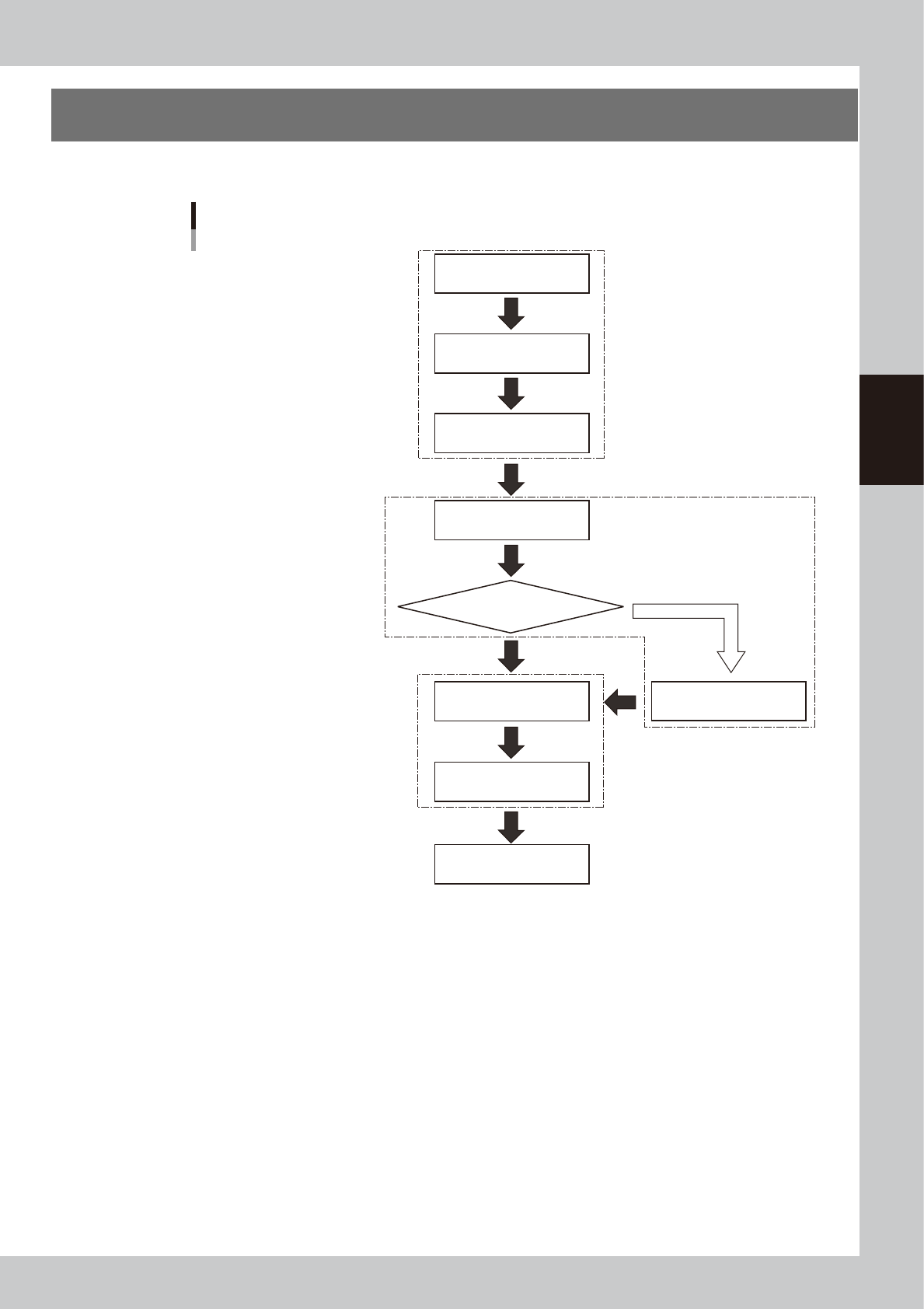
This chapter explains typical daily operation per the flow chart shown below.
Start machine
Chapter 2 “Basic operation”
Chapter 3 “Daily operation”
Separate “YSi programming manual”
Chapter 1 “Starting and ending inspection”
Chapter 2 “Basic operation”
Check before operation
Warm-up operation
Change inspection program
Change conveyor unit setup
Inspect same board as previous time?
End inspection
Start inspection
(automatic inspection)
Turn power off
The flow chart below shows typical daily work performed by the operator.
YES
NO
Select program
X-ray generator warm-up
Automatically starts when needed
23301-M6-10