YSi-X_Ope_E.pdf - 第57页
3-2 3 Daily operation 2. W ar m-up operation After starting the machine, per form warm-up. A warm-up time of 15 minutes is sufficient. No warm-up operation is necessar y if less than 2 hours have elapsed after the machin…
3-1
3
Daily operation
1. Overview
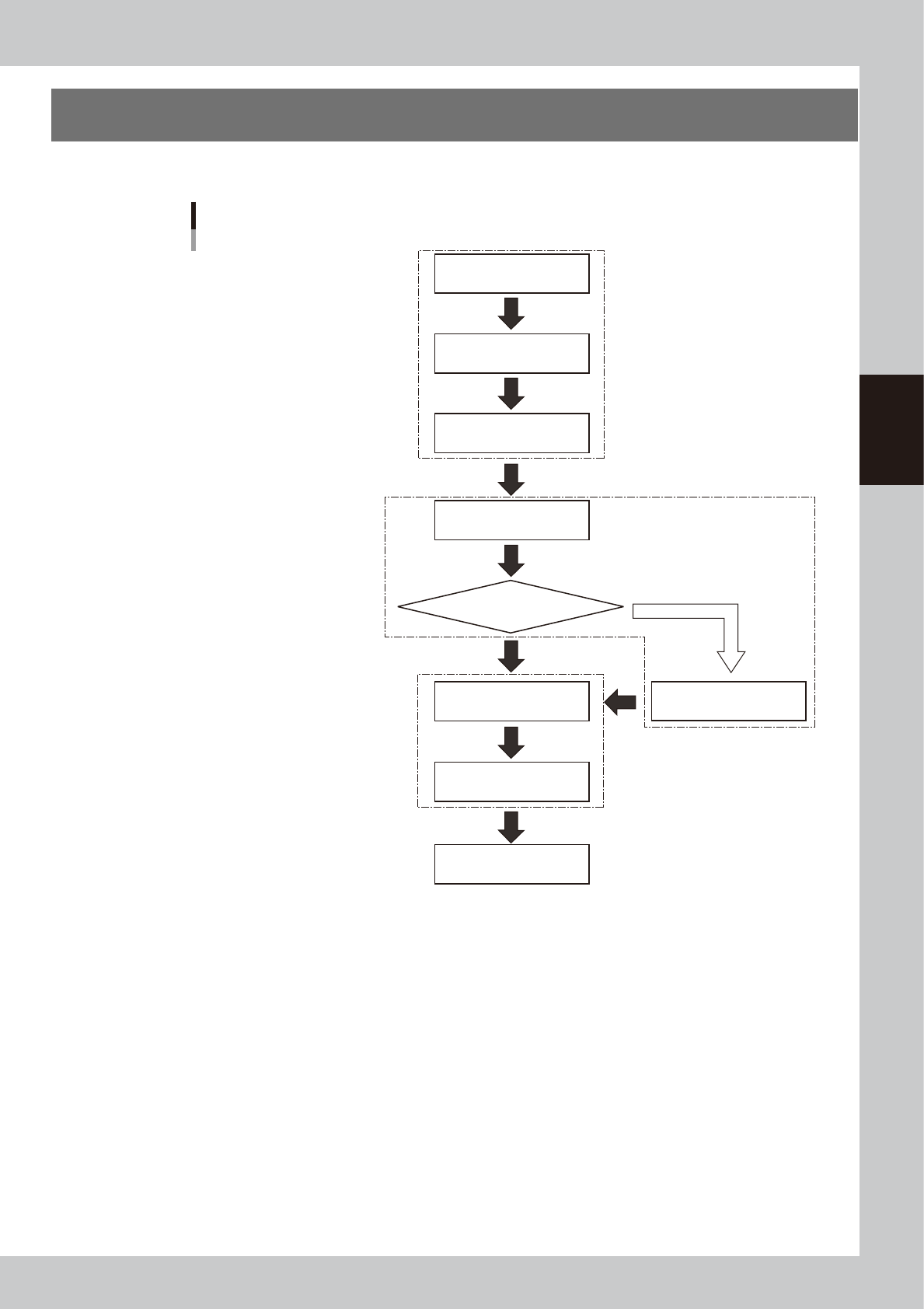
This chapter explains typical daily operation per the flow chart shown below.
Start machine
Chapter 2 “Basic operation”
Chapter 3 “Daily operation”
Separate “YSi programming manual”
Chapter 1 “Starting and ending inspection”
Chapter 2 “Basic operation”
Check before operation
Warm-up operation
Change inspection program
Change conveyor unit setup
Inspect same board as previous time?
End inspection
Start inspection
(automatic inspection)
Turn power off
The flow chart below shows typical daily work performed by the operator.
YES
NO
Select program
X-ray generator warm-up
Automatically starts when needed
23301-M6-10
3-2
3
Daily operation
2. Warm-up operation
After starting the machine, perform warm-up. A warm-up time of 15 minutes is sufficient. No warm-up
operation is necessary if less than 2 hours have elapsed after the machine was last used.
c
CAUTION
Check that there are no boards on the conveyor before beginning warm-up.
1
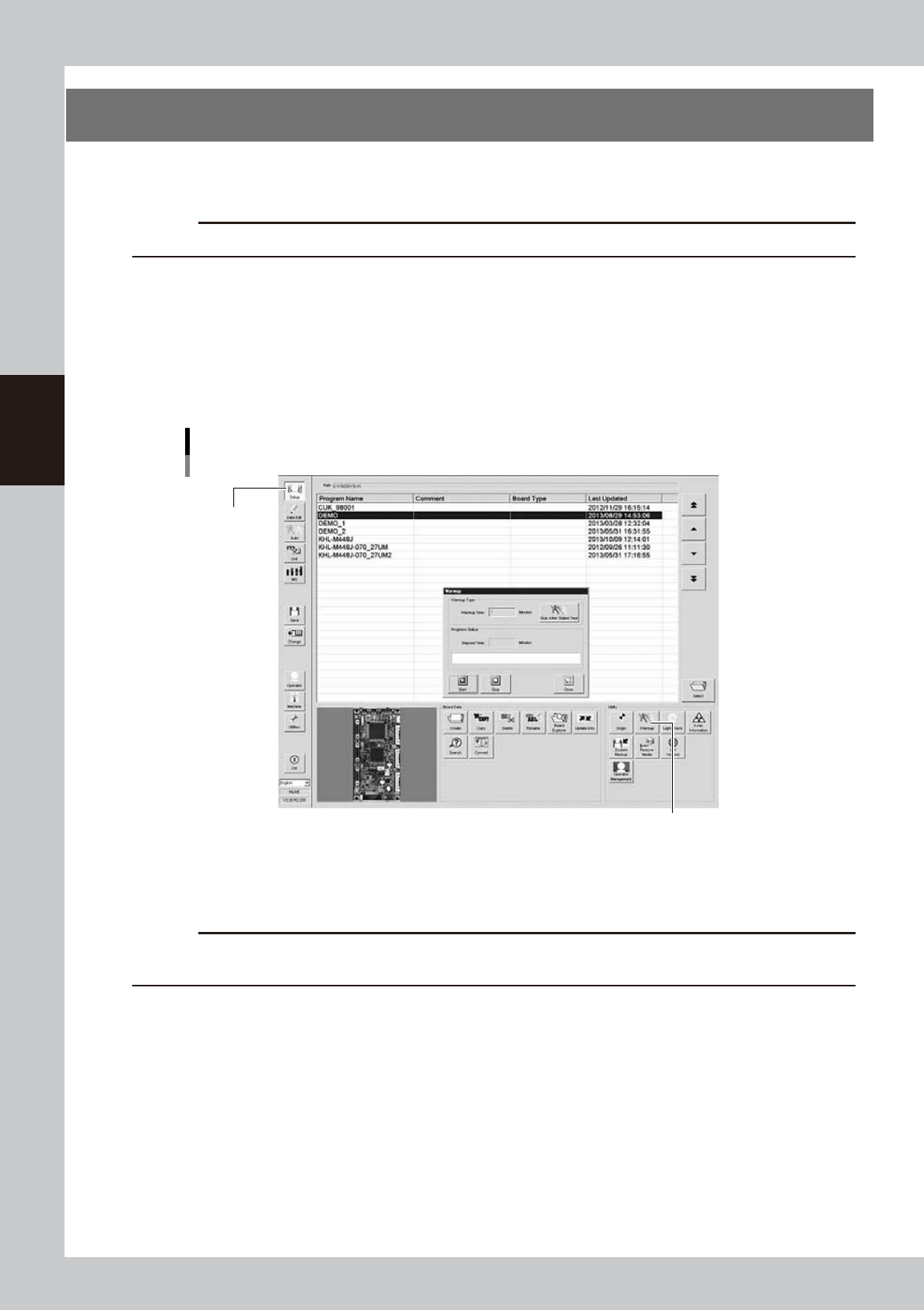
Open the "Setup" screen.
Press the [Setup] button to open the Setup screen.
2
Press the [Warm-up] button.
Pressing the [Warm-up] button opens the Warm-up screen.
To specify the warm-up time, press the [Stop After Stated Time] button and enter the desired warm-up
time.
"Setup" screen
Warm-up
[Warm-up] button
[Setup] button
24301-M6-10
3
Press the [Start] button to start warm-up.
The warm-up progress time and status will appear on the Warm-up screen.
c
CAUTION
If a problem occurs during warm-up, press the [Stop] button to stop the operation. Then check the cause of the
problem and eliminate it.
4
End the warm-up operation.
1. Press the [Stop] button to end the warm-up operation.
If you have specified the warm-up time, the machine automatically stops when the specified
warm-up time has elapsed.
2. Press the [Close] button to return to the operation screen.
3-3
3
Daily operation
3. Selecting the program
From the program list, select the inspection program to use for board inspection.
1
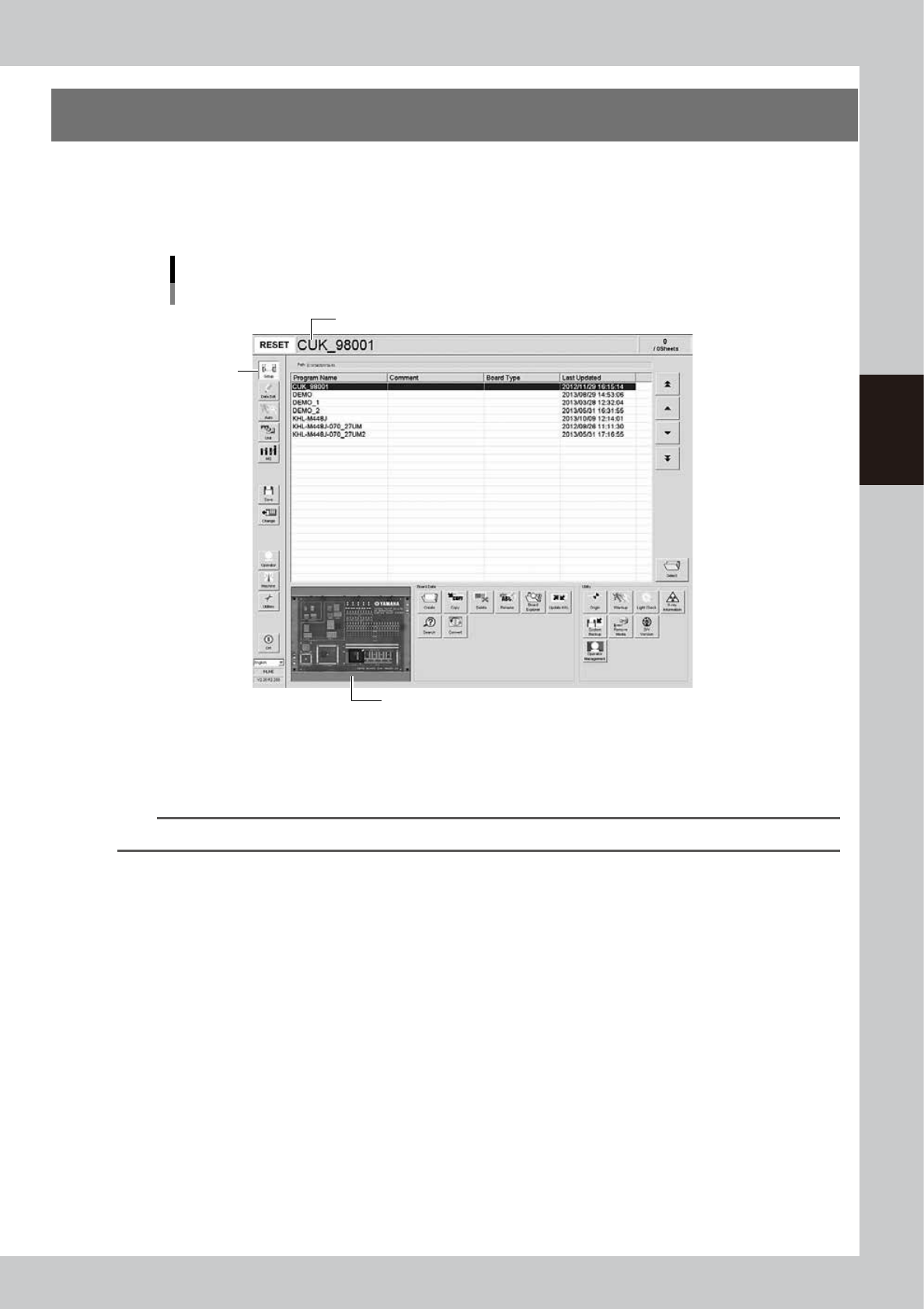
Open the program list screen.
Pressing the [Setup] button opens the program list screen.
Program list screen
Step 1
The selected program name is displayed after it is loaded.
A board image of the selected program is displayed.
24302-M6-10
2
From the program list, select the program to use for board inspection.
Select the row of the program and press the [Select] button to load the program or directly double-click
the row of the program in the list.
TIP
A board image of the selected program is displayed on the lower left of the screen.