YSi-X_Ope_E.pdf - 第59页
3-4 3 Daily operation 3 Check the loaded progr am. Check that the name of the selected program displayed in the status ar ea and the board image displayed on the lower left match the boards to be inspected. Checking the …
3-3
3
Daily operation
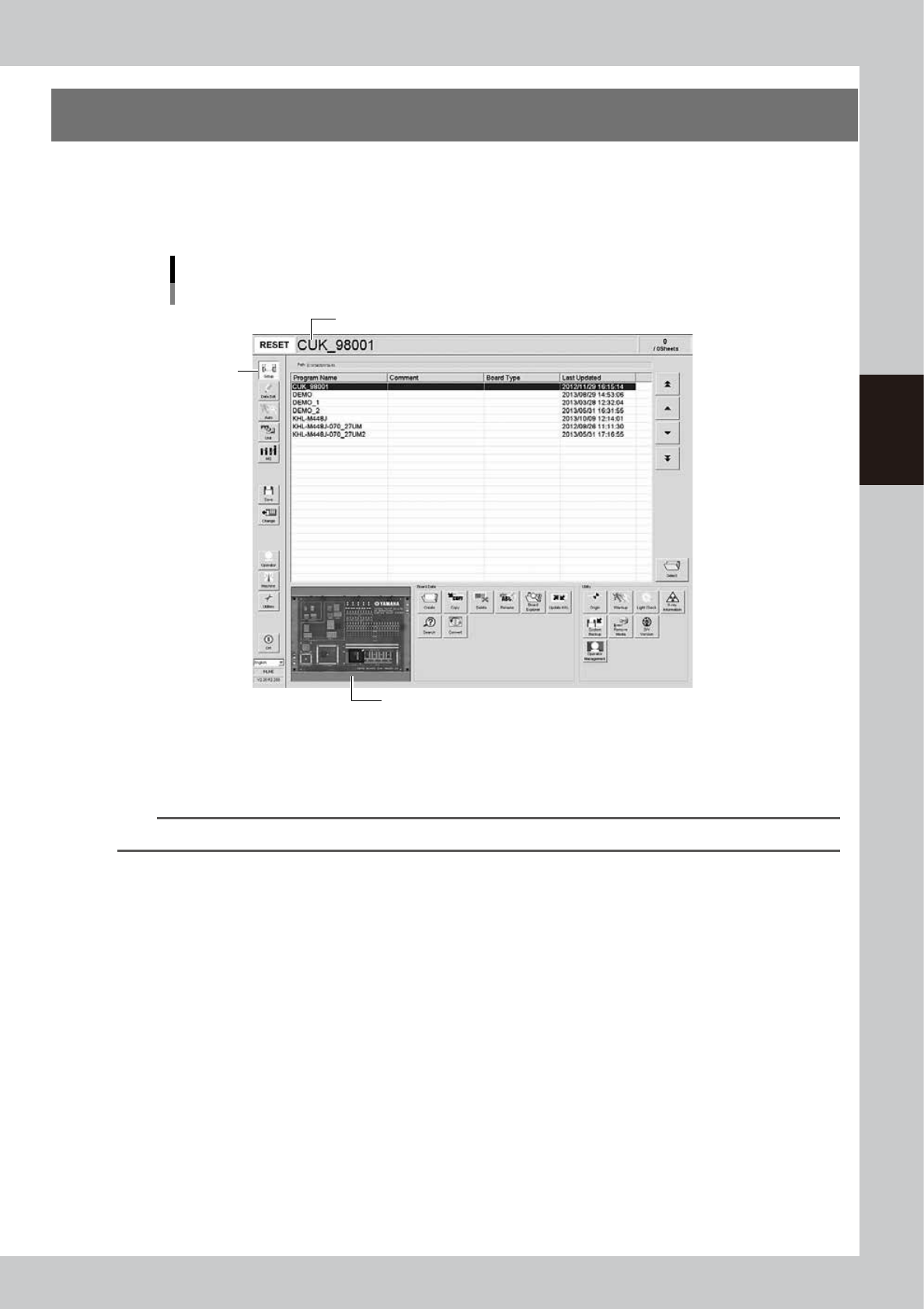
3. Selecting the program
From the program list, select the inspection program to use for board inspection.
1
Open the program list screen.
Pressing the [Setup] button opens the program list screen.
Program list screen
Step 1
The selected program name is displayed after it is loaded.
A board image of the selected program is displayed.
24302-M6-10
2
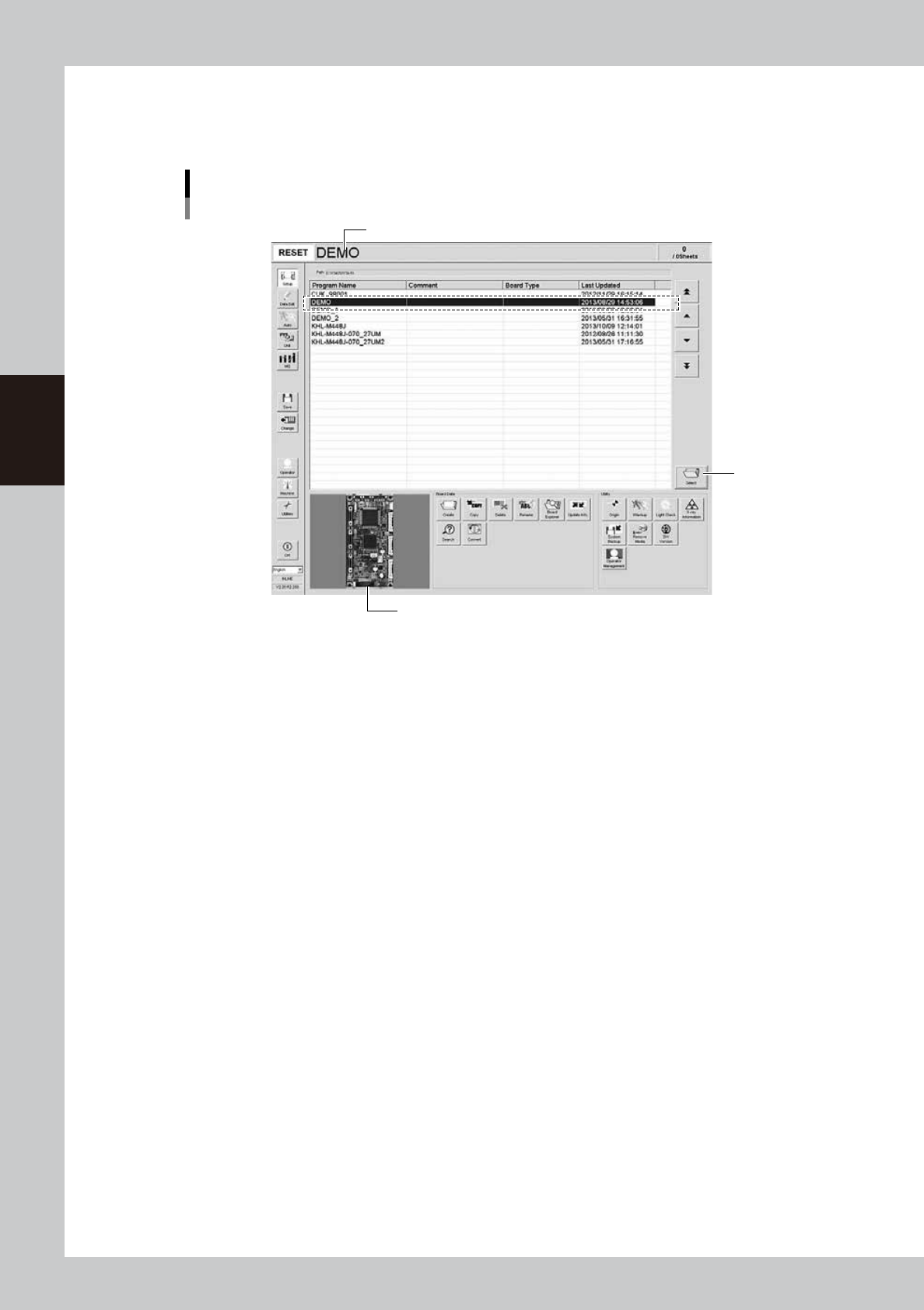
From the program list, select the program to use for board inspection.
Select the row of the program and press the [Select] button to load the program or directly double-click
the row of the program in the list.
TIP
A board image of the selected program is displayed on the lower left of the screen.
3-4
3
Daily operation
3
Check the loaded program.
Check that the name of the selected program displayed in the status area and the board image
displayed on the lower left match the boards to be inspected.
Checking the program
The selected program name is displayed after it is loaded.
Step 2
A board image of the selected program is displayed.
24303-M6-10

Chapter 4 Maintenance
Contents
Before beginning work 4-1
1. Maintaining machine performance 4-2
1.1 Essential conditions and working environment 4-2
1.2 Importance of periodic inspections and cleaning 4-2
2. Maintenance list 4-3
3. Preparing for maintenance tasks 4-5
3.1 Consumable parts 4-5
3.2 Maintenance tools 4-6
3.2.1 Cleaning tools 4-6
3.2.2 Lubricating tools and grease 4-7
3.3 Required tools 4-8
3.4 Removing the rear center panel 4-9
4. Weekly inspection 4-10
4.1 Cleaning the camera lighting unit 4-10
4.2 Checking the board sensor condition 4-12
4.3 Checking the board clamp condition 4-12
5. Monthly 4-13
5.1 Inspecting each axis 4-13
5.2 Cleaning and greasing the ball screws and guides 4-14
5.2.1 Cleaning and greasing the XT-axis ball screws 4-14
5.2.2 Cleaning and lubricating the XT-axis guides 4-15
5.2.3 Cleaning and greasing the YT-axis ball screws 4-16
5.2.4 Cleaning and greasing the YT-axis guides 4-17
5.2.5 Cleaning and greasing the LX-axis ball screws 4-18
5.2.6 Cleaning and greasing the LX-axis guides 4-19
5.2.7 Cleaning and greasing the LY-axis ball screws 4-20
5.2.8 Cleaning and greasing the LY-axis guides 4-21
5.3 Inspecting and cleaning the conveyor belt 4-22
5.4 Checking the conveyor belt tension 4-24
5.5 X-ray generator 4-26
5.5.1 Inspecting the X-ray generator 4-26