YSi-X_Ope_E.pdf - 第84页
4-23 4 Maintenance 7 Clean the pulley and the belt groo ve on the board guide. Using the vacuum assembly (option), suck in belt wear dust particles from the belt groove and the sensor detection sur face. Also, clean the …
4-22
4
Maintenance
5.3 Inspecting and cleaning the conveyor belt
Inspect the conveyor belt for wear. As the belt wears away, slippages may occur that prevent securely
conveying the boards. It is therefore necessary to make periodic checks for wear of the conveyor belt.
Belt wear may also cause trouble such as erroneous detection of the board sensor due to dust from belt wear
accumulating on the sensor surface, or dust from belt wear accumulating in the belt guide grooves may cause
the belt to stick, etc.
n
Required tools
• Hex wrenches 4mm, 5mm
• Vacuum ASSY (option)
1
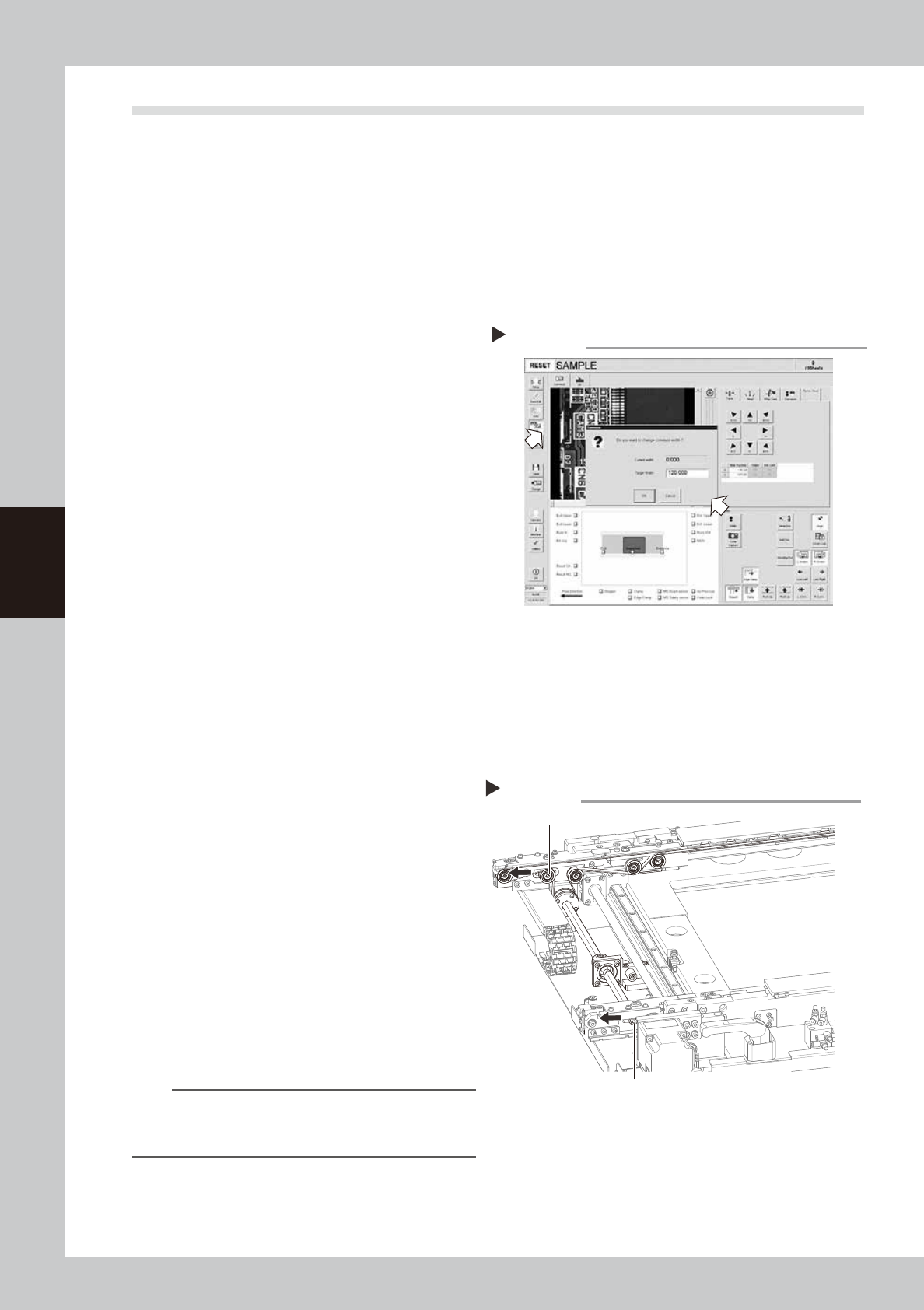
Change the conveyor width to a
convenient width for maintenance
work.
1. Open the [Unit]-[Conveyor] tab and
press the [Width] button to display the
"Conveyor" dialog box.
2. In the "Target Width" box, enter a width
large enough for maintenance work
(about 200mm) and press [OK].
The conveyor is changed to the width
that was just entered.
54403-M6-00
e
2
Make the preparations for the
inspecting and cleaning work.
1. Press the emergency stop button to put
the m machine into emergency stop.
2. Open the [Unit]-[Conveyor] tab and
press the [Stopper] button to raise the
board stopper.
3
Open the front safety door of the
machine.
4
Loosen the tension on the conveyor
belt.
1. Place a square piece of cloth over the
guide and ball screw.
2. Use the hex wrenches (4 mm and 5mm)
to loosen the belt tension (tension pulley)
of the conveyor.
53428-M6-00
5
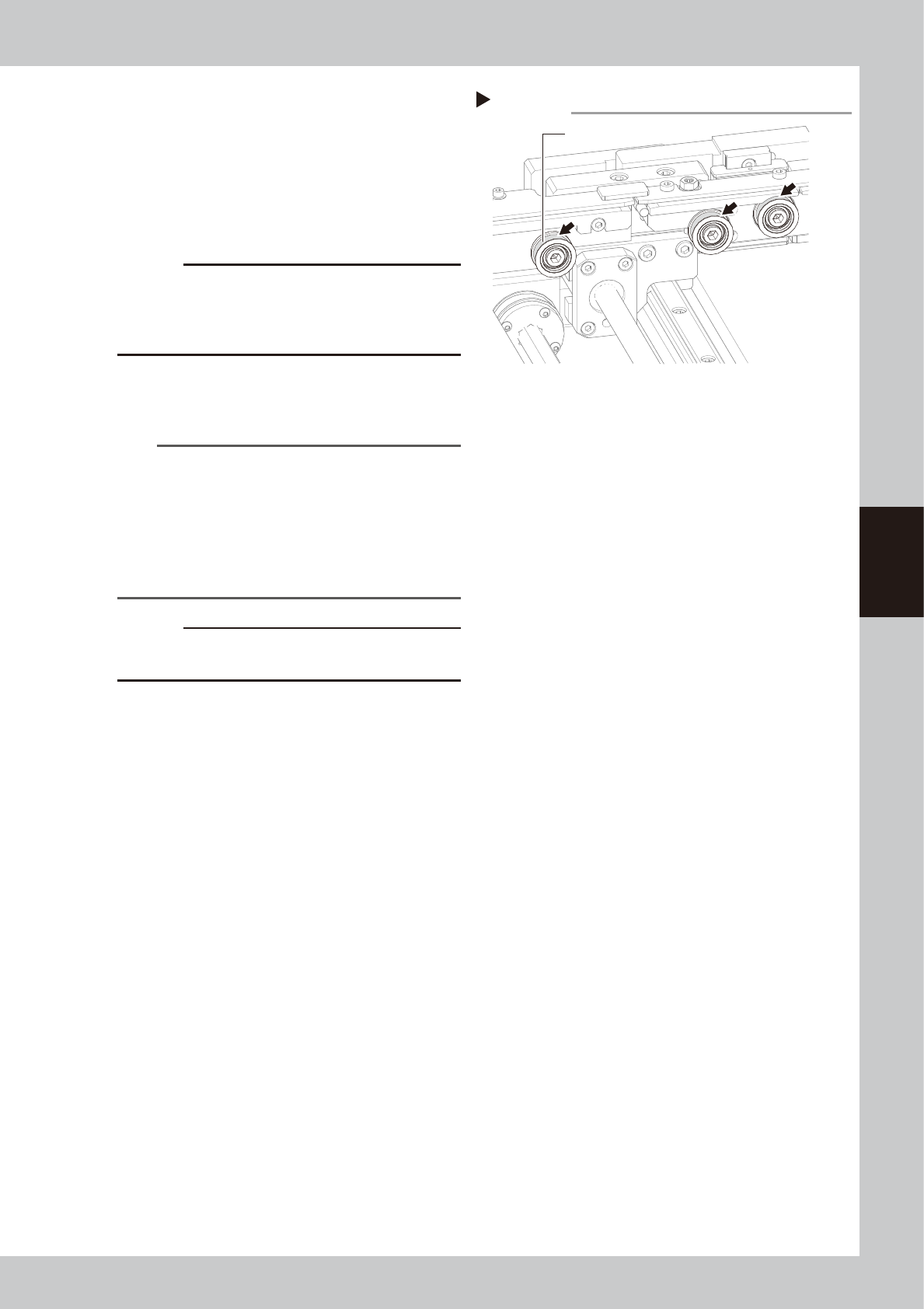
Remove the conveyor belt.
1. Use the hex wrenches (4 mm and 5mm)
to loosen the pulleys at both ends.
2. Remove the conveyor belt from the
pulley and the belt groove of the board
guide.
TIP
The belt can be removed when the pulleys at both
ends are loosened, so you do not have to loosen the
other pulleys.
6
Check for wear on the board
conveying side of the belt.
After removing the belt, check for wear on
the board conveying side of the belt.
Changing the conveyor width
Step 1
Loosen the tension on the conveyor belt
Step 4
Tension bolt
Tension pulley
4-23
4
Maintenance
7
Clean the pulley and the belt
groove on the board guide.
Using the vacuum assembly (option), suck in
belt wear dust particles from the belt groove
and the sensor detection surface. Also,
clean the pulleys and other parts for the
conveyor belt.
53429-M6-00
c
CAUTION
Though it rarely occurs, dust from belt wear might
sometimes adhere to and darken the outer
circumference of the pulley. If that happens, then
remove it with a metallic spatula, etc.
8
Reattach the belt.
Use the reverse of the removal procedure to
reattach the belt in place.
TIP
Proper belt tension and pulley pitch are as follows:
•
When a tension gauge is used
Tension 190 to 160Hz
Pulley pitch 128mm
•
When no tension gauge is used
Pulley pitch 35 to 38mm
See the next section 5.4, “Checking the conveyor belt
tension”, for more details.
c
CAUTION
The tightening torque for the tension pulley must be set
to 5.5N·m.
Cleaning the belt groove
Step 7
Belt groove
4-24
4
Maintenance
5.4 Checking the conveyor belt tension
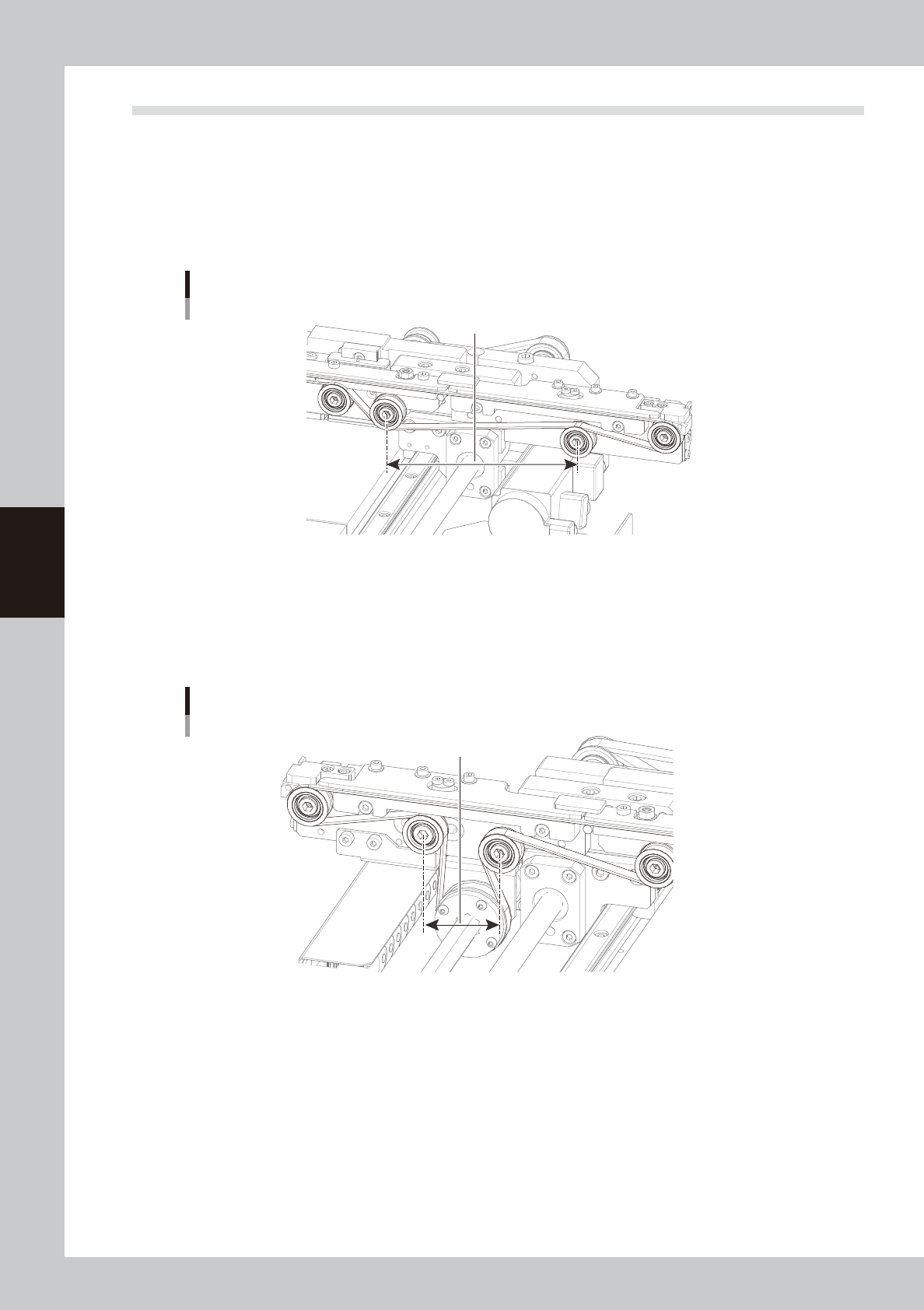
This section describes how to check and adjust the tension on the conveyor belt.
n
When using a tension gauge to measure the belt tension
When using a tension gauge, set the belt tension and pulley pitch as follows:
• Tension 190 to 160Hz
• Pulley pitch 128mm
Pulley pitch when using a tension gauge
128mm
53438-M6-00
n
When not using a tension gauge
When not using a tension gauge, set the pulley pitch as follows:
• Pulley pitch 35 to 38mm
Pulley pitch when not using a tension gauge
35 to 38mm
53439-M6-00