00198442-01_UM_TX-V2_EN.pdf - 第189页
User manual SIPLACE TX V2 4 Setting up and commissioning From software version 711.1 04/2018 4.5 Setting up the placement machine 189 4.5.7.2 Aligning and adjusting the plac ement machines in the line Use the palle t t…
4 Setting up and commissioning User manual SIPLACE TX V2
4.5 Setting up the placement machine From software version 711.1 04/2018
188
4.5.7.1 Adjusting the placement machine
4
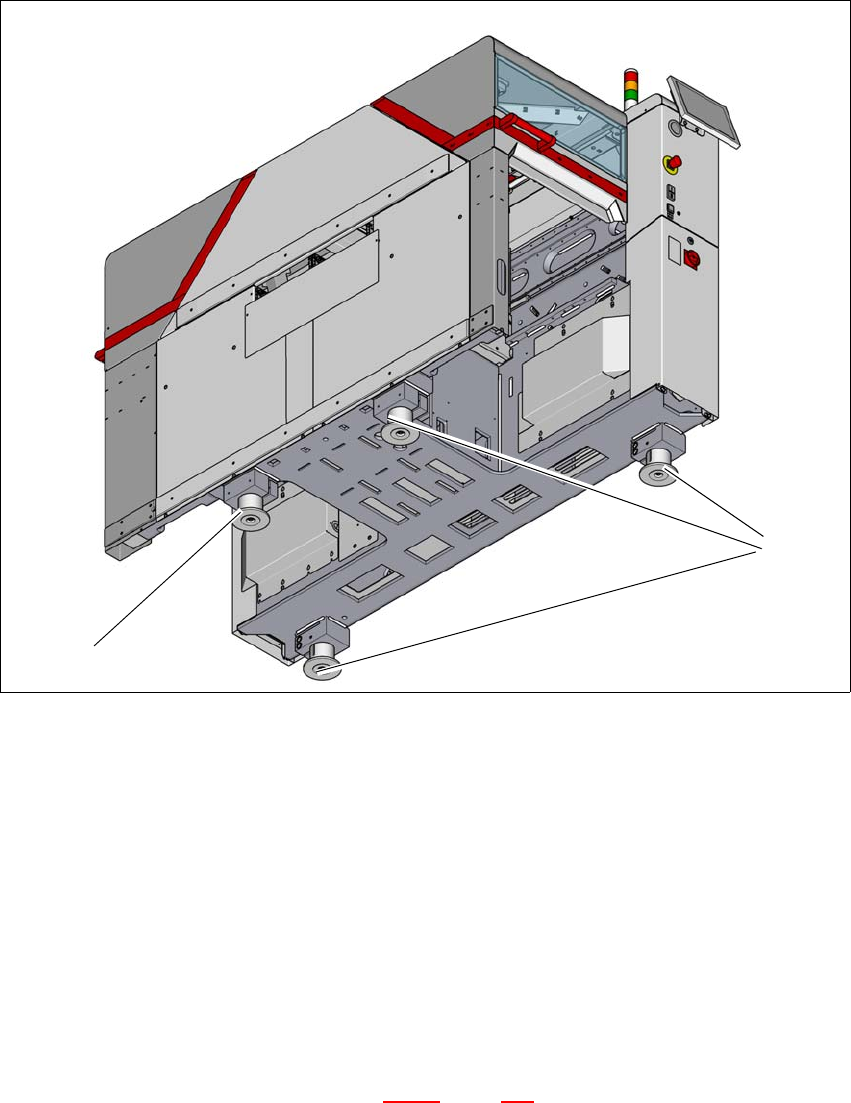
Fig. 4.5 - 6 Adjusting the machine
Place the placement machine spirit level (measuring accuracy of 0.02 mm) on the unclamped
lifting table and measure in the X and Y directions.
Align the placement machine in the X and Y direction, using the machine spirit level, at the
three machine feet (1). The maximum permissible deviation is 0.10 mm/m.
Then fix the fourth machine foot (2) so that it is firmly on the ground.
Check the load-bearing strength of the 4 placement machine feet. The 4 placement machine
feet must all touch the ground and be evenly loaded.
The setting screws for adjusting the height of the placement machine feet must be positioned
in a load-bearing state, once the placement machine has been aligned.
Use the torque wrench to tighten the clamping screws (torque of 130 Nm) for the four place-
ment machine feet. (See also diagram 4.5 - 5
, page 186)
Hit the feet with a hammer to check the load-bearing strength of the placement machine feet.
Use the spirit level to check that the placement machine is accurately aligned.
(2)
(1)

User manual SIPLACE TX V2 4 Setting up and commissioning
From software version 711.1 04/2018 4.5 Setting up the placement machine
189
4.5.7.2 Aligning and adjusting the placement machines in the line
Use the pallet truck to move the placement machine to its rough position and then lower the
placement machine into position. While doing this, observe the safety instructions and proce-
dural instructions in section 4.5.5.1
, page 182.
Align the placement machine vertically (height) and horizontally with the help of the machine
spirit level.
Position the placement machine so that there is a smooth transition between the PCB con-
veyors for the adjacent placement machine.
Check the height and horizontal position and correct, if necessary.
Check the transition between the PCB conveyors and correct, if necessary.
If both are OK, use the torque wrench to tighten the clamping screws (torque of 130 Nm) for
the four placement machine feet. (See also diagram 4.5 - 5
, page 186)
4.5.7.3 Aligning the placement machine with the air cushion transport system
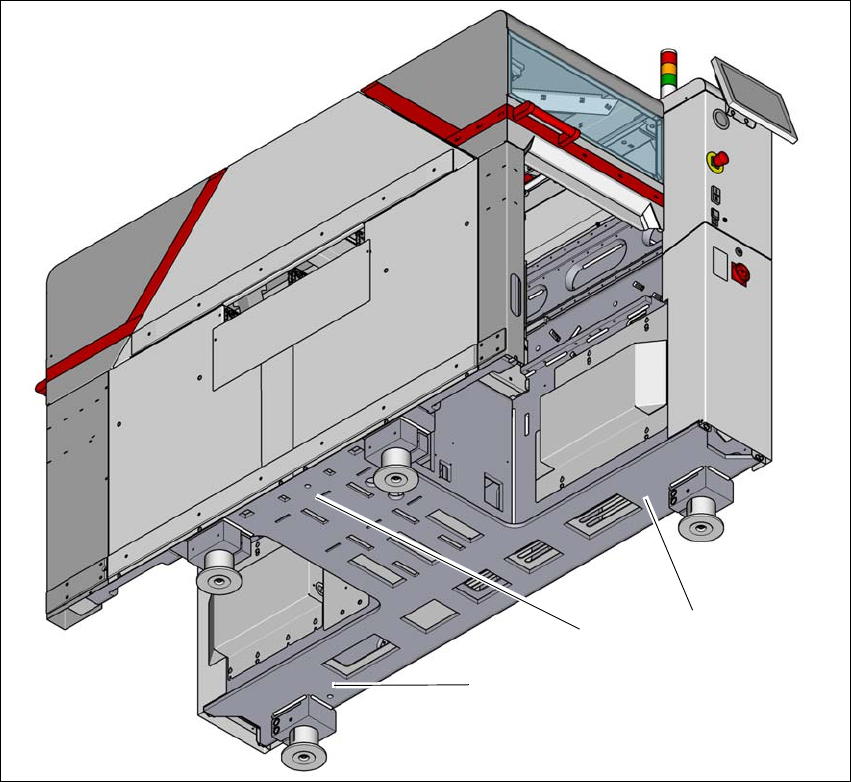
Place the three air cushions from the air cushion transport system under the contact points
(see fig. 4.5 - 7
, page 190).
4
Raise the placement machine and align it with respect to the line.
Check the distance from the PCB conveyor system of the adjacent placement machine. It
should be between 1 mm and 3 mm.
Lower the placement machine.
WARNING
Avoid swinging up of the placement machine - observe the instruction manual for the air
cushion transportation system!
Observe the handling and safety instructions in the user manual for the air cushion
transport system.
Regulate the supply of air very carefully, to prevent the placement machine from
swinging up.
4 Setting up and commissioning User manual SIPLACE TX V2
4.5 Setting up the placement machine From software version 711.1 04/2018
190
4
Fig. 4.5 - 7 Contact positions for the air cushion transport system
(1) Three contact points for the air cushion transport system
(1)
(1)
(1)