00198442-01_UM_TX-V2_EN.pdf - 第215页
User manual SIPLACE TX V2 5 Tasks at the placement machine From software version 711.1 04/2018 5.5 The user interface 217 The following view will open: 5 Fig. 5.5 - 4 User interface in the "T ables" view (examp…
5 Tasks at the placement machine User manual SIPLACE TX V2
5.5 The user interface From software version 711.1 04/2018
216
5
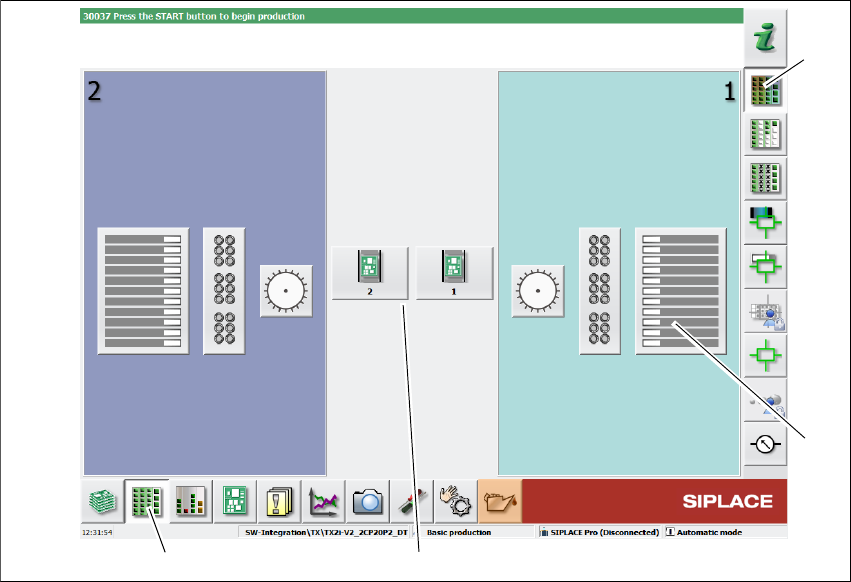
Fig. 5.5 - 3 User interface in the "Feeder module, components and nozzles" view (example)
Legend
(1) Toolbar ("Feeder modules, components and nozzles" button)
(2) Vertical toolbar in "Feeder modules, components and nozzles" view
(3) Button for both conveyor lanes
(4) Button for table at location 1
Click, for example, on the table at location 1 (button 4), to check the configuration.
(1)
(2)
(3)
(4)
User manual SIPLACE TX V2 5 Tasks at the placement machine
From software version 711.1 04/2018 5.5 The user interface
217
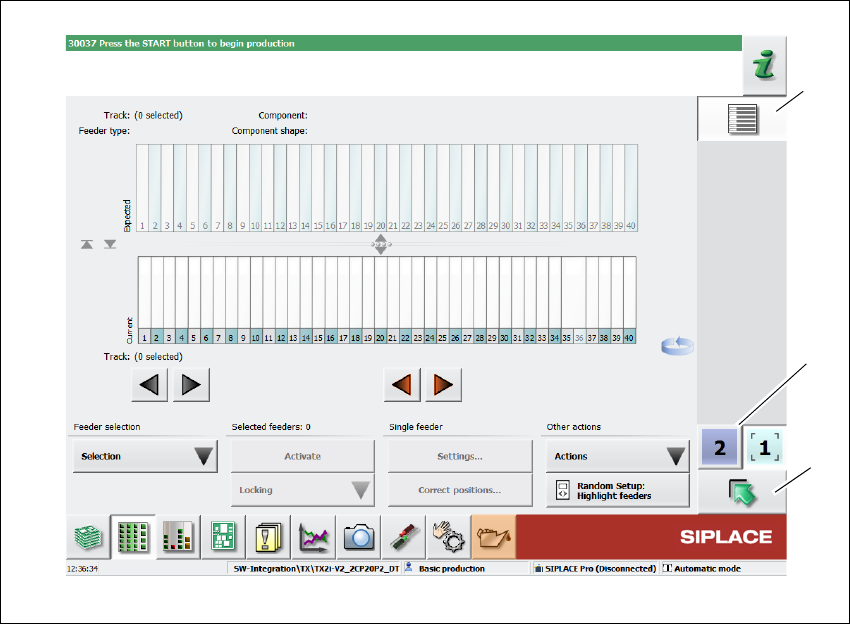
The following view will open:
5
Fig. 5.5 - 4 User interface in the "Tables" view (example)
Legend
(1) Vertical toolbar "Tables"
(2) "Up one level" button, to return to previous view (here: "Feeder modules, components and
nozzles" view, see previous diagram)
(3) Buttons for changing directly to a different gantry
(1)
(2)
(3)
5 Tasks at the placement machine User manual SIPLACE TX V2
5.5 The user interface From software version 711.1 04/2018
218
5.5.5 Settings
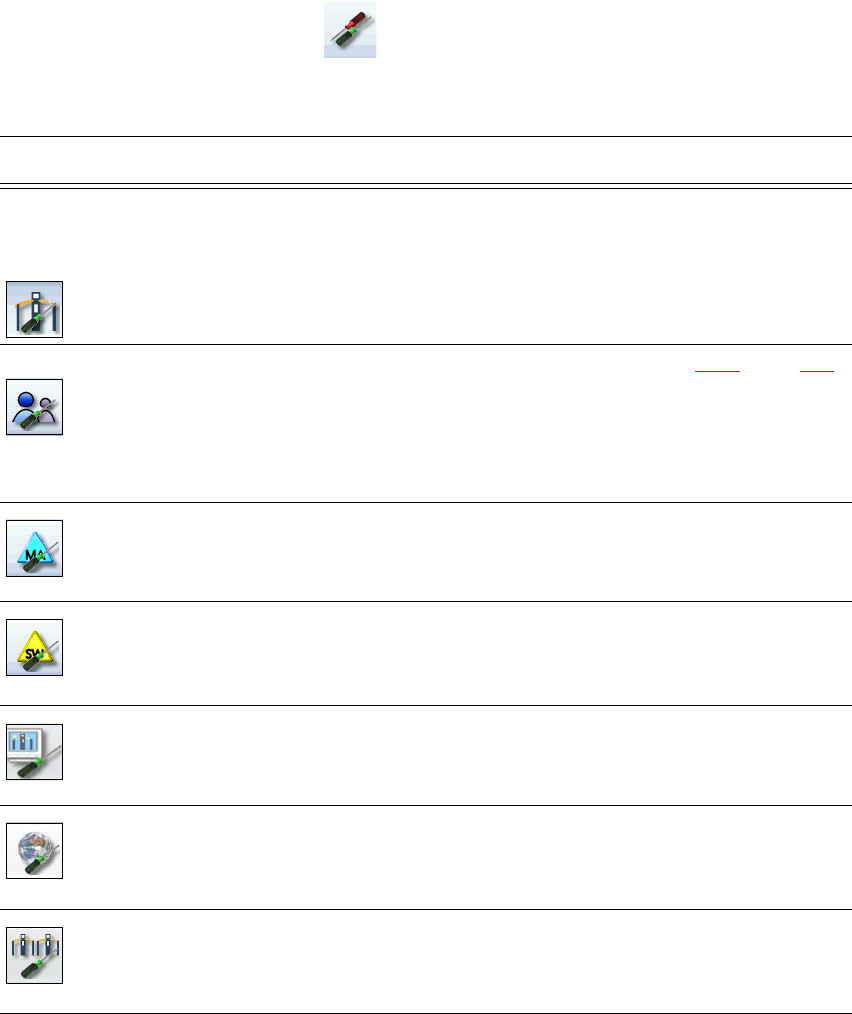
The "Settings" view allows you to change the various user settings, software options and place-
ment machine options.
Click on "Settings" in the toolbar .
The right-hand side shows an additional toolbar. The following table briefly describes the icons
and settings.
Icon Settings Description
Machine settings Only for "Advanced production", "Service customer" or "Service
SIPLACE".
Allows you to set the operating mode and options (e.g. running
options).
Shutting down the placement machine
Allows you to change over to the operating system.
User settings Allows you to set the operator level (see section 5.3.3
, page 207).
Allows you to set the language. As a default, English, German or
Chinese can be selected. ASM provides additional languages as a
download.
Further options can be set from the "Advanced production" operator
level.
Machine options No options can be changed in the "Production" level.
Configuration of the placement machine options.
Software options Only for "Advanced production", "Service customer" or "Service
SIPLACE".
Allows you to activate various test functions.
GUI settings Allows you to check and define GUI settings.
Overview of con-
nected external
systems
Shows all connected external systems (e.g. OIS, SetupCenter).
Shows the connection status and the memory used or deletes the
connected systems.
Adjacent place-
ment machine
Shows the adjacent placement machine.