00194310-02_UM_Sleeve_Verification_de_en - 第22页
User manual verification of sleeves Adjusting the sensing lever gauge 22 Sleeve Verification Verifizierung von Pinolen ▪ The sensor lever gaug e must be calibrated at the start of each set of measurements. First raise (1…
User manual verification of sleeves
Adjusting the sensing lever gauge
Sleeve Verification Verifizierung von Pinolen 21
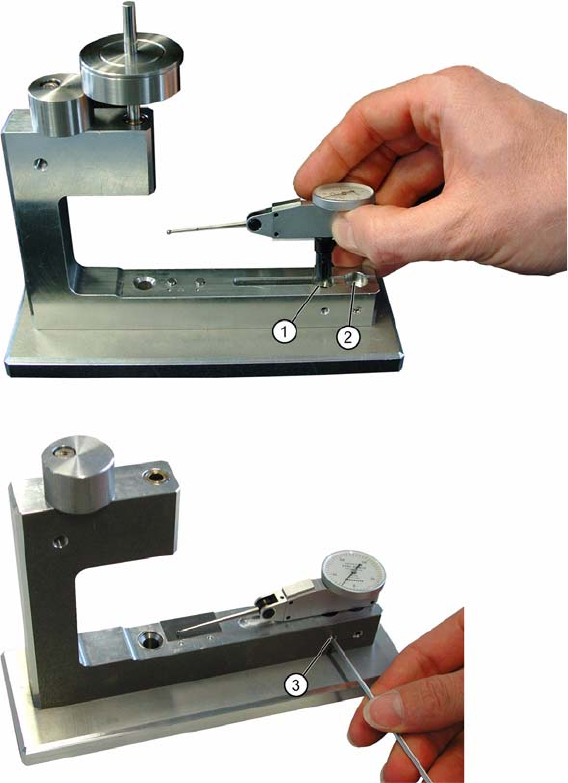
1.3 Adjusting the sensing lever gauge
▪ Set the sensing lever gauge at the correct distance for the sleeves to be measured (6x or 12x place-
ment head).
Positioning the sensing lever gauge for sleeves C&P12 / C&P6
1. Position for sleeve C&P12
2. Position for sleeve C&P6
3. Screw to fix sensing lever gauge
User manual verification of sleeves
Adjusting the sensing lever gauge
22 Sleeve Verification Verifizierung von Pinolen
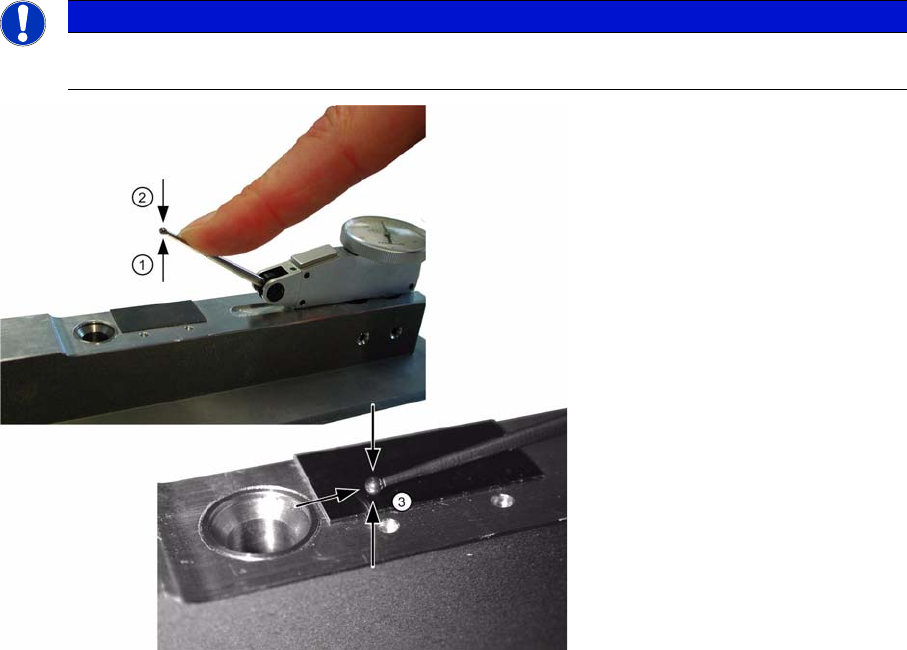
▪ The sensor lever gauge must be calibrated at the start of each set of measurements. First raise (1)
and then press the sensor lever down (2) against the stop.
▪ After the adjustment, there is always a defined gap between the tip of the sensor lever and the stop
(3).
Setting the sensing lever gauge
NOTICE
This setting is important as it ensures the correct working range for the sensing lever gauge in
conjunction with the sleeve.
User manual verification of sleeves
Adjusting the sensing lever gauge
Sleeve Verification Verifizierung von Pinolen 23
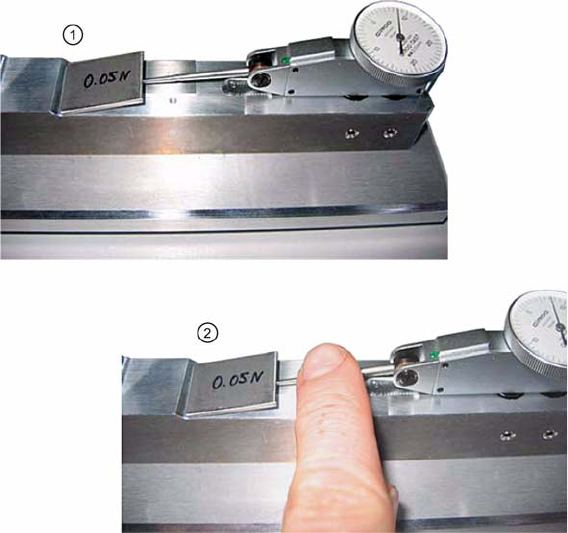
Checking that the sensing lever moves freely
►Set the sensing lever gauge to “0”.
►Place the calibrating weight (0.05 N) on the sensing lever (1).
►Press the sensing lever down gently once with your hand (2).
The display must not decline to"0" any more.
Checking the sensing lever for smooth operation