00196775-0102_OM_DockingStation_SX_EN.pdf - 第23页
19 Docking Station for SIPLACE SX Changeover Tables 3 Product Description Operating Manual 3.3 Transport Lock 3.3 Transport Lock After unpacking and before using the docking station for the first time, be sure to remove …
3 Product Description Docking Station for SIPLACE SX Changeover Tables
3.2 Technical Data Operating Manual
18
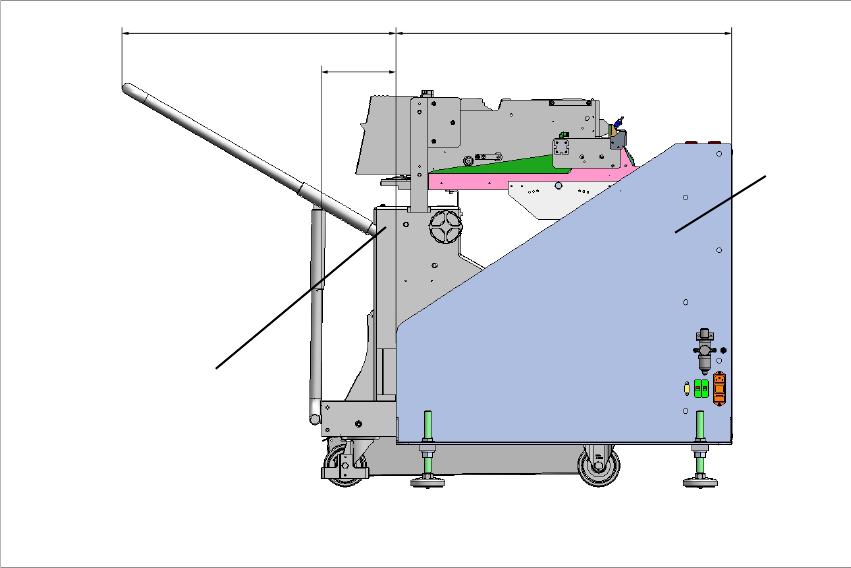
3.2.1 Dimensions with docked changeover table
654 801.5
178
1
2
Fig. 3 - 3 Docking station SIPLACE SX with docked changeover table – dimensions in millimetres
(1) Changeover table
(2) Docking station
19
Docking Station for SIPLACE SX Changeover Tables 3 Product Description
Operating Manual 3.3 Transport Lock
3.3 Transport Lock
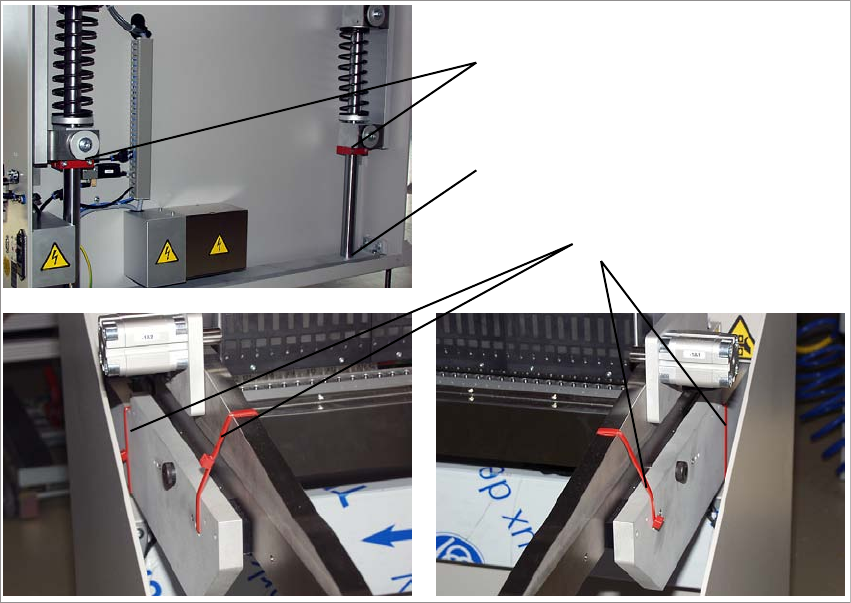
After unpacking and before using the docking station for the first time, be sure to remove the
transport locks.
1
2
3
Fig. 3 - 4 Transport locks
(1) 2x shaft transport lock on the lifting axis
(2) 4x side wall transport locks
(3) Storage place for transport locks (1)
To loosen the transport lock (1), you need to remove the rear cover. Loosen the transport lock (1)
and fix it loosely to the storage place (3). Replace the cover.
To remove the transport lock (2), cut the four red cable ties with a suitable tool.
3 Product Description Docking Station for SIPLACE SX Changeover Tables
3.4 Installation and Mounting Operating Manual
20
3.4 Installation and Mounting
To ensure safe operation of the docking station, it must be mounted as described below.
3.4.1 Mounting Accessories
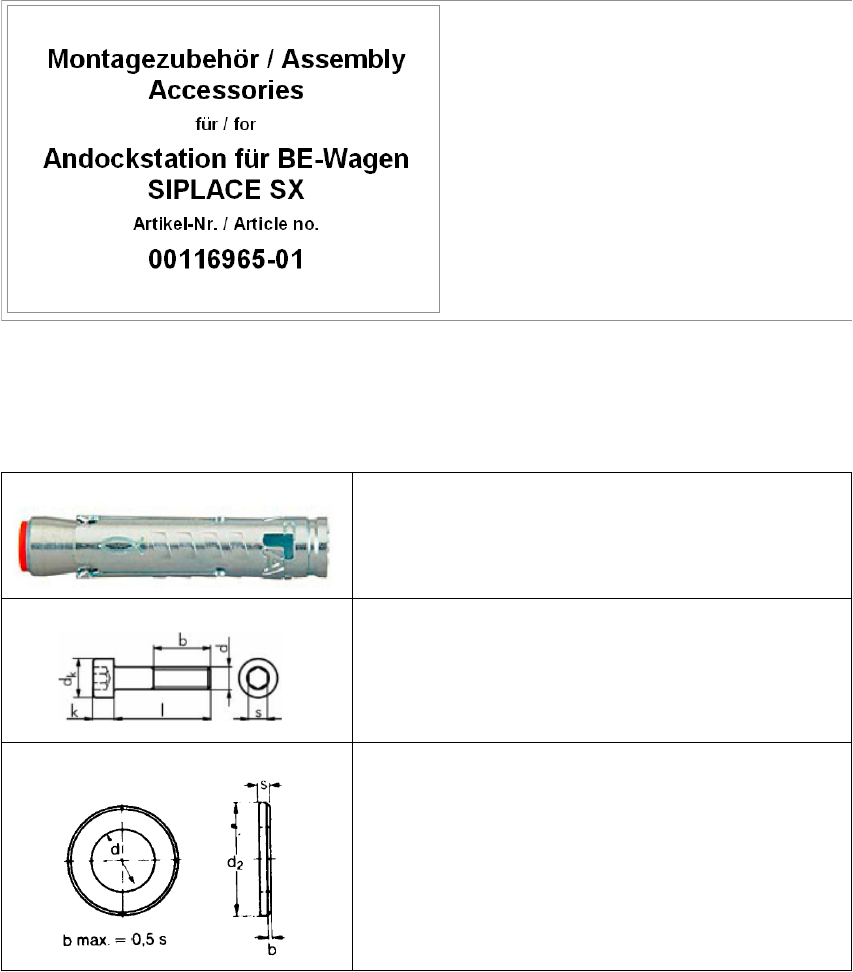
The mounting accessories are provided in a separate package. This package is identified with the
label shown below.
Contents:
1. Power cable
2. Fastening parts
Fig. 3 - 5 Mounting accessories
3.4.1.1 Fastening Parts
4x heavy duty anchor TA M, ∅12 mm
4x cylinder head screw, DIN EN ISO 4762 M8x80-8.8
4x washer, DIN EN ISO 7090 8.4-140HV