00196775-0102_OM_DockingStation_SX_EN.pdf - 第26页
3 Product Description Docking Station for SIPLACE SX Changeover Tables 3.4 Installation and Mounting Operating Manual 22
21
Docking Station for SIPLACE SX Changeover Tables 3 Product Description
Operating Manual 3.4 Installation and Mounting
3.4.2 Mounting
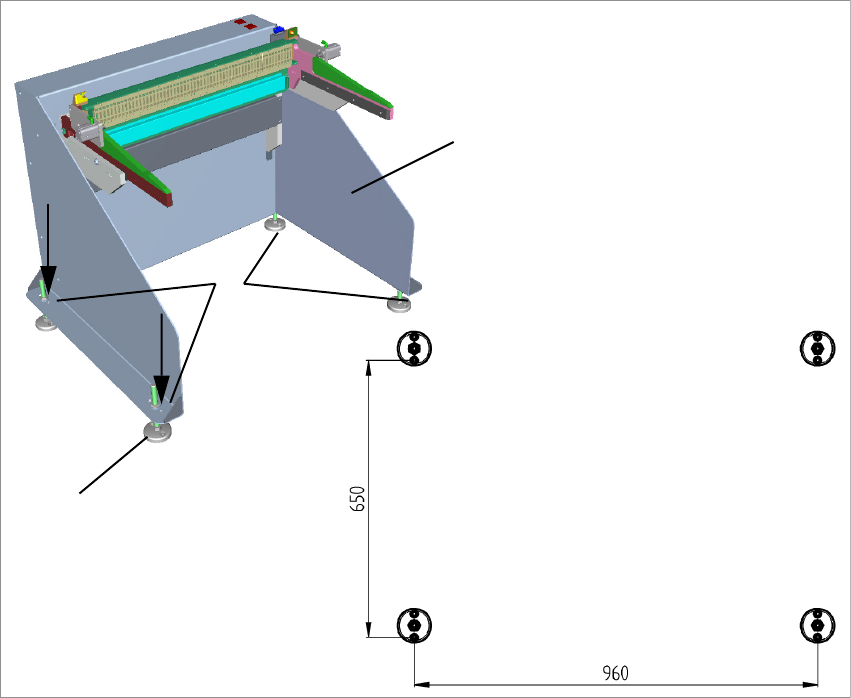
The docking station is anchored to the floor with four heavy duty anchors TA M, ∅12 mm and the
other fastening parts.
1
2
3
Fig. 3 - 6 Fastening and hole pattern
(1) Position the docking station in its intended location and align it.
(2) Align the holes in the adjusting feet plates with the holes in the metal sheet on top.
(3) Mark the front hole of each adjusting feet plate or mark it with an appropriate tool.
(4) Place the docking station aside.
(5) Drill the four holes with a diameter of 12 mm and a depth of 80 mm.
(6) Insert the heavy duty anchors into the drilled holes.
(7) Reposition the docking station at its location and fasten it with the provided screws.
3 Product Description Docking Station for SIPLACE SX Changeover Tables
3.4 Installation and Mounting Operating Manual
22
23
Docking Station for SIPLACE SX Changeover Tables 4 Operation
Operating Manual 4.1 Controls and Indicators
4 Operation
4.1 Controls and Indicators
1
2
3
4
5
7
6
1
2
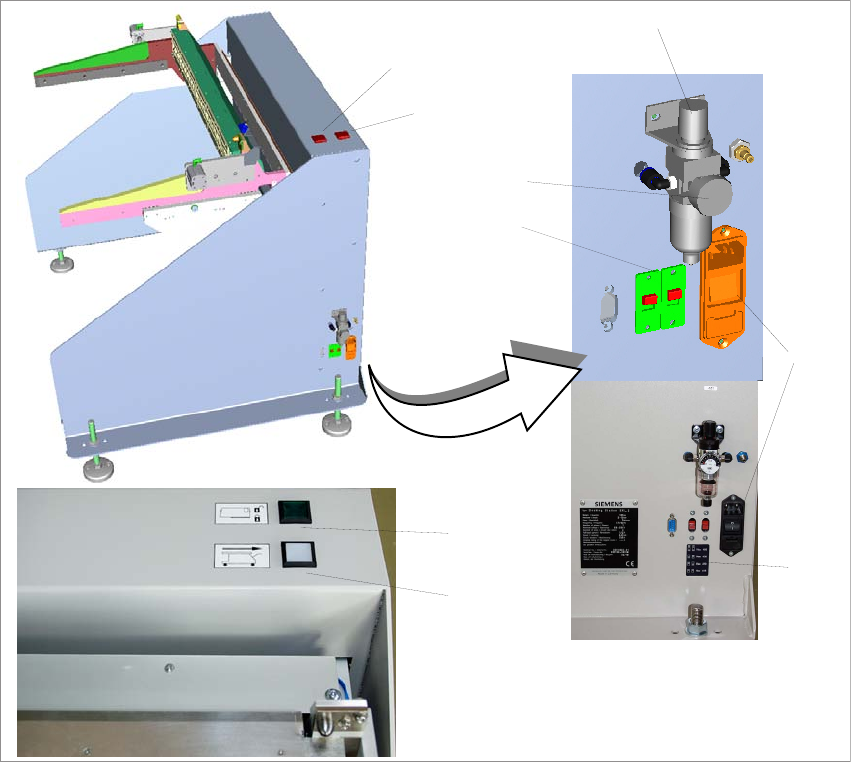
Fig. 4 - 1 Docking station SIPLACE SX – controls and indicators
(1) Changeover table release (white button)
(2) Feeder locking and release (green button)
(3) Knob for setting the operating pressure
(4) Pressure gauge for indicating the operating pressure
(5) Switches S1 and S2 for setting the CAN bus address
(6) Sticker explaining the switches S1 and S2 for CAN bus addressing
(7) Power switch