N7201A652E.pdf - 第11页
NPM- TT2 EJM1EE-CT-01 N-01 S-1 1 T able of Contents 1 1 Confir ma tion -1 Safety precautio ns -2 W arning labels -3 Safety management -3-1 Safety switches / Key management / Maintenance warning sheet -3-2 Stopping specif…
NPM-TT2 EJM1EE-BP-04N-01
Terms used in the button on the screen may differ from
the ones in explanation.
Remarks
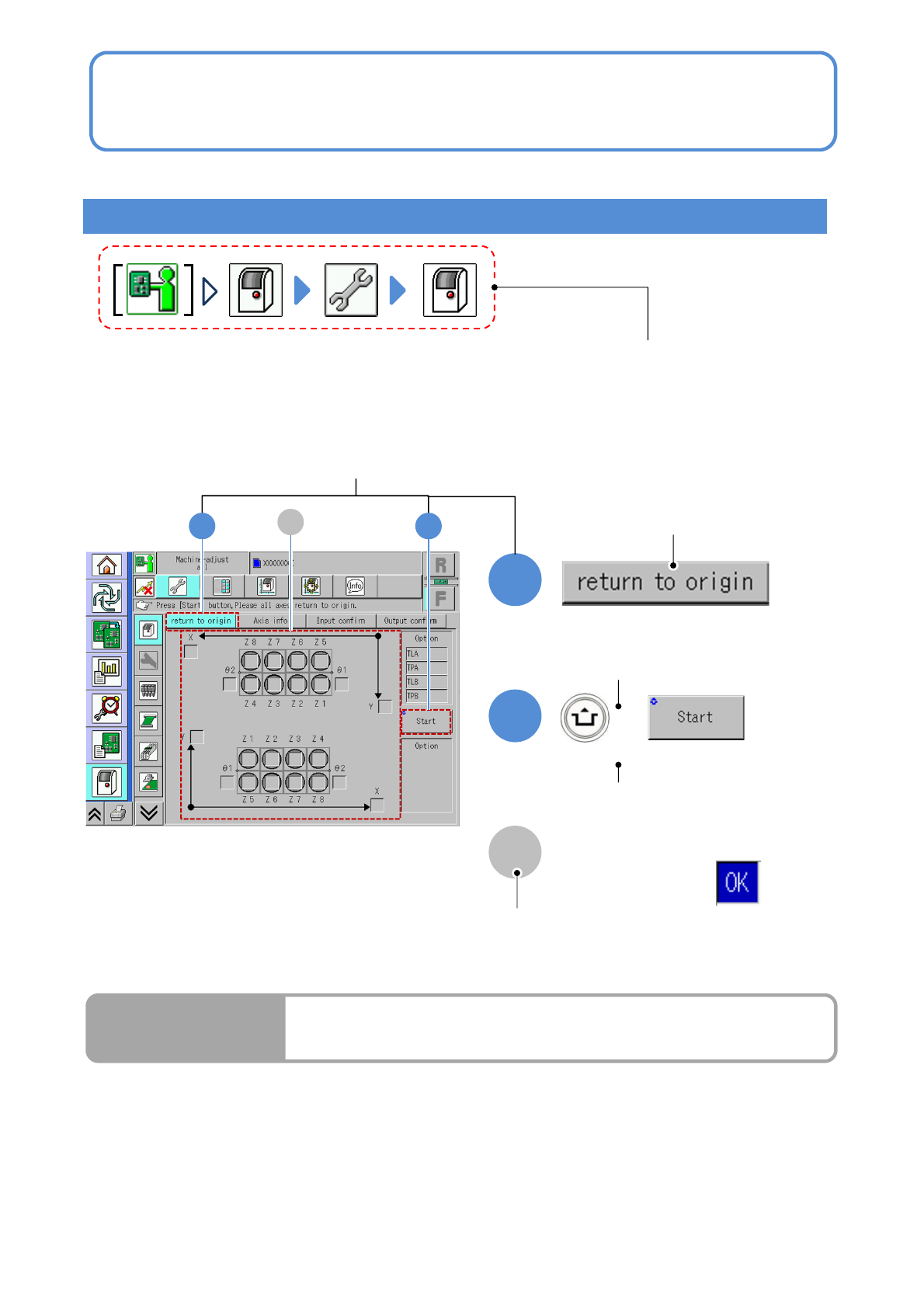
● Homing axis
S-10
1
2
1
+
2
A
A
How to read operating instructions… 2
Visual procedure/operation by reading
Operation procedure
Operation mode button, press the button
that shows each level of operation.
Shows to push the
operation button.
Shows to push another button
while holding down the
ACTIVATION switch.
Shows the operation results.
(Completes continuous preparation.)
Run Results
Screen explanation

NPM-TT2 EJM1EE-CT-01N-01
S-11
Table of Contents
1
1
Confirmation
-1
Safety precautions
-2
Warning labels
-3
Safety management
-3-1
Safety switches / Key management /
Maintenance warning sheet
-3-2
Stopping specifications when coupled
-3-3
Connecting a device or a conveyor
prepared by custome
r
-4
Precautions
-5
Handling the SD card and the
product nameplate
-6
Disposing the gas spring
-7
Handling the used battery
-8
Repairs on or disposal of linear
motors
-9
Component names
-9-1
A
ppearance diagram/Operating units
-9-2
Operation switch
-9-3
Main units

NPM-TT2 EJM1EE-CT-01O-01
S-12
2
Preparation
-1
Basic operation
-1-1
Starting and stopping the machine
-1-2
Mode selection
-1-3
The default operation mode setup
-1-4
Password setting
-1-5
Customize setting
-2
Component names
-2-1
Touchscreen
-2-2
Menu configuration
-3
File operation
-3-1
Overview of file operation
-3-2
To the [File operation] screen
-3-3
Loading production data
-3-4
Saving production data
-3-5
Deleting production data
-3-6
Loading/saving machine parameters
-3-7
Line status check
-4
Preparations before
production
-4-1
Preparation of the intelligent feeder
-4-2
Preparation of the tray feeder
-4-3
Unlocking the magazine door
-4-4
Checking the feeder attachment condition
(intelligent feeder)
-4-5
Checking the tray attachment condition
(tray feeder)
-5
Individual preparation
-5-1
Replacing the nozzle changer
-5-2
Replacing the nozzle
-5-3
Setting support pins
-5-4
Adjusting transport conveyor width
-5-5
PCB transport test
-5-6
Placement specification
(conditional placement)
-5-7
Installing support pins (for automatic
change)
-6
Continuous preparations
-7
Production plan
(Setting the production count)
-8
Preparation in independent
mode