N7201A652E.pdf - 第111页
NPM- TT2 EJM1EE-MB -02O-04 2-3-1 -2 Preparatio n
NPM-TT2 EJM1EE-MB-02O-04
File
opera-
tion
Overview of file
operation
How to load and save
2-3-1-1
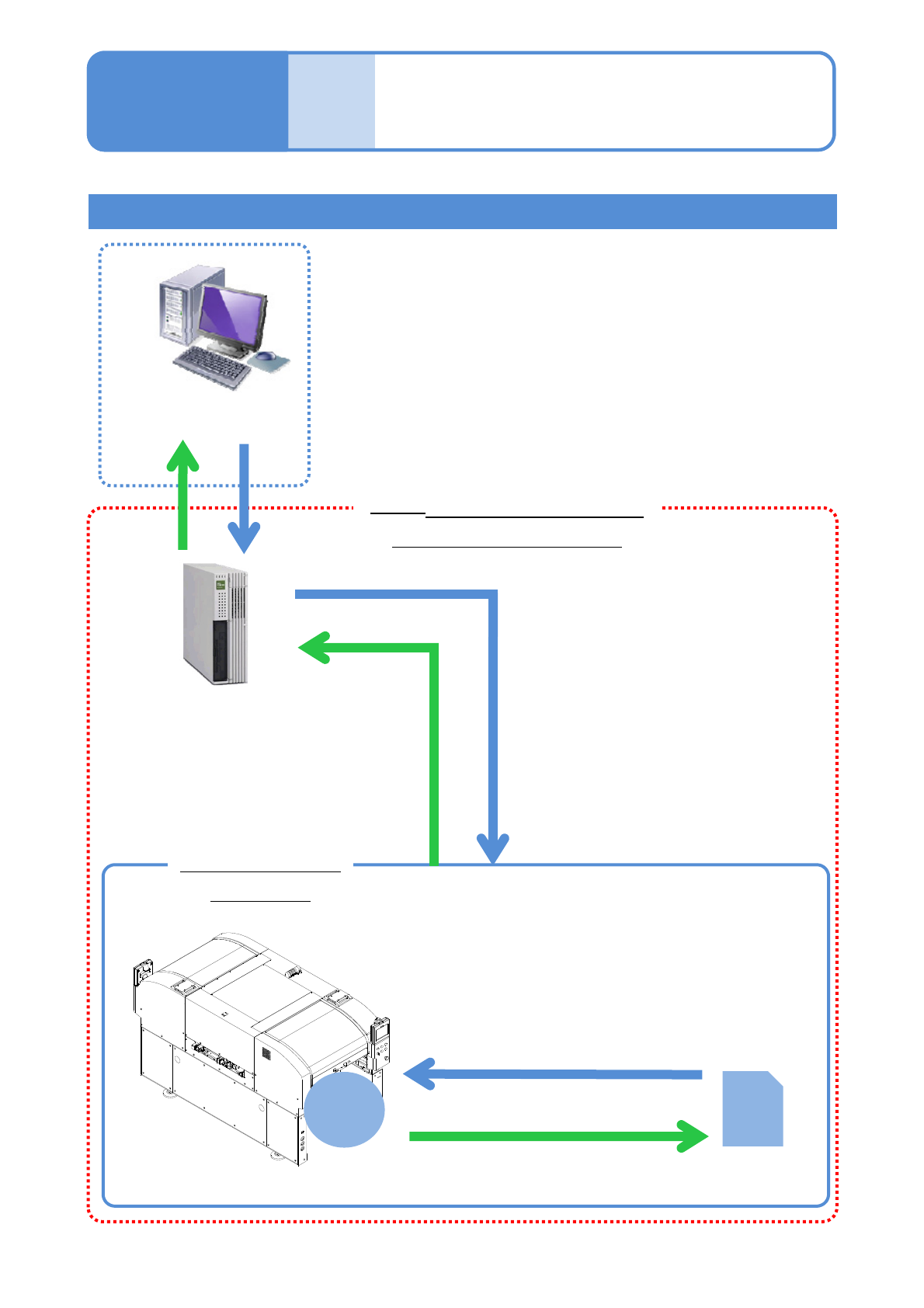
LNB(Line Network Box)
Loading production data(→P.2-3-3)
Loading machine parameter data
(→P.2-3-6)
Saving production
data
(→ P.2-3-4 )
Loading production data (→ P.2-3-3)
Loading machine parameter data → P.2-3-6)
Saving production data (→ P.2-3-4)
Saving machine parameter data(→ P.2-3-6)
SD
Card
Interior of the
machine
DGS
(Data Generation System)
(*another product)
NPM-TT2 configuration
(Main unit + option)
Parameter disk
Memory
Operating procedure
2-3-1

NPM-TT2 EJM1EE-MB-02O-04
2-3-1-2
Preparation
NPM-TT2 EJM1EE-MB-02O-04
File
opera-
tion
To the [File operation]
screen
Operating procedure
2-3-2
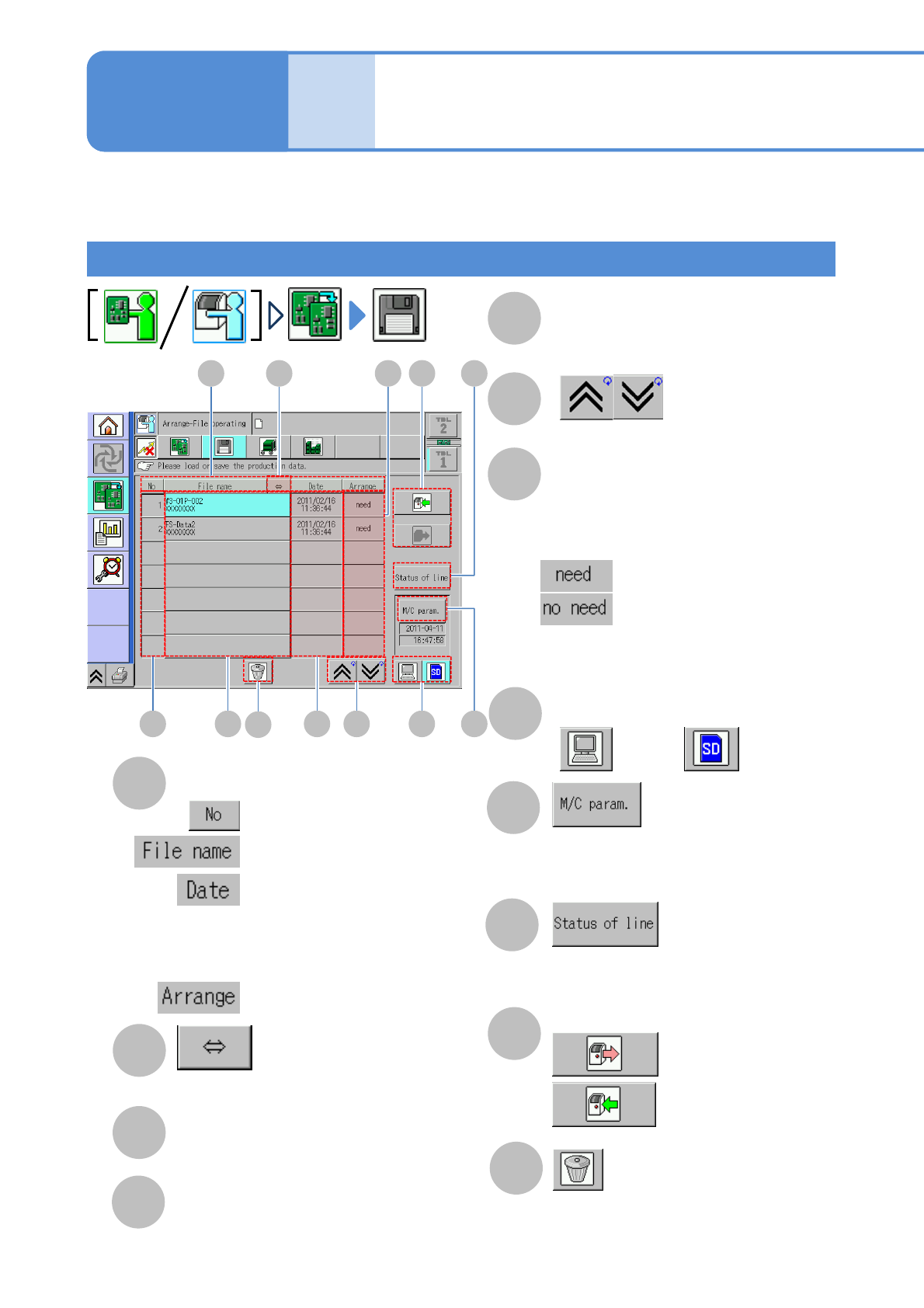
A
Sorting of files
You can switch back and forth between
ascending and descending order every time
you press the button of each of the three
sorting types above.
B
(scrolls and displays a long file name)
C
File number
E
Date
(updated date and time is displayed)
F
(the previous or next table is displayed)
G
Preparation
●If currently loading production data does
not correspond to the arrangement of the
feeder or others, it suggests a need for
changeover.
2-3-2-1
Preparation: Connect to LNB first and then do the following steps.
: in numerical order
: in file name order
: in the order of update date
:Switches between Required
and Not required
H
Changing file load destination
: LNB
: SD card
J
●Check the network status or machine
operation status.
K
:Save files
: Load files
I
How to view screen / Single lane mode
Saving and loading files
: Changeover is needed
: Changeover is not needed
D
File name
●Top: file name
Bottom: created location
(When production data is being selected,
“Selected” appears)
A B
C D E F
G
H
J
I
K
L
L
●When an SD card is used, the
production data in the specified SD
card is deleted.
●Select the machine parameter.
●Displayed deactivated while in
“Operator mode.”